Home > Training > Application Administrator > Separate Faculty in UC OATS
Separate Faculty in UC OATS
This section explains how to separate a faculty member from UC OATS. Separation is used when a faculty member is no longer employed by the university or is no longer required to report outside professional activities based on APM policy (e.g., APM-025 or APM-671). When a faculty member is separated, they will no longer have future appointments in UC OATS unless they are re-imported into the system.
- Only Reviewers with the Faculty Status Change role can mark a faculty member as separated.
- Faculty will continue to have access to UC OATS until the University removes their UC logon rights.
Fiscal Year Separation Rule
This section provides insight into separation rules, system impact, and what happens to forms and annual certification when the separation occurs.
Separation Rule Details
Separation in UC OATS applies to the selected fiscal year and one additional fiscal year (+1). For example, if you separate a faculty member in FY 2024–2025, they will also be separated in FY 2025–2026.
Separation in Prior Fiscal Years
If a faculty member was not separated when they left the University, and you are performing data clean-up, you must repeat the separation process for each applicable fiscal year. Keep in mind that the system will delete the current fiscal year and the next fiscal year.
System Impact
When a faculty member is separated, UC OATS removes records in the next fiscal year, including:
- Activities
- Reported effort/earnings
- Prior approval forms
- Annual Certifications
Forms and Annual Certification in process
When separating a faculty member, there may be prior approval forms or Annual Certifications from the current or previous fiscal year that are still in progress. These forms may remain in Reviewer or Approver queues, creating unnecessary clutter.
At participating campuses, reviewers with the Historical Data Manager role can vacate prior approval forms and Annual Certification. Vacating a form removes it from the approval process and marks it as Vacated. The prior approval form or Annual Certification remains visible in the faculty member’s workspace for historical reference and audit purposes.
To learn more, reference the Vacate Prior Approval Forms article.
Separate a Faculty Member in UC OATS
This section will show you how to manually separate a faculty member in UC OATS. You can also separate a faculty member using the Faculty Separation Data Import.
Separate Faculty Instructions
To manually separate a faculty member:
- Select the Faculty tab.
- Select the fiscal year that corresponds to the faculty member’s separation date.
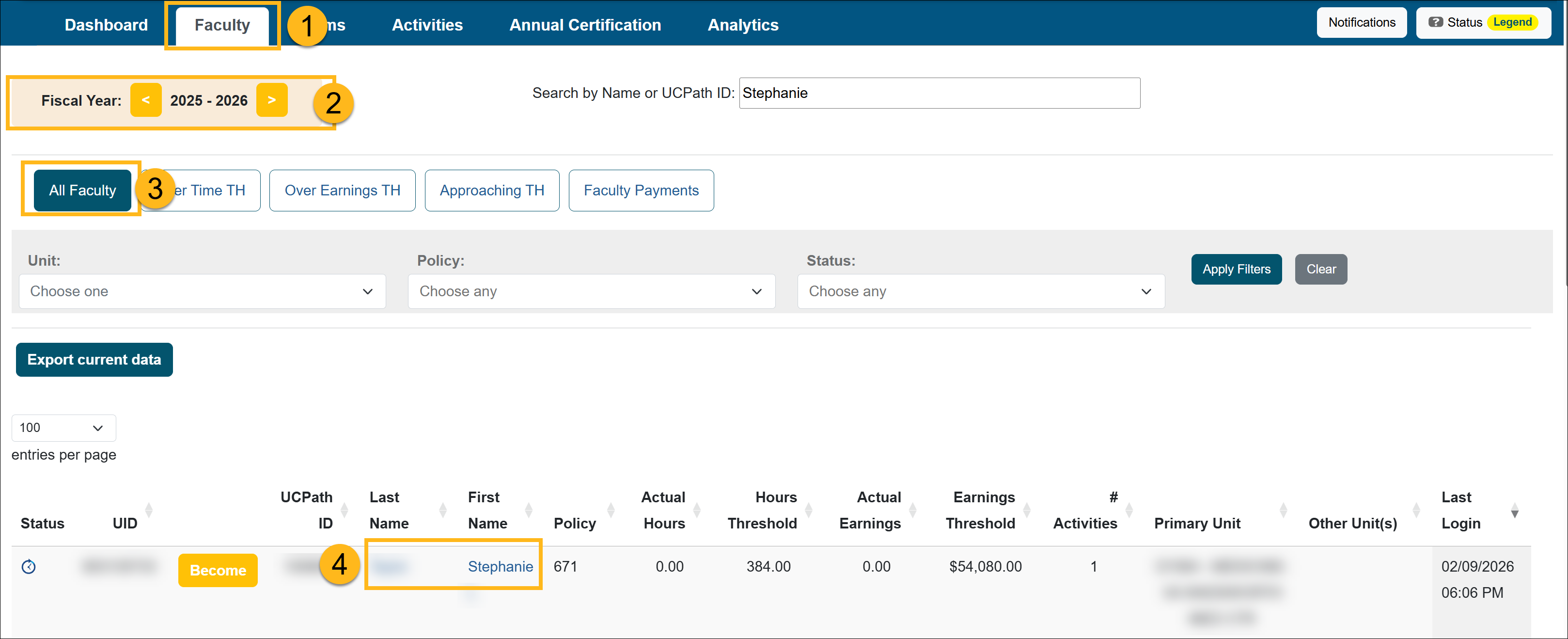
- Select All Faculty.
- Locate the faculty member who is separating from the University and select their name to open the Faculty Details page.
- In the Fiscal Status section, complete the following:
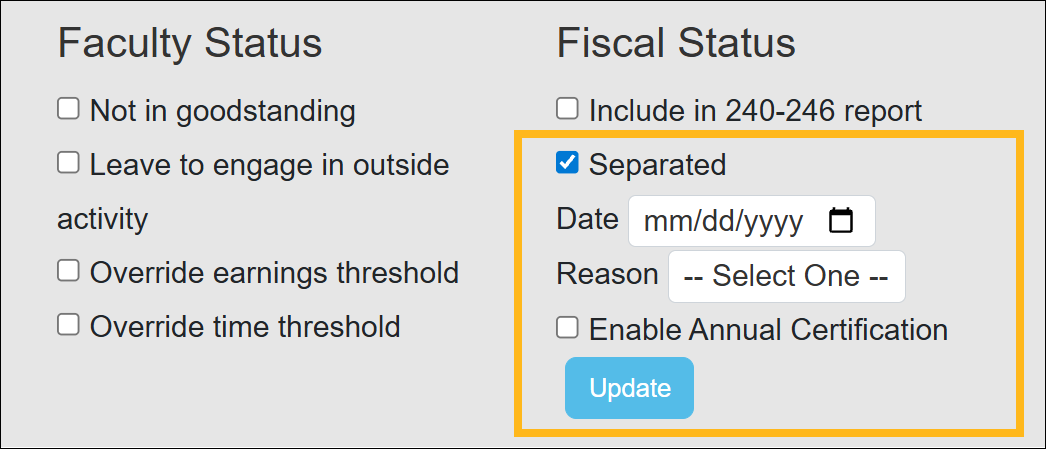
- Separated: Select the Separated checkbox.
- Date: Select the Separation Date. The date must fall within the fiscal year you selected.
- Reason: Select the reason for separation (Separated, Deceased, Retired, or Other).
- Enable Annual Certification:
- Select this option if you want the faculty member to complete the Annual Certification.
- This makes the certification option available in the faculty member’s workspace.
- When enabled, the faculty member will receive Annual Certification email reminders.
- Select Update to finalize the changes.
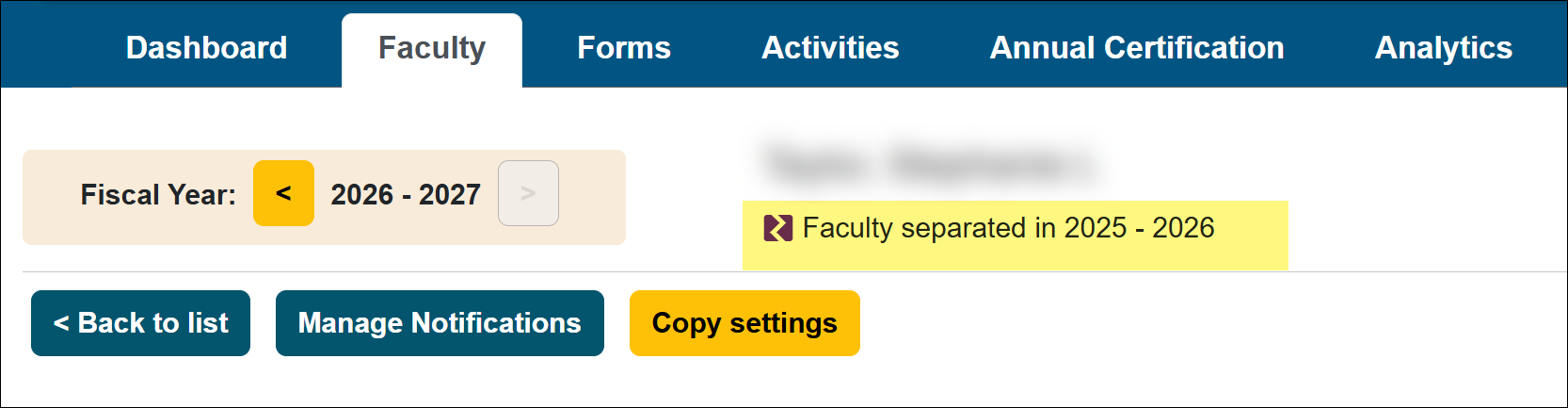
- The faculty member will be separated for the selected fiscal year and the following fiscal year. If you navigate to the next fiscal year, a notice will appear indicating that the faculty member has been separated.
Related Articles
Application Administrator
People Tab Overview
User Roles Overview
Add and Manage Faculty Appointments
Separate Faculty in UC OATS
Reinstate Faculty Appt & Forms
Add and Manage Staff
Last Modified:2026-03-24 08:37:00.37082-07