Home > Training > Application Administrator > Add and Manage Staff
Add and Manage Staff
This article explains how to assign a staff member to a department, as well as how to modify or remove an existing staff member from a department.
Assign Staff Role to a Department
This section shows you how to assign a staff role to a user within a department.
Assign Staff Role Details
To add a staff member to a department:
- Navigate to the App Admin > Departments.
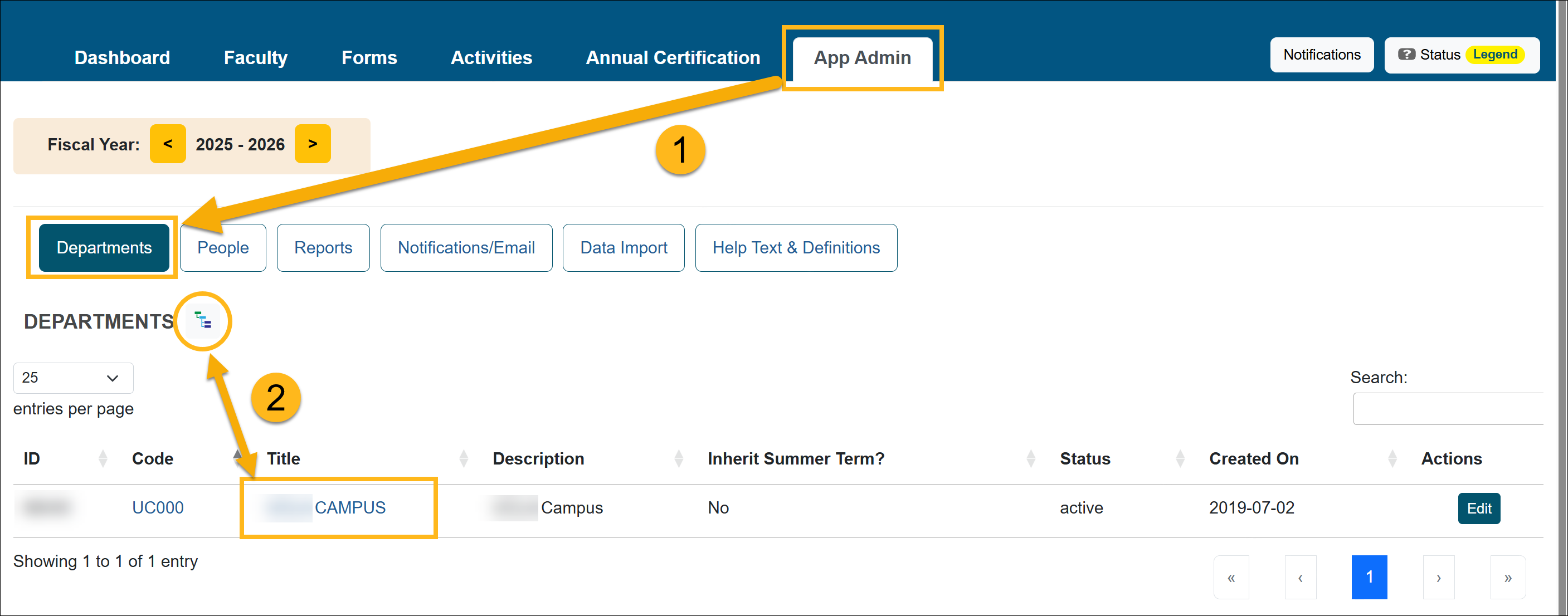
- Locate the department where the faculty should be added.
- Use the Department Hierarchy Tree Structure, or
- Select the Title links to drill down to the correct department
- Confirm you are in the correct fiscal year.
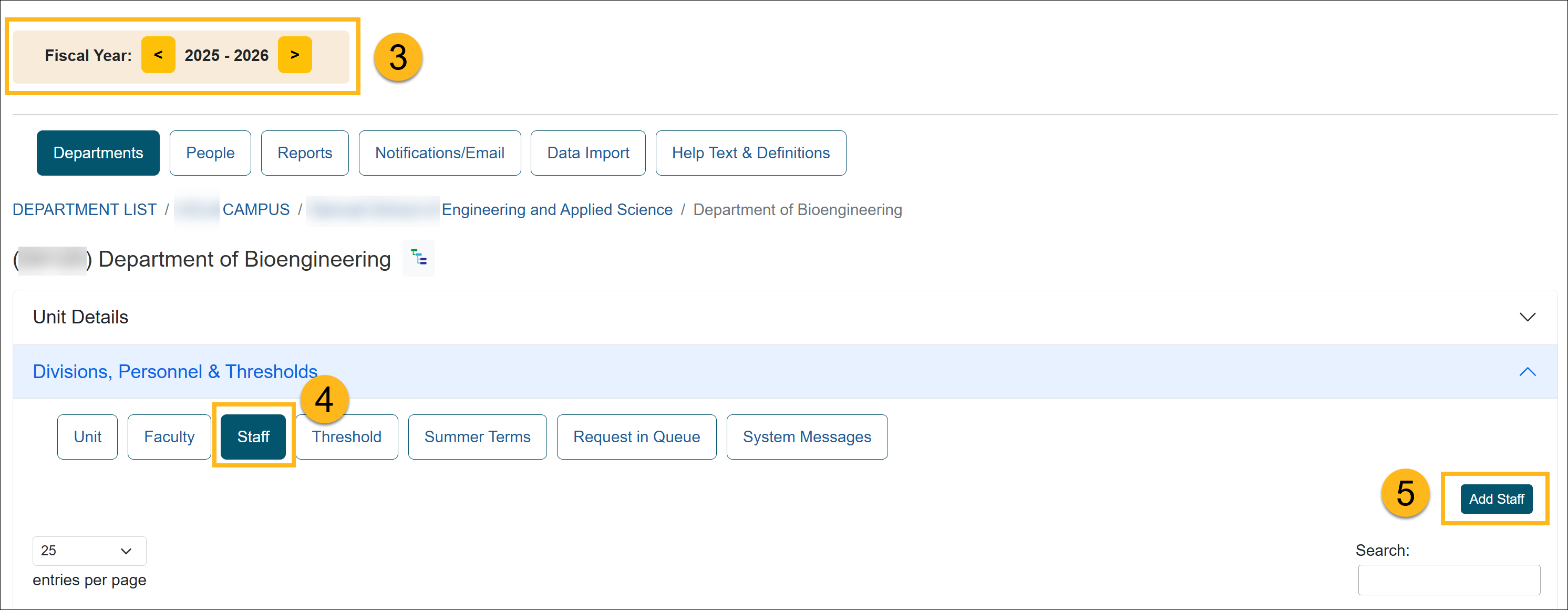
- Select Staff.
- Click Add Staff.
- Enter the staff member’s first name to display a list of matching users. If the user does not appear, click New Staff to add them.
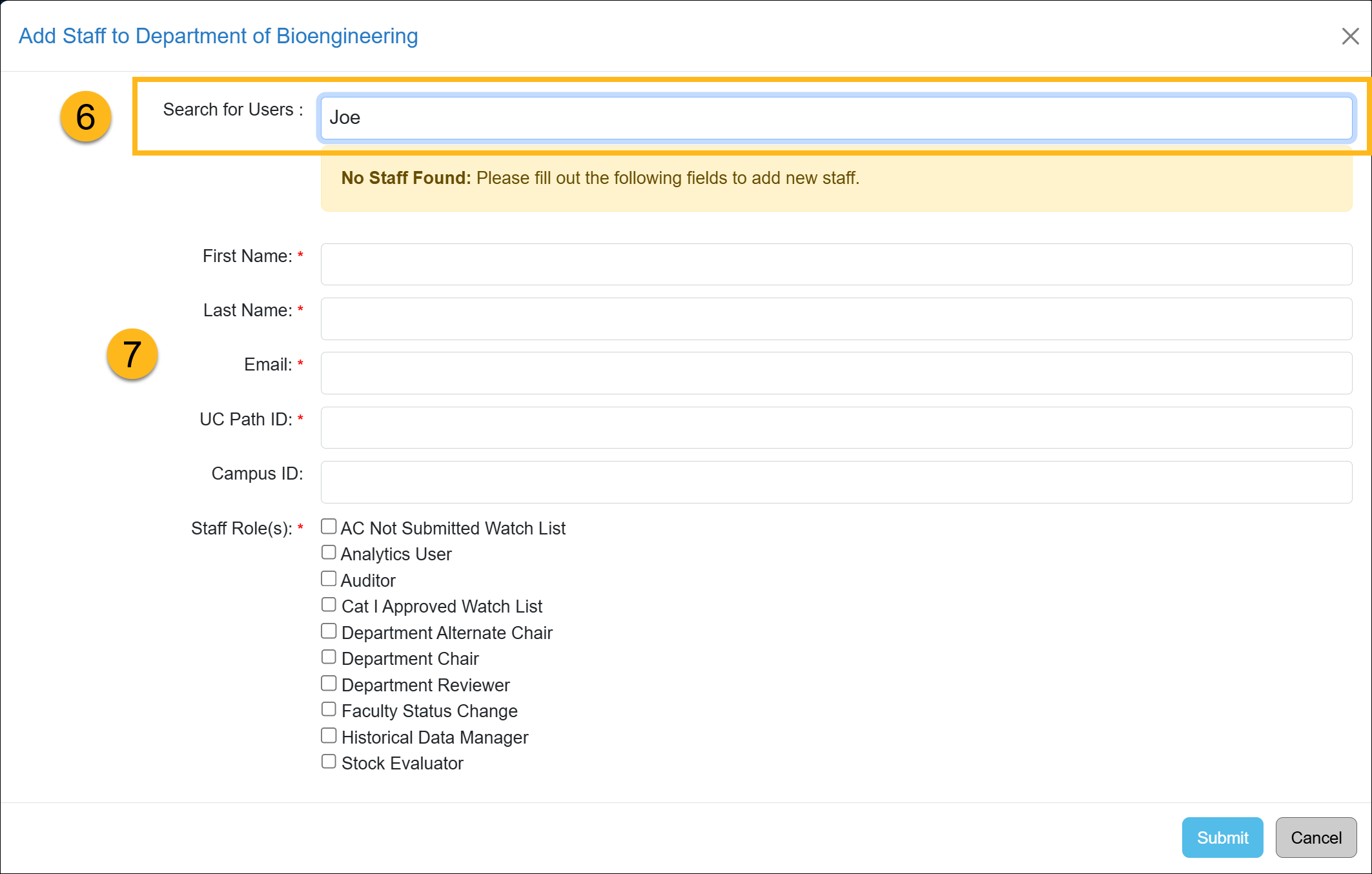
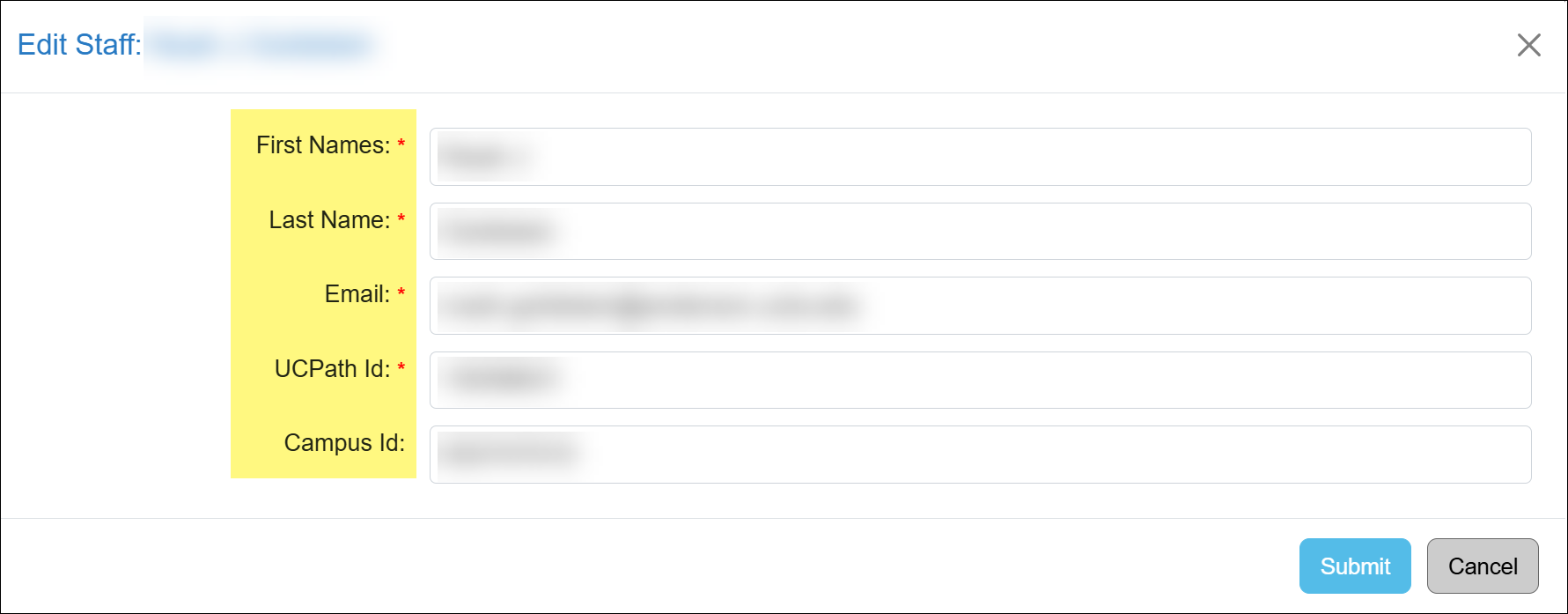
- Fill out the staff form and click Submit.
Add New Staff Description
| First Name | Staff member's first name |
| Last Name | Staff member's last name |
| The staff member’s official university email address used for all automated communications from UC OATS. Only one email address may be assigned per staff member. | |
| UC Path ID | A unique identifier assigned to each faculty member that remains constant throughout their association with the University of California. This ID is used in UC OATS to identify the user and associate incoming data records. |
| Campus ID [deprecated] |
Leave blank. This field is deprecated. |
Modify/Delete Staff
This section shows you how to update a staff member's role, name, email address, and UC Path ID. It will also show you how to delete a staff member from a department.
Modify Staff Details
To manage a staff member:
- Navigate to the App Admin > Departments.
- Locate the department where the faculty should be added.
- Use the Department Hierarchy Tree Structure, or
- Select the Title links to drill down to the correct department
- Confirm you are in the correct fiscal year.
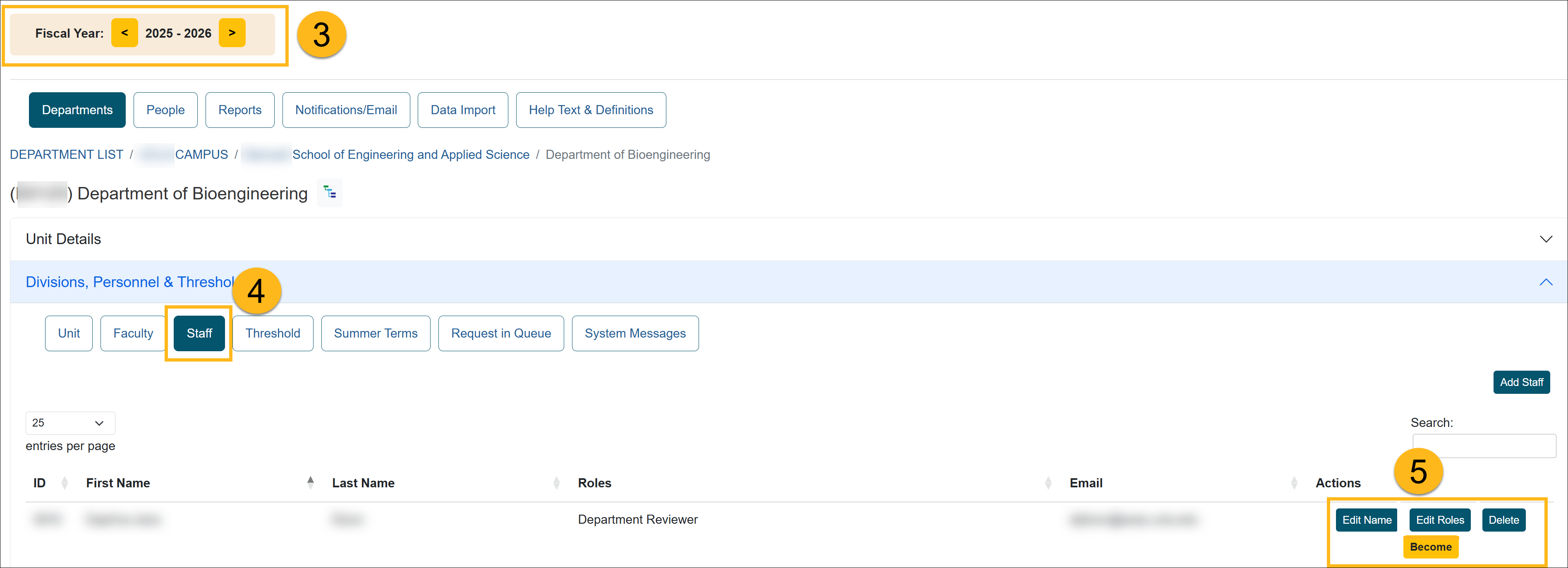
- Select the Staff button and locate the staff member you want to modify.
- There are a few options for you:
- Edit Staff Details: You can enter basic staff member details.
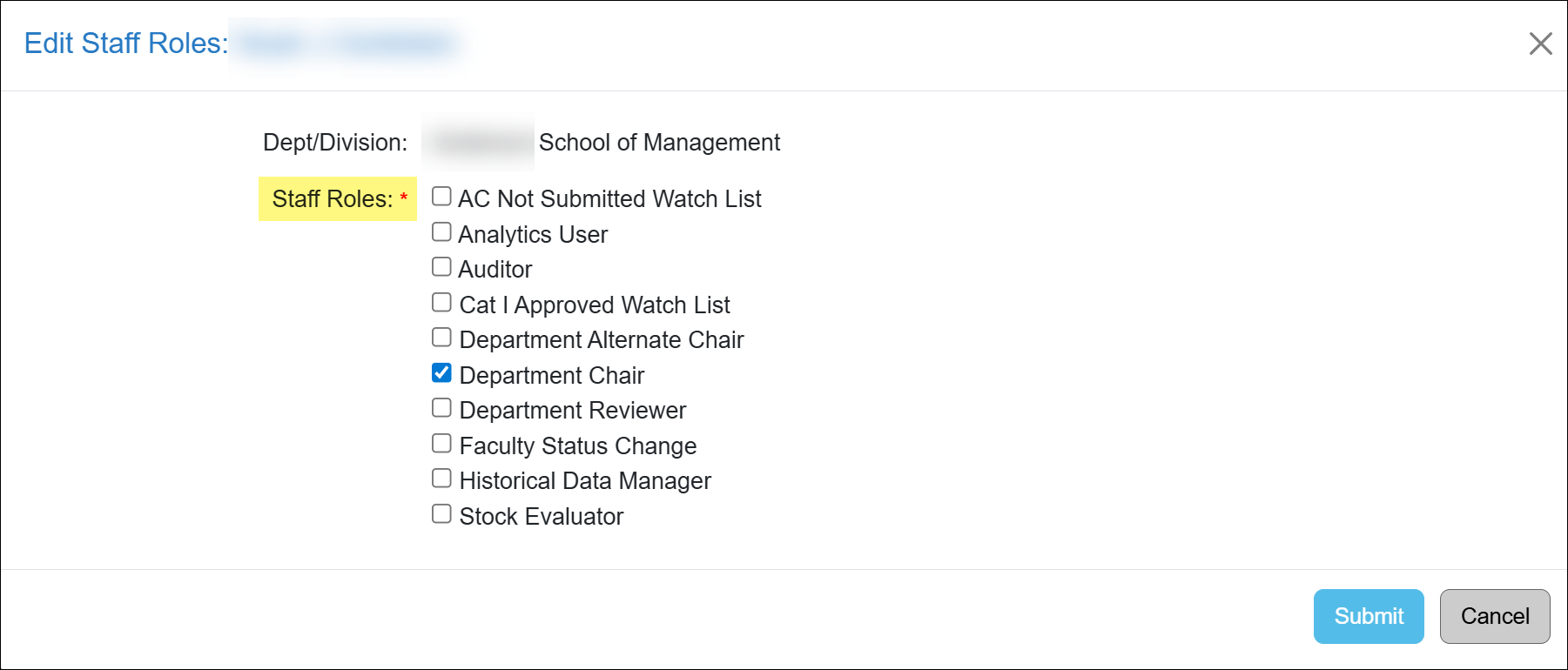
- Edit Roles: Modify the assigned roles. You may select more than one.
- Delete: Remove the staff from the department.
- Become: Allows you to access the system as the selected user and view their experience.
Any actions taken while logged in will directly impact the user’s account in UC OATS Production. To avoid unintended changes, use the UC OATS Training Environment when testing features.
- Edit Staff Details: You can enter basic staff member details.
Related Articles
Application Administrator
People Tab Overview
User Roles Overview
Add and Manage Faculty Appointments
Separate Faculty in UC OATS
Reinstate Faculty Appt & Forms
Add and Manage Staff
Last Modified:2026-03-23 12:34:09.361307-07