Home > Training > Reviewer > Vacate Prior Approval Forms
Vacate Prior Approval Forms and Annual Certification
This article explains how to use the Vacate Form feature in UC OATS. The Vacate Form is used to remove obsolete prior-approval forms and Annual Certification from Reviewer or Approver queues when a faculty member has separated from the University and the form is no longer needed.
- Only Reviewers with the 'Historical Data Manager' role can use the Vacate feature.
- The Vacate Form option is only available on the Faculty Details page and is not accessible from your queue.
- When a form is vacated, it is removed from the Reviewer or Approver queues.
- The form will be marked as vacated and remains visible in the faculty member’s workspace for historical and audit purposes.
Purpose of the Vacate Form Feature
When a faculty member separates from the University, prior approval forms may still be pending in Reviewer or Approver queues. Previously, such forms remained in queues indefinitely. The Vacate Form feature allows Reviewers who also hold the Historical Data Manager role to remove these forms from active queues. Vacating a form does not delete it. The form remains available in the faculty member’s workspace for historical reference and audit purposes. Both prior approval forms and Annual Certification can be vacated using the below process.
How to Vacate Form
To vacate a form or Annual Certification after a faculty member has been separated, do the following:
- Select the Faculty tab.
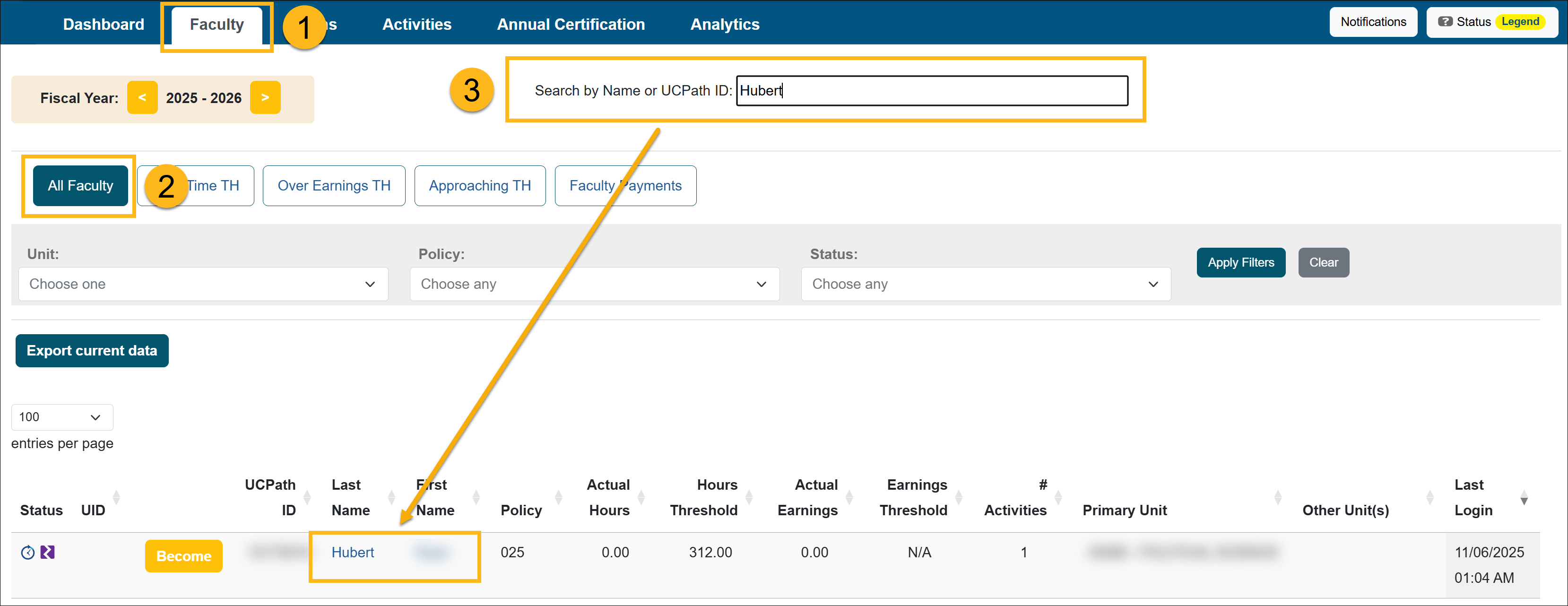
- Select the All Faculty button. The list displays all the faculty you have access to.
- Locate the separated faculty member and select their name to open the Faculty Details page.
-
In the Activities section, locate and click on the prior approval form you want to vacate. Use the Fiscal Year indicator to switch fiscal years if needed.
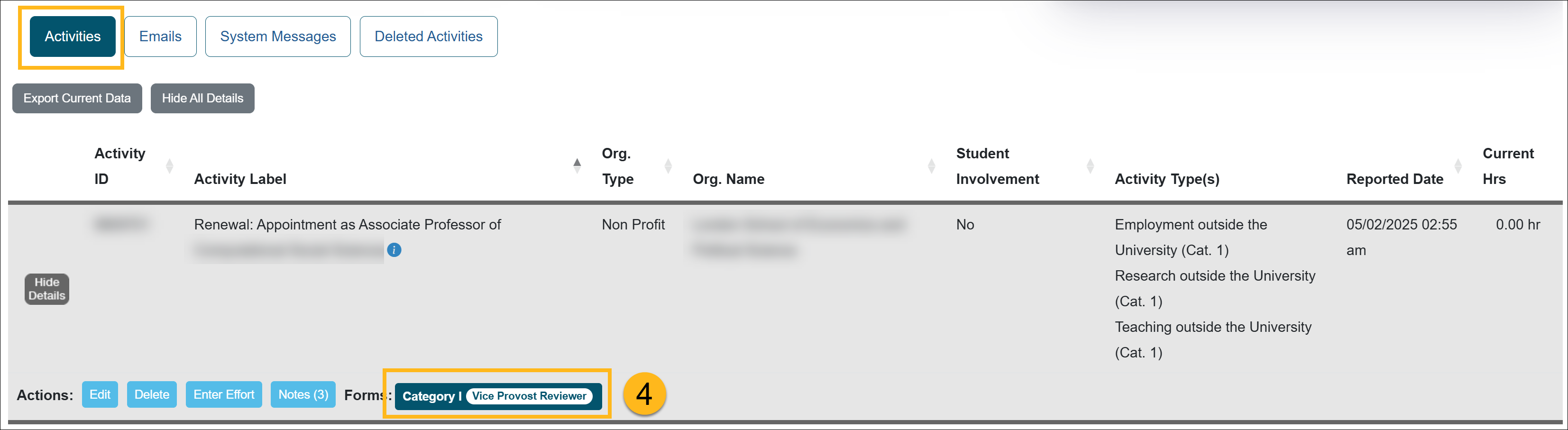
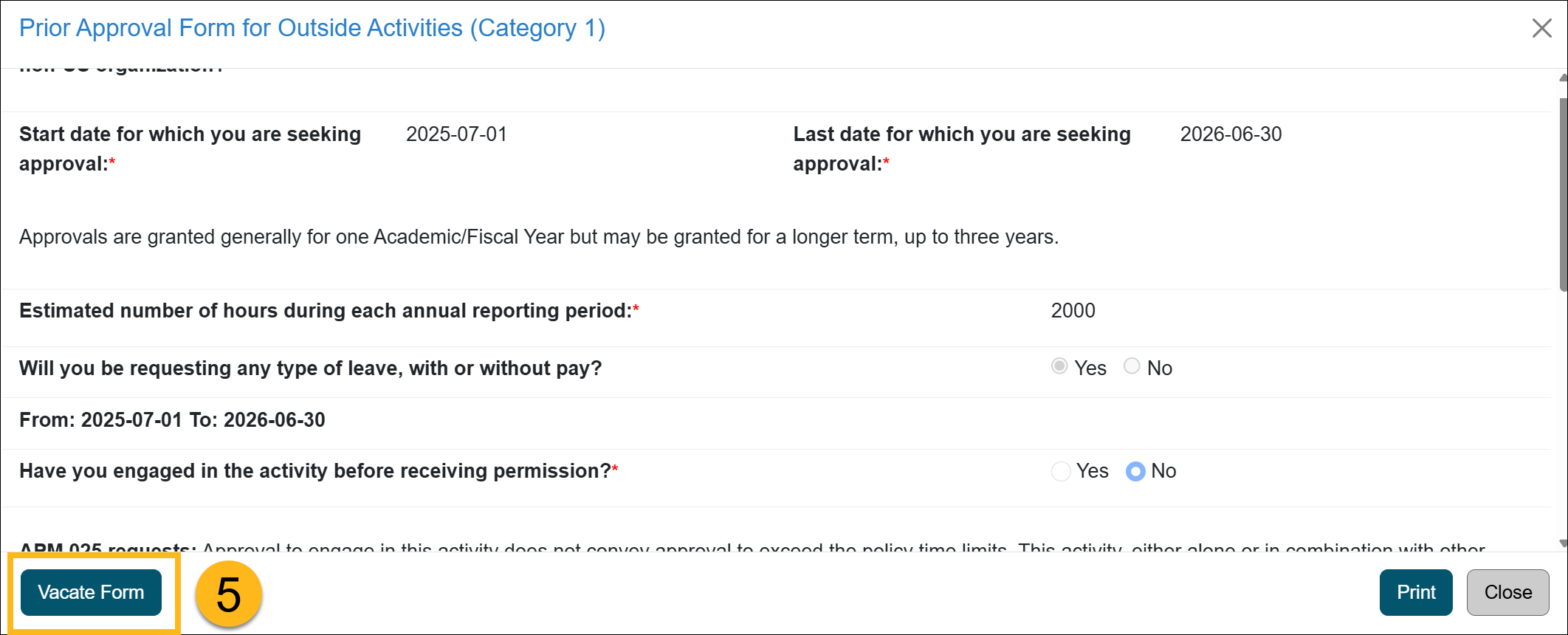
- Open the form and select the Vacate Form at the bottom of the page.
- Enter a Reason for vacating the form and then click Submit Vacate.
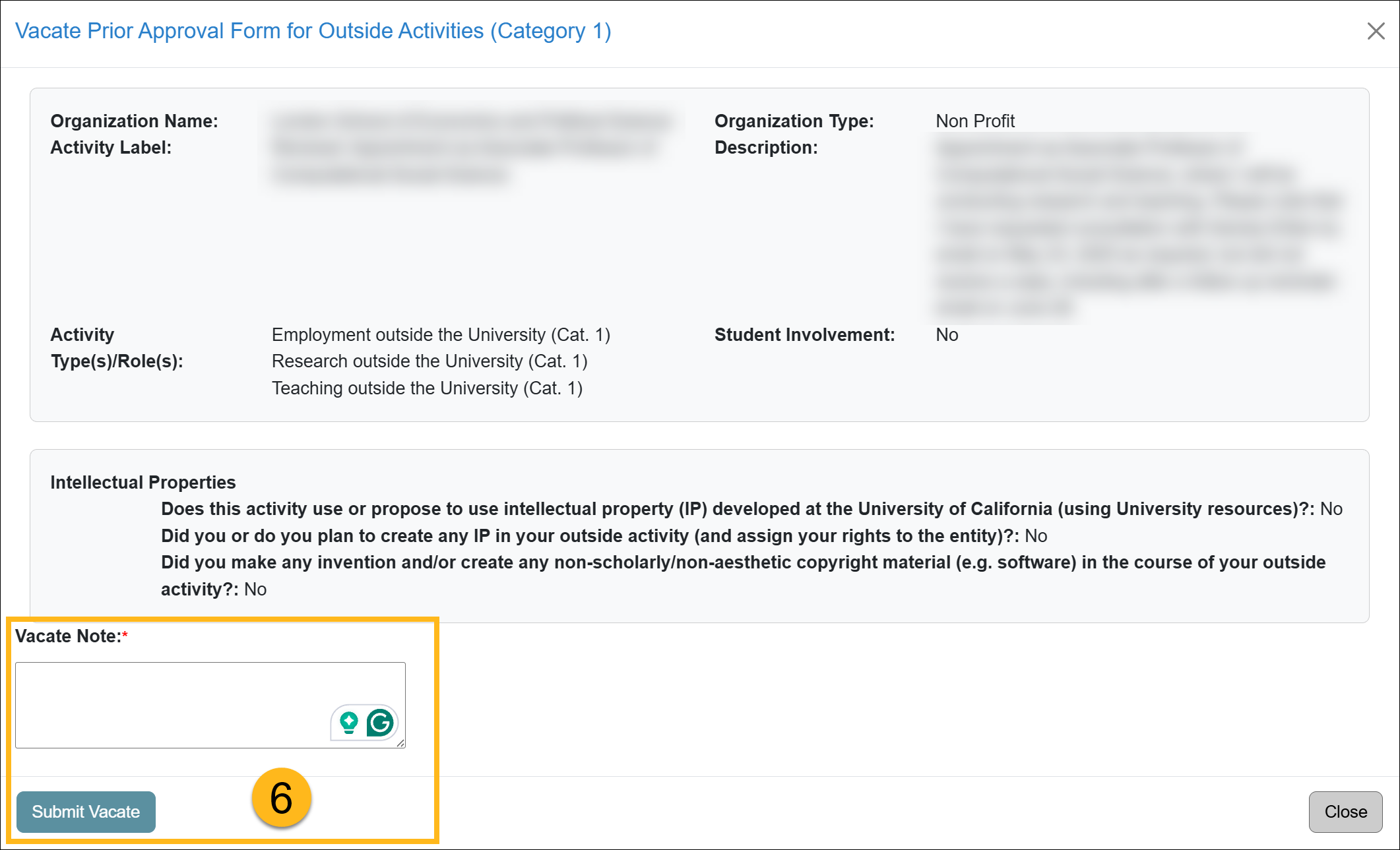
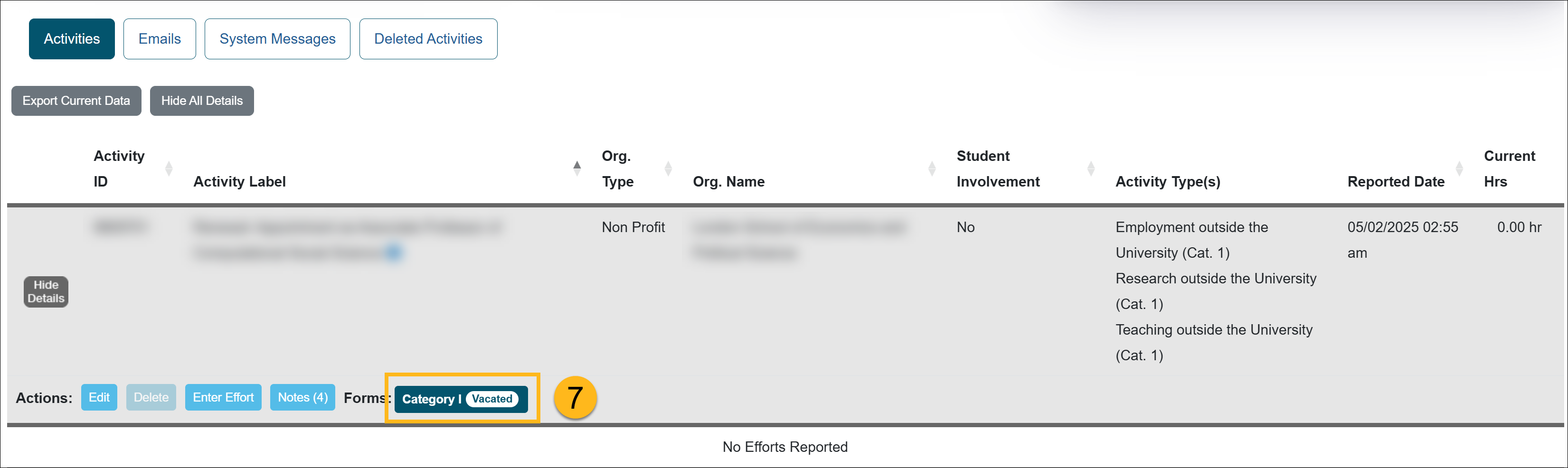
- Once submitted, the prior approval form is vacated. The form is removed from the approval workflow and marked as Vacated, but it is not deleted and remains visible in the faculty member’s workspace for historical and audit purposes.
View List of Vacated Forms
You can view a list of all Vacated Forms and Annual Certifications by fiscal year.
To view vacated prior approval forms, select the appropriate fiscal year, then go to Forms > Forms Vacated. You can view when a form was vacated by viewing the Historical Actions section of the form.

To view vacated Annual Certifications, select the appropriate fiscal year, then go to Annual Certification > AC Vacated. You can view when the Annual Certification was vacated by viewing the Historical Actions section of the form.

Related Articles
All Reviewers
Outside activity category types
Adding Notes and attachments
Category I Activities that trigger COI emails
Faculty's Threshold Exceeded
Report Faculty Payments
Evaluate Stock Payments
Back Enter Activities for Faculty
Vacate Prior Approval Forms & AC
Cancel Exceed Threshold Form while TH is Exceeded
Last Modified:2026-02-23 15:45:15.76302-08