Home > Training > Application Administrator > People Tab Overview
People Tab Overview
The People tab enables you to view and locate faculty and staff accounts within UC OATS. On the People tab you can quickly navigate to the faculty details page, department page, log into a faculty member's account, update a staff member's roles, and delete a staff member's account.
To access the People tab:
- Go to App Admin > People.
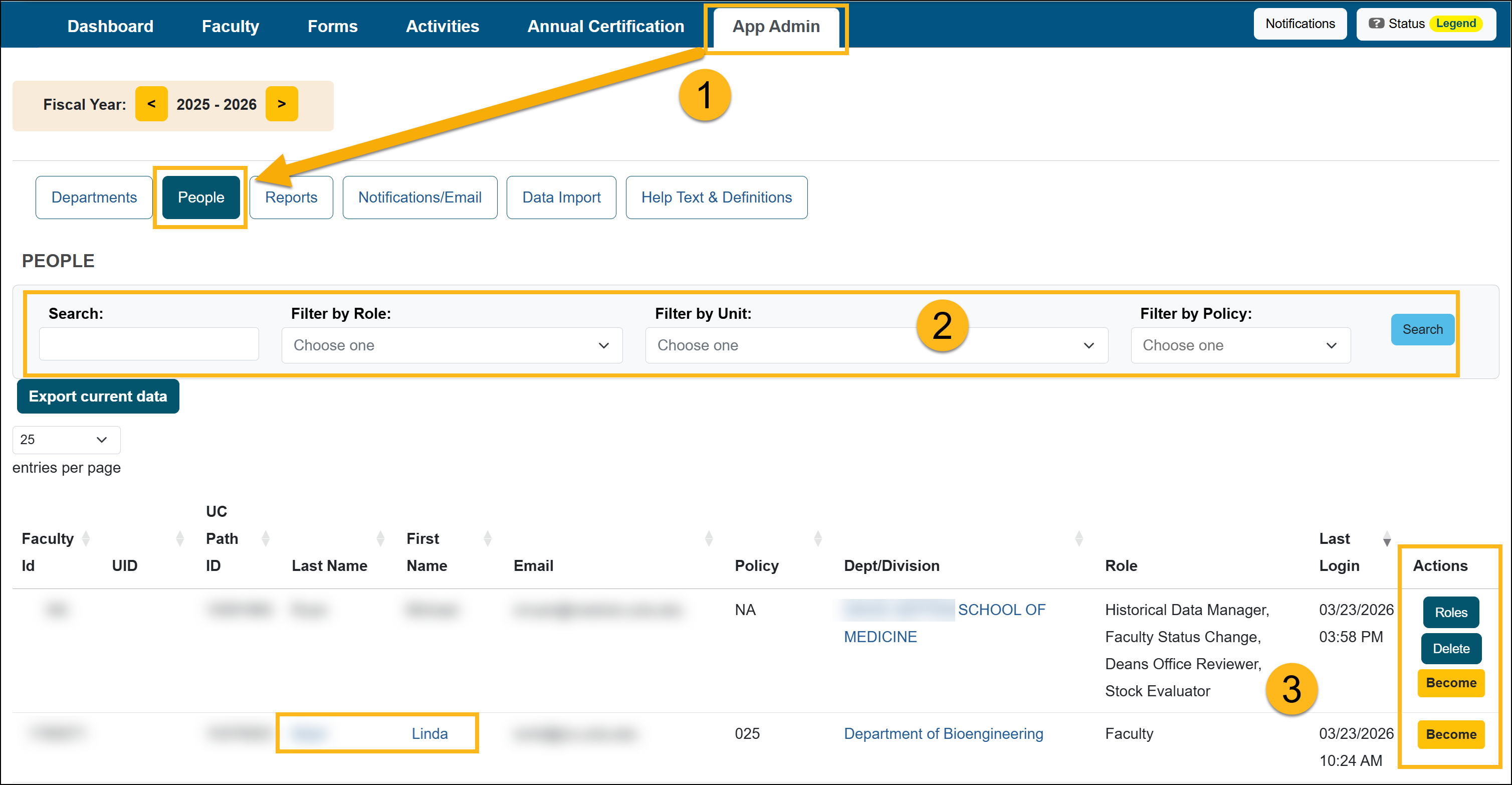
- Use the filters to locate the user.
- Search: Search for faculty and staff by first and/or last name.
- Filter by Role: filter by assigned system roles.
- Filter by Unit: filter by specific departments/units.
- Filter by Policy: filter by policy.
- Under Actions, you can select:
- Roles: You can manage the staff member's role(s)
- Delete: You can delete the staff member's role.
- Become: You can log in as a faculty member or staff member.
- This will enable you to log into the user's account. UC OATS tracks each time the "Become" button is selected and makes it available in the Report Became User report.
- WARNING: any action you take after logging in as a user will not be associated with your user account, but instead to the target user's account (this function is a true log in as that user).
- Faculty Details: Click on the faculty member's name to go to the Faculty Details page.
Related Articles
Application Administrator
People Tab Overview
User Roles Overview
Add and Manage Faculty Appointments
Separate Faculty in UC OATS
Reinstate Faculty Appt & Forms
Add and Manage Staff
Last Modified:2026-03-23 16:11:52.019355-07