Home > Training > Faculty > Submit Student Involvement Form
Submit Student Involvement Form
This article explains how to request and complete a Student Involvement form. If you plan to involve students in any outside professional activities (Category I, II, or III), you must request permission. When you enter an activity in UC OATS and indicate student involvement, the Student Involvement form will be triggered. You can also add student involvement later if needed. This article guides you on where to find the form and how to complete it.
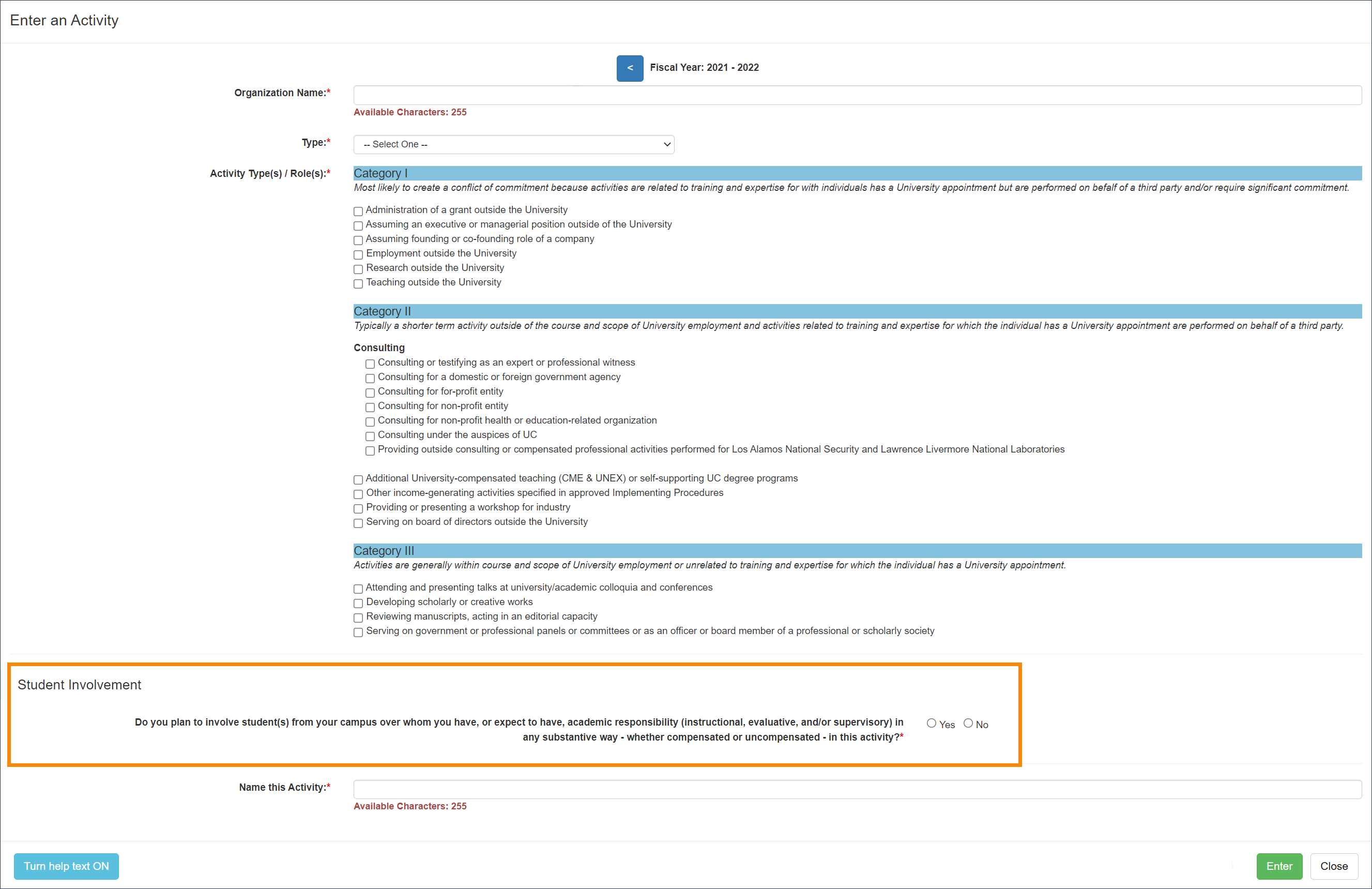
Add Student Involvement while Entering a New Activity
You can include student involvement when adding a new activity to UC OATS.
Add Student Involvement after the activity has been added to your workspace
To add student involvement to an existing activity:
- Locate the activity and select Edit.

- Select the Do you plan to involve student(s) from your campus.... option.

- Fill out the form fields and then click Add Student.

- Once all students have been added, click Submit Form.
Related Articles
All Faculty
Enter an Activity
Submit Category I Form
Category I: Organization Country Verification
Submit Student Involvement Form
Submit Request to Exceed Threshold Form
Submit Retain Earnings Form
Enter Summer Information
Duplicate Activity Found Pop-up
Last Modified:2026-01-09 10:26:49.819754-08