Home > Training > Faculty > Submit Retain Earnings Form
Submit Retain Earnings Form
Under APM-671, faculty participating in the Health Sciences Compensation Plan (HSCP) may retain income from outside professional activities up to their approved earnings threshold. Any income that exceeds this threshold is generally required to be deposited into the HSCP Plan, unless an approved exception applies.
At participating campuses, faculty with an approved Request to Exceed Threshold (TH) may be eligible to retain earnings above the threshold by submitting a Request to Retain Earnings form, in accordance with campus implementing procedures. This article provides step-by-step instructions for submitting a Request to Retain Earnings, where available.
To submit a Request to Retain Earnings:
- Locate and click on the approved Exceed Threshold form.

- Scroll to the bottom of the form and select the Request to Retain Earnings button to activate the form.
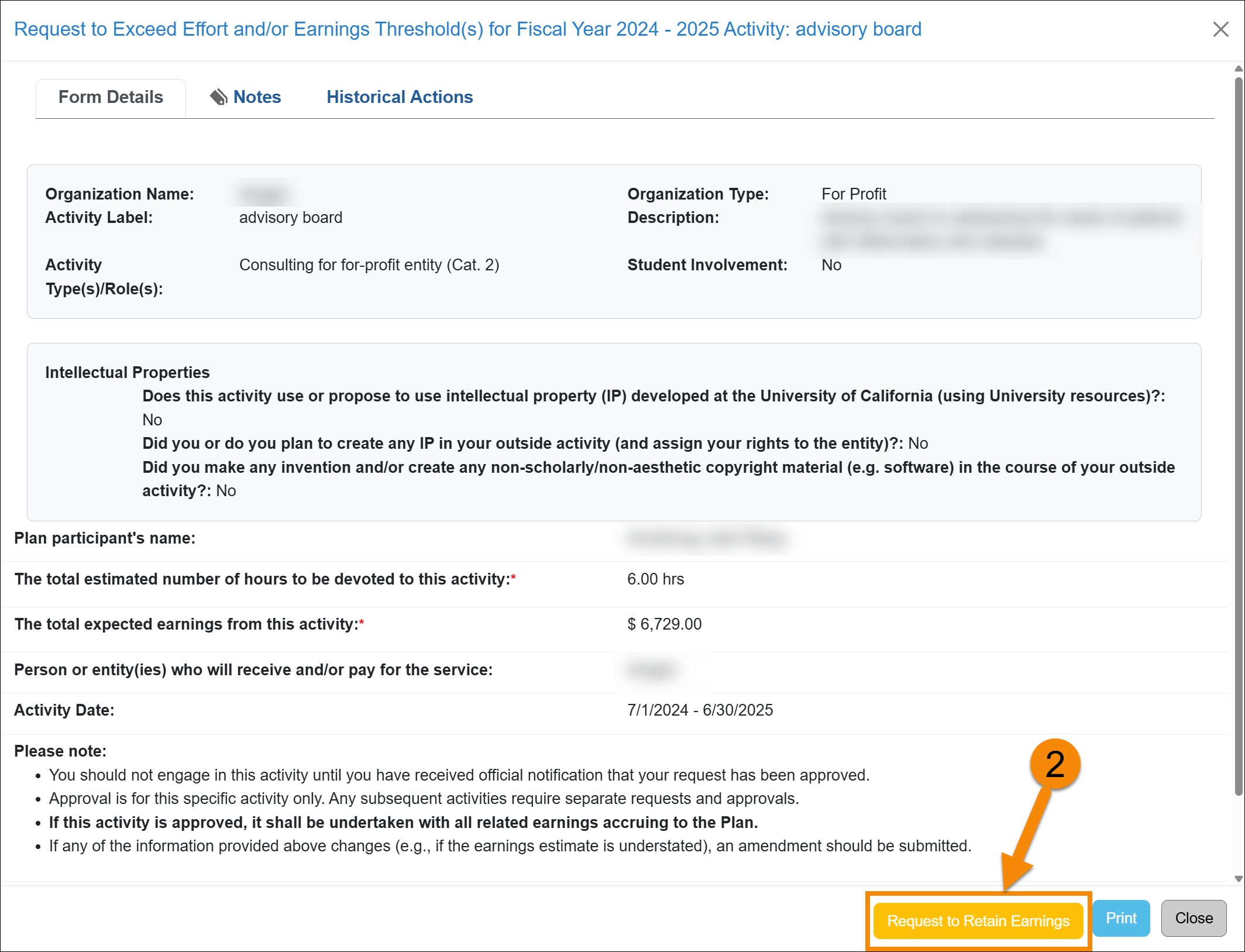
- Complete the form.
- Enter the amount of earnings you are requesting to obtain from that activity.
- Enter the justification for retention of the earnings.
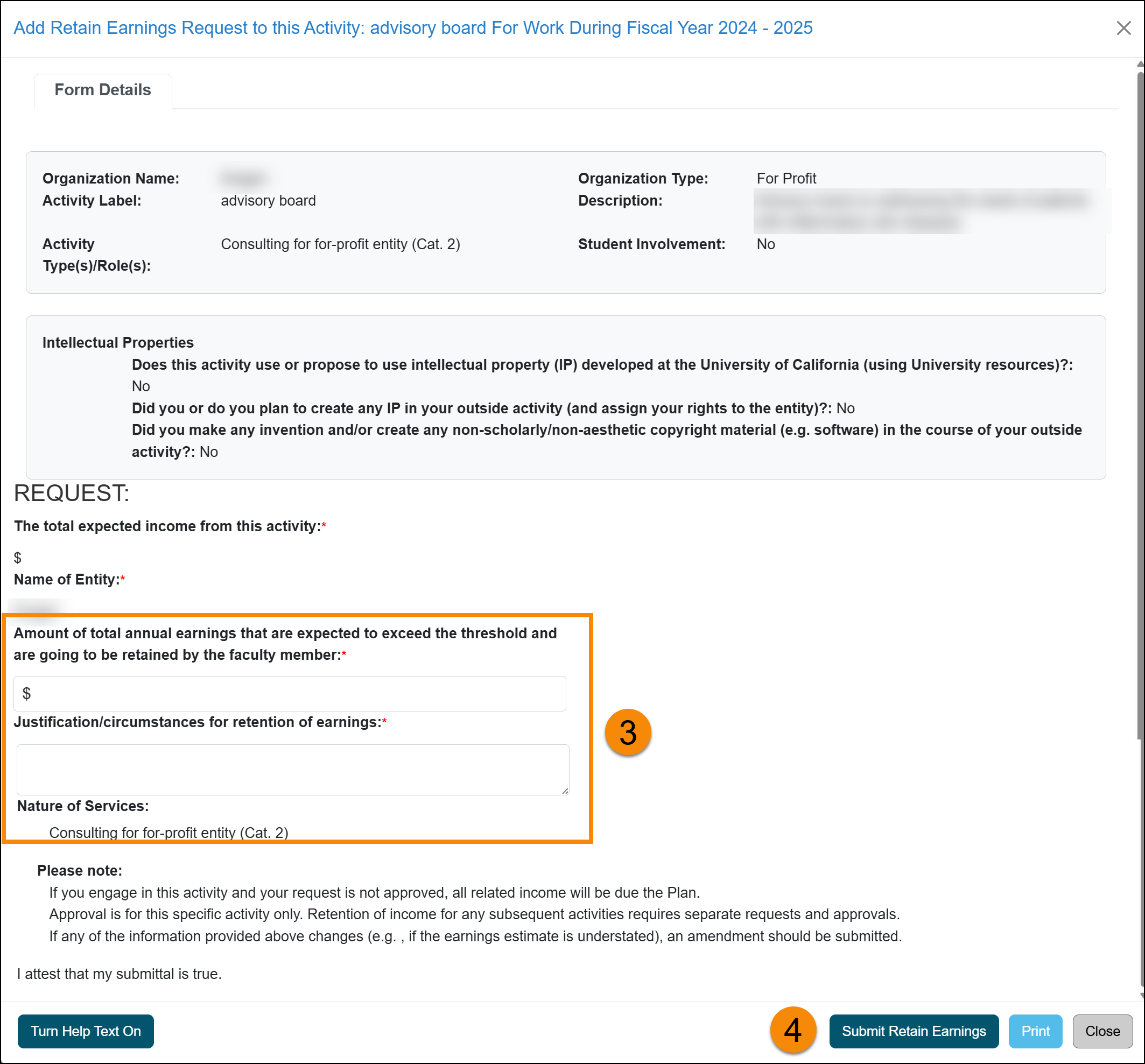
- Click Submit Retain Earnings to complete the request.
- The form will process through the approval workflow.

Earnings Threshold Dashboard
Once the Retain Earnings Threshold form is fully approved, the Paid/Owed to Plan section of your UC OATS dashboard will update to reflect the change. A disclaimer will appear indicating that the approved retained earnings amount has been excluded from the total shown as Paid/Owed to Plan.
This ensures the dashboard reflects only the earnings that must be paid or owed to the Plan, excluding any amounts you have been approved to retain.

Last Modified:2026-01-16 10:21:32.561579-08