Home > Training > Reviewer > Add Activity Notes and Attachments
Add Notes and Attachments
This article explains how to add notes and attachments to an activity. The activity notes field allows faculty, reviewers, and approvers to communicate about an activity and related prior approval forms. Notes and attachments are not private and can be viewed by all users with access to the activity.
While reviewing the faculty's account or prior approval form, you can add notes. To add a note:
- Select the faculty's prior approval form or locate their activity.
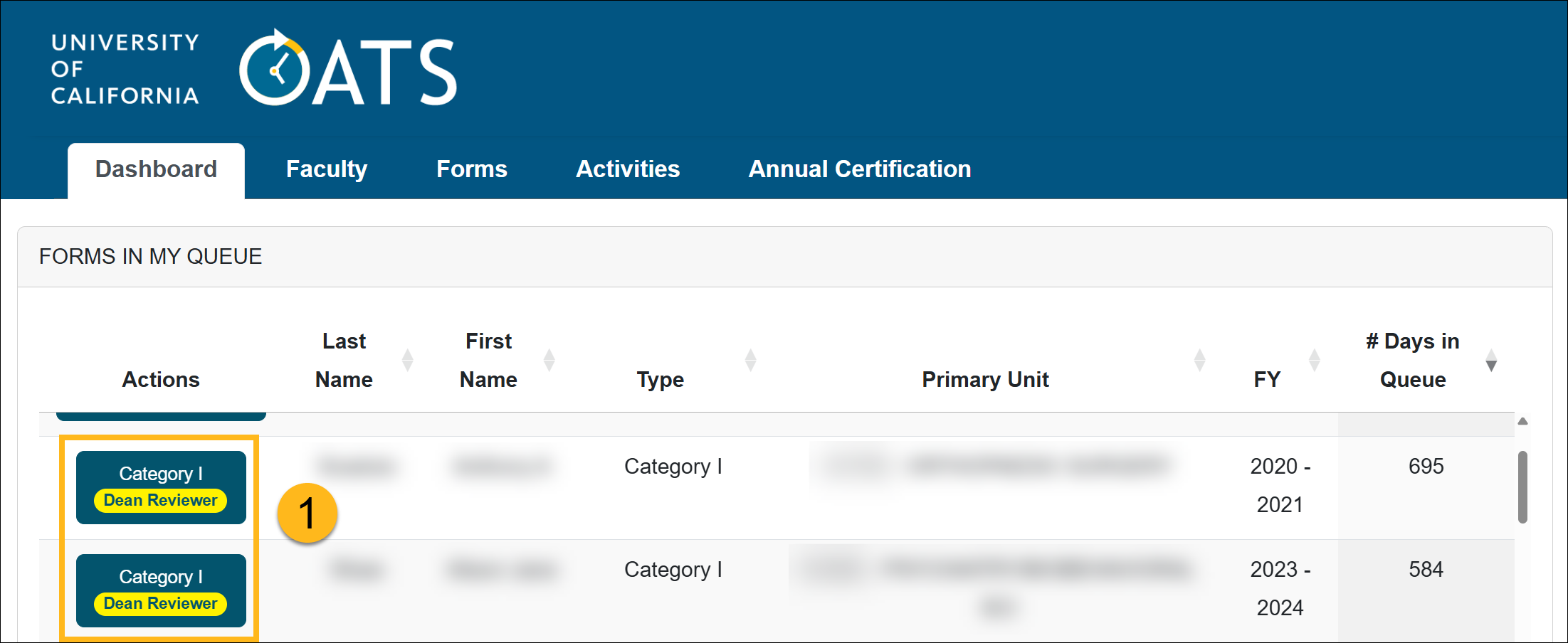
- Select the Notes tab or click on the notes icon.

- Click Add Note.
- Enter your message and add attachments. Select the Email Notifications to faculty checkbox if you want the faculty to be notified about the note.
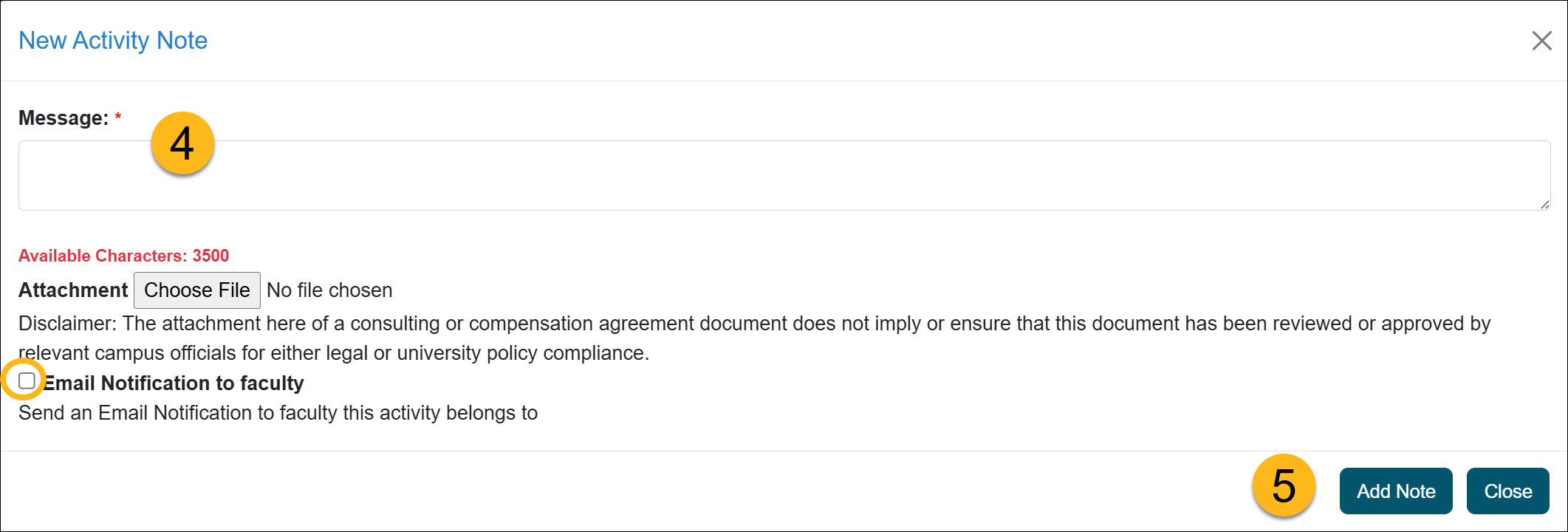
- Click Add Note to save it.
Related Articles
All Reviewers
Outside activity category types
Adding Notes and Attachments
Category I Activities that trigger COI emails
Faculty's Threshold Exceeded
Report Faculty Payments
Evaluate Stock Payments
Back Enter Activities for Faculty
Vacate Prior Approval Forms
Cancel Exceed Threshold Form while TH is Exceeded
Last Modified:2026-02-06 15:45:40.994016-08