Home > Training > Reviewer > Cancel Exceed TH Form while TH is Exceeded
Cancel Exceed TH Form while TH is Exceeded
This guide will walk you through the process of cancelling a faculty member's Exceed Threshold form, even if they are over their time/earnings threshold. Note: Faculty cannot cancel their Exceed Threshold form if they are over their threshold.
Note:
- Reviewers with the Historical Data Manager role can cancel Exceed Threshold forms while faculty are still over their threshold.
To cancel an Exceed Threshold form:
- Select the Faculty tab.
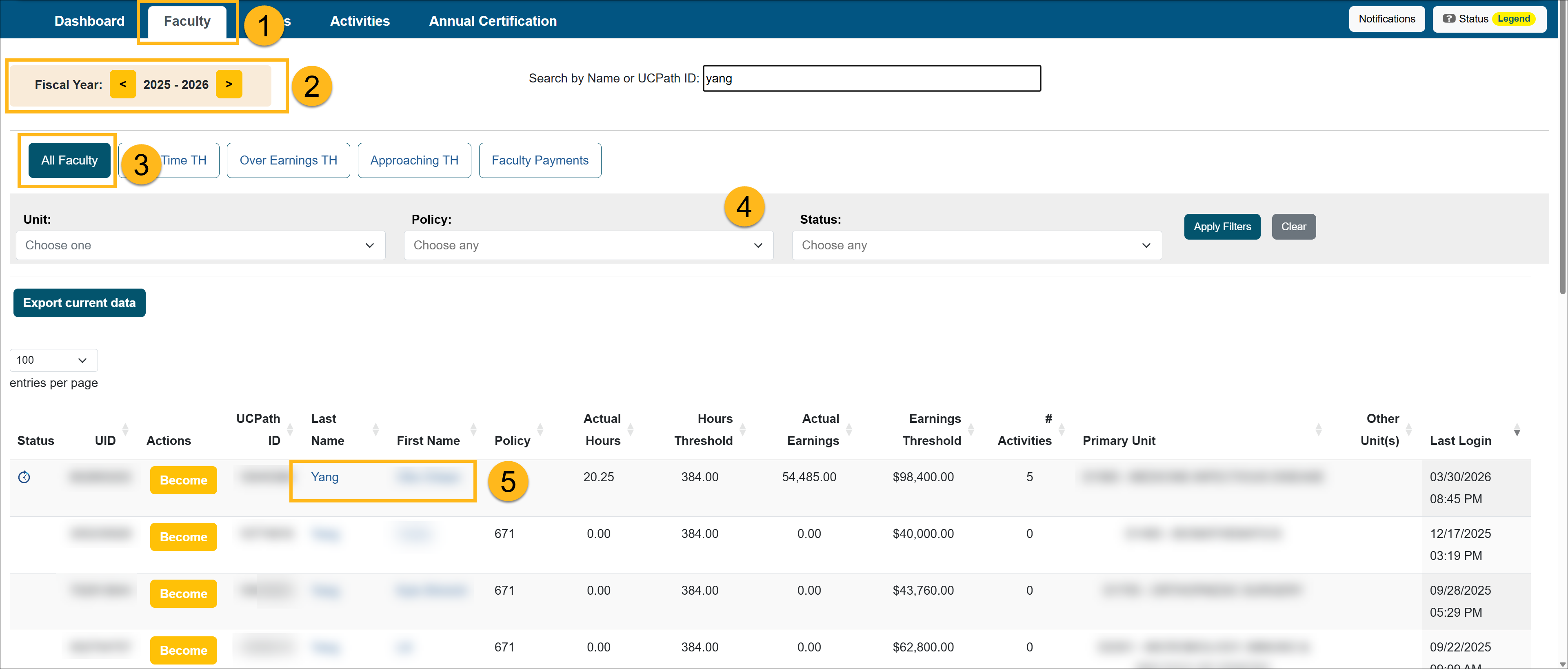
- Locate the fiscal year where the form is located.
- Select the All Faculty button.
- Use the filters to locate the faculty member.
- Select the faculty member's name to go to the Faculty Details page.
- Locate and select the Exceed Threshold form that needs to be cancelled.

- Click the Cancel Form button.
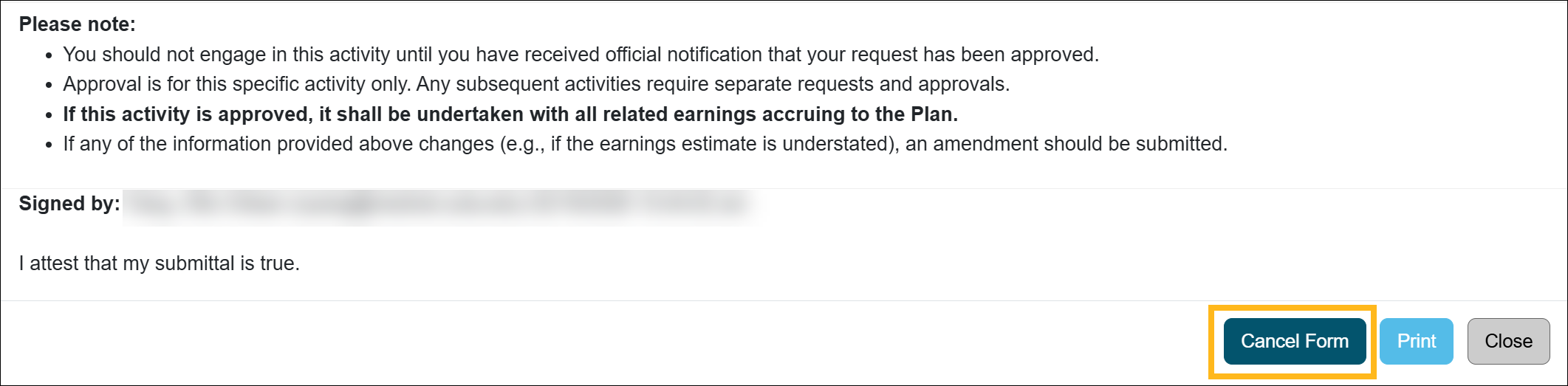
- Confirm you want to cancel the form. The form has been cancelled.
Related Articles
All Reviewers
Outside activity category types
Adding Notes and attachments
Category I Activities that trigger COI emails
Faculty's Threshold Exceeded
Report Faculty Payments
Evaluate Stock Payments
Back Enter Activities for Faculty
Vacate Prior Approval Forms
Cancel Exceed Threshold Form while TH is Exceeded
Last Modified:2026-04-10 11:29:12.518087-07