Home > Training > Reviewer > Report Faculty Payments Due to HSCP Plan
Report Faculty Payments Due to HSCP Plan
This article explains how reviewers record payments that must be deposited into the Health Sciences Compensation Plan (HSCP).
Under APM-671, faculty participating in the Health Sciences Compensation Plan may retain outside professional earnings up to their approved threshold. If a faculty member’s earnings exceed their approved threshold, the excess amount must be deposited into the Plan unless an approved exception allows the faculty member to retain those earnings.
UC OATS tracks these amounts and displays them in the Payments Due to Plan section. Reviewers use this workspace to record payments submitted to the Plan.
Faculty who have exceeded their earnings threshold will appear in the Faculty Payments section.
To document a faculty's payment:
- Select the Faculty tab.
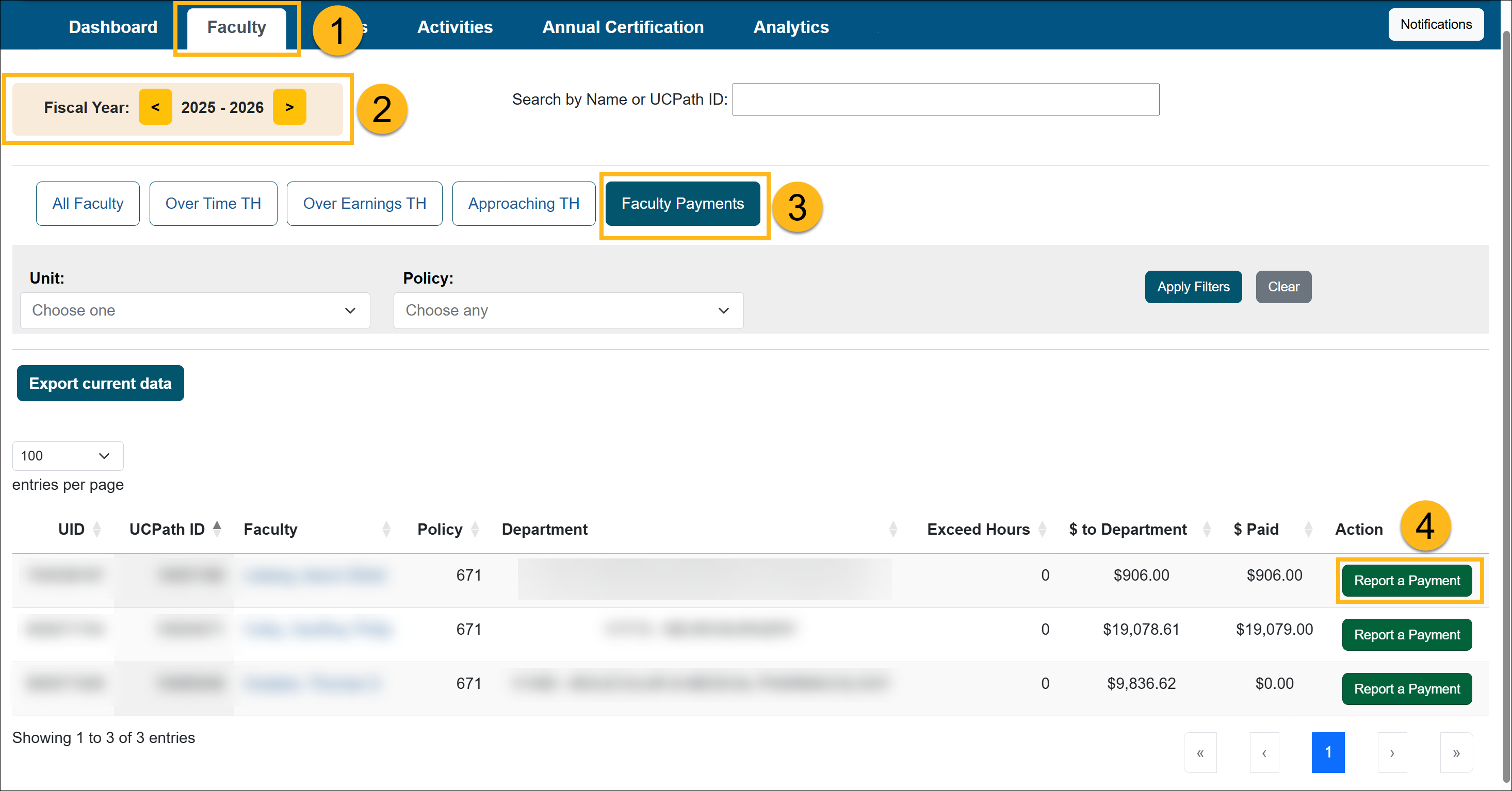
- Confirm you are in the correct fiscal year. You may need to toggle between fiscal years to view all payments owed to the plan.
- Select the Faculty Payments button.
- Locate the faculty member in the list and click the Report a Payment button.
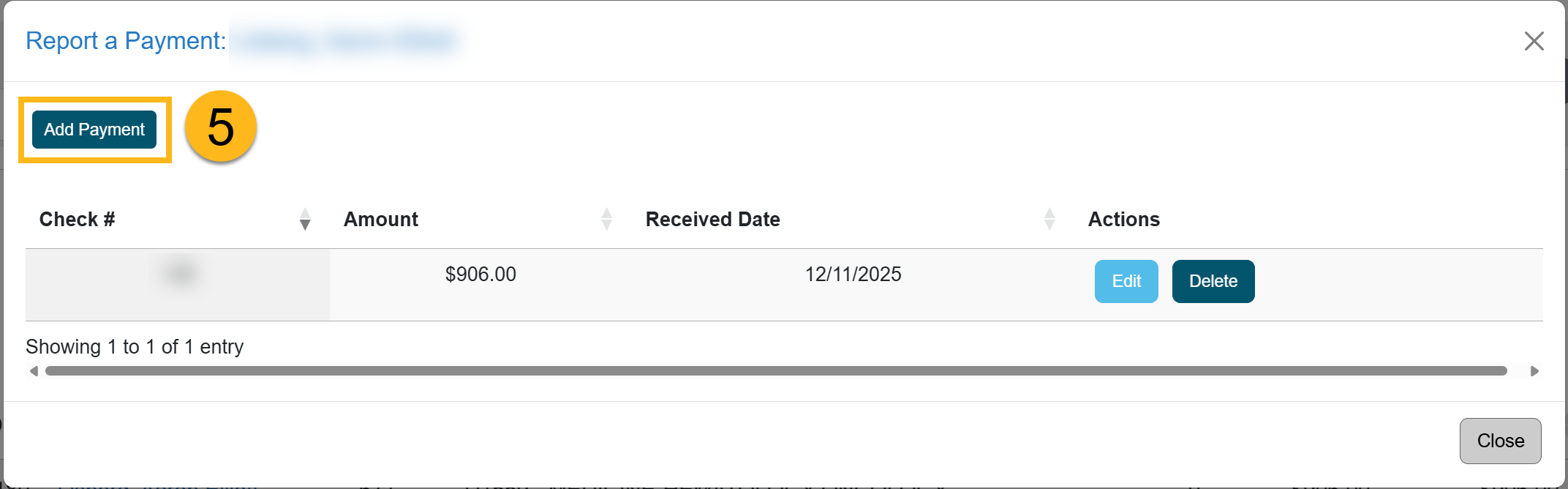
- Click the Add Payment button.
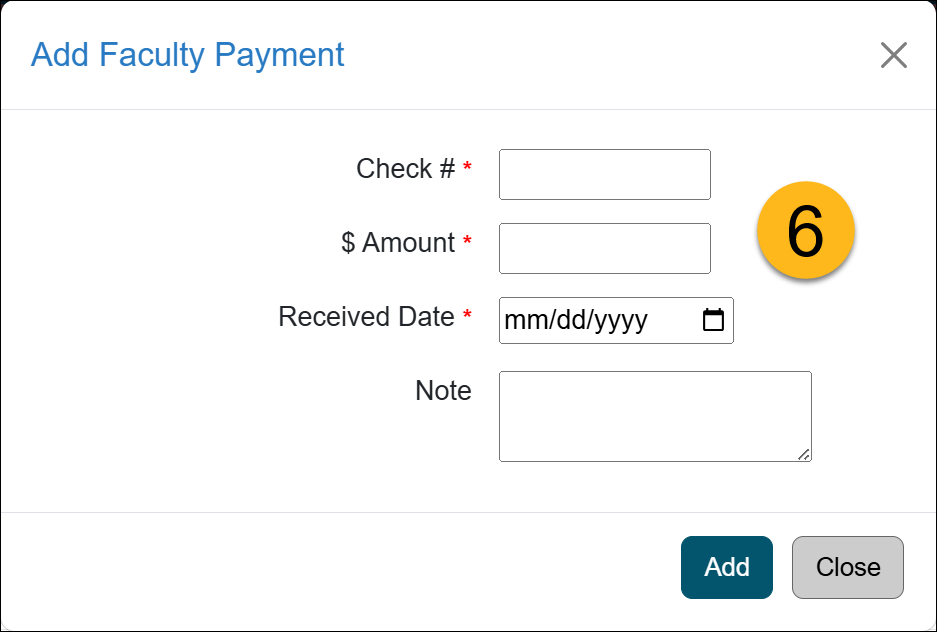
- Enter the payment information. Click Add to complete the payment.
- The faculty's payment is recorded.
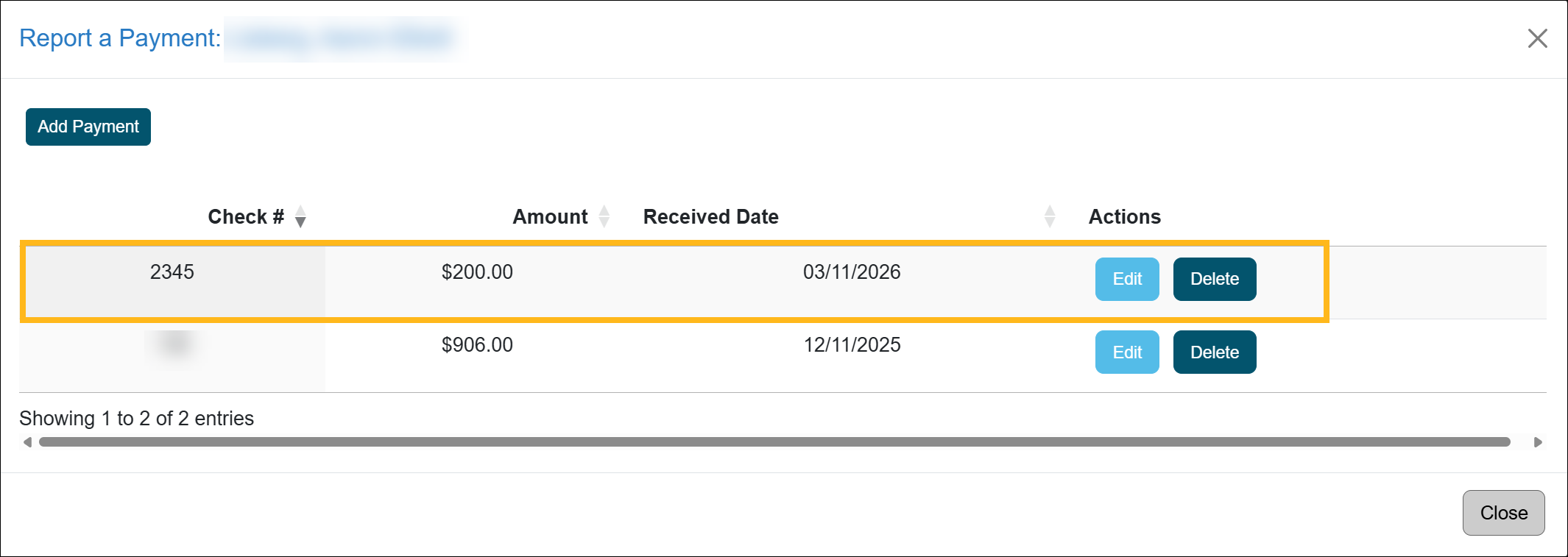
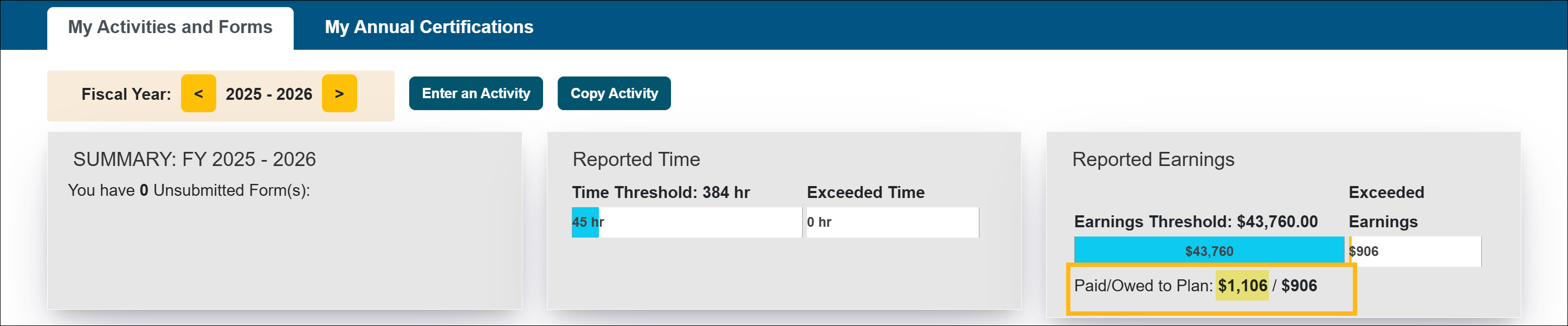
The faculty's workspace dashboard will reflect the payment and remaining balance.
Related Articles
All Reviewers
Outside activity category types
Adding Notes and attachments
Category I Activities that trigger COI emails
Faculty's Threshold Exceeded
Report Faculty Payments
Evaluate Stock Payments
Back Enter Activities for Faculty
Vacate Prior Approval Forms
Cancel Exceed Threshold Form while TH is Exceeded
Last Modified:2026-03-11 10:30:37.775531-07