Home > Training > Reviewer > Undelete Faculty Activities
Undelete Faculty Activities
This guide explains how to restore a deleted faculty activity. The activity and any associated forms will be reinstated and returned to their previous state. If the form was in a reviewer's queue, it will be returned to that queue when it is reinstated. However, the effort and earnings must be re-entered by the faculty member.
To undelete a faculty's activity:
- Select the Faculty tab.
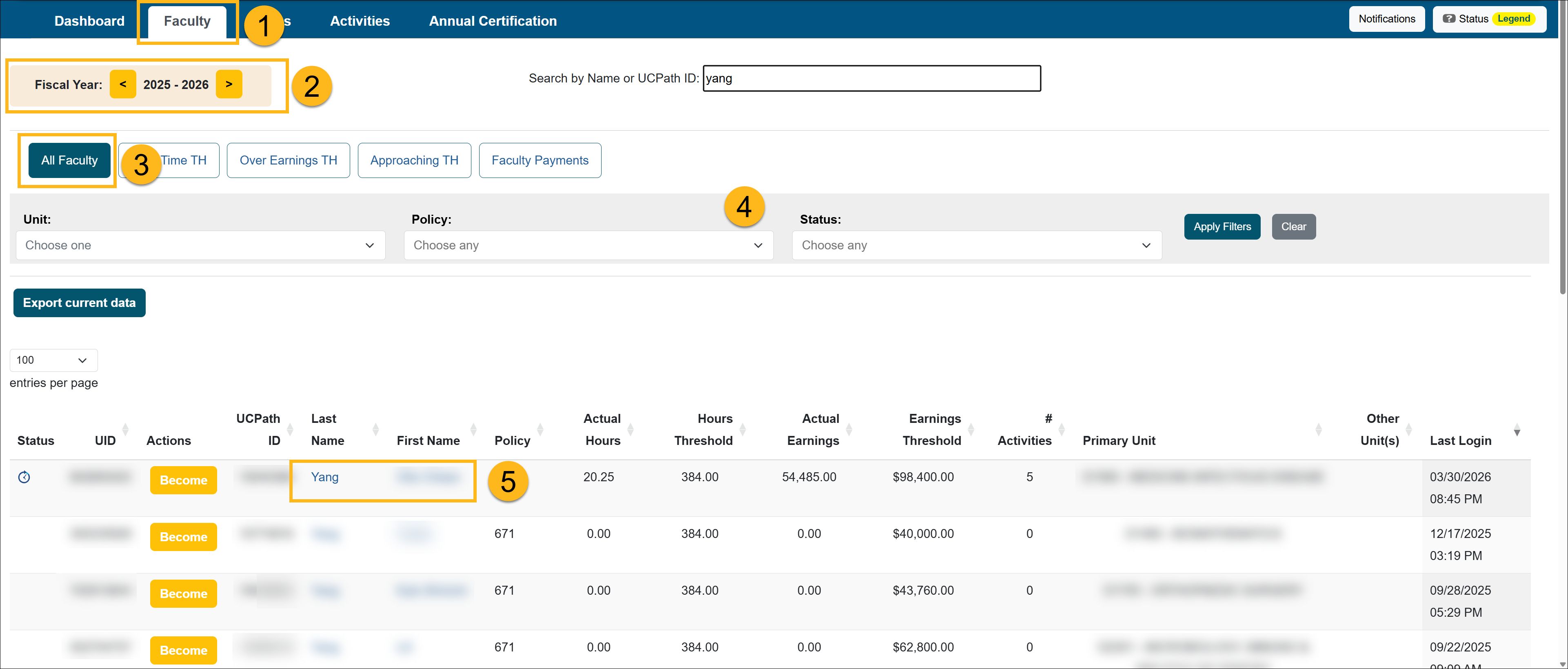
- Locate the fiscal year where the form is located.
- Select the All Faculty button.
- Use the filters to locate the faculty member.
- Select the faculty member's name to go to the Faculty Details page.
- Select the Deleted Activities button.
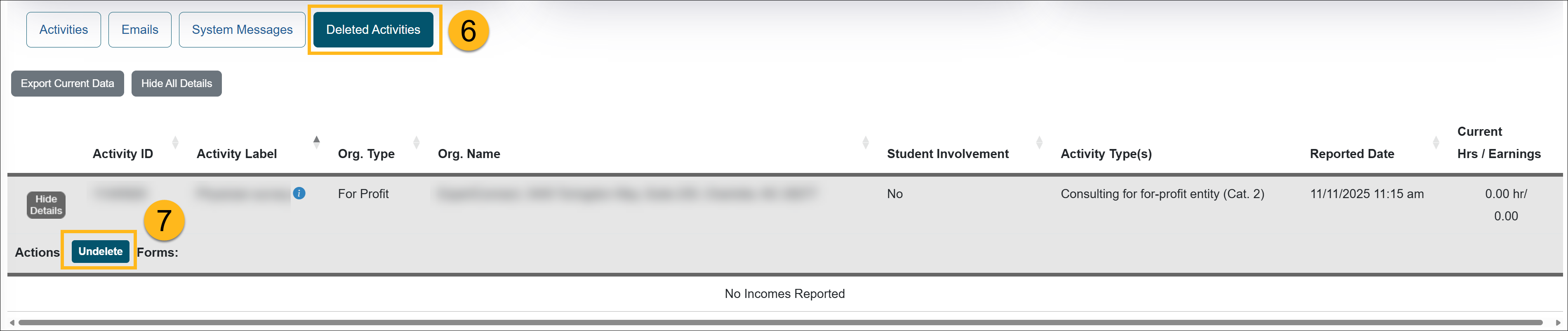
- Locate the activity you want to reinstate and click the Undelete button. The faculty's activity has been reinstated.
Related Articles
All Reviewers
Manage Faculty Email Subscriptions
Undelete Faculty Activities
Faculty and Fiscal Status Indicator
Override Faculty Thresholds
Separate Faculty in UC OATS
Leave to Engage in Outside Activity
Add Faculty to 240-246 Report
Last Modified:2026-04-10 12:24:56.513424-07