Home > Training > Reviewer > Leave to Engage in Outside Activities
Leave to Engage in Outside Activities
This article provides instructions on how to document a faculty member’s leave to engage in outside professional activities in UC OATS.
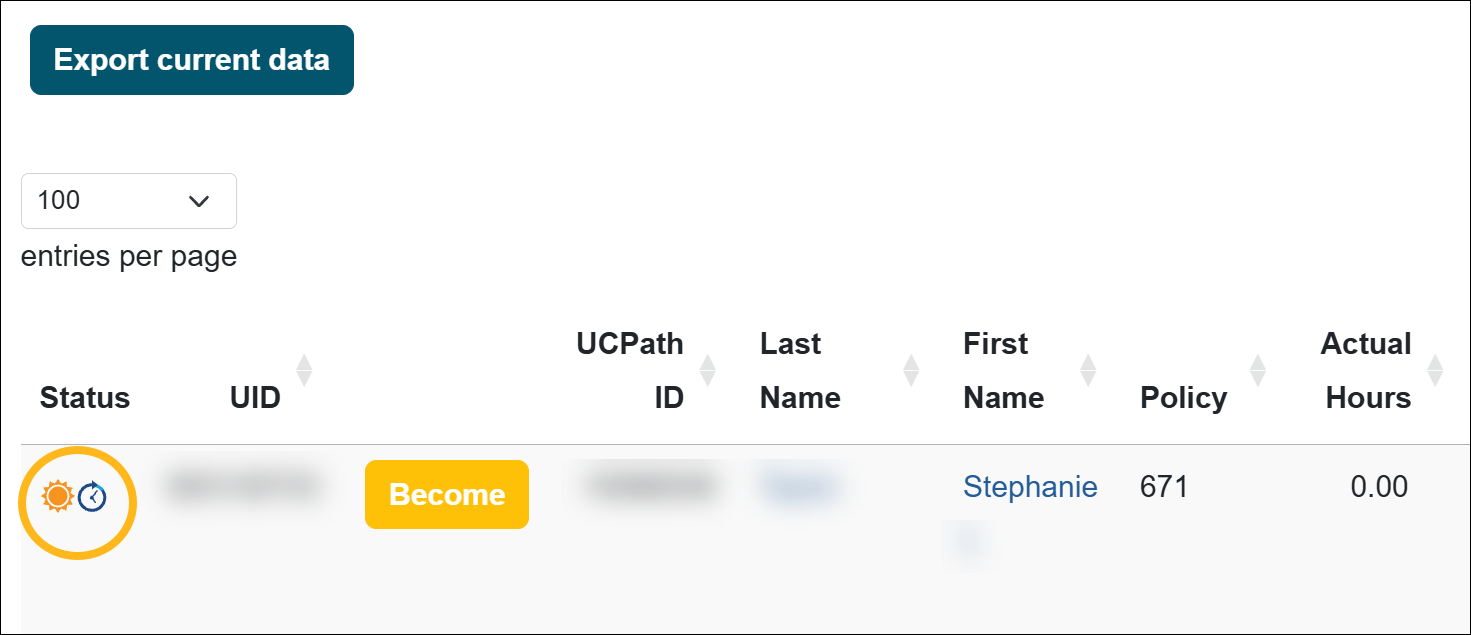
When the Leave to Engage in Outside Activity is selected, UC OATS displays an indicator next to the faculty member’s name to inform Reviewers and Approvers that the faculty member is on leave.
This designation is informational only. It does not change UC OATS system functionality, pause reporting requirements, or alter time or earnings thresholds.
To flag a faculty member as on leave in UC OATS:
- Select the Faculty tab.
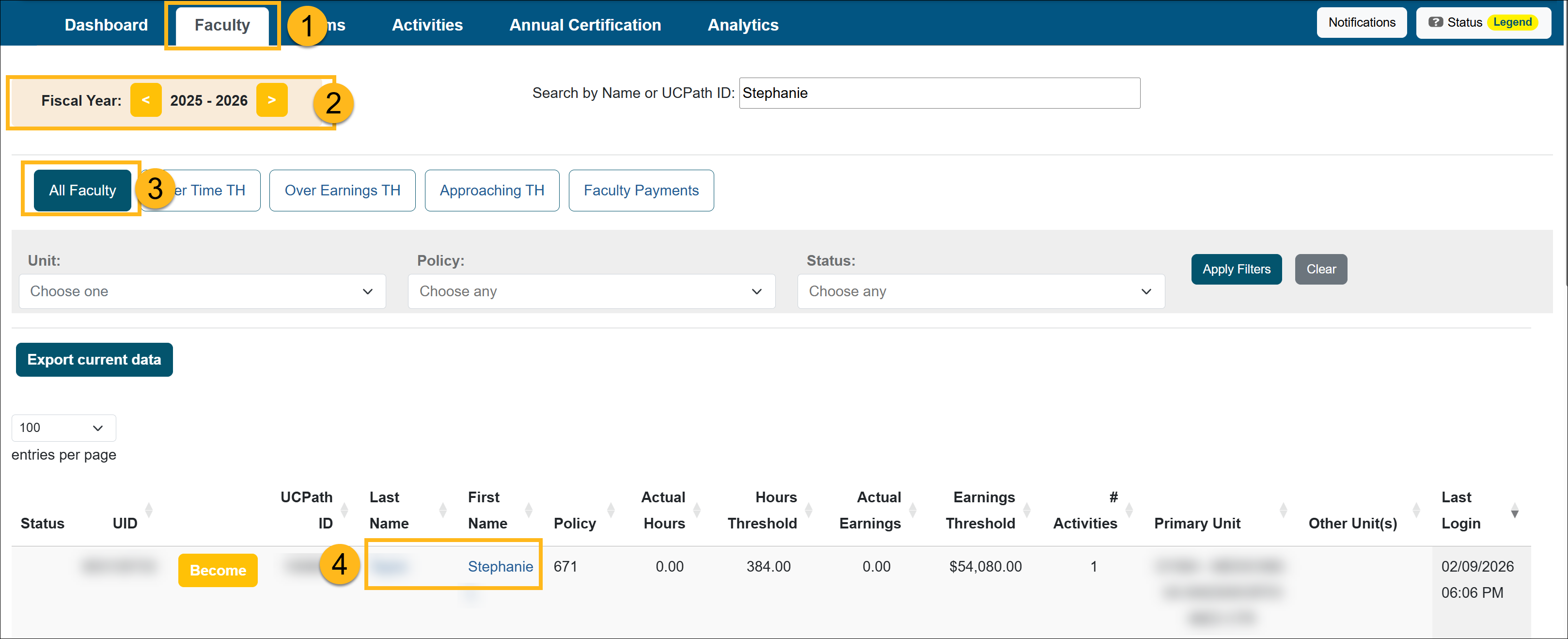
- Select the fiscal year that corresponds to the faculty member’s leave date.
- Select the All Faculty button.
- Locate and select the faculty member's name to go to the Faculty Details page.
- In the Fiscal Status section, do the following:
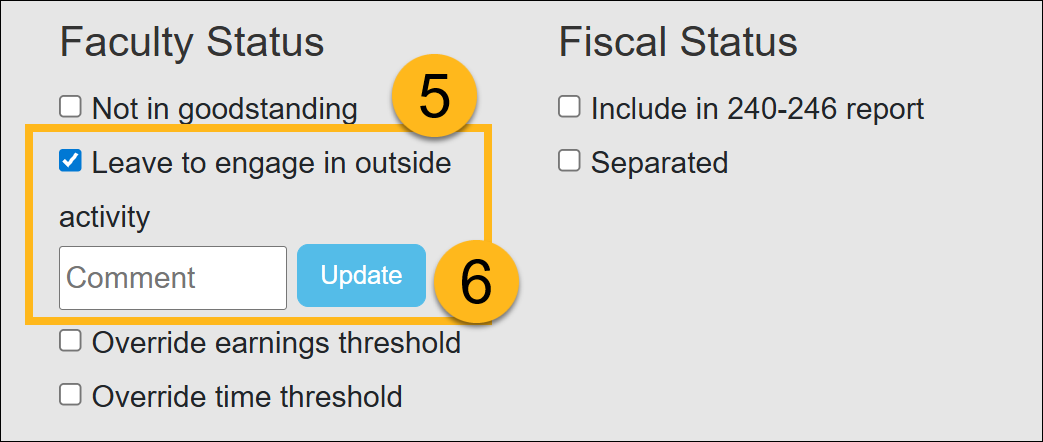
- Leave to engage in outside activity: Select this check box.
- Comment: Add a note about the faculty's leave.
- Select Update to finalize the changes.
- A sun icon will now appear in the status section of reports anywhere the faculty's name appears.
Related Articles
All Reviewers
Manage Faculty Email Subscriptions
Undelete Faculty Activities
Faculty and Fiscal Status Indicator
Override Faculty Thresholds
Separate Faculty in UC OATS
Leave to Engage in Outside Activity
Add Faculty to 240-246 Report
Last Modified:2026-02-17 15:11:51.633976-08