Home > Training > Reviewer > Add Faculty to 240-246 Report
Add Faculty to 240-246 Report
This article will guide you on how to include a faculty member in the APM‑240/246 report, which is submitted annually to UCOP. This report is intended for faculty covered under APM‑240 (Deans) and APM‑246 (Faculty Administrators appointed at 100% time) and supports annual reporting and compliance requirements.
Faculty who meet these criteria are typically added to the report automatically. However, if a faculty member has been removed in error or was not included, you can manually add them to the report by following the steps in this article.
To add a faculty member to the 240-246 report:
- Select the Faculty tab.
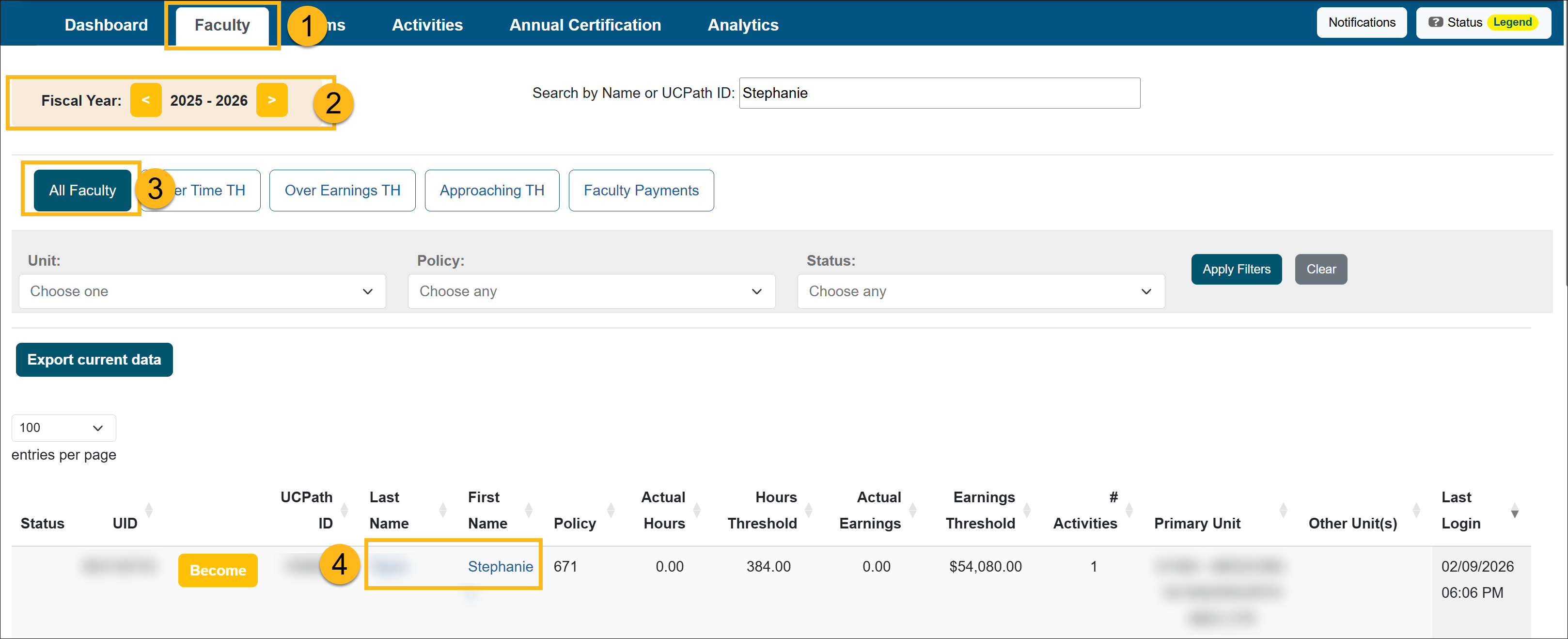
- Select the appropriate fiscal year.
- Click on the All Faculty button.
- Locate and select the faculty member's name.
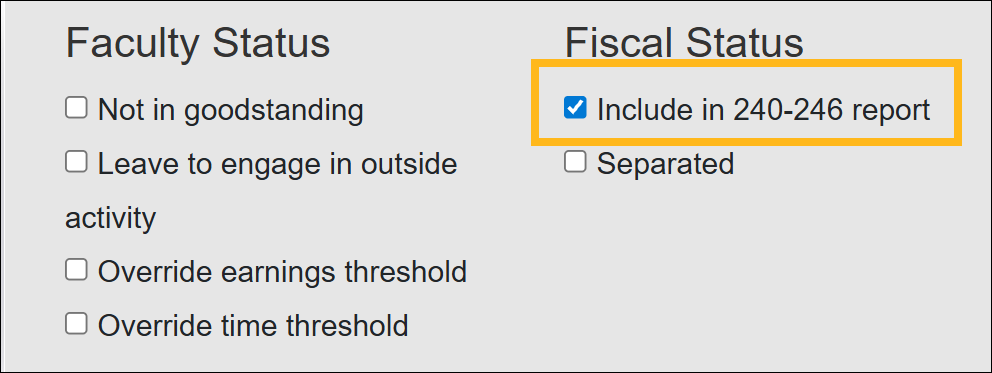
- On the Faculty Details page, select the Include in 240-246 checkbox. A success banner will appear to let you know it was completed.
- Select the Back to list button to return to the list of faculty members.
Related Articles
All Reviewers
Manage Faculty Email Subscriptions
Undelete Faculty Activities
Faculty and Fiscal Status Indicator
Override Faculty Thresholds
Separate Faculty in UC OATS
Leave to Engage in Outside Activity
Add Faculty to 240-246 Report
Last Modified:2026-02-17 15:52:50.440718-08