Home > Training > Reviewer > Faculty and Fiscal Status Indicator
Faculty and Fiscal Status Indicator
This article explains the changes that can be made to a faculty's account using the Faculty Status and Fiscal Status options on the Faculty Status page.
Faculty Status and Fiscal Status options
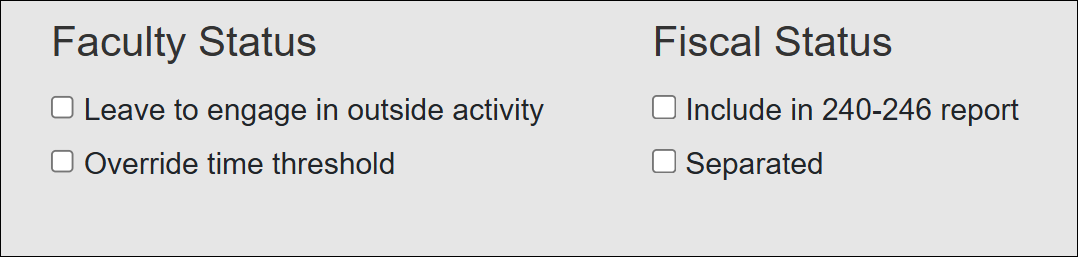
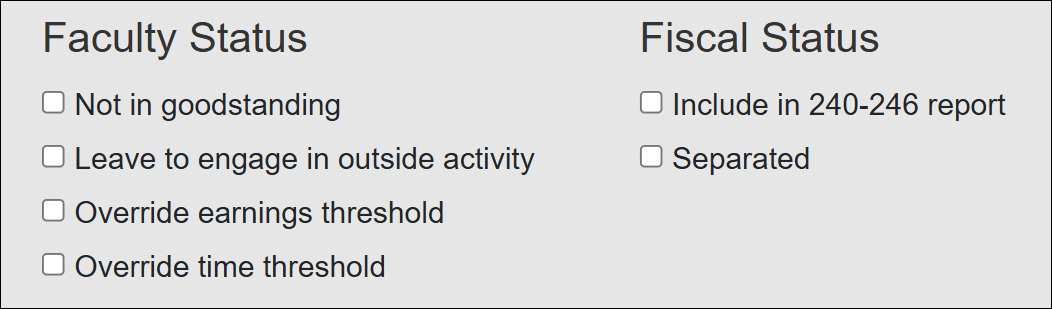
The following shows the options in both General Campus Faculty (APM-025) and Health Science Faculty (APM-671)
General Campus Faculty (APM-025)
Health Science Faculty (APM-671)
Faculty Status Options
Available options vary by faculty type; some options are only available to Health Sciences faculty.
- Leave to engage in outside activity: Select this option when a faculty member is on leave specifically to engage in an outside activity. An indicator appears next to the faculty member’s name to reflect this status. This designation is informational only and does not pause time or earnings thresholds or alter reporting requirements.
- Override time threshold: Use this option to increase a faculty member’s time threshold when needed. Overrides adjust department‑configured thresholds but do not exceed policy‑defined maximums (312 hours for APM‑025 or 168 hours for APM‑671). Increasing the time threshold updates the allowed time displayed on the faculty member’s dashboard. Overrides do not bypass policy limits.
- Override earnings threshold: Select this option to increase a faculty member’s earnings threshold. This option applies to APM‑671 faculty only. Refer to APM‑671‑8(c) for policy requirements related to compensation.
- Not in goodstanding: Select this option when a faculty member is not currently eligible to engage in or report outside professional activities due to unmet policy requirements. This designation is informational only and does not directly change UC OATS system functionality.
Fiscal Status
- Include in 240-246 report: Select this option to include the faculty member in the annual APM‑240/246 (Dean/Faculty Administrator – 100% time) report submitted to UCOP. This report should include only Deans and Faculty Administrators appointed at 100% time. Faculty configured in UC OATS as 025‑240/025‑246 or 671‑240/671‑246 are automatically included and should already have this option selected. If it is not selected, you may add the faculty member to the report by enabling this option.
- Separated: Select this option when a faculty member is leaving the University or will no longer work for the university. This status allows the faculty member to complete required reporting, such as Annual Certification, before separation and enables reviewers to filter for separated faculty in the All Faculty tab.
All Faculty Report
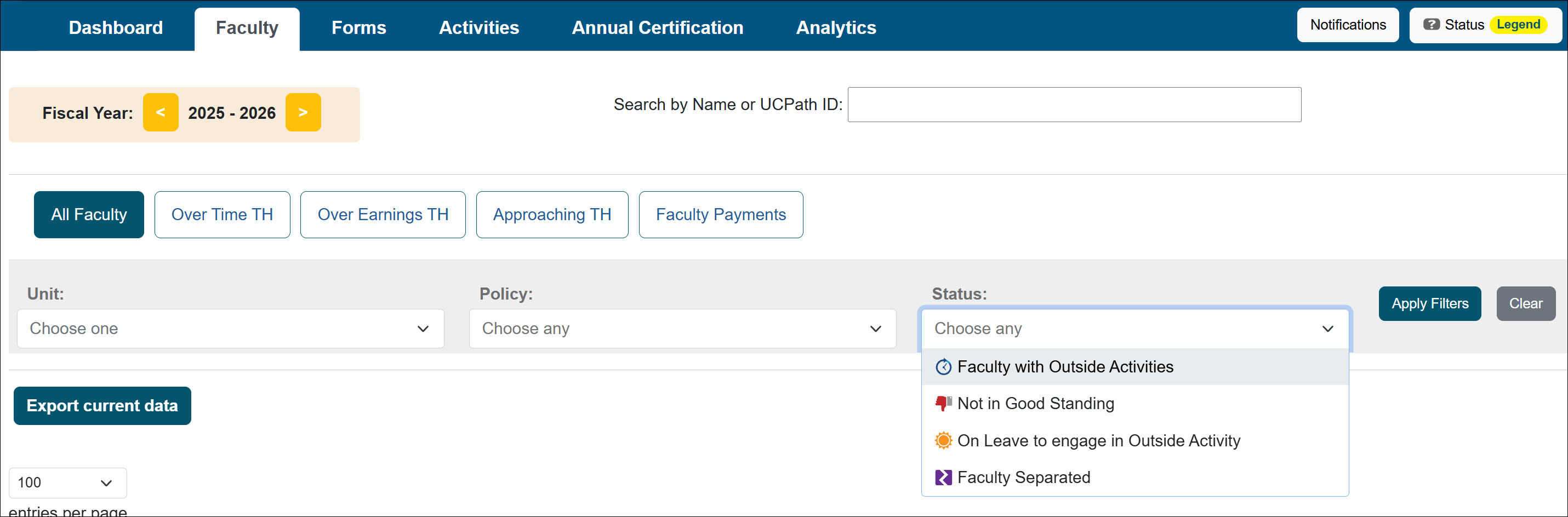
You can filter faculty in the All Faculty tab using the available filters. You can filter using the status options.
Related Articles
All Reviewers
Manage Faculty Email Subscriptions
Undelete Faculty Activities
Faculty and Fiscal Status Indicator
Override Faculty Thresholds
Separate Faculty in UC OATS
Leave to Engage in Outside Activity
Add Faculty to 240-246 Report
Last Modified:2026-02-12 10:20:07.515698-08