Home > Training > Reviewer > Override Faculty Thresholds
Override Faculty Thresholds
This article explains how reviewers can override department‑configured time and earnings thresholds for faculty in UC OATS.
- Only Reviewers with the Faculty Status Change role can update a faculty member’s time threshold.
- When a faculty member exceeds their time threshold, their earnings threshold is locked. In this case, the earnings threshold cannot be overridden, in accordance with UC policy.
When to Use an Override
Use a threshold override when a department needs to manually adjust a faculty member’s configured threshold, either higher or lower, to reflect departmental requirements or corrections.
- Applies to APM‑025 and APM‑671 faculty
- Cannot exceed policy‑defined maximums:
- 312 hours for APM‑025
- 384 hours for APM‑671
- Updates the allowed time displayed on the faculty member’s dashboard
If the faculty member exceeds the updated threshold, UC OATS will generate a new Request to Exceed Time Threshold form.
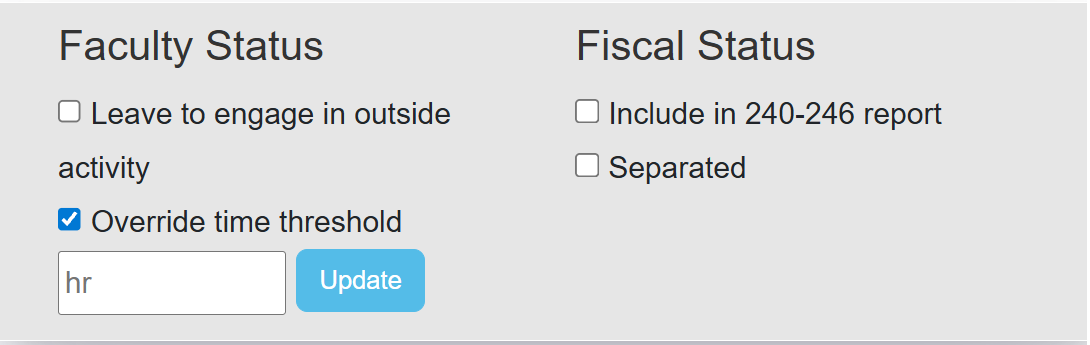
Override Time Threshold
Select Override Time Threshold to manually adjust a faculty member’s allowed time for outside professional activities.
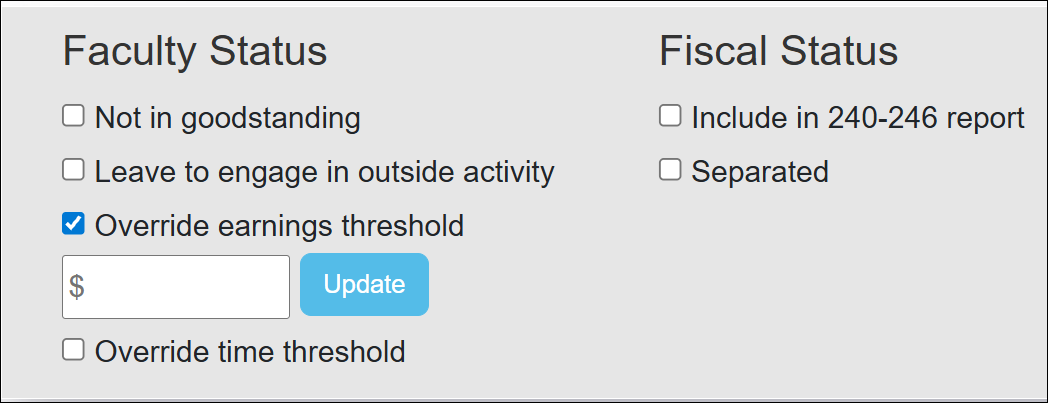
Override Earnings Threshold
Select Override Earnings Threshold to manually adjust a faculty's earnings threshold.
Related Articles
All Reviewers
Manage Faculty Email Subscriptions
Undelete Faculty Activities
Faculty and Fiscal Status Indicator
Override Faculty Thresholds
Separate Faculty in UC OATS
Leave to Engage in Outside Activity
Add Faculty to 240-246 Report
Last Modified:2026-02-12 14:19:58.017146-08