Home > Training > Reviewer > Reviewer Workspace Overview
Workspace Overview
This guide helps you navigate your UC OATS workspace and understand its key features. Use the sections below to learn how to move through UC OATS.
Tutorial Video
Watch the video to learn how to navigate your Reviewer workspace.
Dashboard
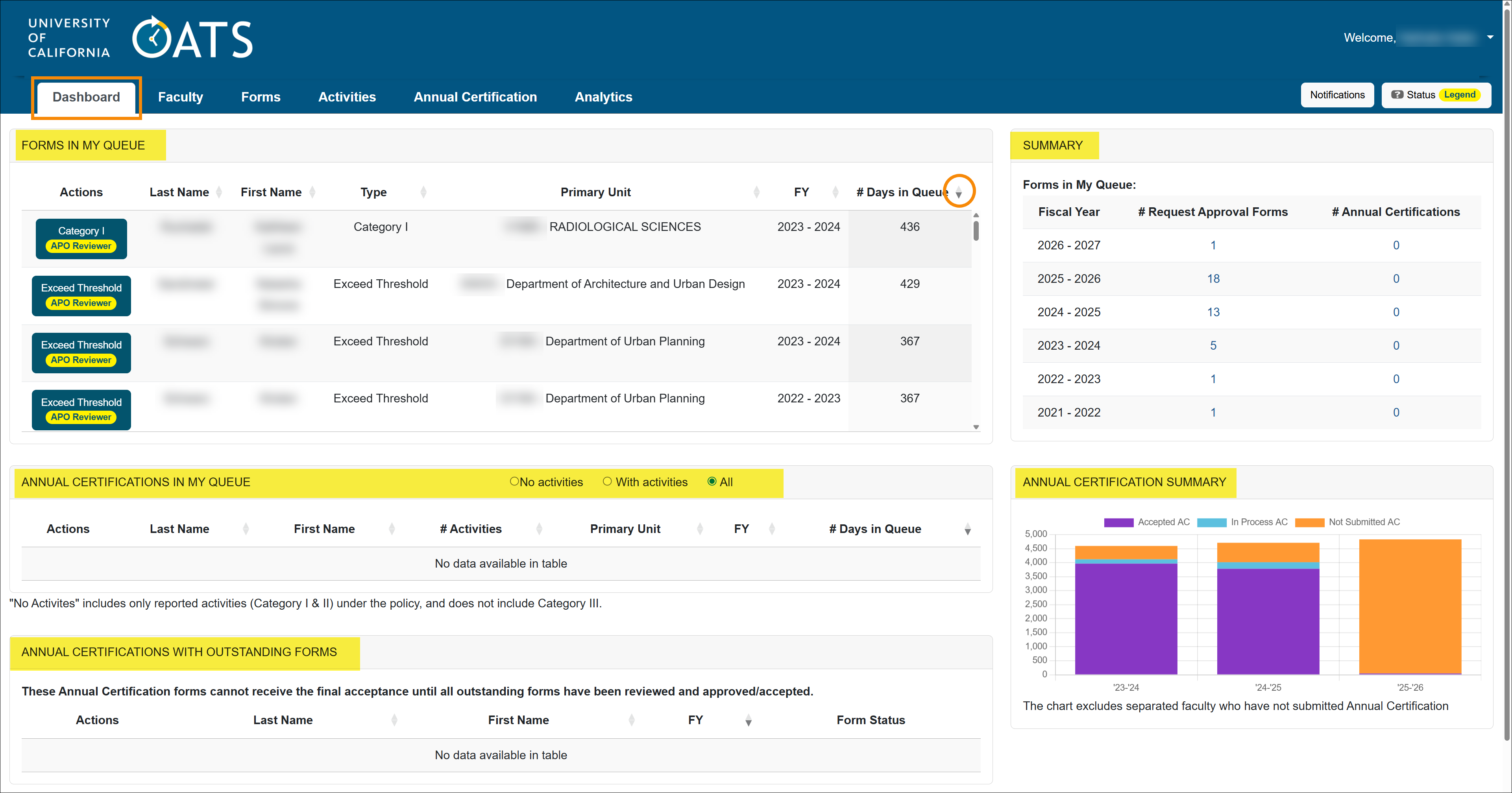
The dashboard displays forms from all fiscal years that require review. Forms are sorted by age, with the oldest requests appearing at the top of the queue.
The Dashboard has five sections:
- Forms in My Queue: All prior approval forms requiring review, sorted by age in the queue.
- Annual Certifications in My Queue: Annual certification reports await review.
- Annual Certifications with Outstanding Forms: Certifications that cannot be completed because related forms are still unresolved.
- Summary: The number of forms and annual certification reports awaiting your review for each fiscal year. To access a specific fiscal year's queue, click on the corresponding form number.
- Annual Certification Summary: Visual breakdown of certification statuses. Hover over the bars to view exact numbers and click on the chart to go to the corresponding report.
Stock Evaluator Dashboard
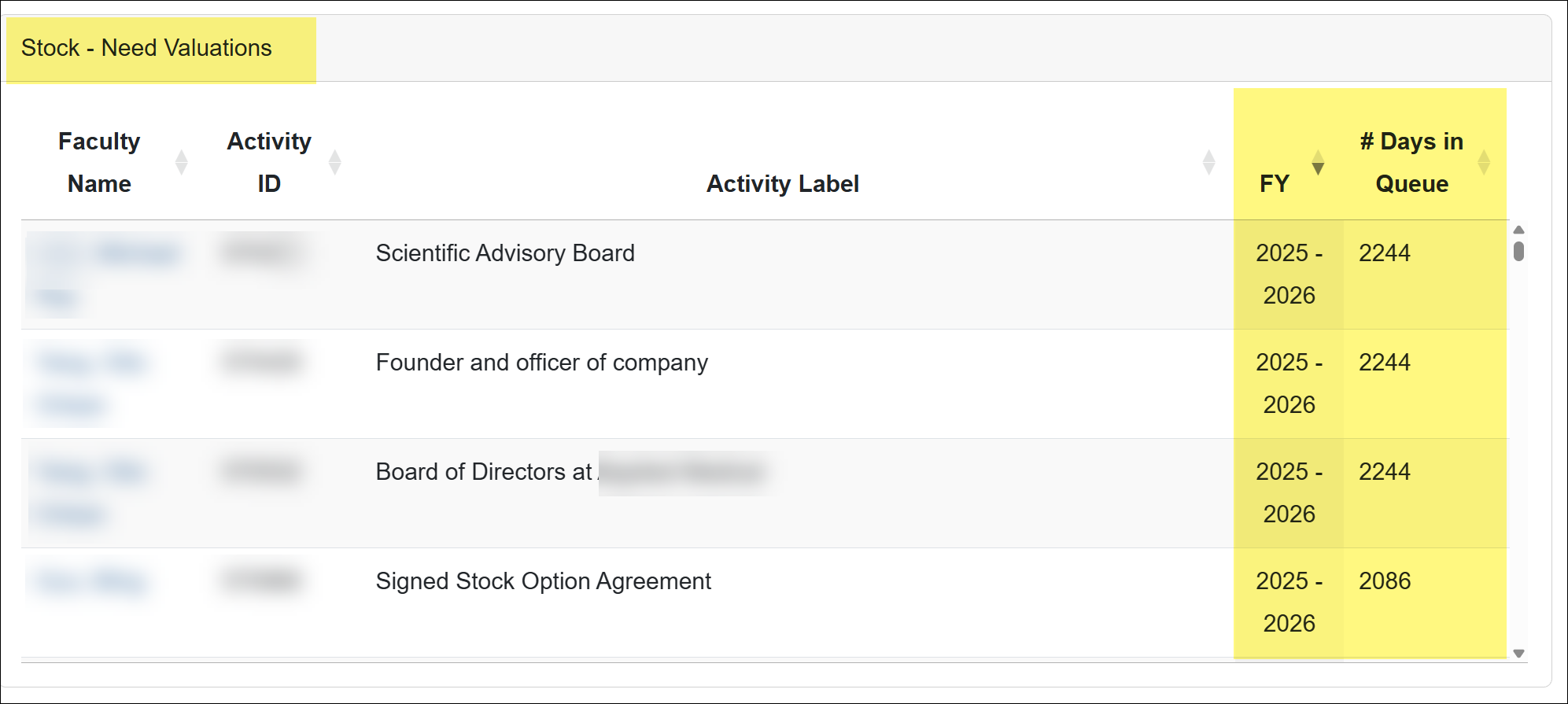
Reviewers with the Stock Evaluator role will see an additional section on their dashboard: Stock – Needs Valuation.
This section provides visibility into all stock payments that are awaiting evaluation. The queue includes stock entries from all fiscal years, allowing Stock Evaluators to easily identify pending valuations.
Faculty tab
The Faculty tab displays faculty members from departments where you are assigned a staff role.
All Faculty details
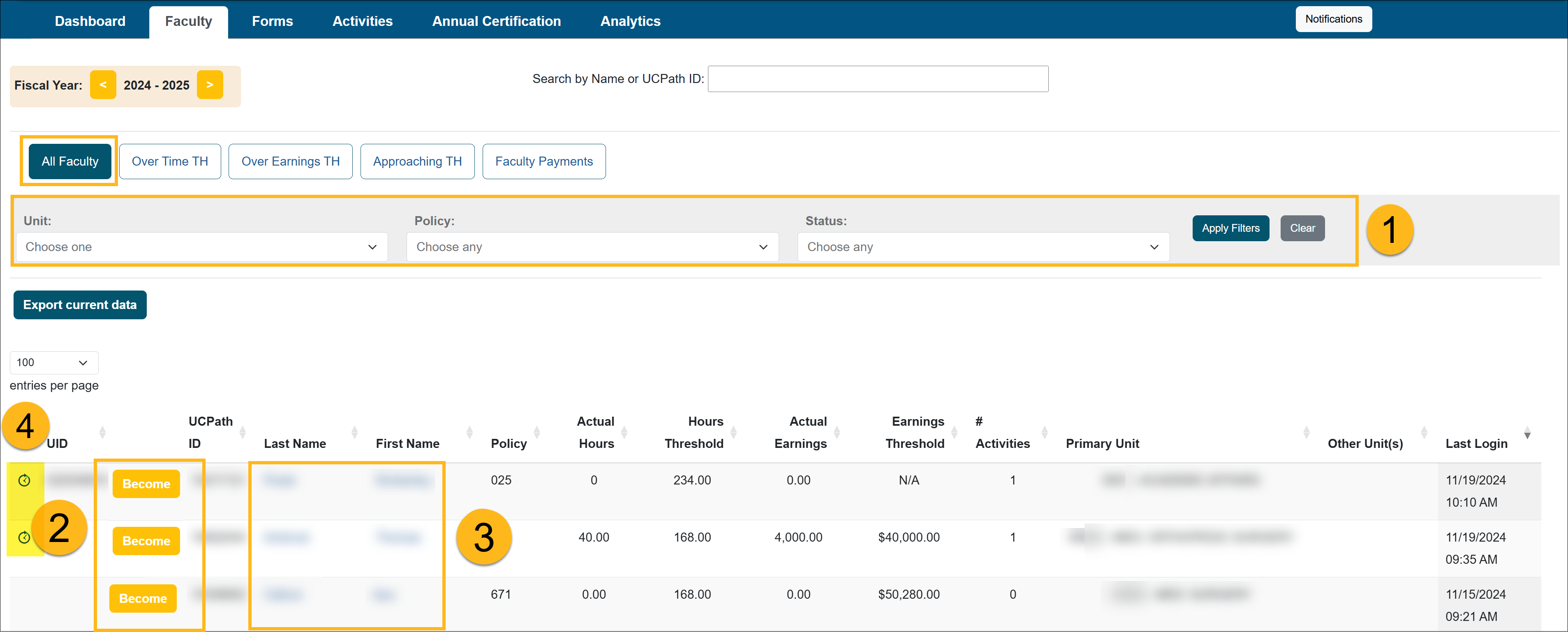
The following provides an overview of the Faculty section of your workspace:
- Faculty Filters: Use filters to narrow the faculty list based on specific criteria, such as faculty with outside activities, those not in good standing, those currently on leave, or faculty who have separated.
- Become: Select Become to log in to a faculty member’s workspace. Any changes you make will directly affect the faculty member’s workspace.
- UC OATS Training Environment: Use the UC OATS Training Environment to view or test features without making changes to a faculty member’s account. This environment is a copy of UC OATS from the previous night.
- Faculty Details: Select a faculty member’s name to access detailed information, including their workspace, time threshold, and more.
- Time clock icon: If a time clock icon appears to the left of the Become button, the faculty member has been marked as On Leave in UC OATS. This designation only displays the icon and does not affect the faculty member’s UC OATS account in any other way. Leave status is added and removed manually by Reviewers with the Faculty Status Change role.
Faculty Details
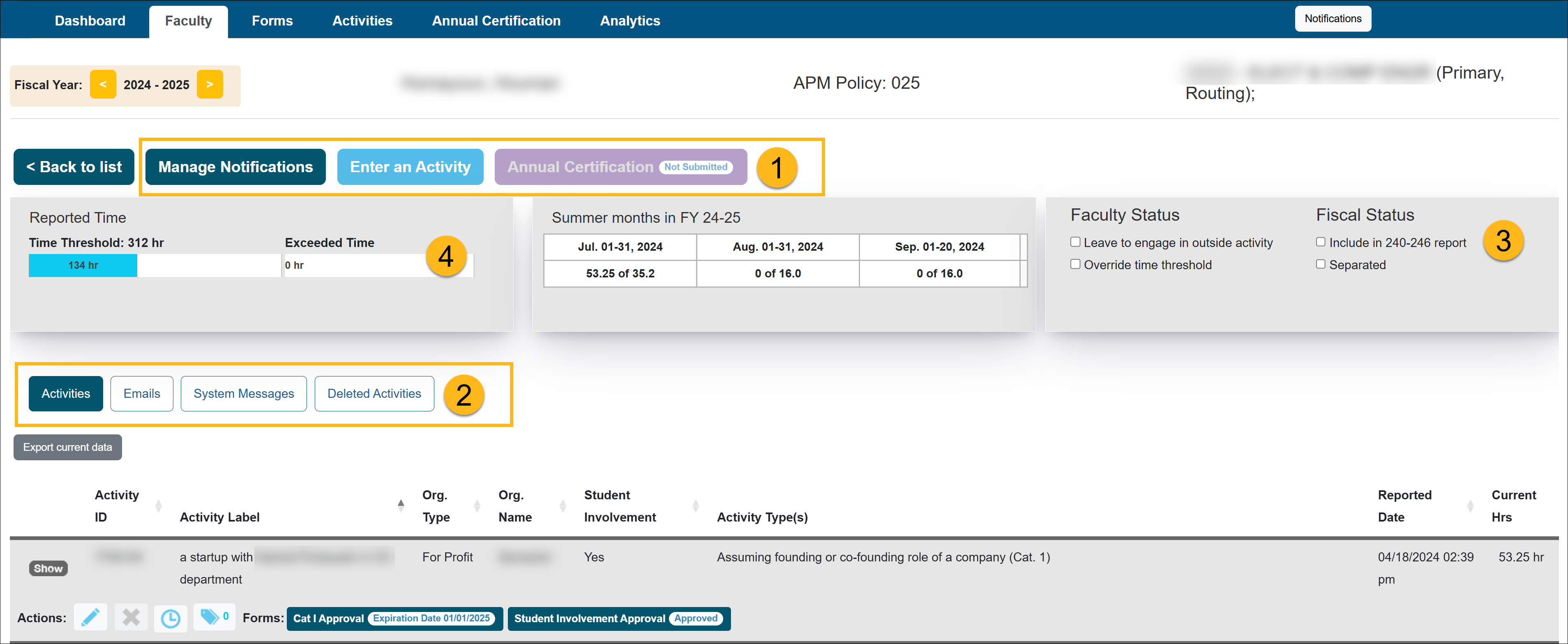
The Faculty Details page provides a comprehensive view of a faculty member's workspace, system emails sent, recent changes made to their account, and more.
- Actions
- Manage Notifications: Manage email notifications for that faculty (including unsubscribing them from specific alerts).

- Enter an Activity: This option is available for Reviewers with the Historical Data Manager role.
- Category I Activity: Category I activities are automatically approved, with the approval date recorded. This feature was historically used to back‑enter approved forms during campus onboarding to UC OATS.
- Category II and III activities: Activities can be entered on behalf of the faculty member as needed.
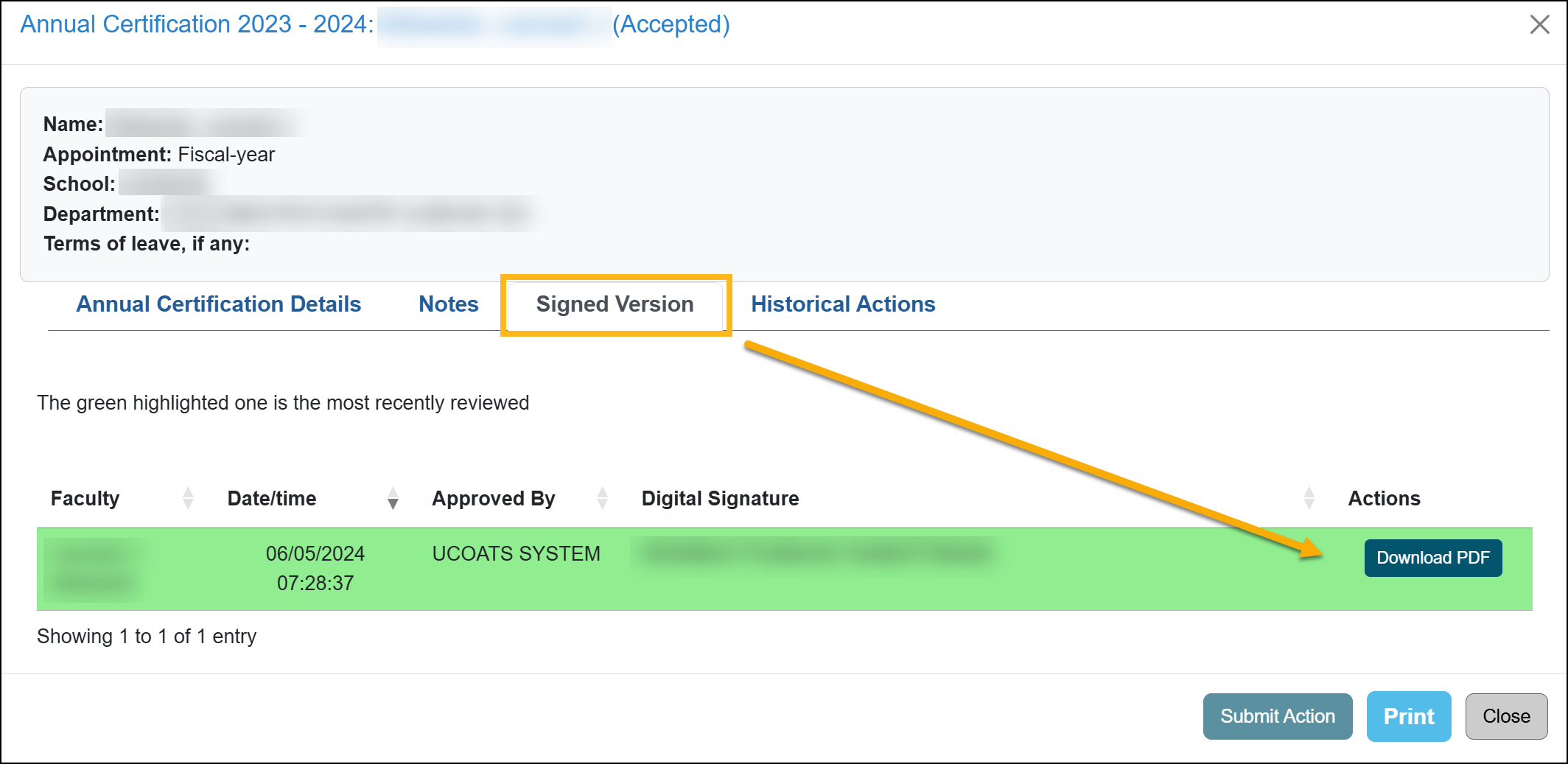
- Annual Certification: After an annual certification report is accepted, click the Annual Certification button to view detailed information and download a PDF of the signed annual certification form.
- Manage Notifications: Manage email notifications for that faculty (including unsubscribing them from specific alerts).
- Additional Options:
- Activities: Shows the faculty's list of activities and prior approval forms.

- Emails: This section provides a record of all system-generated emails that have been sent to the faculty member.

- System Messages: Displays system‑generated alerts and updates related to the faculty member’s account.

- Deleted Activities: Displays activities removed from the faculty member’s workspace. You can restore an activity by selecting Undelete, which reinstates the activity and returns associated forms to their previous queue. Note: Reported effort is not restored.

- Activities: Shows the faculty's list of activities and prior approval forms.
- Faculty Status / Fiscal Status

This section can be edited by Reviewers with the Historical Data Manager role.- Leave to engage in outside activity: You can select this option when a faculty member is on leave specifically to engage in an outside activity. Once selected, an indicator will appear next to the faculty member's name to highlight their status.
- Override time threshold: You can use this option to override the faculty member's earnings threshold when necessary.
- Include in 240-246 report: Select this option to include the faculty member in the 240-246 Report submitted to UCOP.
- Separated: Select this option when a faculty member is separating from the university. Once selected, you will have the option to activate the Annual Certification button for the faculty member to finalize their certification process.
- Time/Earnings Threshold - The threshold bar visually tracks the number of hours and earnings a faculty member has reported engaging in outside activities relative to their threshold. The exceed threshold bar represents the total number of hours or earnings that have exceeded the threshold.
- Back to list - Select this button to return to the faculty list.
Over Time Threshold
Faculty members who exceed their time threshold will be automatically placed in the "Over Time TH" tab for monitoring and further action.

Over Earnings Threshold
You may disregard this tab unless you are managing Health Sciences faculty. Faculty members who exceed their earnings threshold will appear in the "Over Earnings TH" tab for tracking and review.

Approaching Threshold
Faculty members who are within 10% of reaching their time threshold will be automatically placed in the "Approaching TH" tab, allowing you to monitor their status closely.

Faculty Payments
You may disregard this tab unless you are assigned to the Health Sciences faculty. This section is designated for documenting payments made to the Health Sciences Compensation Plan for applicable faculty members.

Forms tab
The Forms tab has three reports: Forms Needs My Review, Forms in Process, Forms Approved. The following will provide details about each report.
Forms tab details
Forms Needs My Review
The Forms Needs My Review tab contains all prior approval forms requiring your review, organized by fiscal year. You may need to toggle between fiscal years to view all prior approval forms that are waiting for your review. Alternatively, you can access and review prior approval forms across all fiscal years directly from the Dashboard for a consolidated view.
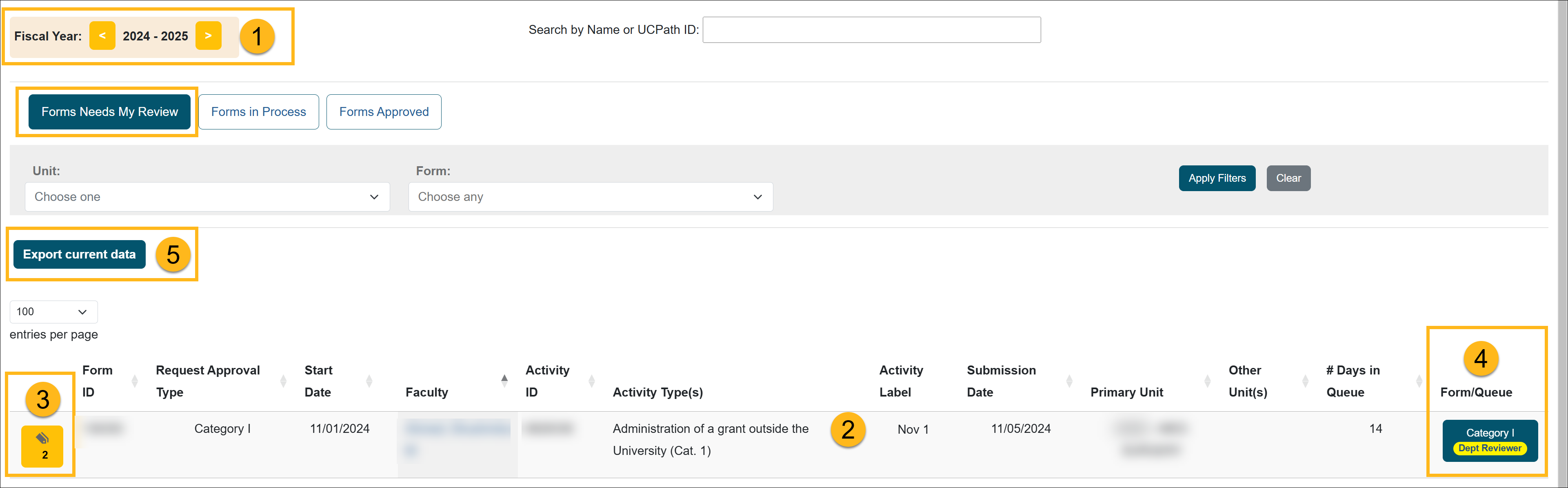
- Fiscal Year - The forms are listed by fiscal year. You can toggle between fiscal years to view all forms that need to be reviewed.
- Activity List - List of activities waiting for your review.
- Activity Notes - You can view and add activity notes by selecting the notes icon. The notes field is a way for faculty, reviewers, and approvers to communicate about an activity. Notes are not private and may be read by faculty, reviewers, and approvers with access to the activity. When adding a note, you can choose to email the faculty a notification.
- Form/Queue - These are the forms awaiting your review. The current status of the prior approval form is listed on top of the form. To review the form, you would click on the form.
- Export Current Data - Click this button to download the data into a spreadsheet.
Forms In Process
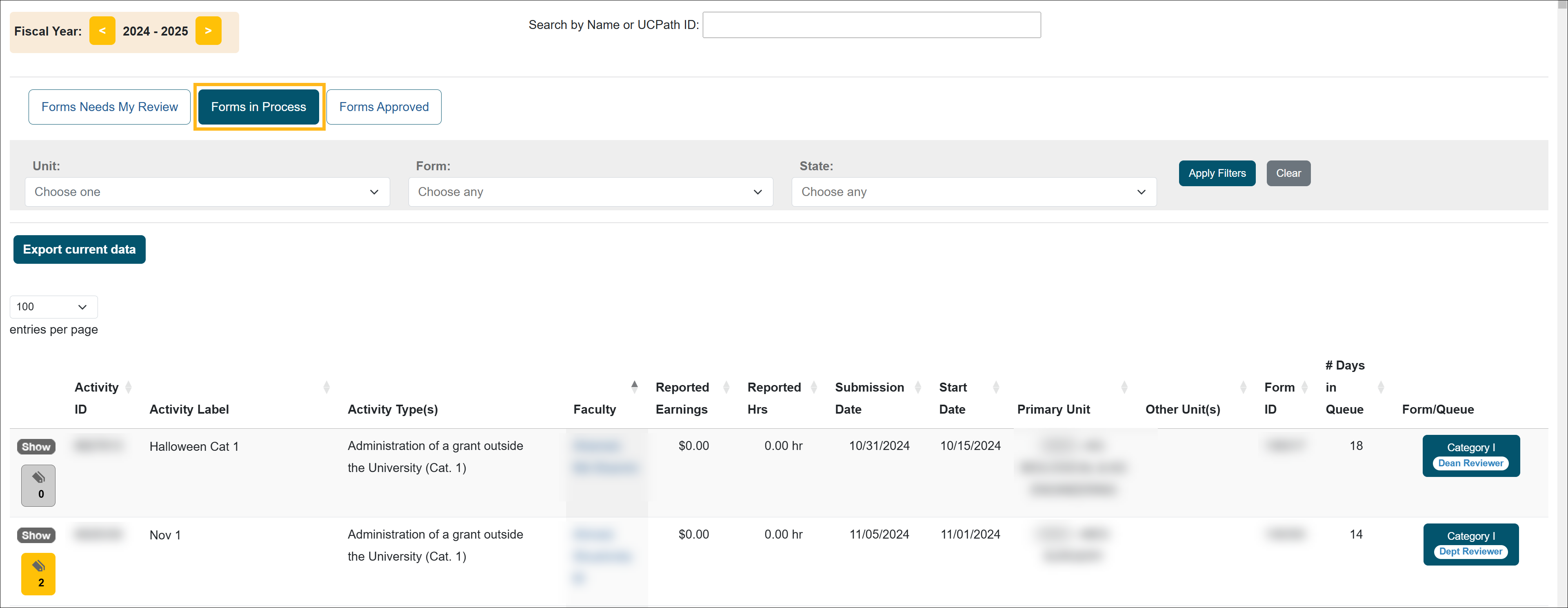
The 'Forms In Process' tab shows all prior approval forms within your department/unit that have not yet received final approval/acknowledgment. In this section, you will see forms that are at different stages of the prior approval workflow.
Forms Approved
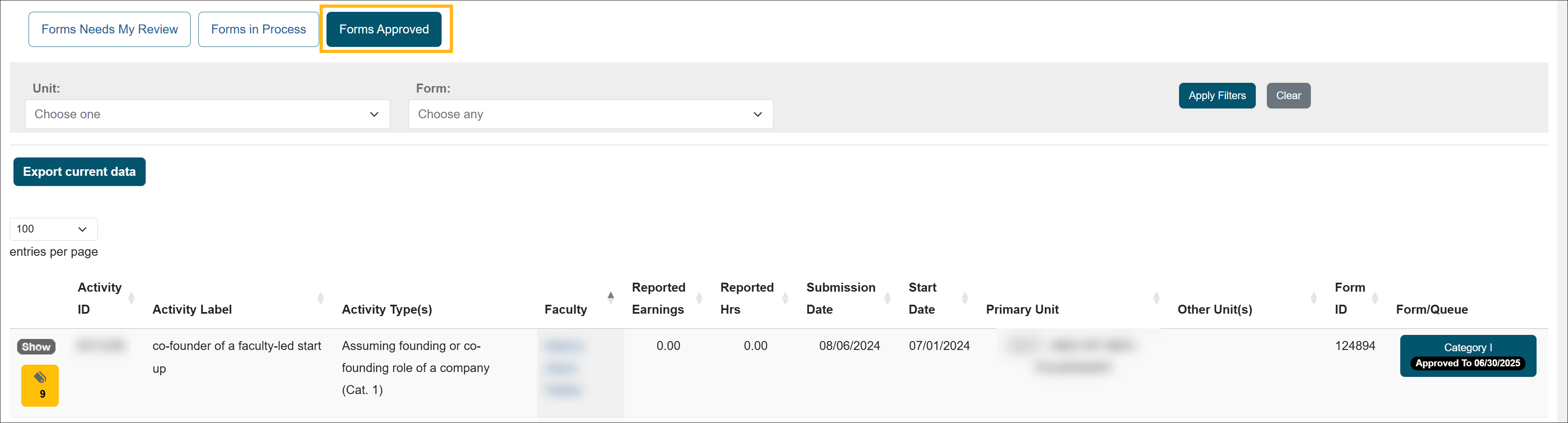
The 'Forms Approved' tab shows all prior approval forms within your department/unit that have received final approval/acknowledgment.
Forms Vacated
The 'Forms Vacated' tab shows forms that have been vacated. Learn more about vacated forms →

Activities tab
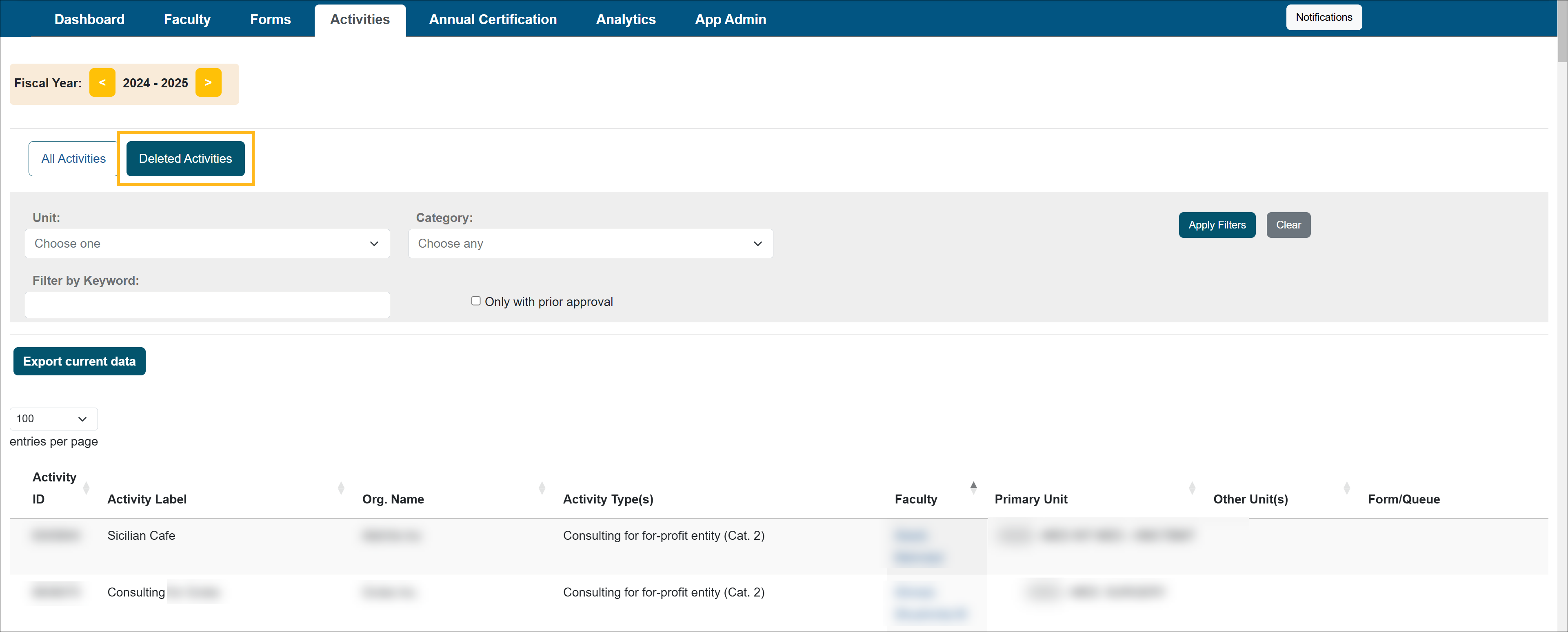
This section shows All Activities and Deleted Activities.
All Activities details
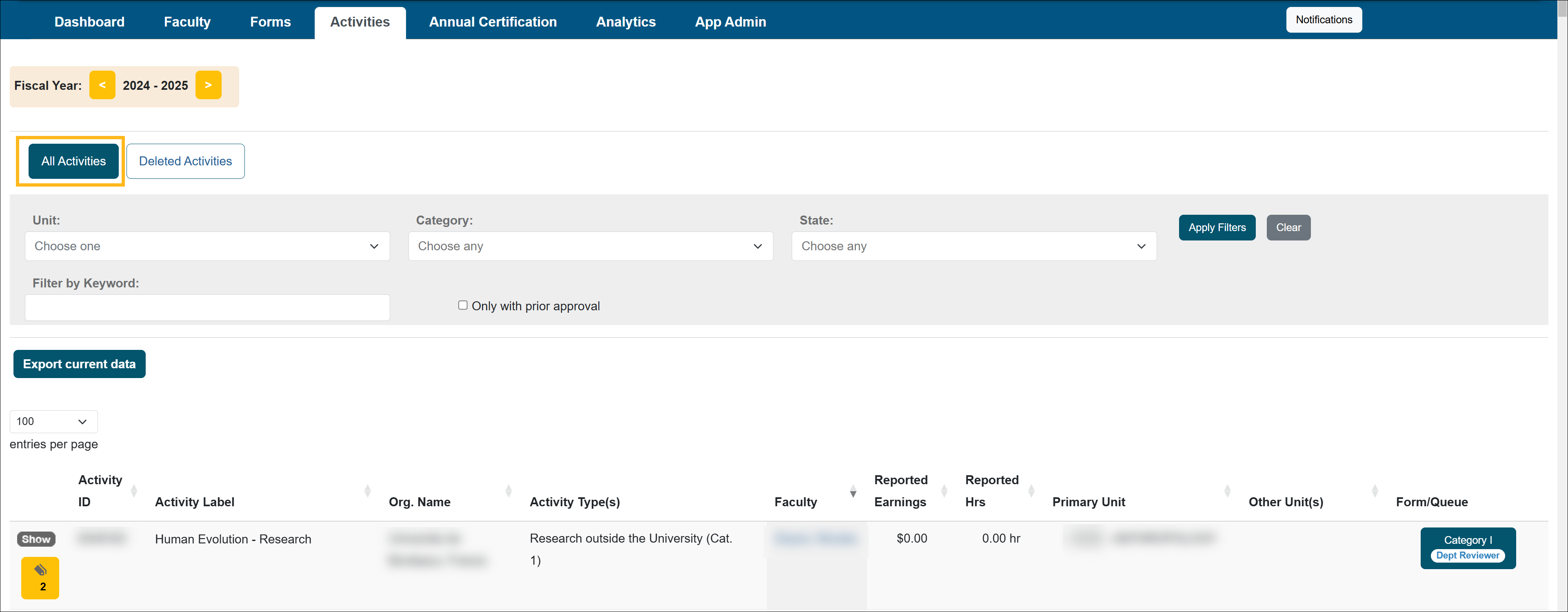
All Activities
The "All Activities" tab shows all activities regardless of the status.
Deleted
The "Deleted" tab is an archive of all activities that have been deleted from the faculty's workspace.
Annual Certification tab
This section shows various Annual Certification reports.
Annual Certification details
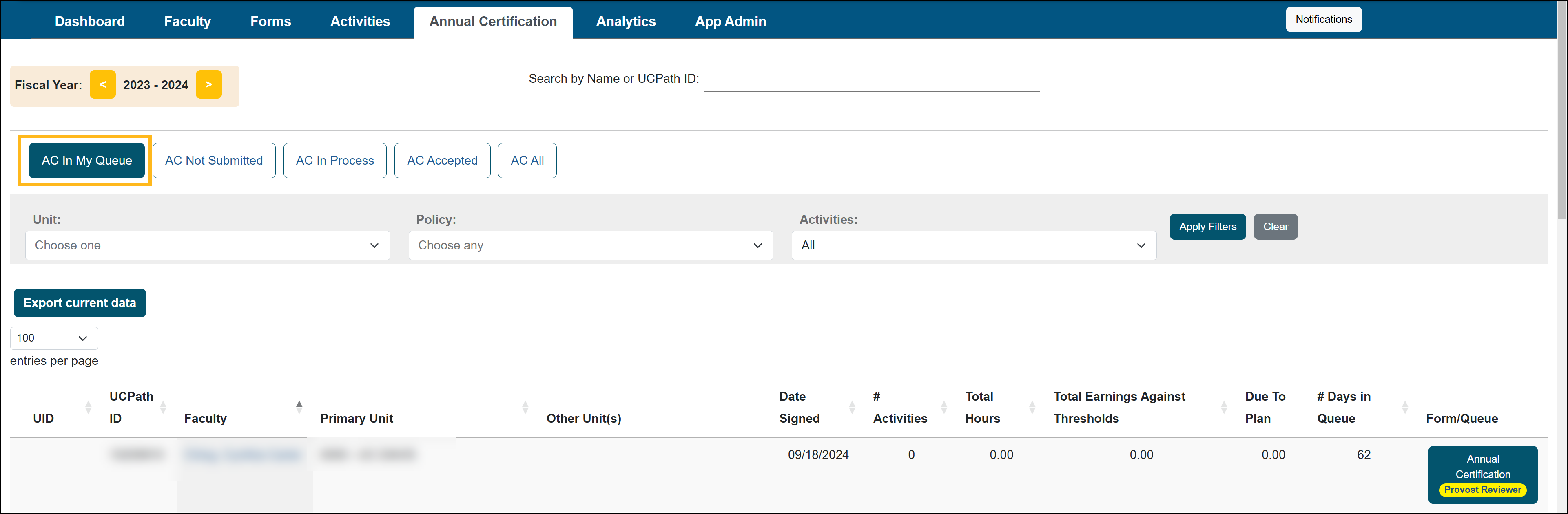
AC In My Queue
The AC In My Queue tab serves as your annual certification queue, where you can find annual certification reports awaiting your review. Use the Fiscal Year indicator to locate reports for the current fiscal year. To access reports from previous fiscal years, click the Back button.
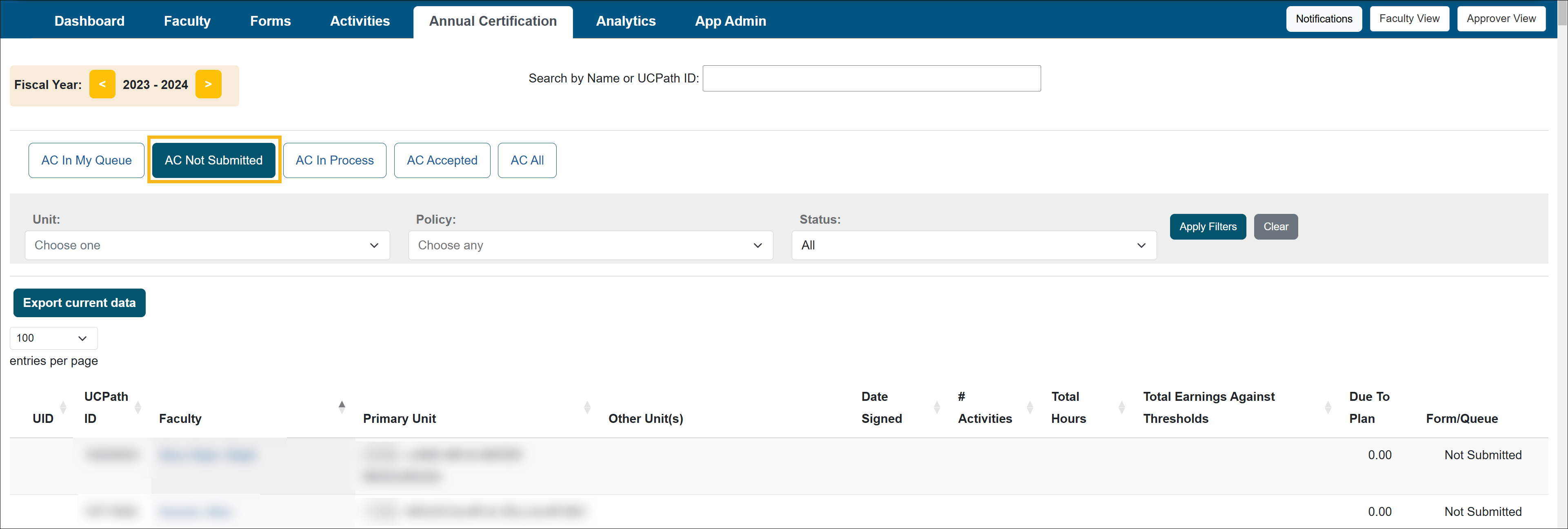
AC Not Submitted
This report provides a list of faculty members who have not yet submitted their annual certification reports, as well as reports that have been returned to faculty for further action.
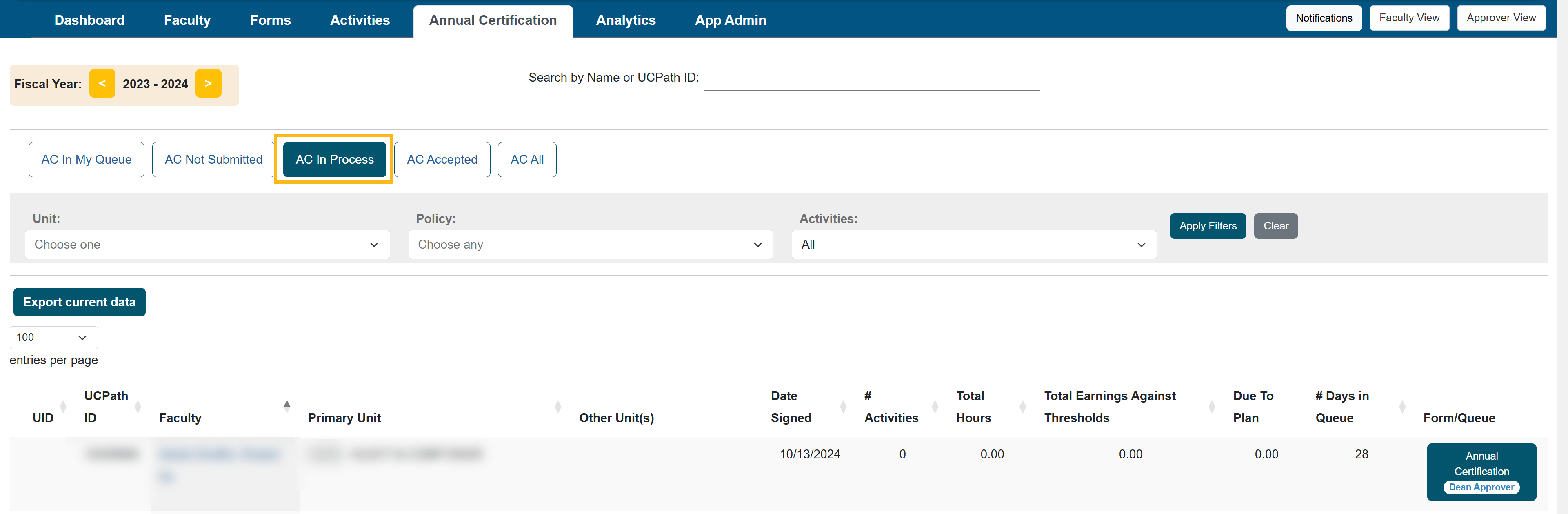
AC in Process
This report provides a list of annual certification reports that have been submitted and are currently progressing through the approval workflow.
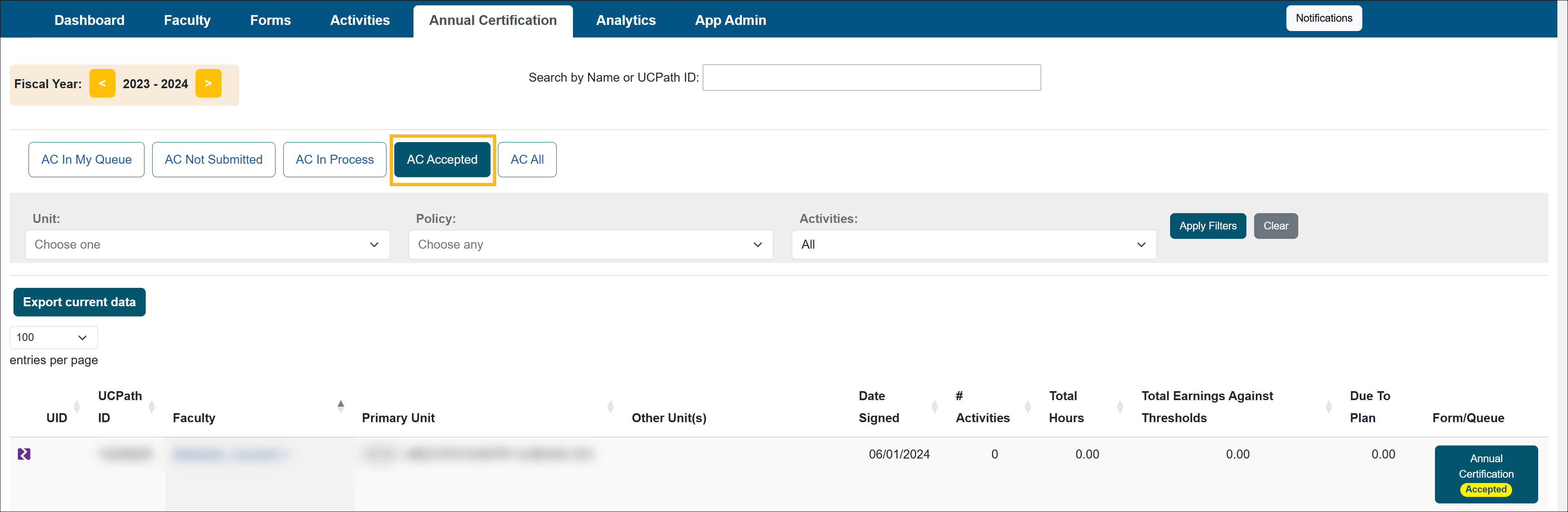
AC Accepted
This report shows a list of annual certification reports that have been fully approved and received final acceptance. A signed PDF version of each report is available for download.
AC Vacated
The AC Vacated tab displays a list of Annual Certifications that have been vacated. You can confirm the vacated date by checking the Historical Actions section of the Annual Certification form.

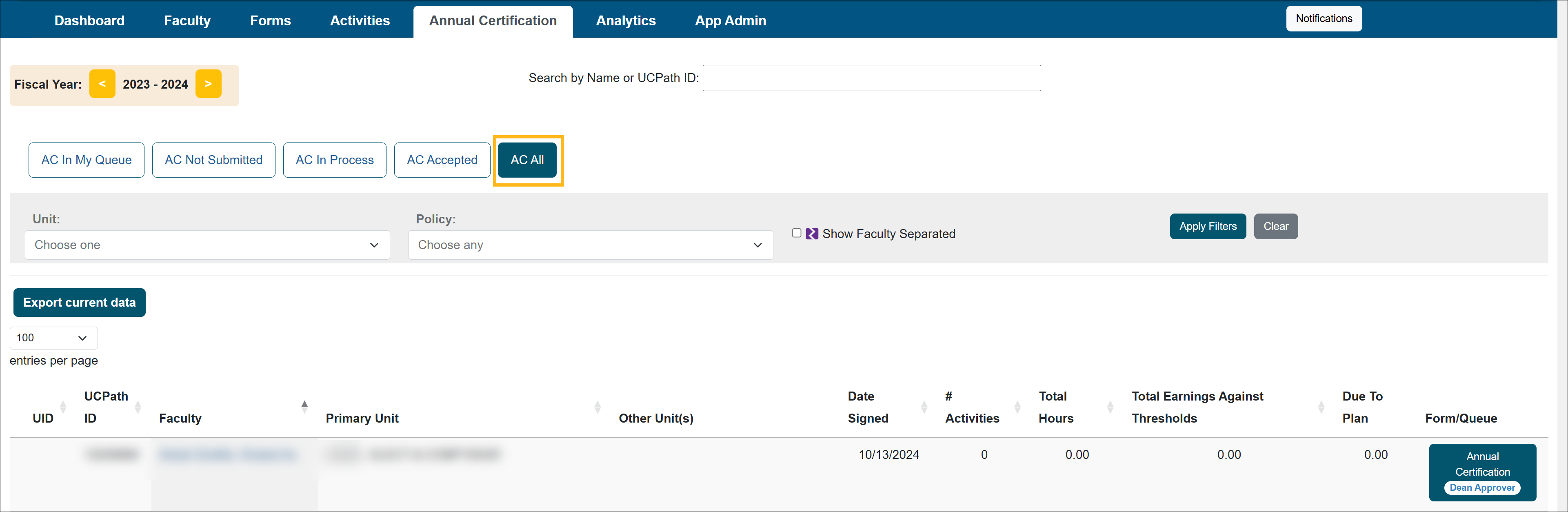
AC All
The AC All tab displays a complete list of all current faculty members. To include faculty who have separated from the university, select the 'Show Faculty Separated' filter. This provides a comprehensive view of both active and separated faculty.
Related Articles
All Reviewer
What is UC OATS
Log in to UC OATS
Reviewer's Role
Workspace Overview
Manage your Email Notifications
Daily & Weekly Summary Emails
UC OATS Training Environment
Last Modified:2026-02-05 11:18:29.566063-08