Home > Training > Reviewer > UC OATS Training Environment
UC OAT Training Environment
This article provides an overview of the UC OATS Training environment, a non‑live version of UC OATS. The training environment contains a copy of the previous day’s data, and any changes made do not affect the live system. In the training environment, you can use the Become feature to impersonate a faculty member and test system functionality.
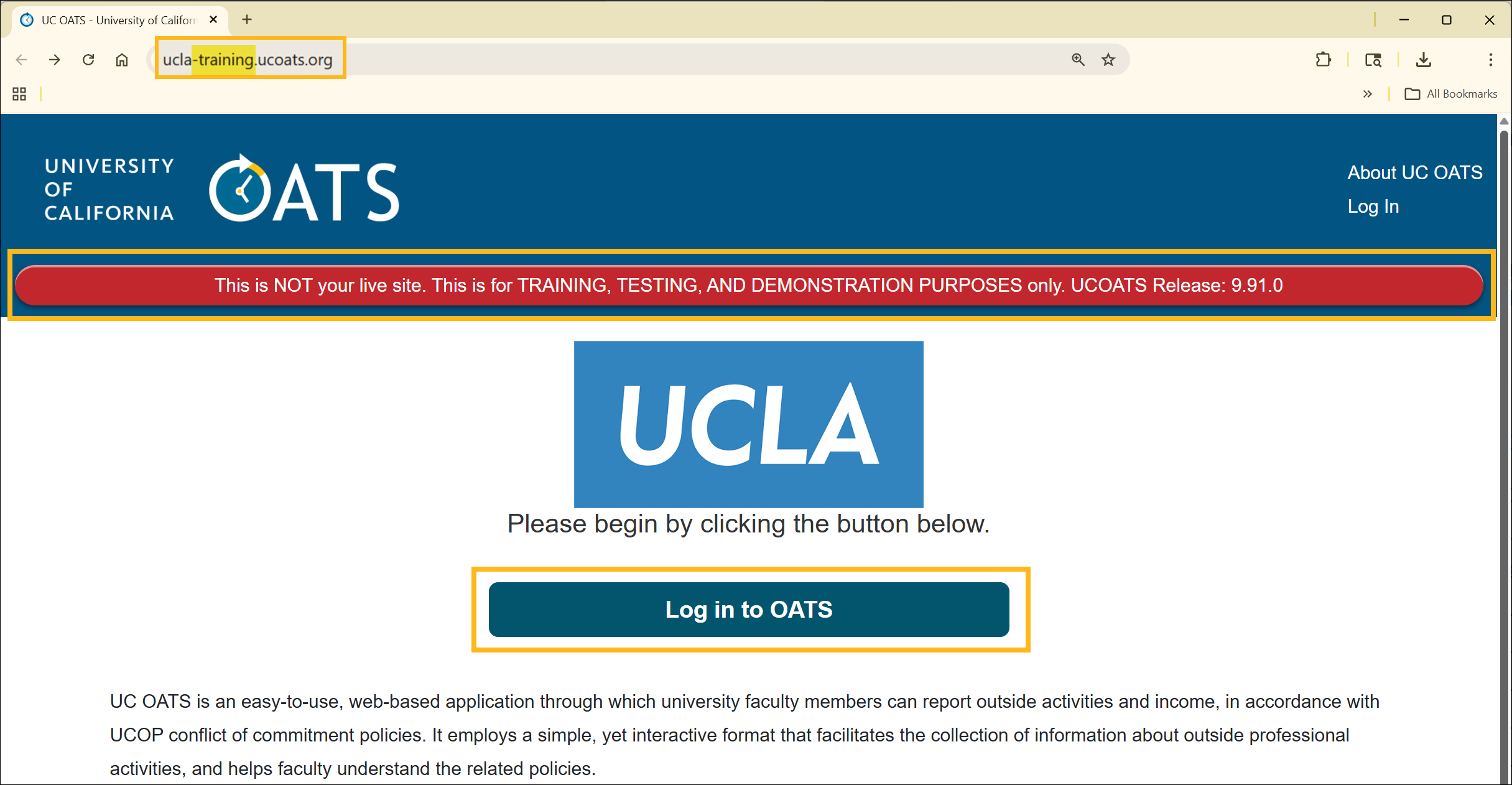
To access your campus training environment:
- Navigate to your campus training environment and sign in with your campus login credentials. The training site displays a banner indicating that you are in the training environment, along with the current site release number.
Become Feature
The Become feature allows you to log in as a faculty member within the training environment. This enables you to better assist faculty by navigating UC OATS from their perspective.
To access the Become feature:
- Select the Faculty button
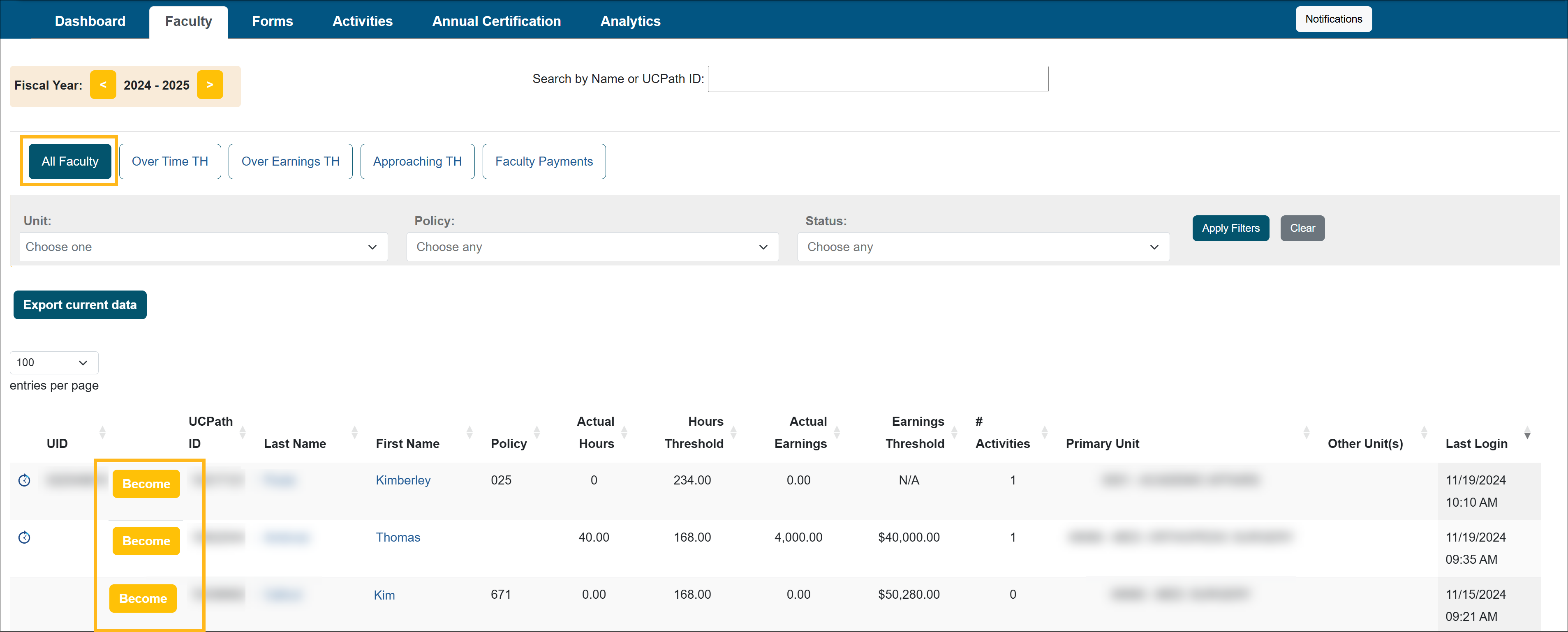
- Locate the faculty member and select the Become button.
- You will then be logged into the faculty member's training environment. To switch back to your training account you will need to log out as the faculty member, and then log back into the training site with your login credentials. You will need to do this anytime you use the Become feature.
Related Articles
All Reviewer
What is UC OATS
Log in to UC OATS
Reviewer's Role
Workspace Overview
Manage your Email Notifications
Daily & Weekly Summary Emails
UC OATS Training Environment
Last Modified:2026-02-06 12:38:17.237477-08