Home > Training > Reviewer > Review Annual Certification in bulk
Review Annual Certification in Bulk
This article provides instructions for bulk reviewing Annual Certification reports in UC OATS. Annual Certifications that report no outside professional activities can be bulk reviewed, allowing reviewers to process multiple certifications at once rather than reviewing each report individually.
To bulk review annual certification reports:
- Select the Annual Certification tab.
- Go to the Fiscal Year indicator, select the back arrow to navigate to the previous fiscal year.
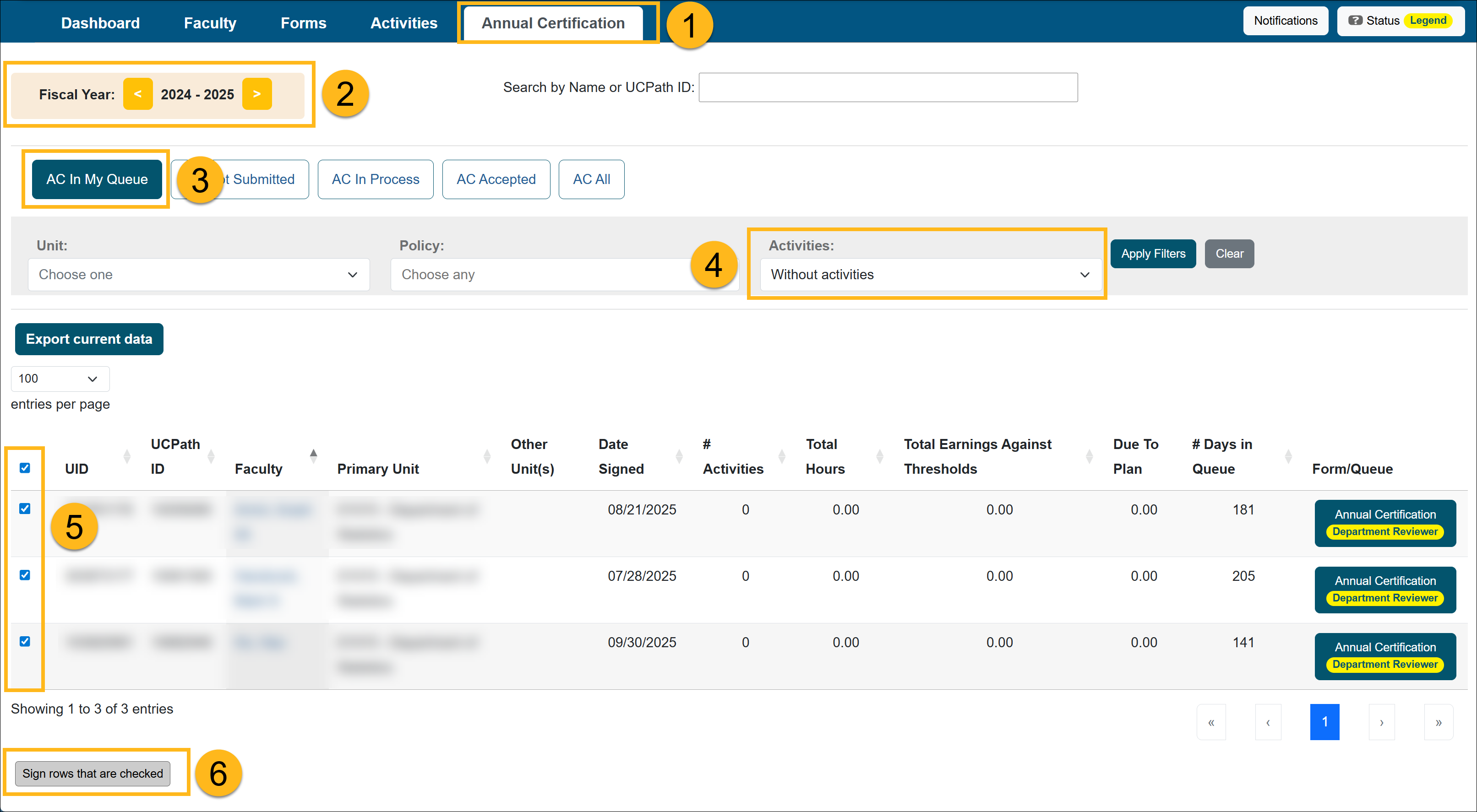
- Select the AC In My Queue button.
- Apply the Without Activities filter.
- Select Check All to select all available certifications or choose the ones you want to review.
- Select Sign rows that are checked.
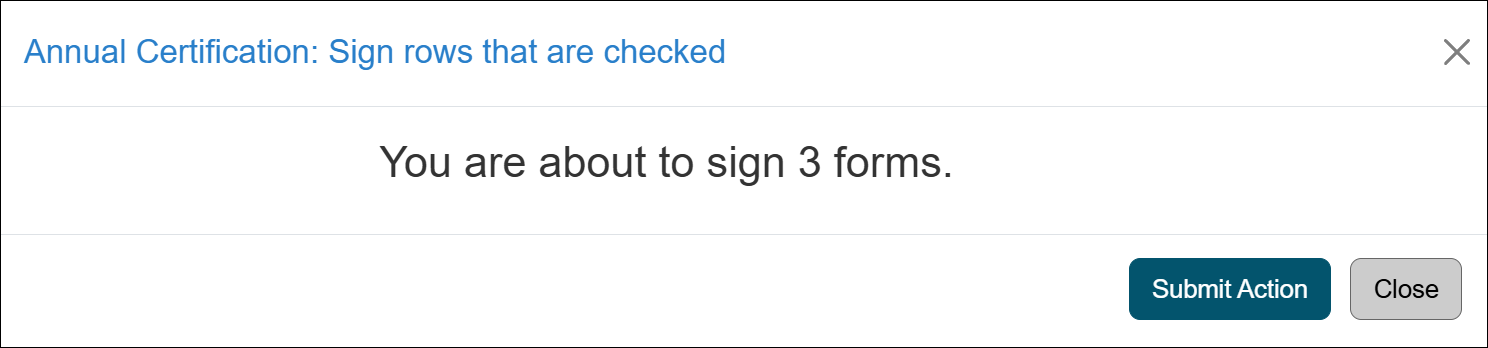
- Select Submit Action to complete the bulk review.
Related Articles
All Reviewers
Review Annual Certification
Review Annual Certification in Bulk
Annual Certification Reports
Return Form & Annual Certification Together
AC with Outstanding Forms
Return Accepted Annual Certification
AC Not Submitted Watchlist
Last Modified:2026-02-18 16:16:30.630165-08