Home > Training > Application Administrator > Vacated Forms Report
Vacated Forms Report
The Vacated Forms Report lists all forms that have been vacated in UC OATS. The Vacate Form feature is used to remove obsolete prior approval forms from Reviewer or Approver queues when a faculty member has separated from the University, and the request is no longer needed. Learn how to vacate a form →
Access the Report
To view and download the Vacated Forms report:
- Navigate App Admin.
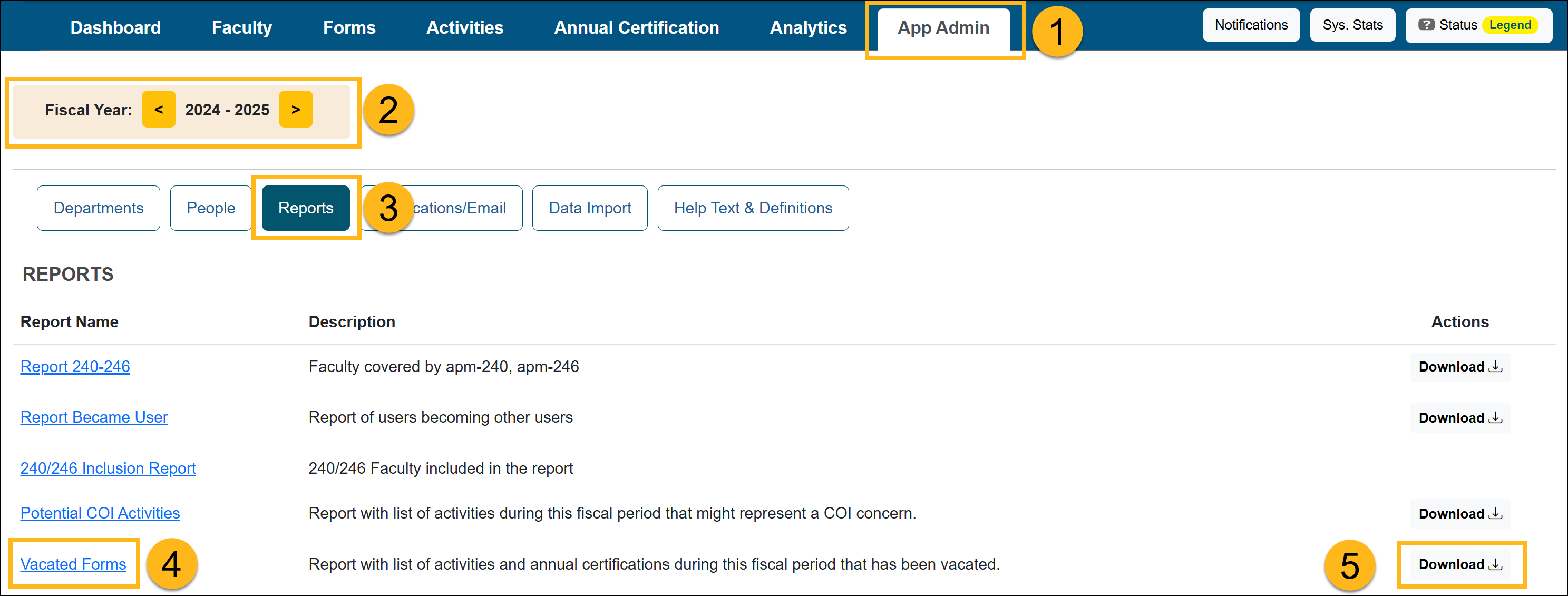
- Confirm you are in the correct fiscal year. Use the arrows to move forward and back through fiscal years.
- Select Reports.
- Select the Vacated Forms link to view the report.

- Select the Download button to download the report.
Last Modified:2026-04-13 17:56:42.8609-07