Home > Training > Reviewer > Review Student Involvement form
Review Student Involvement form
This article explains how to locate and review Student Involvement prior approval forms in UC OATS. As a Reviewer, you evaluate the form to ensure it contains sufficient information for the Approver (for example, a Department Chair or Dean) to make an informed decision. If additional details are needed, you may contact the faculty member or return the form for revisions. Once marked Reviewed, the form moves forward in the approval workflow to the terminal approver.
To review a Student Involvement form:
- Go to the Dashboard and view the "Forms in my Queue" section. The prior approval forms that have been waiting the longest will be at the top.
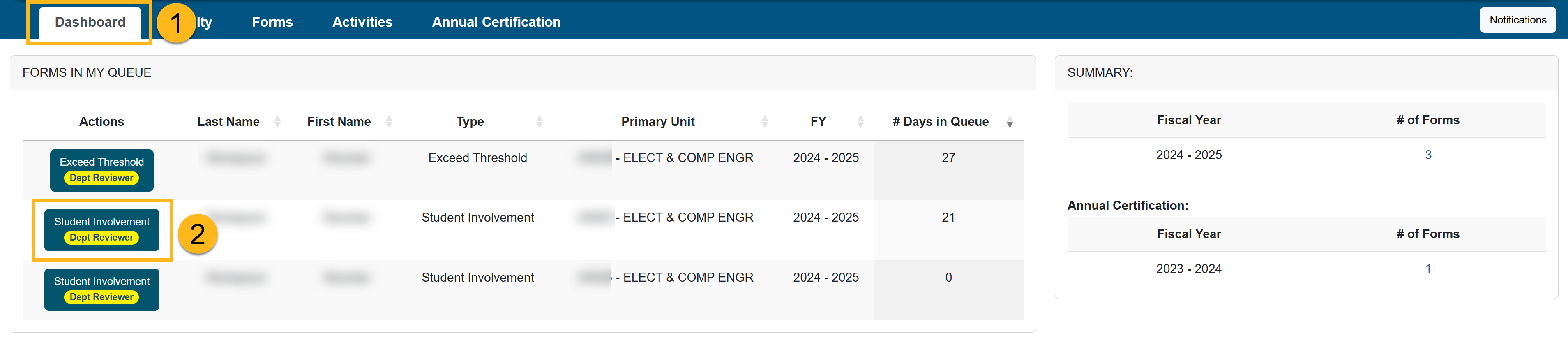
- Locate and click on the Student Involvement form you want to review.
- Verify the Student Involvement form contains all the necessary information in order for the Approver (Department Chair, Dean, etc.) to make a decision.
- Check the Notes field for additional information and attachments.
- Scroll to the bottom of the form to see available actions.
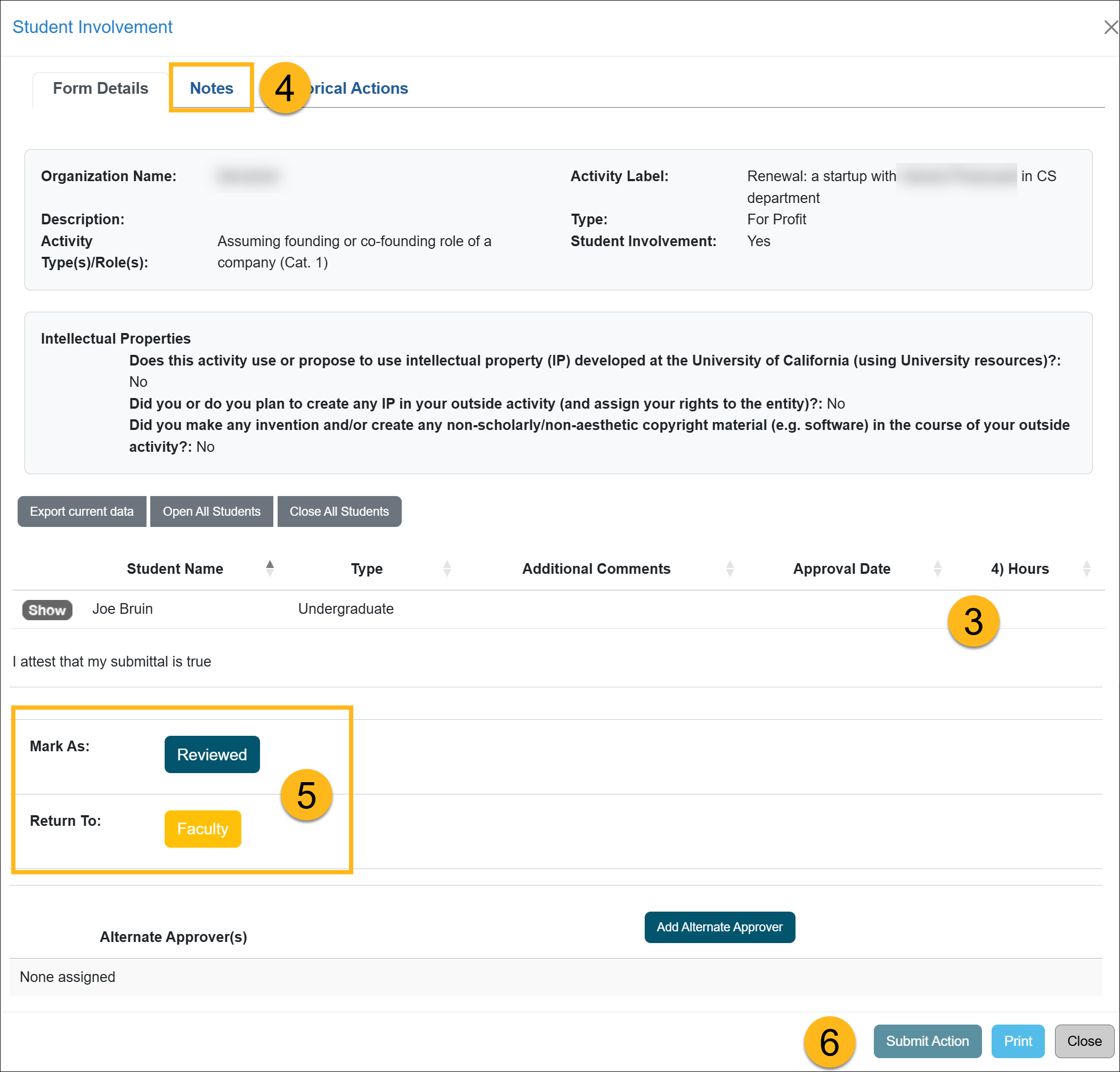
Actions:
- Mark As: Reviewed - Click Reviewed if the form is complete and ready to be forwarded to the Approver (e.g., Department Chair, Dean).
- Return To: Department/Faculty - Selecting this option will return the form to the specified location. Be sure to provide a detailed explanation in the space provided, outlining the reason for returning the form.
Additional Options:- Add Alternate Approver - If a conflict of interest exists between the faculty member and the Approver (e.g., they are married, related, etc.), you can assign an alternate approver. To do this, click the Add Alternate Approver button and select a person from the drop-down menu. If no Alternate Approver is listed in the system, contact your supervisor. Your supervisor can then reach out to your campus OATS administrator to request the addition of an Alternate Approver for your department.

- Click the Submit Action button.
Last Modified:2026-02-11 09:57:59.895806-08