Home > Training > Faculty > Renew Category I form
Renew Category I form
This article explains how to renew eligible Category I prior approval forms. You can begin the renewal process up to 60 days before a form’s expiration date.
There are two ways to initiate a renewal:
- Using the Category I Approval Expiration pop-up
- Selecting the Category I form directly
This article walks you through both renewal methods step by step.
- Once a Category I prior approval form has expired, it cannot be renewed.
- If you delete a renewed Category I form, the renew option will no longer be available for that form. You will need to submit a new Category I form.
Category I Form Copy Button
You can renew the form within 60 days of the Category I form expiration date. When you renew a Category I form, it will be copied over to the next fiscal year, along with the associated Student Involvement form, as applicable.
Renew Category I form using the Copy button
To renew a Category I form:
- Confirm you are in the correct fiscal year.
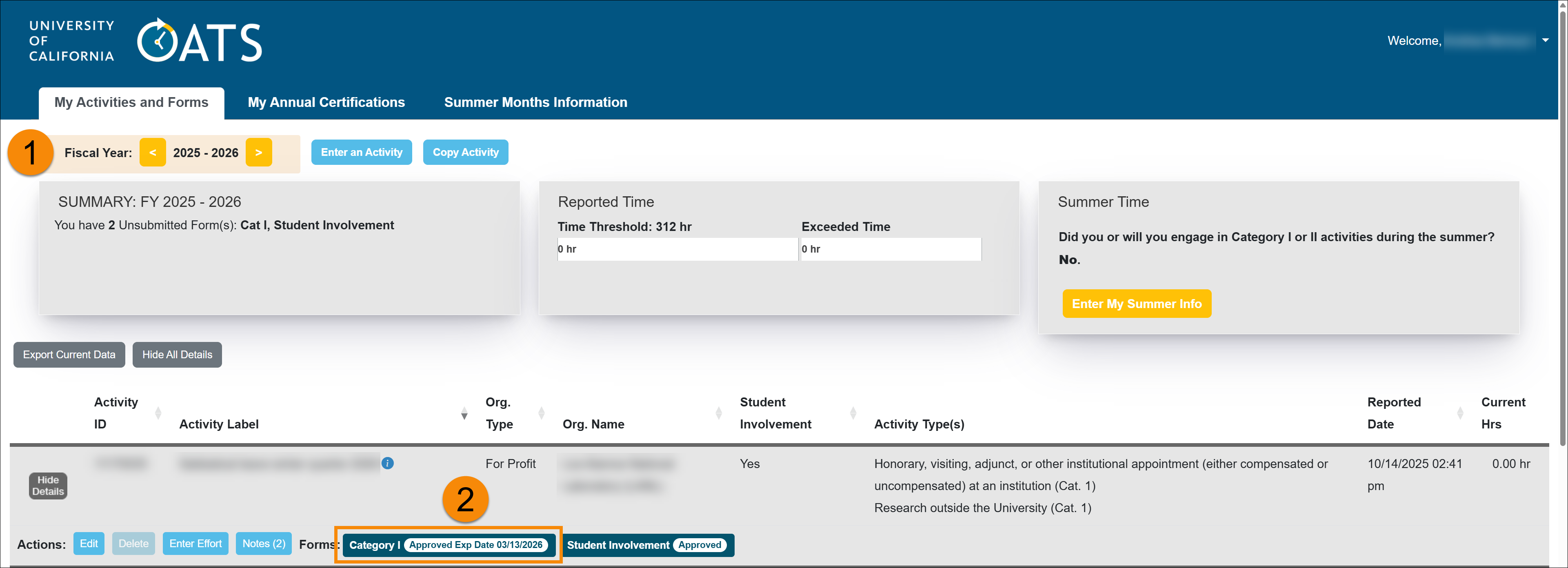
- Click on the Category I form that needs to be renewed.
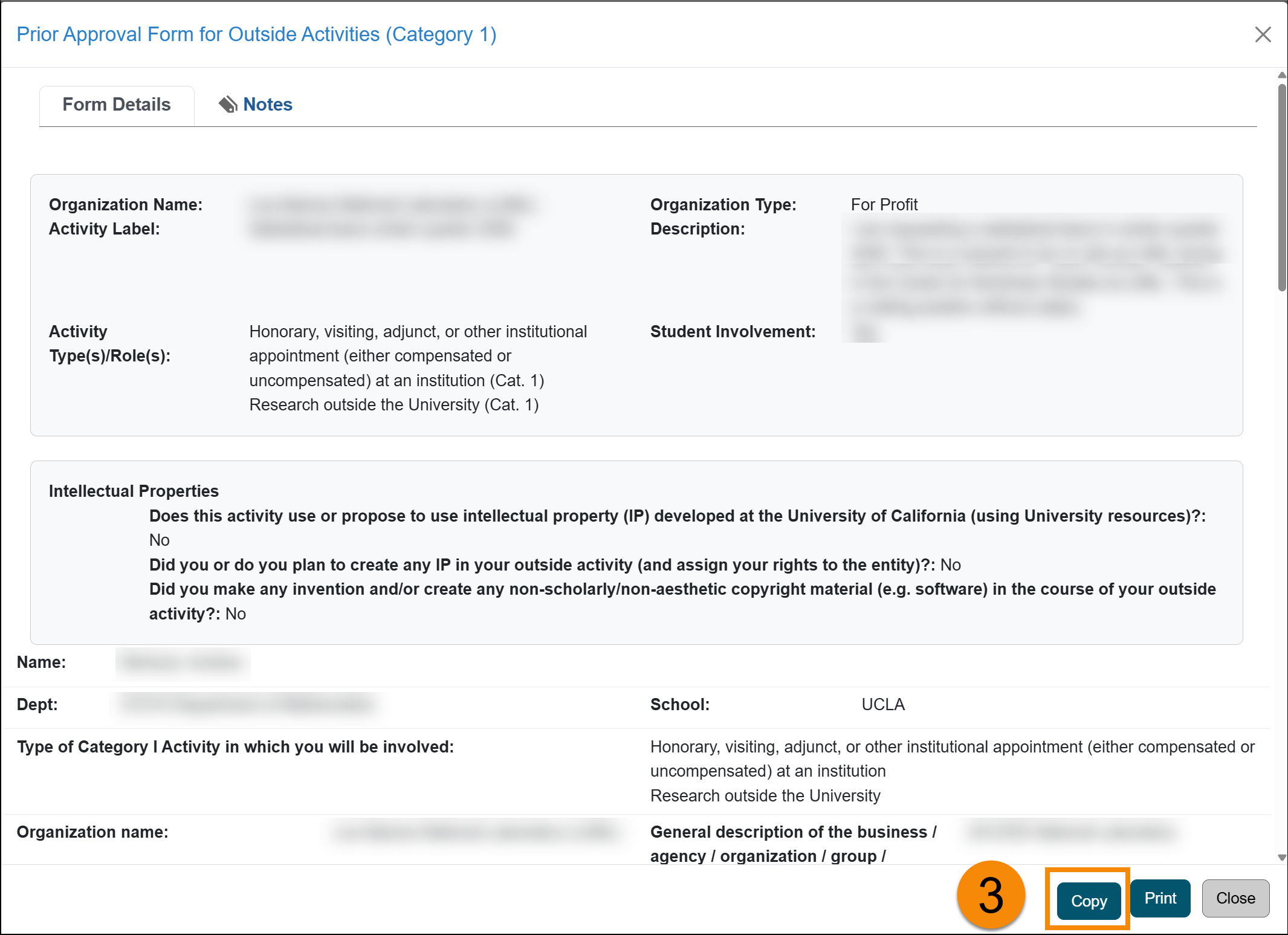
- Click on the Copy button to generate a new Category I form. You will need to provide some information, but most of the data will copy over.
- Complete the Category I form. You will need to enter the last date for which you are seeking approval, update the relationship you will have with this entity, and the estimated number of hours for the annual period. A new field will appear asking you to state the reason for your renewal and what has changed.
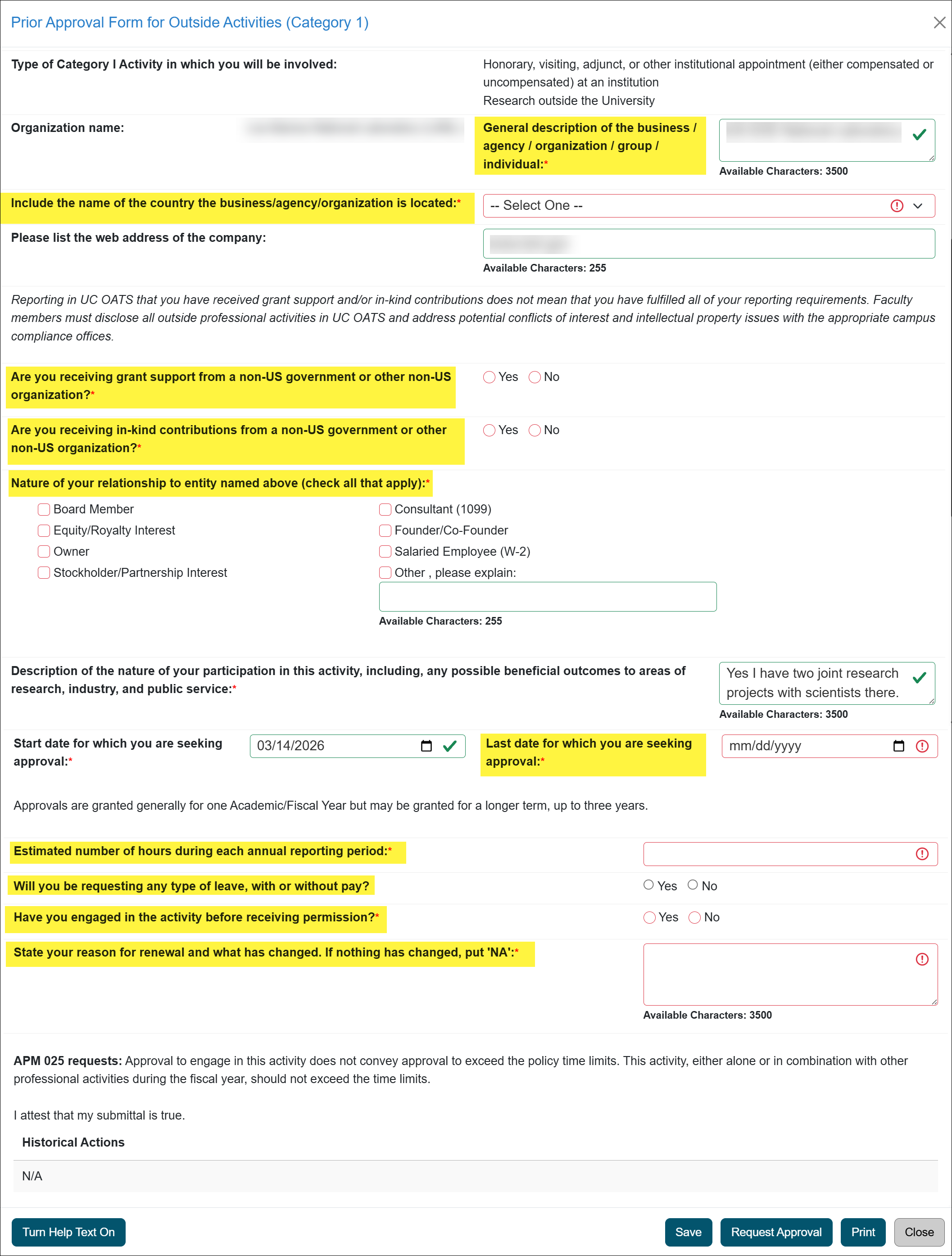
- Click the Request Approval button to submit.
- The Category I form will be added to your workspace and will process through the approval workflow. If there is a Student Involvement form associated with the activity, it will be copied over. You will need to update and submit it.
Category I Expiration Pop-up Disclaimer
When a Category I prior approval form is within 60 days of expiration, a Category I Approval Expiration pop-up reminder will appear.
Renew Category I form from pop-up disclaimer
This reminder provides the following options:
- Remind me on the next login: Choose this option to receive another pop-up reminder the next time you log in to UC OATS.
- I will no longer engage in this activity after the “approved until” date: Select this option if you do not plan to continue the activity. A note will be automatically added to the activity indicating that you no longer intend to engage in it.
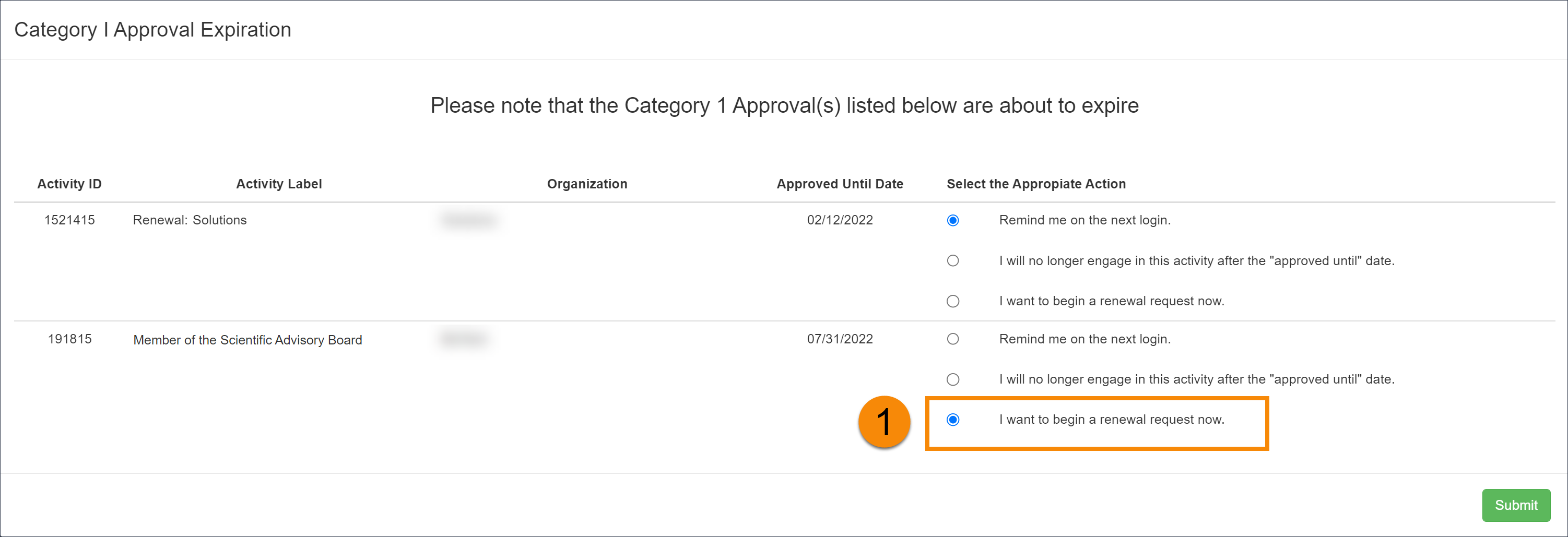
- I want to begin a renewal request now: Select this option to start the renewal process for the Category I form.
To begin the renewal process:
- Select I want to begin a renewal request now then click Submit.
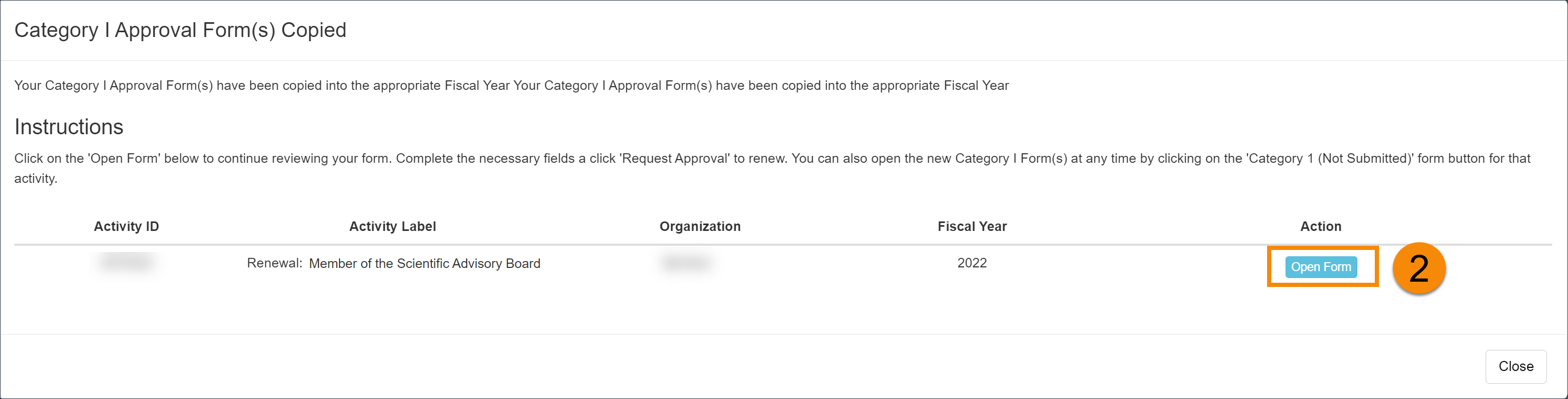
- The Category I Approval Form(s) Copied pop-up will appear, displaying the renewed Category I form(s). Select Open form to complete the renewal.
-
Complete and submit the Category I form for approval.
Note: If you close the Category I form without completing it, the form will remain available. You can return to it at any time by locating the activity and selecting the Category I form.
Related Articles
All Faculty
Recall Category I Form
Renew Category I Form
Update Student Involvement Form
Cancel Exceed Threshold Form
Form Returned to You
Weekly Email Reminders
Last Modified:2026-01-09 08:23:06.535575-08