Home > Training > Faculty > Update Student Involvement Form
Update Student Involvement Form
This article explains how to update an approved Student Involvement form to add new students. You may need to update a Student Involvement form if additional students will participate after the form has already been approved.
To update an approved Student Involvement form:
- Locate and select the Student Involvement form associated with the activity.

- Select the Edit Form button.

- In the designated field, briefly explain why you are updating the Student Involvement form, then click Submit Form.
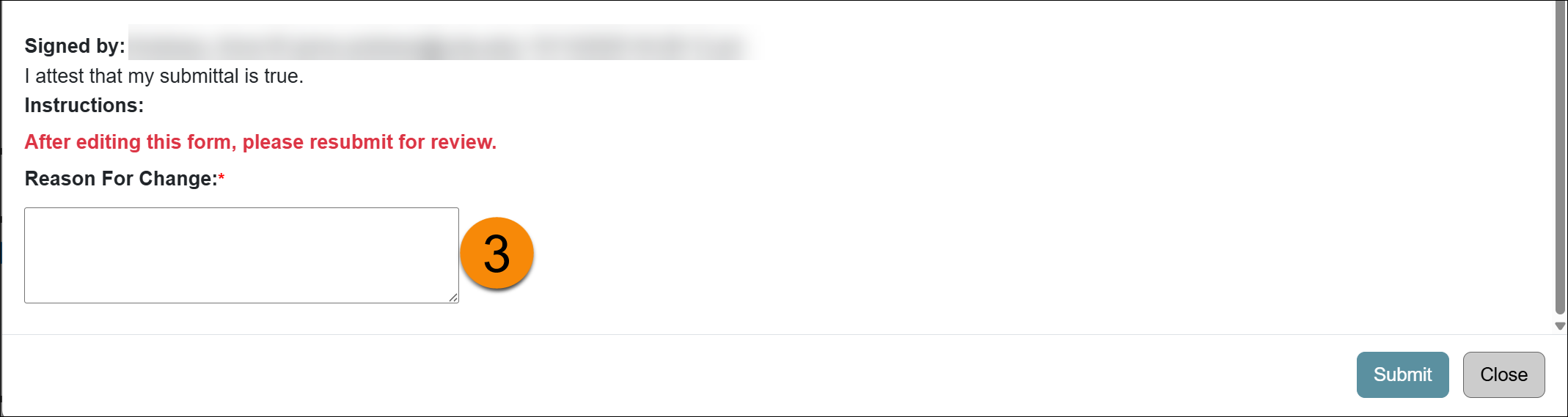
- The form will be recalled, and the status will change to Recalled- Not Submitted.

- Update the form as needed and then click Submit Form.
Related Articles
All Faculty
Recall Category I Form
Renew Category I Form
Update Student Involvement Form
Cancel Exceed Threshold Form
Form Returned to You
Weekly Email Reminders
Last Modified:2026-01-09 11:58:47.18381-08