Home > Training > Faculty > Cancel Exceed Threshold form
Cancel Exceed Threshold form
This guide explains how to cancel a Request to Exceed Threshold form that is no longer needed. To cancel the form, you must be below your time and/or earnings threshold.
To cancel your Exceed Threshold form:
- Confirm you are below your time/earnings threshold.
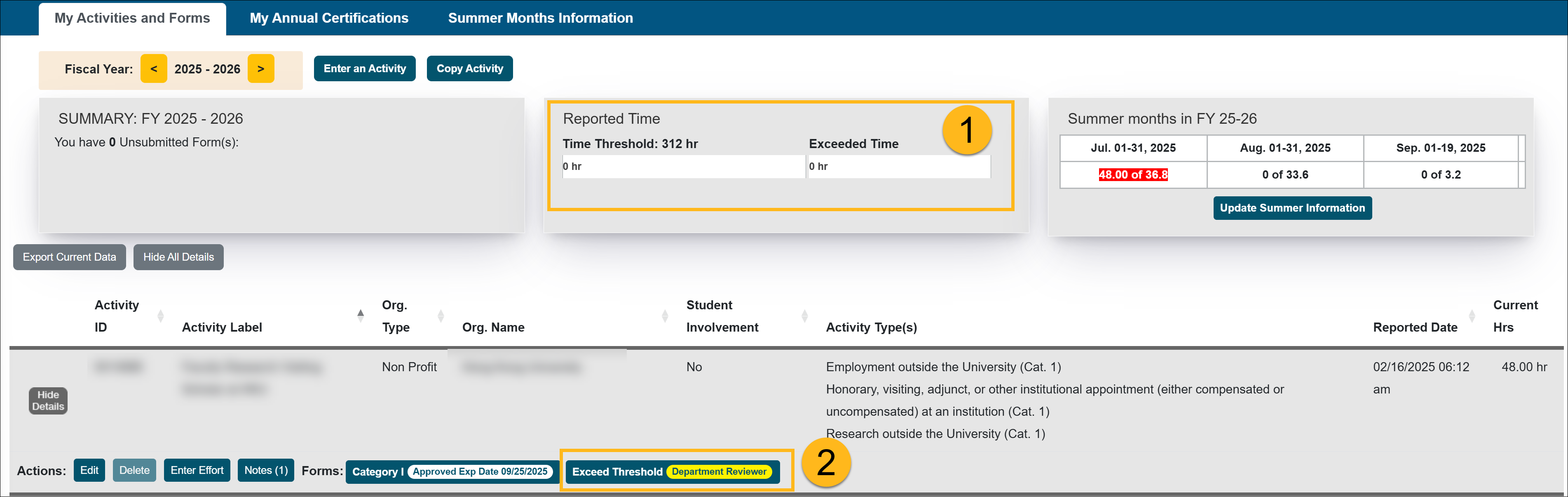
- Click on the Exceed Threshold form to open it.
- Scroll to the bottom of the form and select the Cancel Form button.
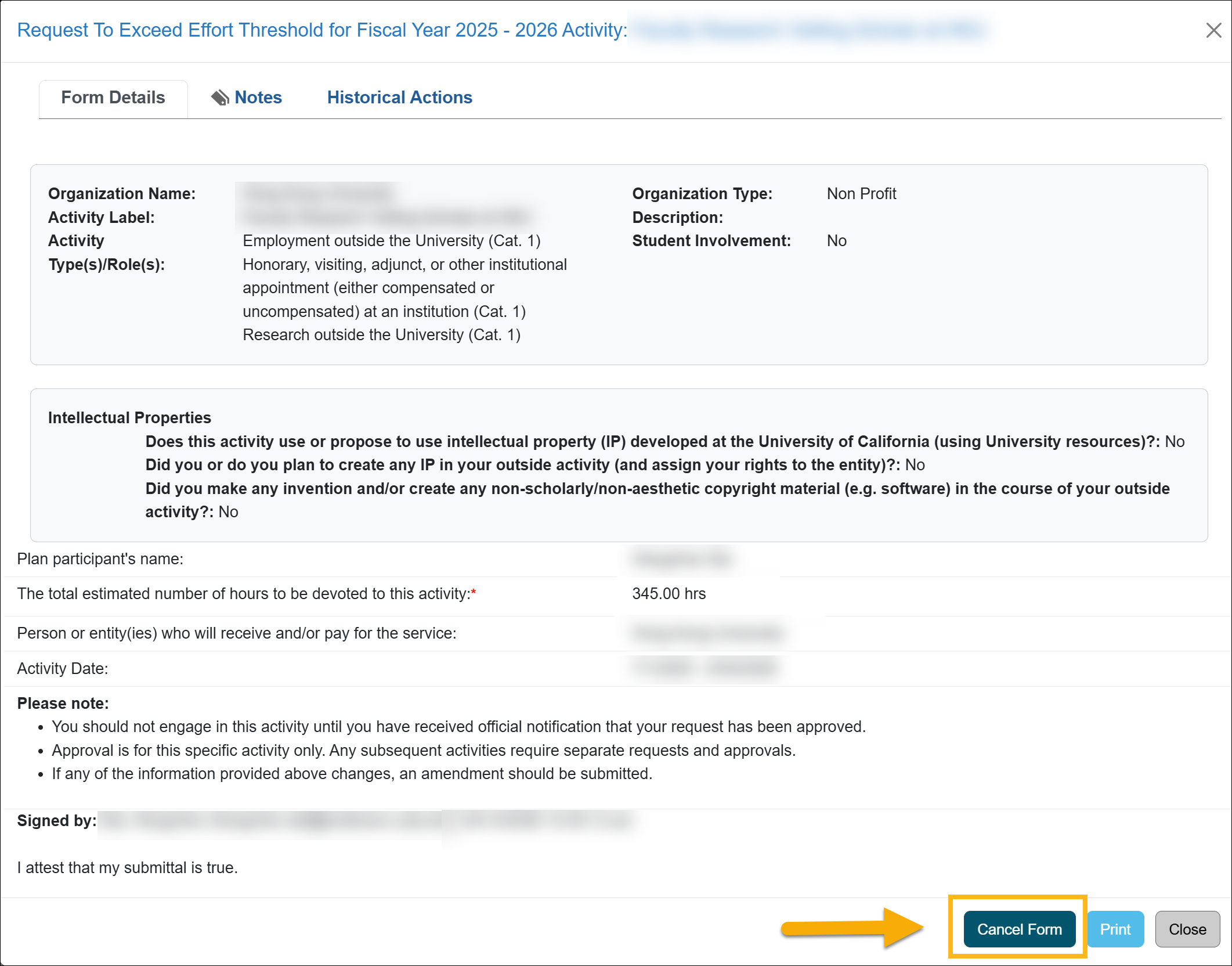
- Click Ok to confirm the cancellation of the form.

- The Exceed Threshold form will be canceled and removed from your workspace and from the reviewer or approver's queue, as needed.
Related Articles
All Faculty
Recall Category I Form
Renew Category I Form
Update Student Involvement Form
Cancel Exceed Threshold Form
Form Returned to You
Weekly Email Reminders
Last Modified:2026-01-16 14:17:42.421422-08