Home > Training > Faculty > Recall Category I form
Recall Category I form
This article explains how to recall a Category I form that has not yet been approved. You may need to recall a form to update information such as the activity description, your relationship with the entity, or the estimated hours.
Tutorial videos
Watch the tutorial video to learn how to recall Category I forms in UC OATS.
General Campus Faculty
Health Science Faculty
When a Category I form is recalled, it is removed from the approval workflow and returned to you with a status of Not Submitted, allowing you to make edits. Once you resubmit the form, it will re-enter the approval workflow from the beginning.
Note:
- If you have already submitted your annual certification for that fiscal year, recalling the Category I form will also return the annual certification form to you. After updating and resubmitting the Category I form, you will need to resubmit your annual certification as well.
To recall a Category I form:
- Select the Category I form you want to recall.

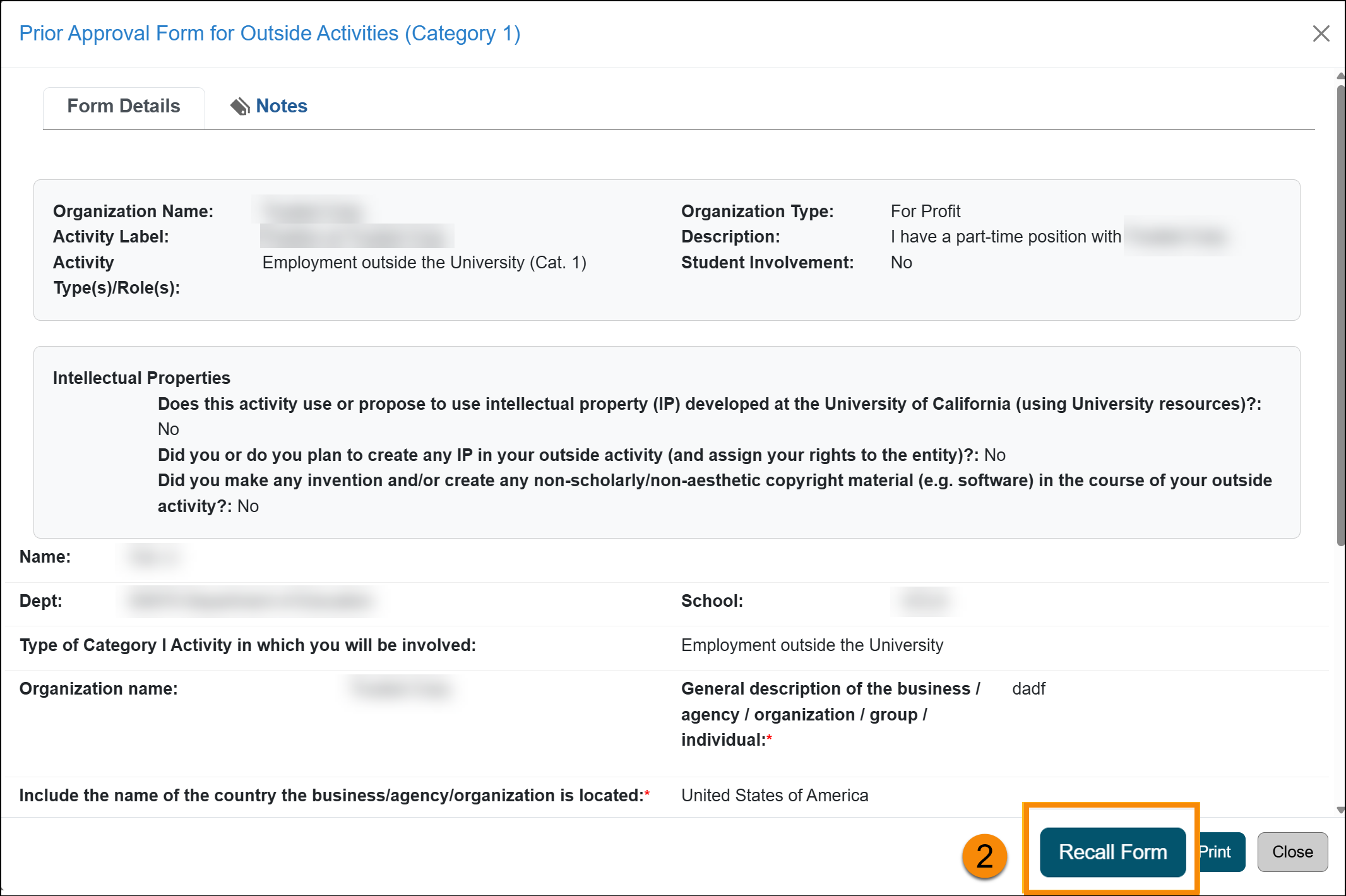
- Scroll to the bottom of the form and select the Recall Form button.
- Enter the reason for recalling the form in the Recall Note field.
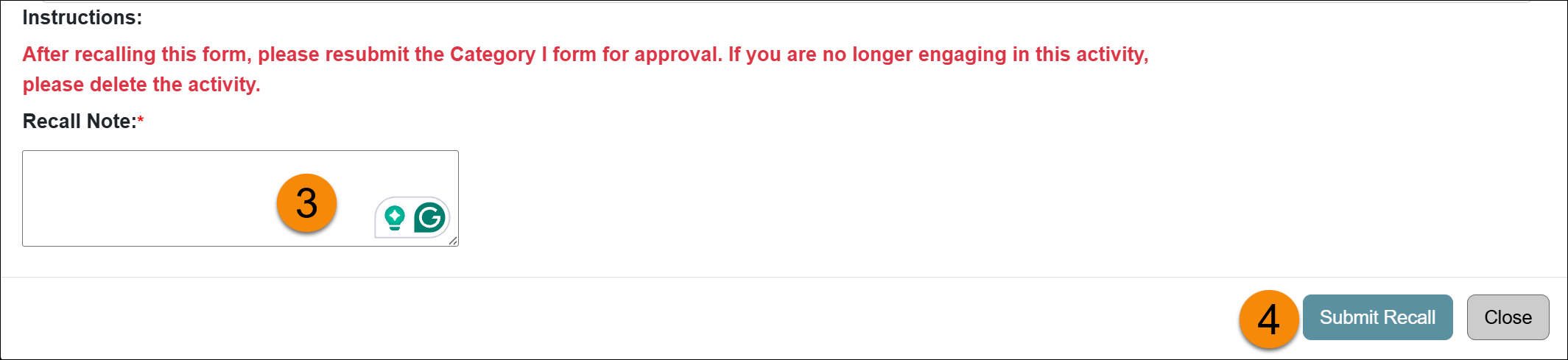
- Click Submit Recall
Related Articles
All Faculty
Recall Category I Form
Renew Category I Form
Update Student Involvement Form
Cancel Exceed Threshold Form
Form Returned to You
Weekly Email Reminders
Last Modified:2026-01-08 17:01:37.462159-08