Home > Training > Approver > Exceed Threshold Forms
Review Exceed Threshold Forms
This article describes how to review Exceed Threshold forms. Exceed Threshold forms are submitted when a faculty member exceeds their allowable time and/or earnings threshold for outside professional activities during the reporting period. At some campuses, faculty may also submit a request in advance to exceed their threshold.
When Exceed Threshold forms are generated
A Request to Exceed Threshold form is automatically generated when a faculty member exceeds their threshold, or may be submitted in advance when they expect to exceed their approved time and/or earnings threshold.
When an Exceed Threshold form is approved, it increases the time and/or earnings threshold for the specific activity only. If the faculty expects to exceed thresholds for more than one activity, they must submit a separate Exceed Threshold form for each activity, as approvals apply individually, not globally, to activities.
This is why Approvers may encounter multiple Exceed Threshold forms for a faculty member. It is recommended the faculty estimate high so they have enough time or earnings threshold to work with.
To review the Exceed Threshold form:
- Go to the Dashboard and view the Forms in my Queue section. The prior approval forms that have been waiting the longest will be at the top.
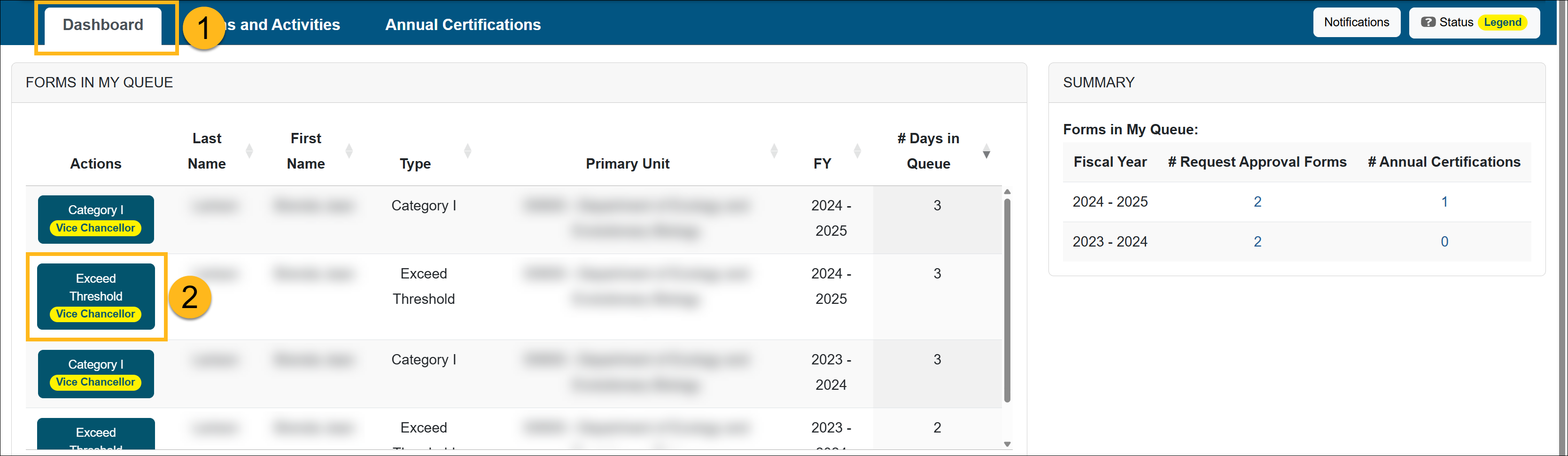
- Locate and select the Exceed Threshold form you want to review.
- Review the Exceed Threshold form.
- Check the Notes field for additional information and attachments.
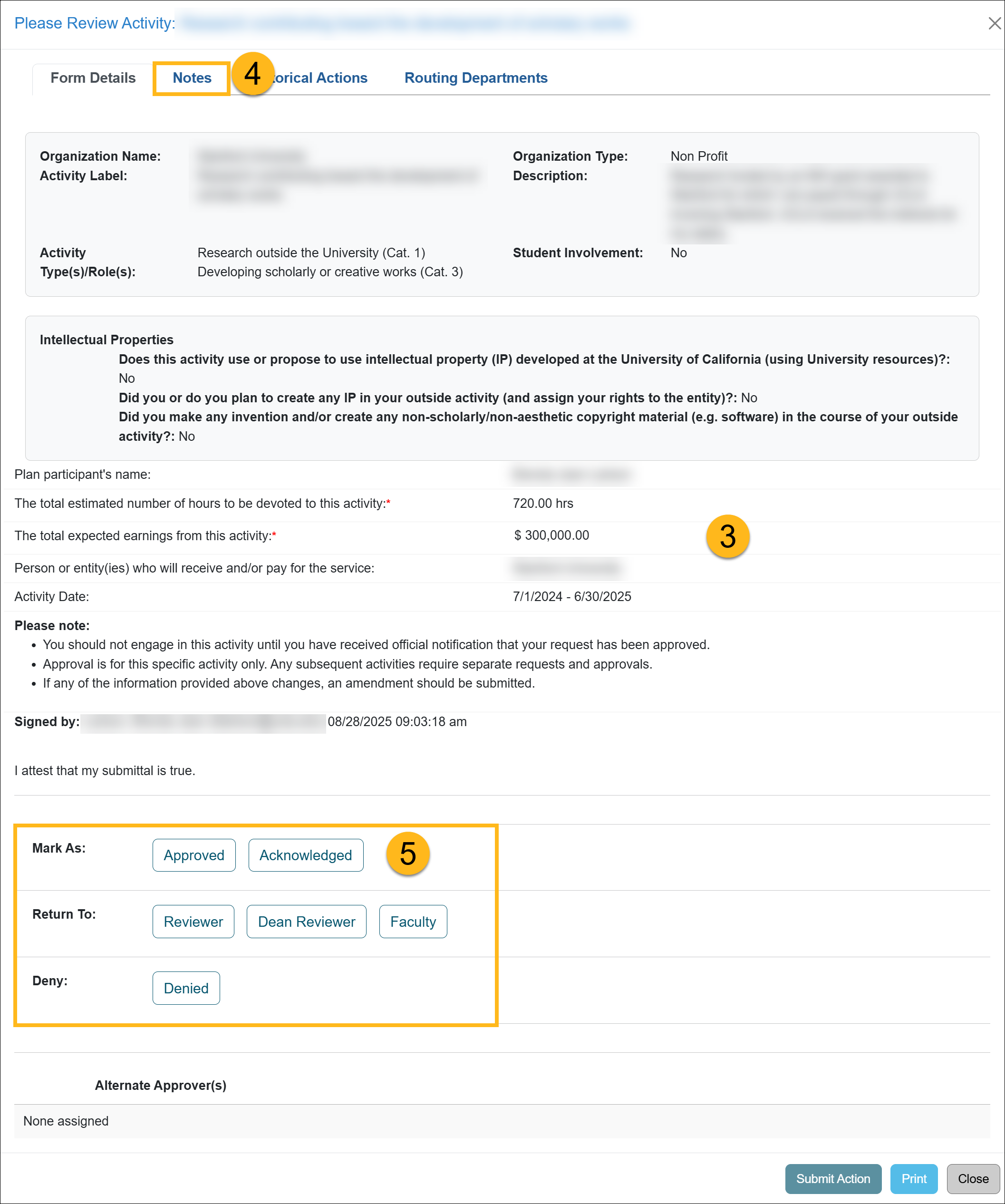
- Scroll to the bottom of the form to see available actions.
Review Options:
- Mark As: Approved - Moves the form forward to the next level of review and approval. The final approver will enter the approved-to-date.
- Mark As Acknowledged - Moves the form forward to the next level of review and approval, if applicable.
- Denied: Denies the form. This option is only available to the final approver.
- Return To: Reviewer - Returns the form to a Reviewer. Enter a clear explanation of what corrections or clarifications are needed in the Comments field.
- Return To: Faculty - Returns the form to the faculty member for additional information. Enter a clear explanation of what corrections or clarifications are needed in the Comments field.
- Click the Submit Action button.
Related Articles
All Approver
Review Category I Forms
Category I: Organization Country Verification
Category I Watchlist
Review Student Involvement Forms
Review Exceed Threshold Forms
Review Retain Earnings Forms
Approved vs. Acknowledged
Cannot Approve your Own Form
Last Modified:2026-02-26 12:17:36.833259-08