Home > Training > Approver > Review Category I Forms
Review Category I Forms
This article explains how to review a Category I form. As an Approver, you can approve or acknowledge the form, or return it to a reviewer or faculty member to request additional information. If you are the final approver, you also have the option to specify an approval date or deny the request.
Note:
- Approvers who are assigned the Category I Watchlist role can add recipients to receive notifications when a Category I form is approved or denied.
- The Organization Country Verification AI feature is only enabled on select campuses.
To review a Category I form:
- Go to the Dashboard and locate the Forms in my Queue section. The prior approval forms that have been waiting the longest will be at the top.

- Click on the Category I form you wish to review.
- Ensure the Category I form includes all the required information.
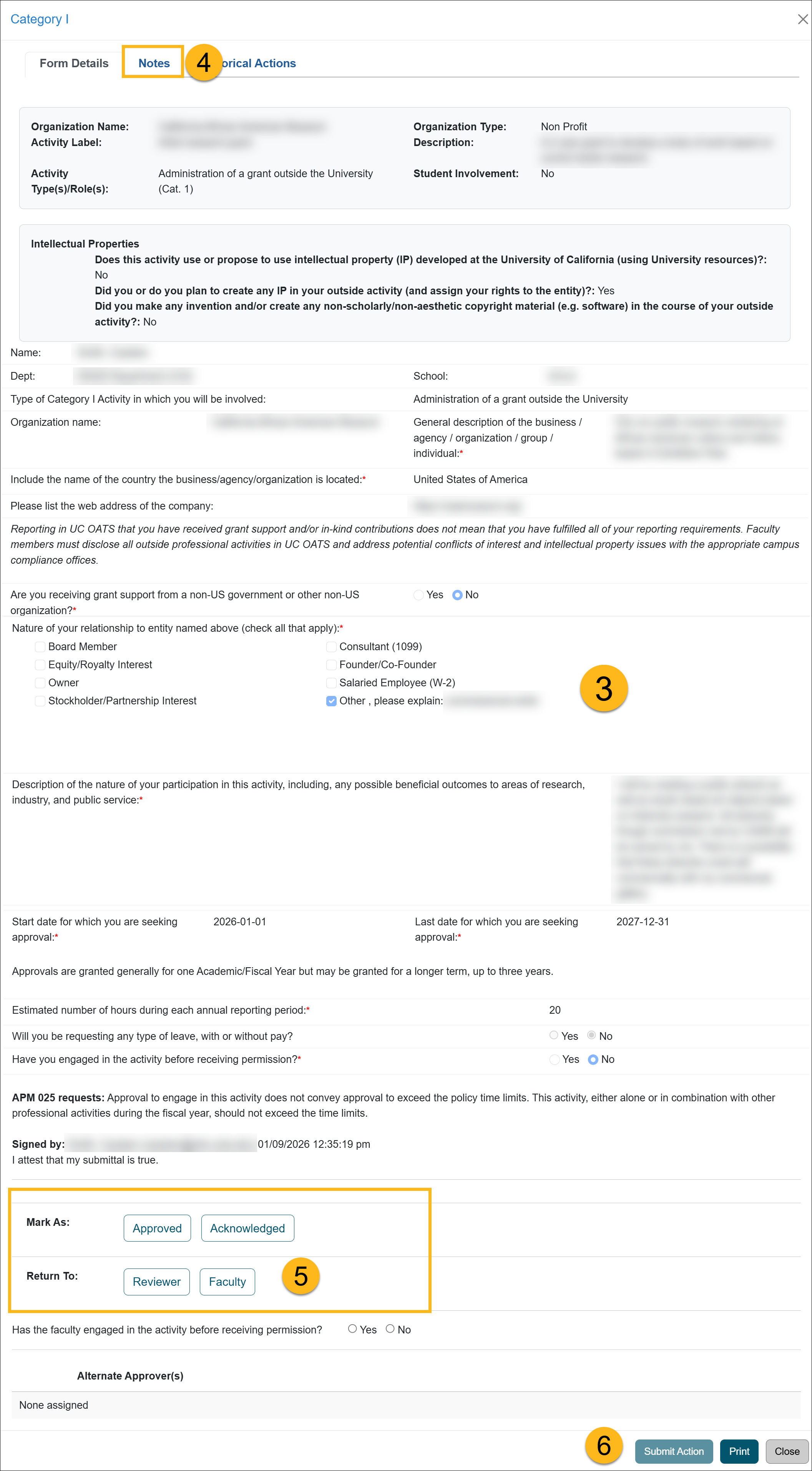
- Check the Notes field for additional information and attachments.
- Scroll to the bottom of the form to view the available action options.
Actions:
- Mark As: Approved - Moves the form forward to the next level of review and approval. The final approver will enter the approved-to-date.
- Mark As Acknowledged - Moves the form forward to the next level of review and approval, if applicable.
- Return To: Reviewer - Returns the form to a Reviewer. Enter a clear explanation of what corrections or clarifications are needed in the Comments field.
- Return To: Faculty - Returns the form to the faculty member for additional information. Enter a clear explanation of what corrections or clarifications are needed in the Comments field.
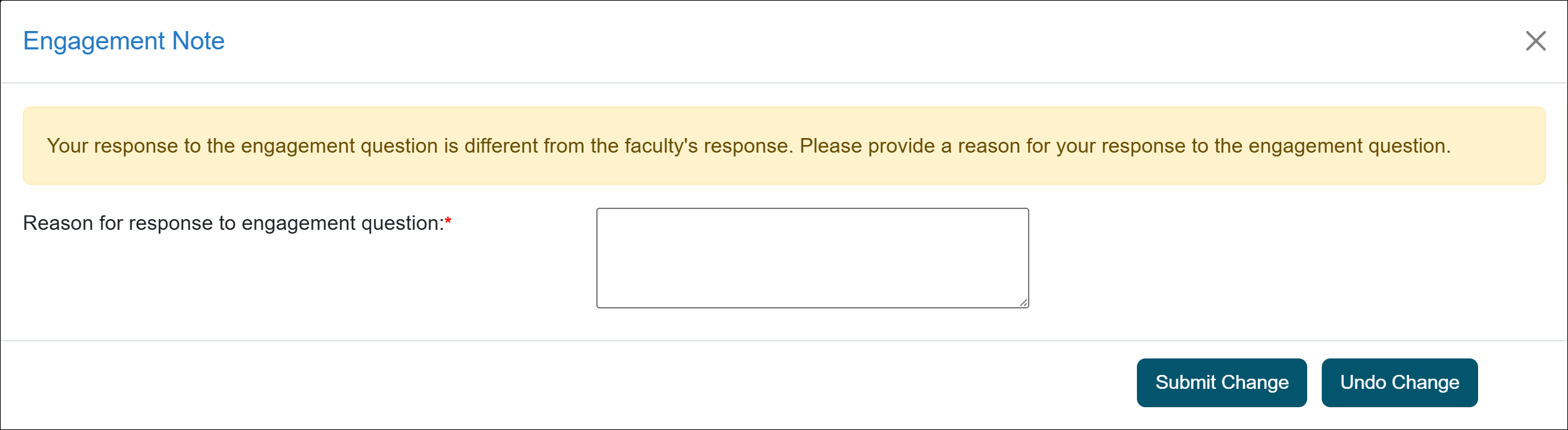
- Has the faculty engaged in the activity before receiving permission? - Faculty answer this question when completing the Category I form. However, if you are aware that the faculty member engaged in the activity before receiving permission, select Yes.
When you select Yes, an Engagement Note pop-up will open. Enter the reason for your response and submit the note.
After submission, the note is automatically copied to the activity notes
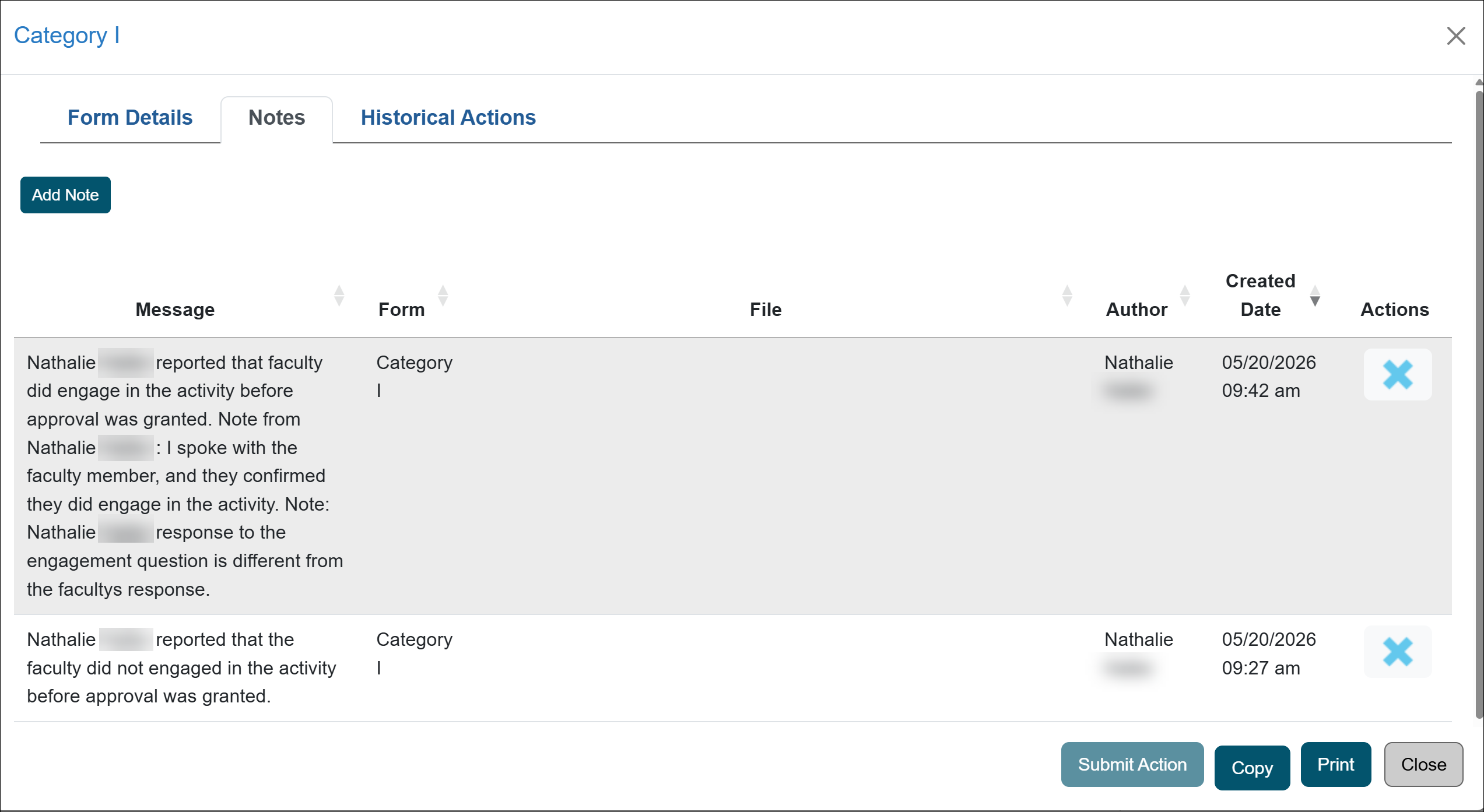
- Click the Submit Action button.
Terminal/Final Approver Options
The terminal/final approver is responsible for completing the final review of the Category I form. The final approver may approve, acknowledge, return, or deny the form.
Review options:
 Mark As: Approved: Finalizes the Category I form as approved.
- Expiration Date: Enter the date the Category I approval will expire. Category I forms can be approved for a maximum of five years.
-
- Yes: Allows the faculty member to request renewal before the activity expires.
- No: Prevents the faculty member from requesting a renewal after the Category I activity expires.
- Initials: Enter your initials to approve the form.
- Data File Prior Approval: Attach any documentation related to the approval of the Category I activity, as needed.
- Mark As: Acknowledged: Finalizes the Category I form as acknowledged.
- Expiration Date: Enter the date the Category I approval will expire. Category I forms can be approved for a maximum of five years.
-
- Yes: Allows the faculty member to request renewal before the activity expires.
- No: Prevents the faculty member from requesting a renewal after the Category I activity expires.
- Initials: Enter your initials to acknowledge the form.
- Data File Prior Approval: Attach any documentation related to the approval of the Category I activity, as needed.
- Returned To: Returns the form to the selected recipient. Enter a detailed explanation describing why the form is being returned and what action is needed.
- Deny: Denies the Category I form.
- Note: Enter the reason for the denial. The faculty member will receive an email notification that includes the note provided.

- Note: Enter the reason for the denial. The faculty member will receive an email notification that includes the note provided.
Last Modified:2026-02-26 10:04:33.555671-08