Home > Training > Approver > Alert for Returned Forms
Alert for Returned Forms
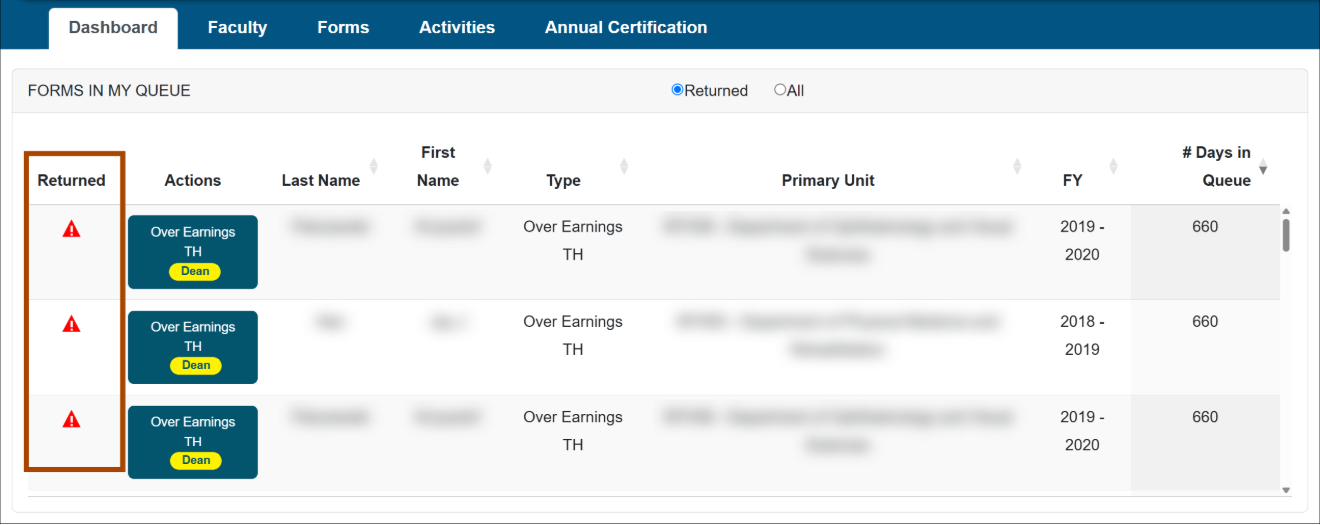
The Approver Dashboard displays an alert icon next to returned Prior Approval forms and Annual Certifications that require additional attention. The alert helps Approvers quickly identify forms that have been returned with notes or corrections that need attention.
There is a Returned filter in the FORMS IN MY QUEUE section of the Dashboard. When an upper-level Reviewer or Approver returns a form or Annual Certification, an alert icon appears next to the returned item. Hover over the icon to quickly view the notes.
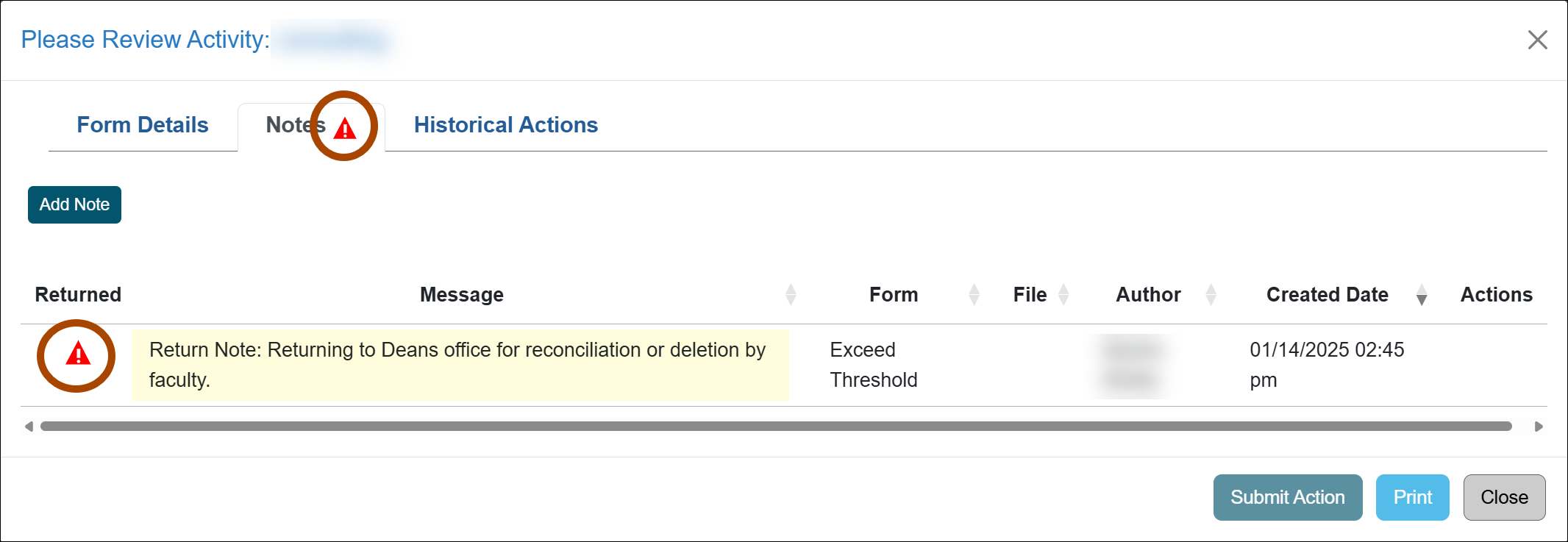
The alert icon also appears:
- On the form or Annual Certification Notes tab.
- Note: The icon will only appear on the Notes tab if it is the latest note on the account. If a note is added after the form is returned, the icon will disappear.
- In the Notes section next to the return note.
Once the form or Annual Certification is corrected and resubmitted, the alert icon will disappear from all locations.
Related Articles
All ApproverReview Category I Forms
Category I: Organization Country Verification
Category I Watchlist
Review Student Involvement Forms
Review Exceed Threshold Forms
Review Retain Earnings Forms
Approved vs. Acknowledged
Cannot Approve your Own Form
Alert for Returned Forms
Forms Search - Include Subunits
Last Modified:2026-11-06 09:29:15.034486-08