Home > Training > Faculty > Recall Annual Certification
Recall Annual Certification
This article provides instructions on how to recall your Annual Certification report. You may recall an Annual Certification report before it has been approved. Once recalled, you can make the necessary updates and resubmit the report for review.
If you need to make changes after your Annual Certification has been approved, contact your campus support for assistance.
Tutorial Videos
Watch the tutorial video to learn how to submit your recall your Annual Certification.
General Campus Faculty
Health Science Faculty
To recall Annual Certification:
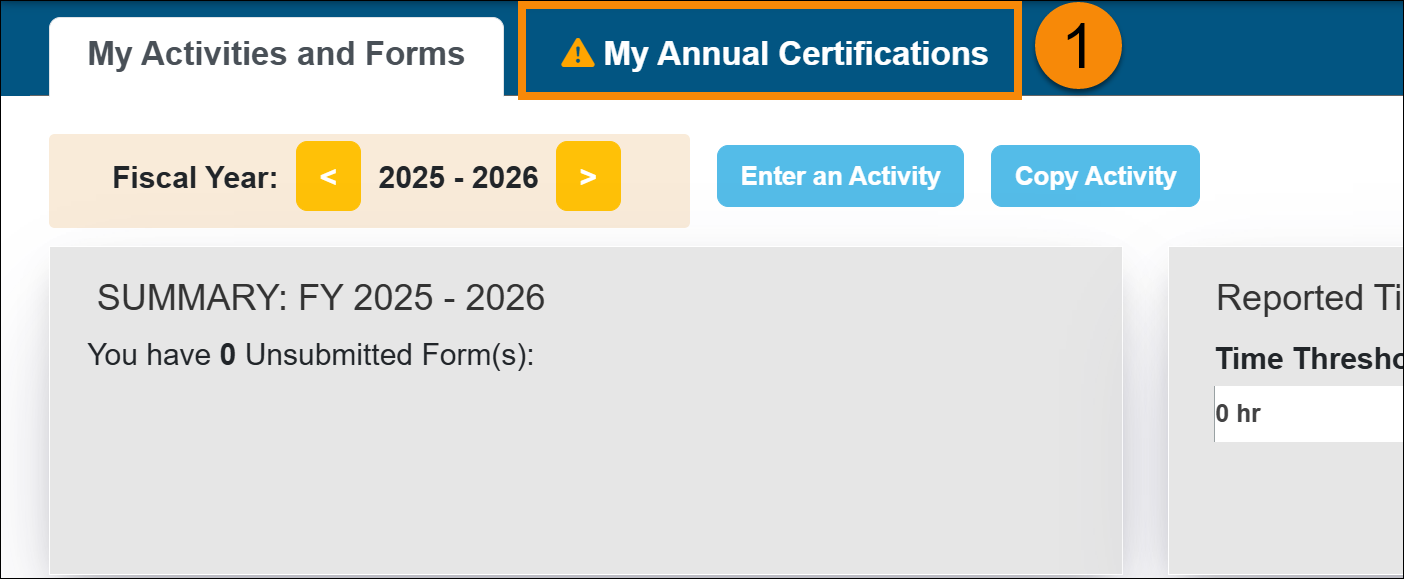
- Select the Annual Certification tab.
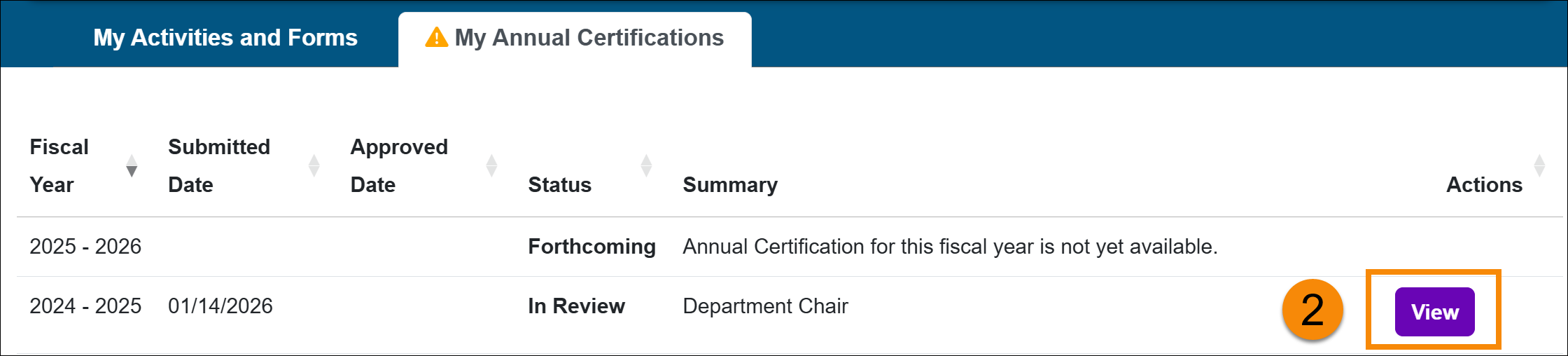
- Locate the Annual Certification you want to recall and click View.
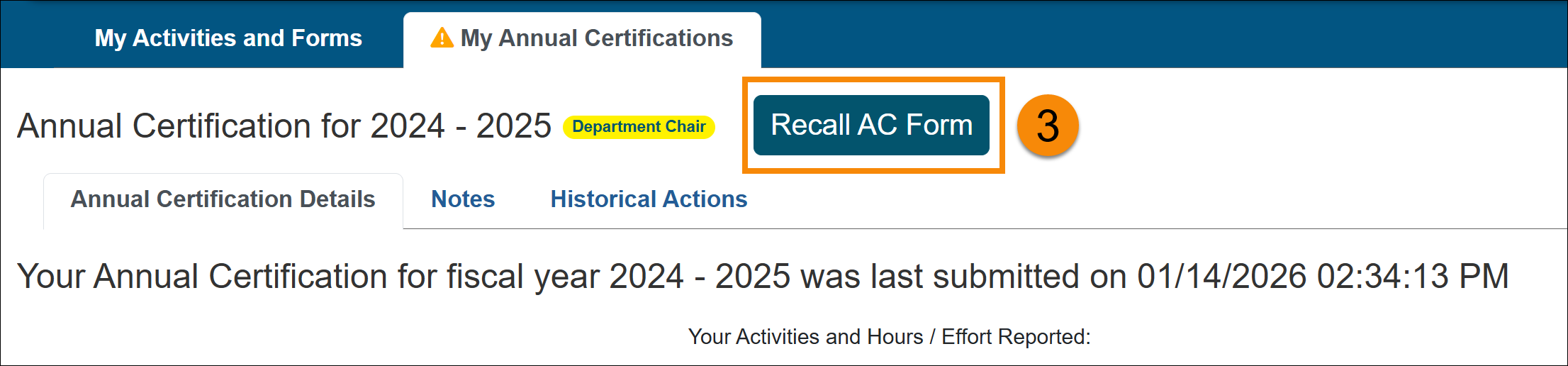
- Select the Recall AC button at the top of the page.
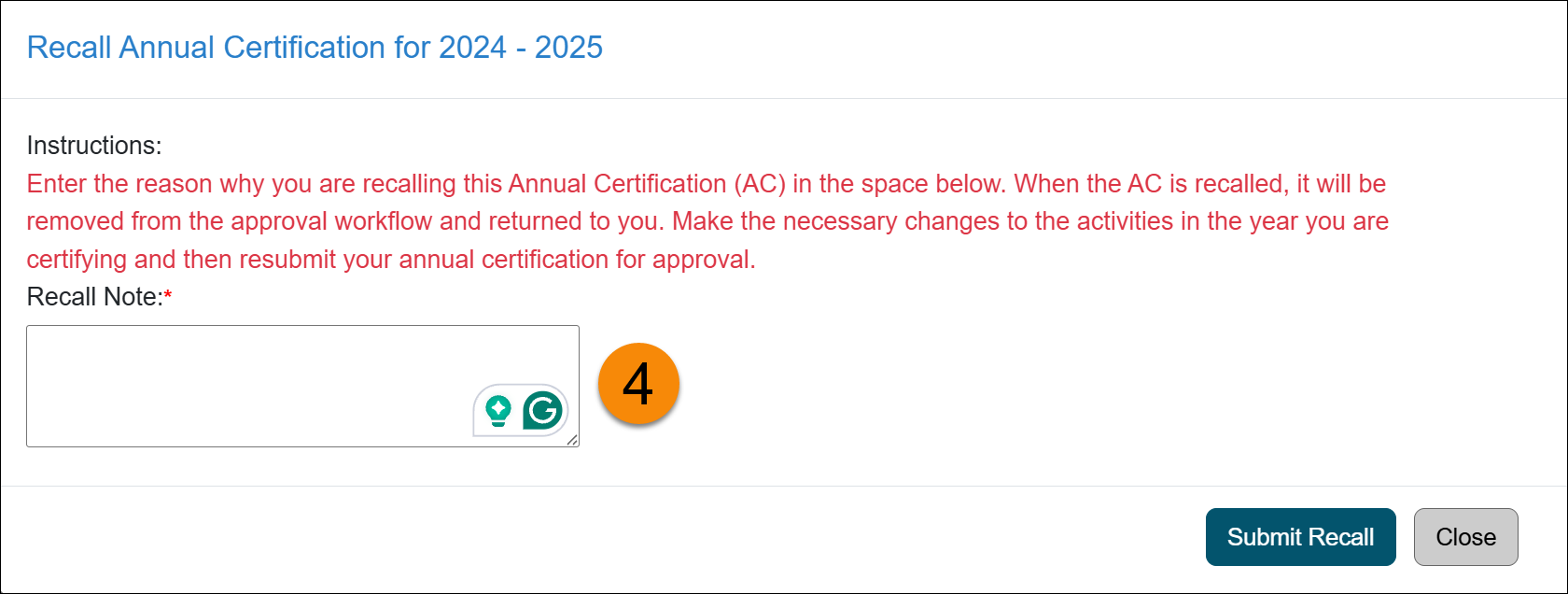
- Enter the reason for recalling the Annual Certification and then click Submit Recall.
- Once the Annual Certification report has been recalled, the Annual Certification button(s) will become available again. Make the necessary updates in your workspace, then resubmit your Annual Certification for review.
Related Articles
All Faculty
Submit Annual Certification
Annual Certification - Action Required
View Annual Certification Details
Recall Annual Certification
Last Modified:2026-01-15 16:42:38.43282-08