Home > Training > Faculty > Annual Certification- Action Required
Annual Certification - Action Required
This article explains how to resolve issues that may prevent you from submitting your Annual Certification.
If additional action is required, you will see an error message when attempting to submit your Annual Certification. Common issues include:
- Unsubmitted forms: Prior approval forms (e.g., Category I, Student Involvement) are not submitted
- Pending Stock Valuation: Reported stock payments have not been evaluated
- Summer Information (Academic-year faculty): Summer details are incomplete for one or both fiscal years
- No Earnings/ Effort Reported: Activities are missing reported time or earnings
Unsubmitted Forms
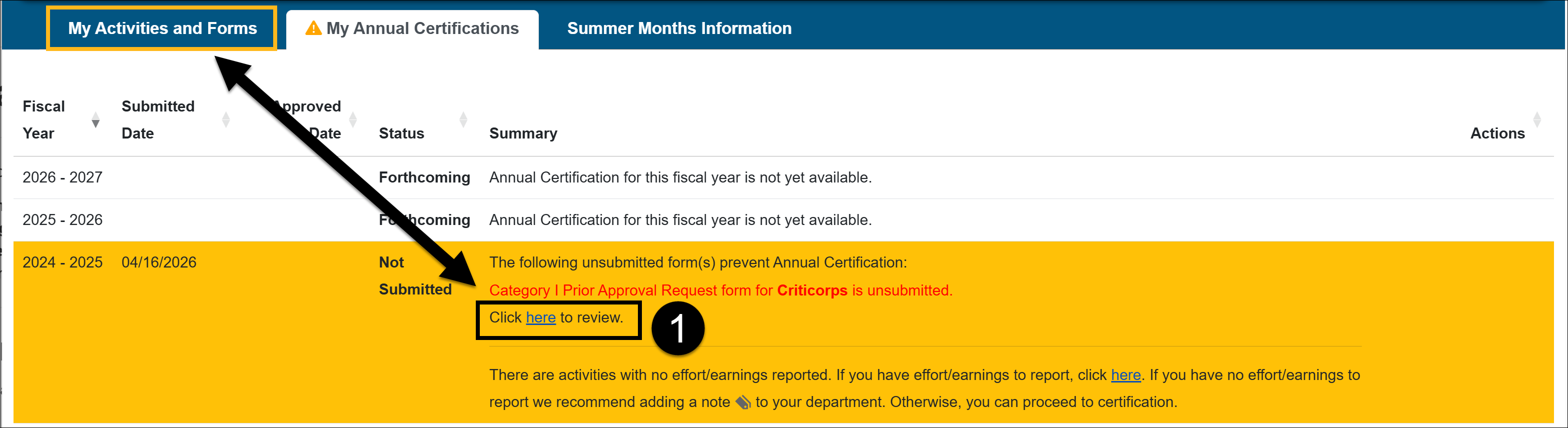
If you have unsubmitted forms, an error message will appear in the My Annual Certifications tab. All forms must be submitted before you can complete your certification.
How to resolve:
- Click the link in the error message, or go to My Activities and Forms.
- Confirm you are in the correct fiscal year.
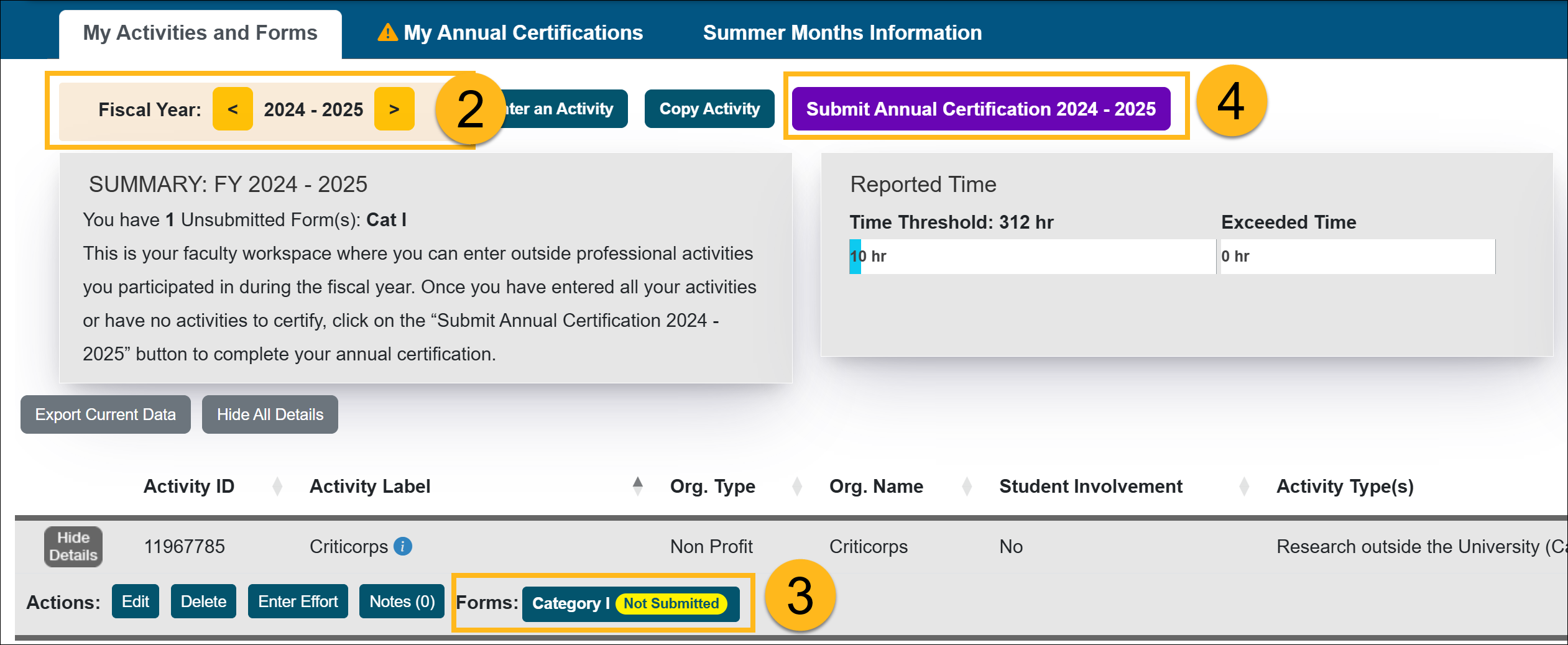
- Locate the unsubmitted forms.
- Submit the form or delete the activity if its no longer needed.
- Return and complete Annual Certification.
Pending Stock Valuation
All reported stock payments must be evaluated before you can submit your Annual Certification.
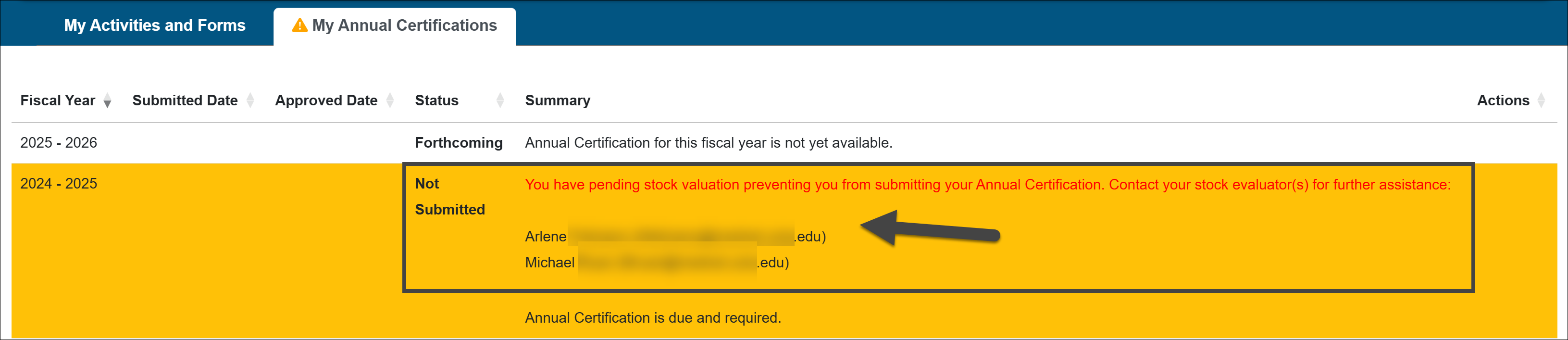
If a stock payment is still pendingan error message will appear identifying the Stock Evaluator(s) responsible for the valuation.
How to resolve:
- Contact the listed Stock Evaluator(s).
- Provide any requested documentation.
- Once the stock is evaluated, return and submit your Annual Certification.
Summer Information needed (Academic-year faculty)
You may receive a message indicating that summer information is required. You must complete summer information for both fiscal years included in your Annual Certification.

How to resolve:
If you did NOT receive additional university summer compensation:
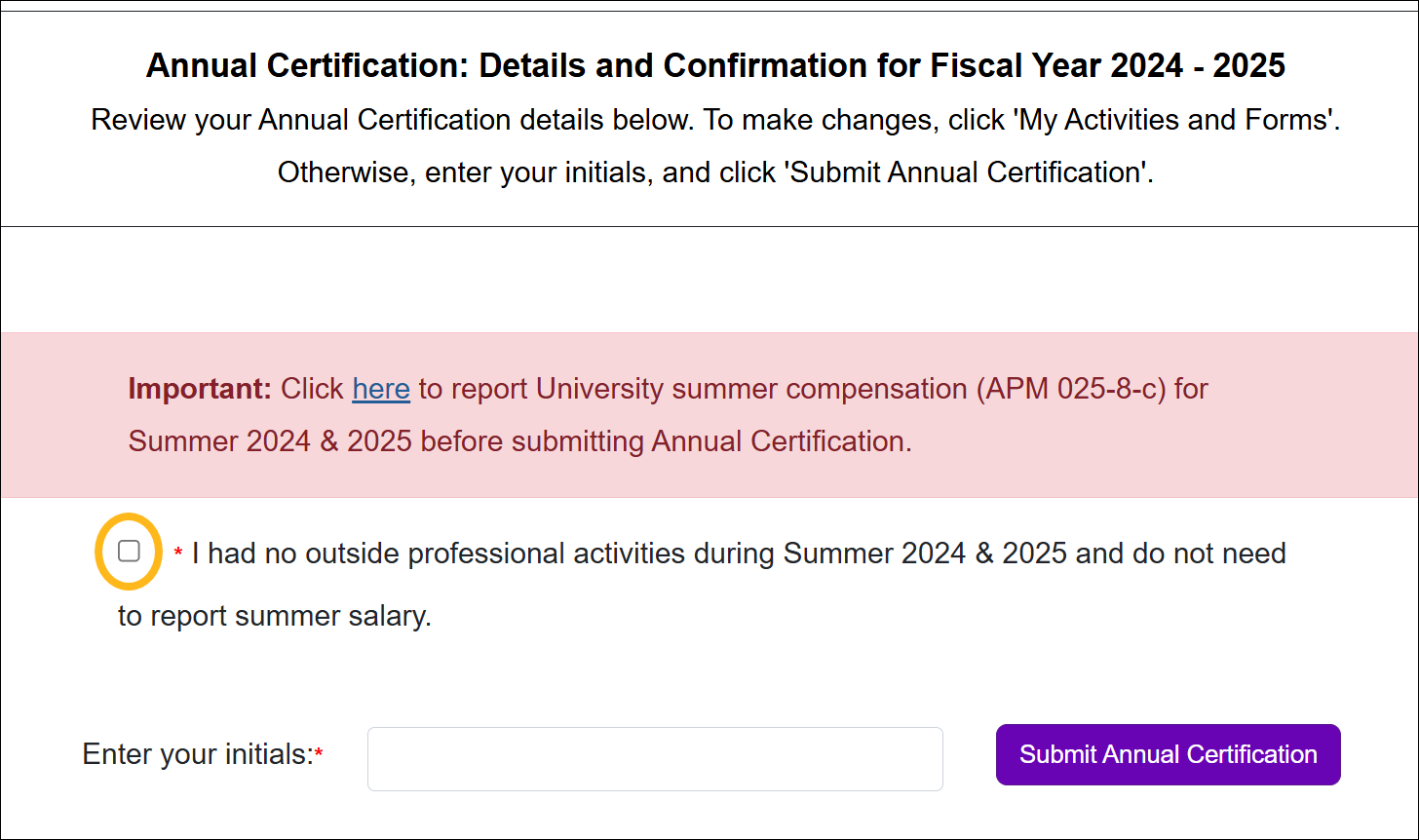
- Click Proceed to Certification
- Check the box confirming you did not engage in summer activities
If you DID receive additional summer compensation while engaging in Category I or II activities:
- Complete the required summer information
- Refer to the Enter Summer Information article for step-by-step instructions
No Earnings/Effort Reported
You may receive an alert if an activity has no reported effort or earnings.

How to resolve:
- If you did NOT engage in the activity:
- Add an Activity Note explaining no activity occurred
- If you DID engage in the activity:
- Return to the activity and report the appropriate effort/earnings
Related Articles
All Faculty
Submit Annual Certification
Annual Certification - Action Required
View Annual Certification Details
Recall Annual Certification
Last Modified:2026-04-20 12:51:38.140651-07