Home > Training > Faculty > Move Activity to Next Fiscal Year
Move Activity to Next Fiscal Year
This article will show you how to move an activity to the next fiscal year.
When You Cannot Move an Activity
You cannot move an activity to the next fiscal year if either of the following applies:
- The Annual Certification for the fiscal year in which the activity is currently reported has already been submitted.
- The activity has an approved Category I prior approval form.
If either condition applies, the activity must remain in the current fiscal year.
What to Know Before Moving an Activity
Before you move an activity to the next fiscal year, be aware of the following impacts:
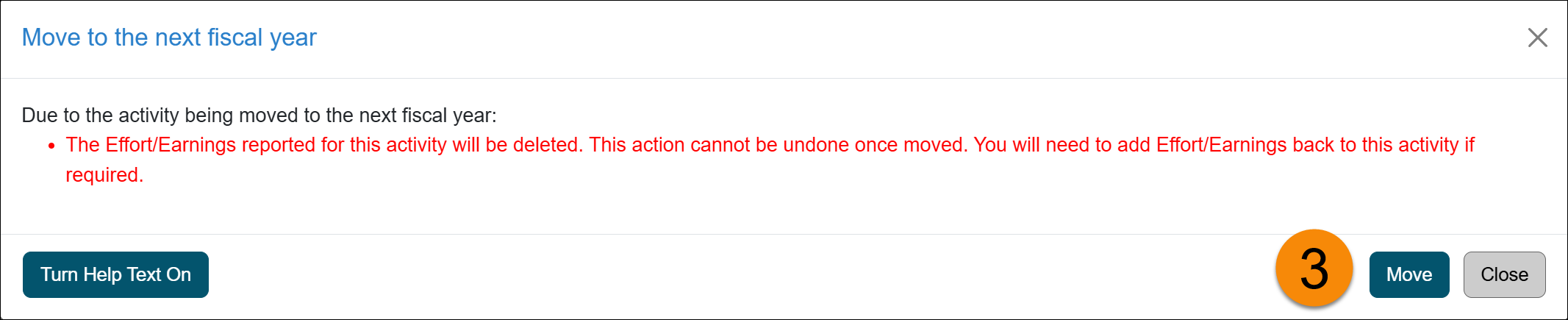
- Reported effort or earnings will be deleted. Any effort or earnings already reported for the activity will be removed. You may want to document this information before proceeding.
- Category I forms in progress will be returned. If a Category I form is currently in the approval workflow, it will be sent back to you. After the activity is moved, you will need to resubmit the Category I form.
- Student Involvement forms will move forward. Any associated Student Involvement form will move with the activity to the next fiscal year and will not be sent back to you.
- Exceed Threshold forms will be deleted. Any Exceed Threshold form associated with the activity will be removed and may need to be resubmitted if applicable.
Move activity
To move the activity to the next fiscal year:
- Locate the activity and click the Edit button.

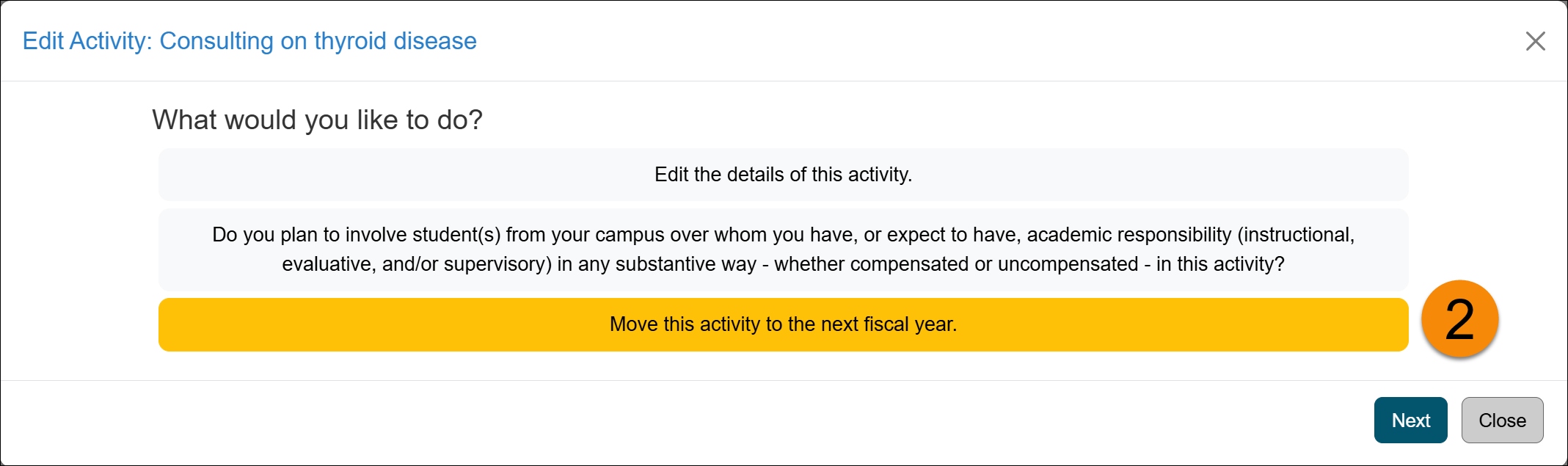
- Select Move this activity to the next fiscal year, then click Next.
- Review the disclaimer, which lists what will occur when the activity is moved.
- The activity will be moved to the next fiscal year. If applicable, remember to resubmit your Category I form, re-enter effort or earnings, and complete any other required updates.
Related Articles
All Faculty
Update Activity/Category Type
Move Activity to Next Fiscal Year
Delete an Activity
Copy Activity
Last Modified:2026-01-13 14:57:09.422517-08