Home > Training > Faculty > Delete an Activity
Delete an Activity
This article explains how to delete an activity from your UC OATS workspace. You can delete an activity—along with any associated effort and prior approval forms—by selecting the Delete button, as long as the activity does not have an approved Category I form.
Important: Activities with an approved Category I prior approval form cannot be deleted. If you no longer plan to engage in the activity, add an Activity Note to document that the activity did not occur.
To delete an activity:
- Locate the activity and select the Delete button.

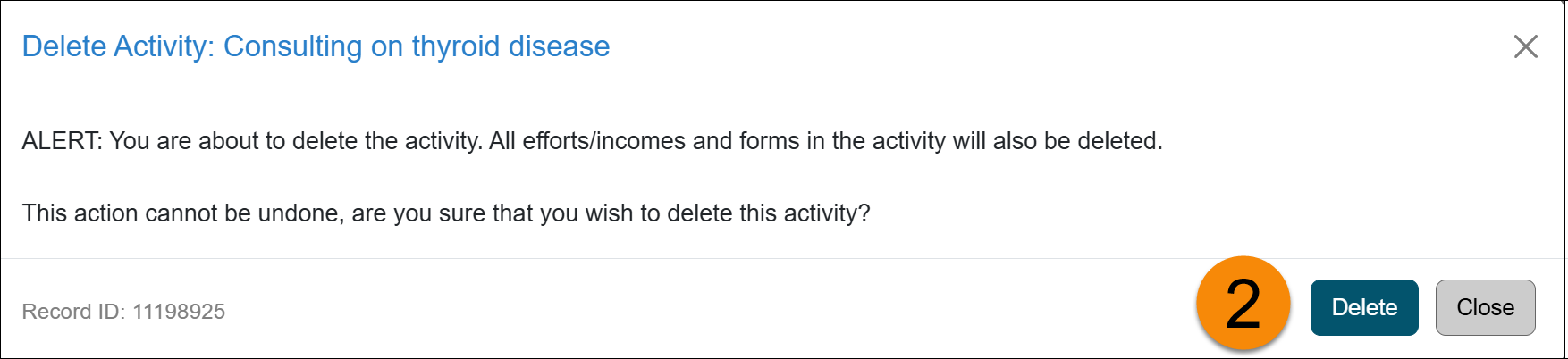
- Confirm the deletion when prompted.
-
The activity and all associated information will be permanently removed from your workspace.
Related Articles
All Faculty
Update Activity/Category Type
Move Activity to Next Fiscal Year
Delete an Activity
Copy Activity
Last Modified:2026-01-13 16:09:32.974317-08