Home > Training > Faculty > Copy Activity
Copy Activity
This article explains how to copy a Category II or Category III activity into a new fiscal year. Activities can be copied only once per fiscal year and cannot be added to that fiscal year again. To renew a Category I activity, view the Renew Category I form article.
To copy an activity to a new fiscal year:
- Navigate to the fiscal year to which you want to copy the activity.
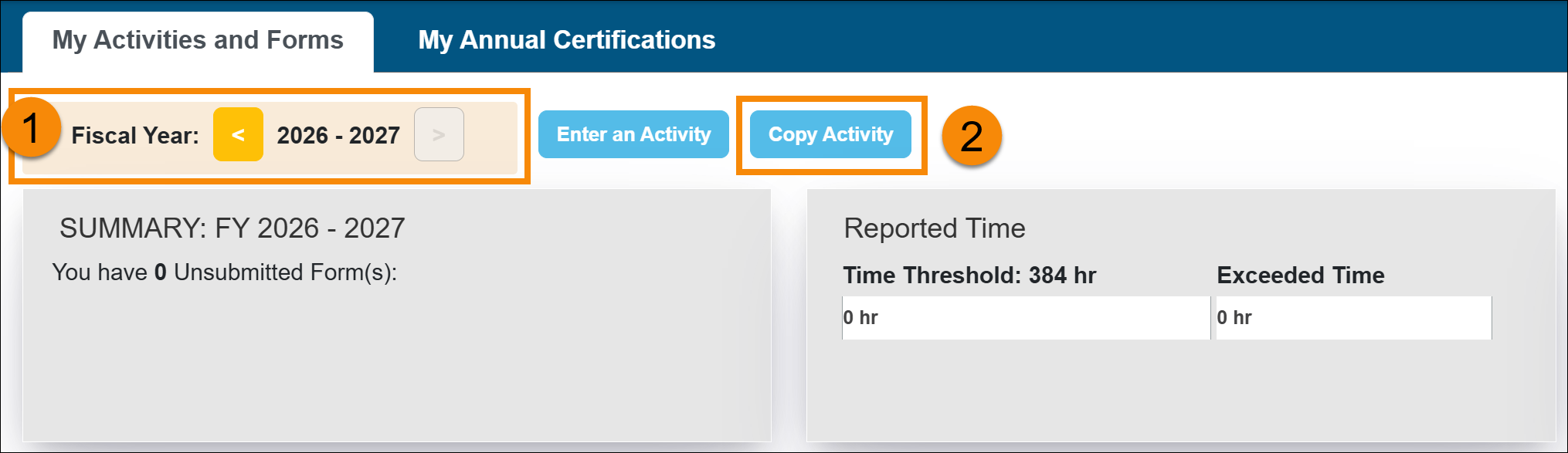
- Select the Copy Activity button.
- In the pop-up window, use the fiscal year indicator to navigate to the fiscal year where the activities are located.
- Check the boxes of the activities you want to copy.
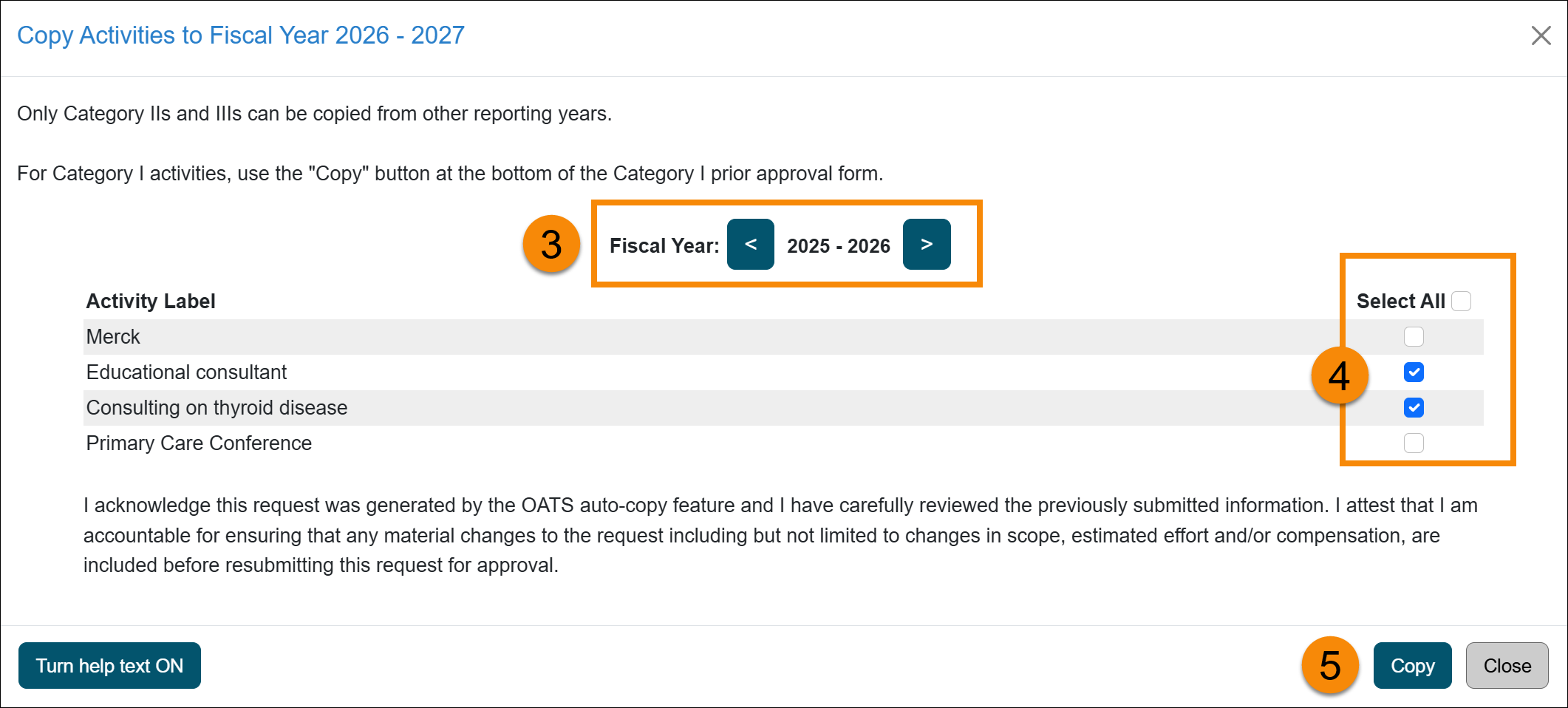
- Select Copy to confirm. The activity will be copied to the selected fiscal year. Select Close to return to the activity list.
Related Articles
All Faculty
Update Activity/Category Type
Move Activity to Next Fiscal Year
Delete an Activity
Copy Activity
Last Modified:2026-01-13 17:06:33.124263-08