Home > Training > Auditors > Fiscal Year Navigation
Fiscal Year Navigation
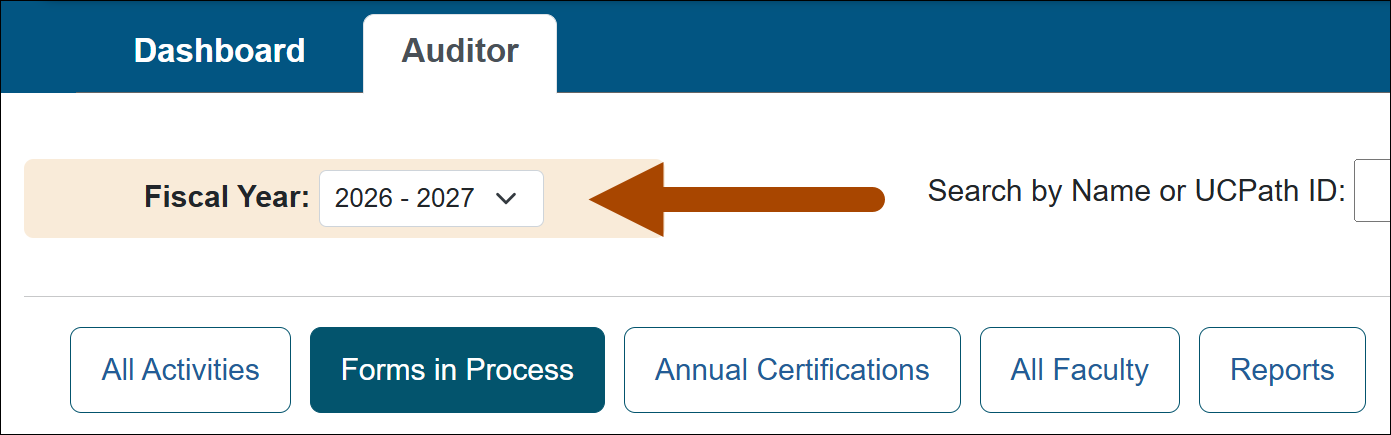
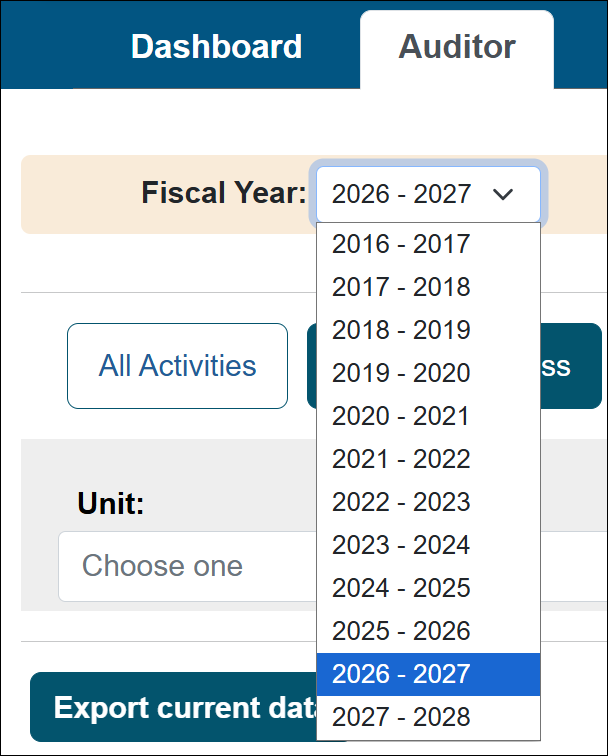
Fiscal year navigation has been updated to make it faster and easier to access information from previous years. Instead of navigating one year at a time, staff can now select a fiscal year directly from a drop-down menu.
The fiscal year selector is available only when it applies to the selected area and will be disabled when fiscal year selection is not relevant.
Navigate to a different fiscal year
To navigate to a different fiscal year, select the drop-down and pick a fiscal year.
Fiscal year navigation disabled
Fiscal year navigation is disabled when the selected area does not require a fiscal year. It will automatically become available when you select an area where a fiscal year applies.

Related Articles
AuditorsWhat is UC OATS?
Log in to UC OATS
Auditor's Role Overview
Workspace Overview
Fiscal Year Navigation
Outside Activity Types & Help Text
Last Modified:2026-11-09 10:57:58.159331-08