Home > Training > Approver > Switch to Faculty Workspace
Switch to Faculty Workspace
This article explains how to switch between your Approver and Faculty workspaces in UC OATS.
When you log into UC OATS, you will be placed in your Approver Workspace by default.
- Approver workspace is where you approve faculty prior approval forms and Annual Certifications
- Faculty workspace is where you report your Outside Professional Activities and submit your Annual Certification
To switch to your Faculty workspace, click on the Faculty's View button. To switch back to your Approver workspace, click on the Approver's View button.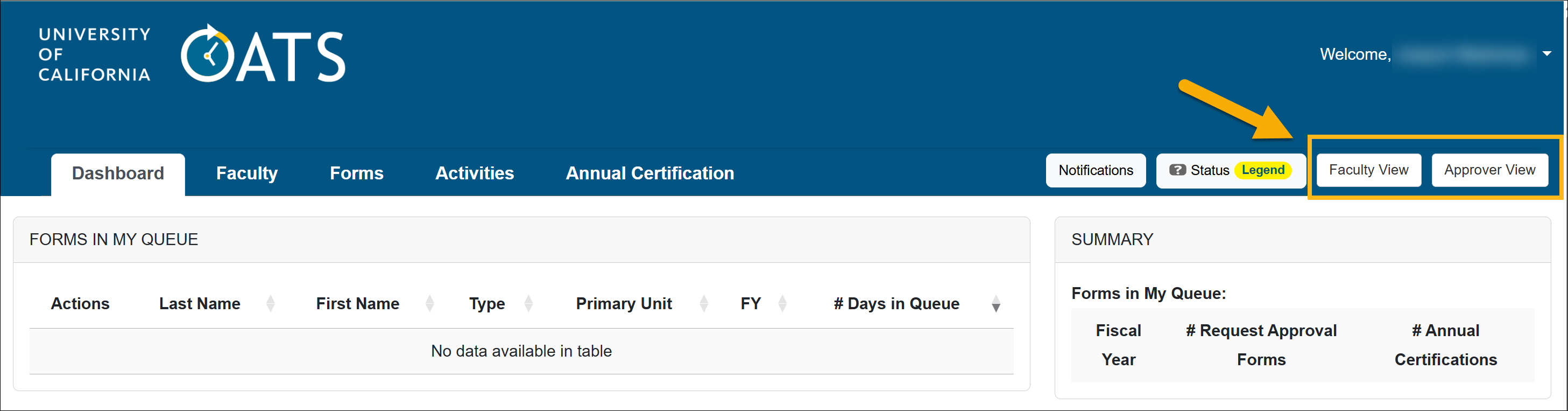
Related Articles
All Approver
What is UC OATS
Log in to UC OATS
Approver's Role
Alternate Approver Role
Workspace Overview
Switch to Faculty Workspace
Email Notifications
Last Modified:2026-02-24 15:27:00.347245-08