Home > Training > Approver > Email Notifications
Email Notifications
This article introduces the daily and weekly summary emails in UC OATS, explains how to manage your email notification preferences, and provides an overview of the available email notifications you may receive as an Approver.
Daily and Weekly Email Summary
As a reviewer, you will receive daily and weekly email summary notifications when new items enter your review queue in UC OATS.
Email Summary Details
Daily Summary Email: Sent each morning, this email lists all prior approval forms and Annual Certifications that entered your queue the previous day. Items that were already in your queue are not included. If no new items were added, you will not receive an email.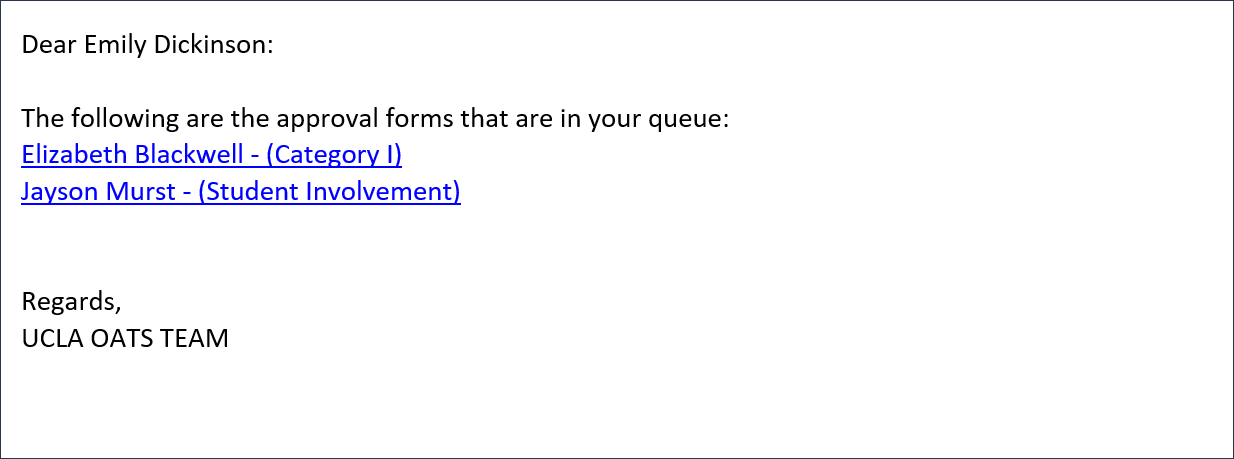
Weekly Summary Email: Sent early Monday morning, this email summarizes all prior approval forms and Annual Certifications that entered your queue during the previous week. Items already in your queue are not included. If no new items were added during the week, you will not receive the email.
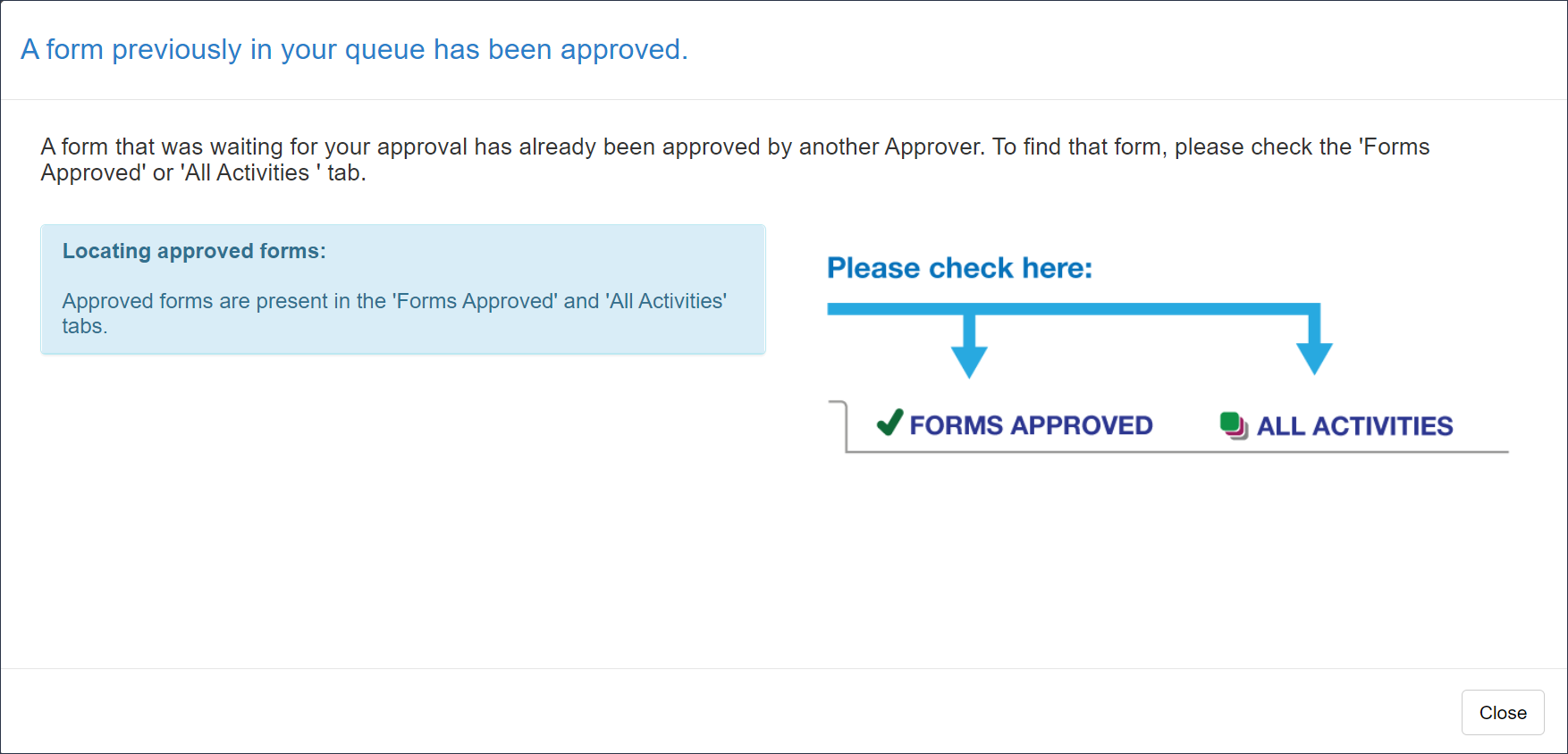
Form already reviewed: If the form has already been reviewed, the following pop-up will appear when the link is clicked.
Manage Email Subscription
You can customize which UC OATS email notifications you receive by turning specific notifications on or off.
Manage Email Subscription Details
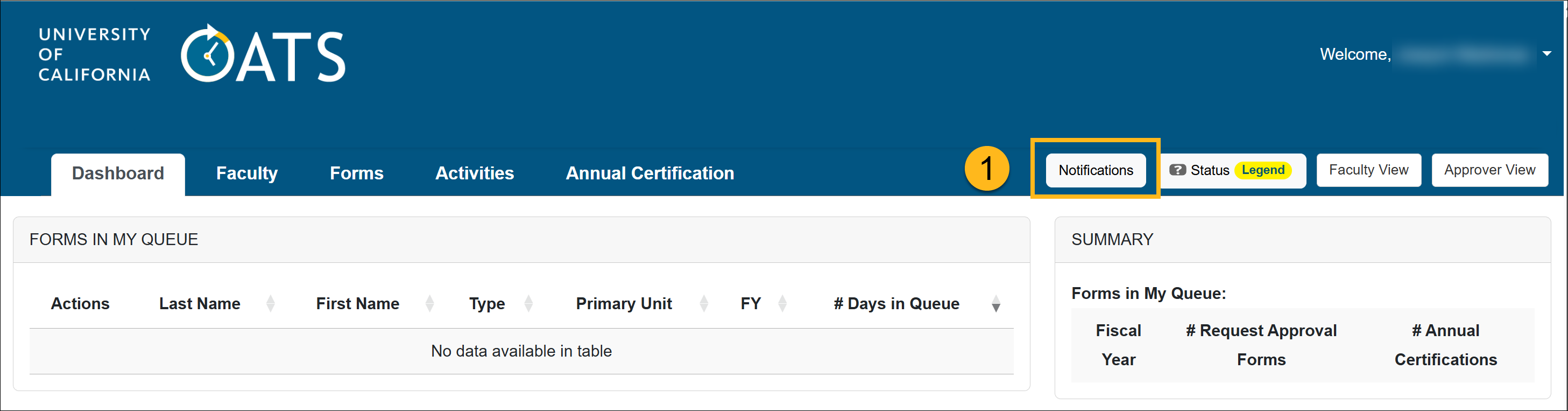
To view or update your email notification settings:
- Go to your workspace and select Notifications at the top right of the page
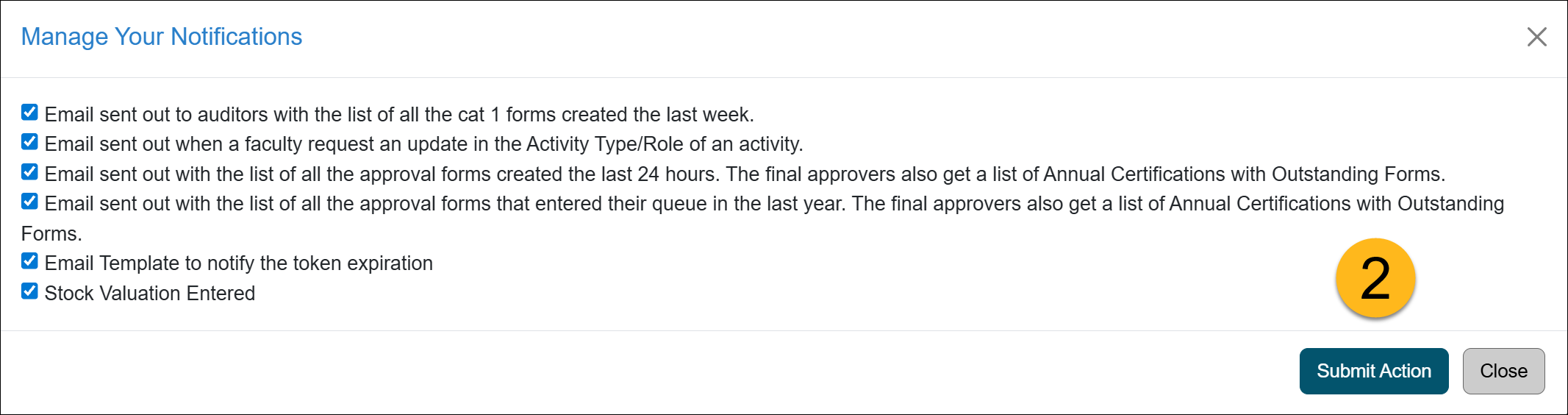
- Add a checkmark next to the emails you would like to receive and deselect the emails you want to unsubscribe from. Click Submit Action.
Email Notification List
This is a list of emails you can subscribe/unsubscribe from.
| Notification Name | Description | Email body |
|---|---|---|
| Email sent out to auditors with the list of all the Cat I forms created the last week. | This email template is sent to staff when Category I forms are created in the units or subunits they are associated with. | Dear @TO_NAME@: The following are the Cat 1 forms that were created in your units and subunits:
|
| Email sent out when a faculty request an update in the Activity Type/Role of an activity. |
This email template is sent to staff when a faculty member updates the Activity Type or Role for an activity. |
Dear @TO_NAME@: The activity @ACTIVITY_NAME@ in fiscal year @FISCAL_YEAR@ for Faculty: @FACULTY_FIRST_NAME@ @FACULTY_LAST_NAME@ (@FACULTY_EMAIL@) has an update request: @NOTE@ |
| Email sent out with the list of all the approval forms created the last 24 hours. The final approvers also get a list of Annual Certifications with Outstanding Forms. |
This daily email notifies you of new prior approval forms that have entered your queue, as well as forms currently in your queue that are preventing a faculty member’s Annual Certification from being accepted.
|
Dear @TO_NAME@: The following prior approval forms were created in UC OATS for your review: @APPROVAL_FORMS_SUMMARY;noquote@ These Annual Certification forms cannot be accepted until all outstanding forms have been reviewed and approved/accepted: @APPROVAL_FORMS_OUTSTANDING_SUMMARY;noquote@ |
| Email sent out with the list of all the approval forms that entered their queue in the last year. The final approvers also get a list of Annual Certifications with Outstanding Forms. |
This weekly email notifies you of all prior approval forms that have entered your queue within the past year. All prior approval forms must receive final acceptance or denial before the Annual Certification can be accepted. |
Dear @TO_NAME@: The following are the approval forms that are in your queue: @APPROVAL_FORMS_SUMMARY;noquote@ These Annual Certification forms cannot be accepted until all outstanding forms have been reviewed and approved/accepted: : @APPROVAL_FORMS_OUTSTANDING_SUMMARY;noquote@ |
| Email Template to notify the token expiration | This email is sent to IT staff who manage the campus API when their API token expires. | Dear @TO_NAME@: There is an API Token about to expire for @API_NAME@ in @DAYS_TO_EXPIRATION@ days (on @EXPIRATION_DATE@) @NEW_TOKEN_MESSAGE@ |
|
Stock Valuation Entered |
Staff assigned the 'Stock Evaluator' role will receive a one-time email notification anytime new stock payments have been entered by faculty within their unit(s). | Dear Reviewer @REVIEWER_NAME@, Stock earnings entered by Faculty: @FACULTY_NAME@ Under Activity @ACTIVITY_NAME@ (@ACTIVITY_ID@) for Fiscal Year @FISCAL_YEAR@ If this faculty is not in your department please ignore this message. Presently all reviewers with the "stock evaluator" role are sent this notification. |
Related Articles
All Approver
What is UC OATS
Log in to UC OATS
Approver's Role
Alternate Approver Role
Workspace Overview
Switch to Faculty Workspace
Email Notifications
Last Modified:2026-02-24 15:35:13.160152-08