Home > Training > Application Administrator > Set Summer Term
Set Summer Term
This guide explains how to configure your campus Summer Term in UC OATS. The Summer Term must be set for each fiscal year and should be configured at the campus level, where it is automatically inherited by all sub-departments.
Note:
- Summer terms are inherited by sub-units.
- Sub-units can have their own specific summer term by creating a summer term for the unit. The new custom summer term will override the parent summer term.
To set up summer terms for your campus:
- Navigate to App Admin.
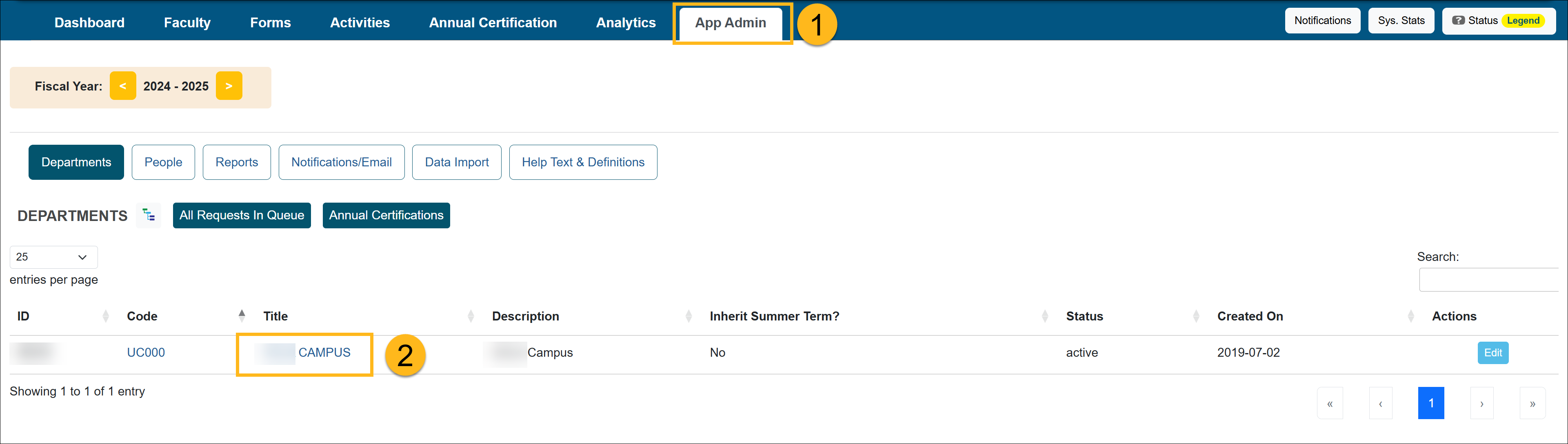
- Click on the campus title.
- Select Summer Terms.
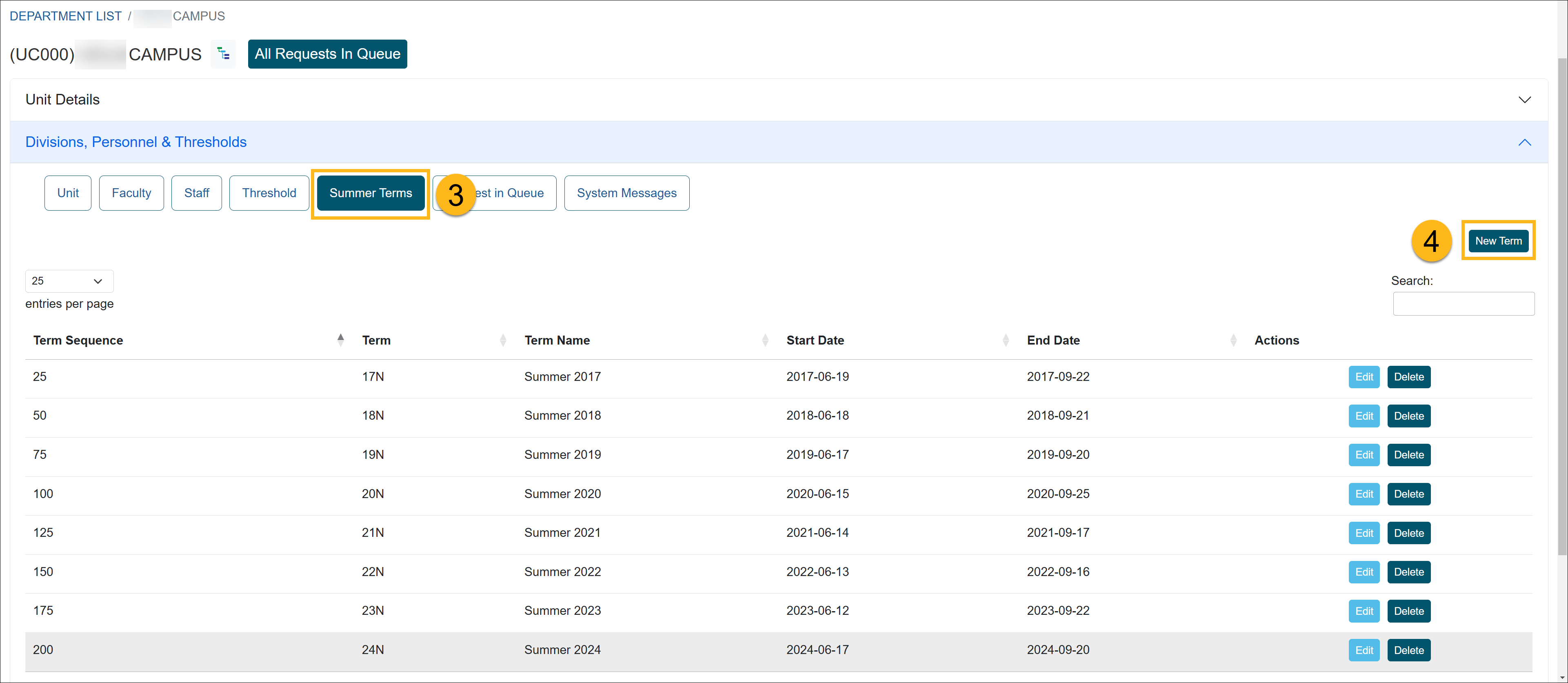
- Select New Term.
- Complete the form.
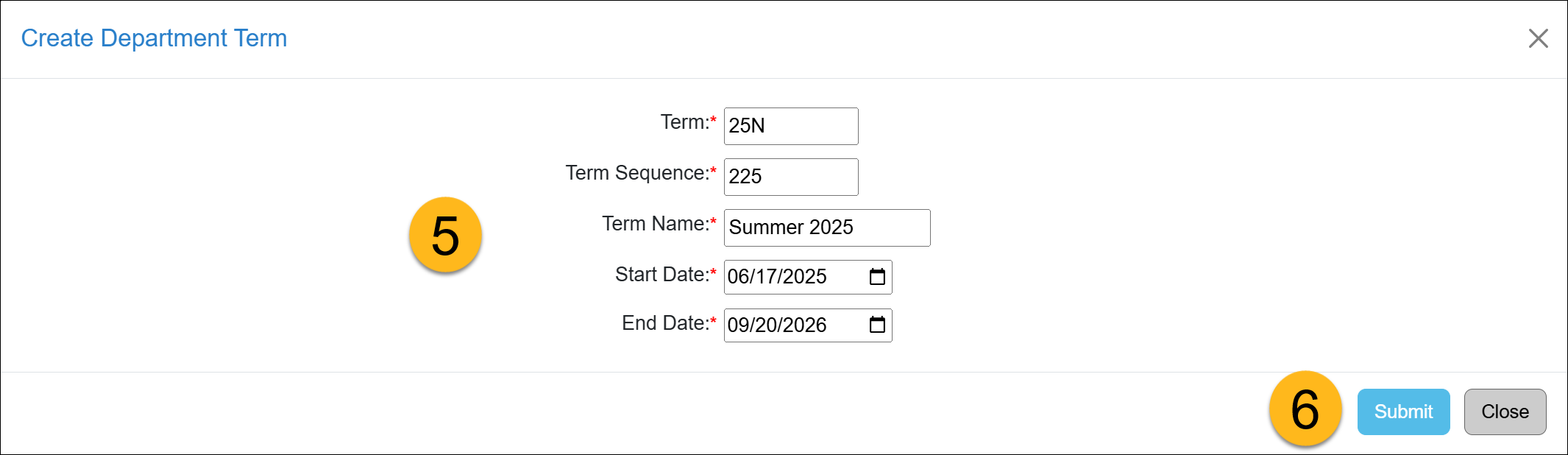
- Term - For the term, enter the last two digits of the new summer term year and add N at the end.
- Term Sequence - Add 25 to the previous summer term.
- Term Name - Add Summer and then the year afterward.
- Start/End date - Enter the start and end date for the term.
- Click Submit to save the changes.
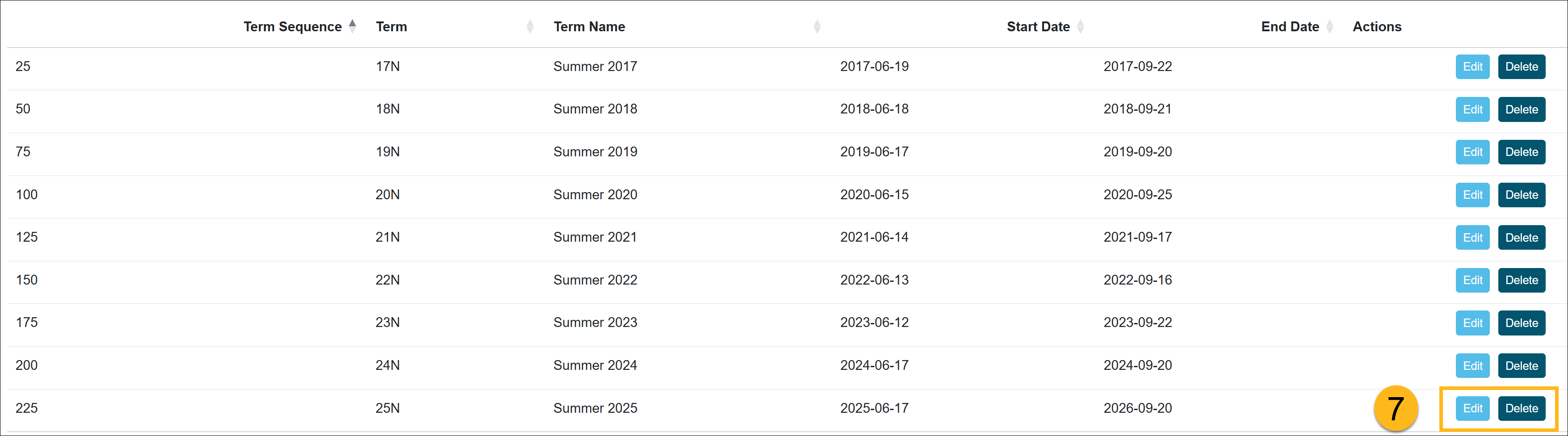
- The summer term has been added to the entire campus and apply to all academic year faculty.
Related Articles
Application Administrator
Add/Manage Departments
Set Custom Thresholds
Set Summer Term
Requests in Queue/System Messages
Route Forms to Parent Unit
Last Modified:2026-04-03 15:54:10.751503-07