Home > Training > Application Administrator > Route Forms to Parent Unit
Route Forms to Parent Unit
This article explains how to configure the prior approval workflow to start at the parent level (one level higher in the organizational structure). For example, prior approval forms submitted at the Division level will begin the review process at the Department level. This routing option is only available at the Division and Department levels.
-
The Route Form to Parent Unit option is only available at the lowest unit levels (e.g., Division, Department). To adjust routing for a mid-level unit, you must update the routing department individually for each faculty member within that unit.
-
Important: Before making any routing changes, ensure that all existing forms have progressed beyond the current review level.
To change the prior approval workflow to begin at the parent level:
- Select the App Admin tab.
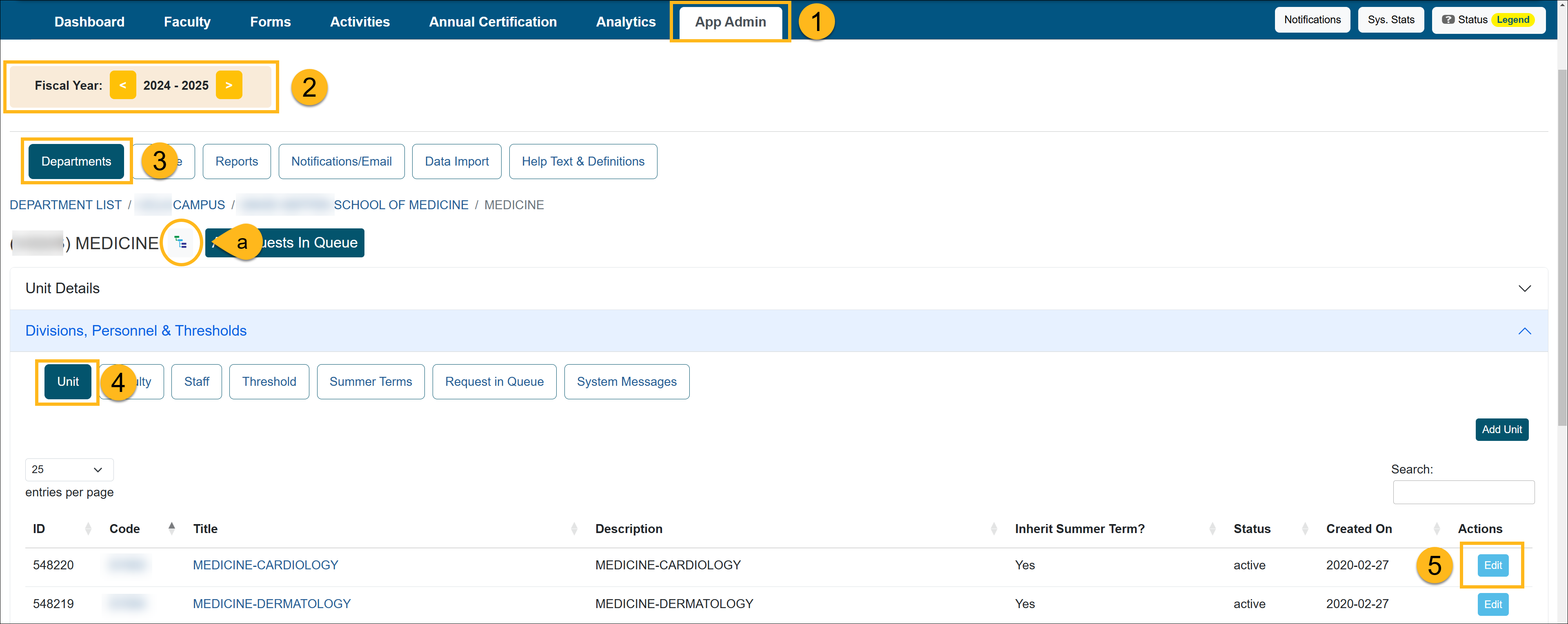
- Select the correct fiscal year.
- Click Departments.
- Select the Unit button and locate the unit you want to update.
- (a) Use the Department Hierarchy Tree Structure button, or
- (b) Click through the department/unit links to reach the appropriate level
- Once at the correct unit, click Edit.
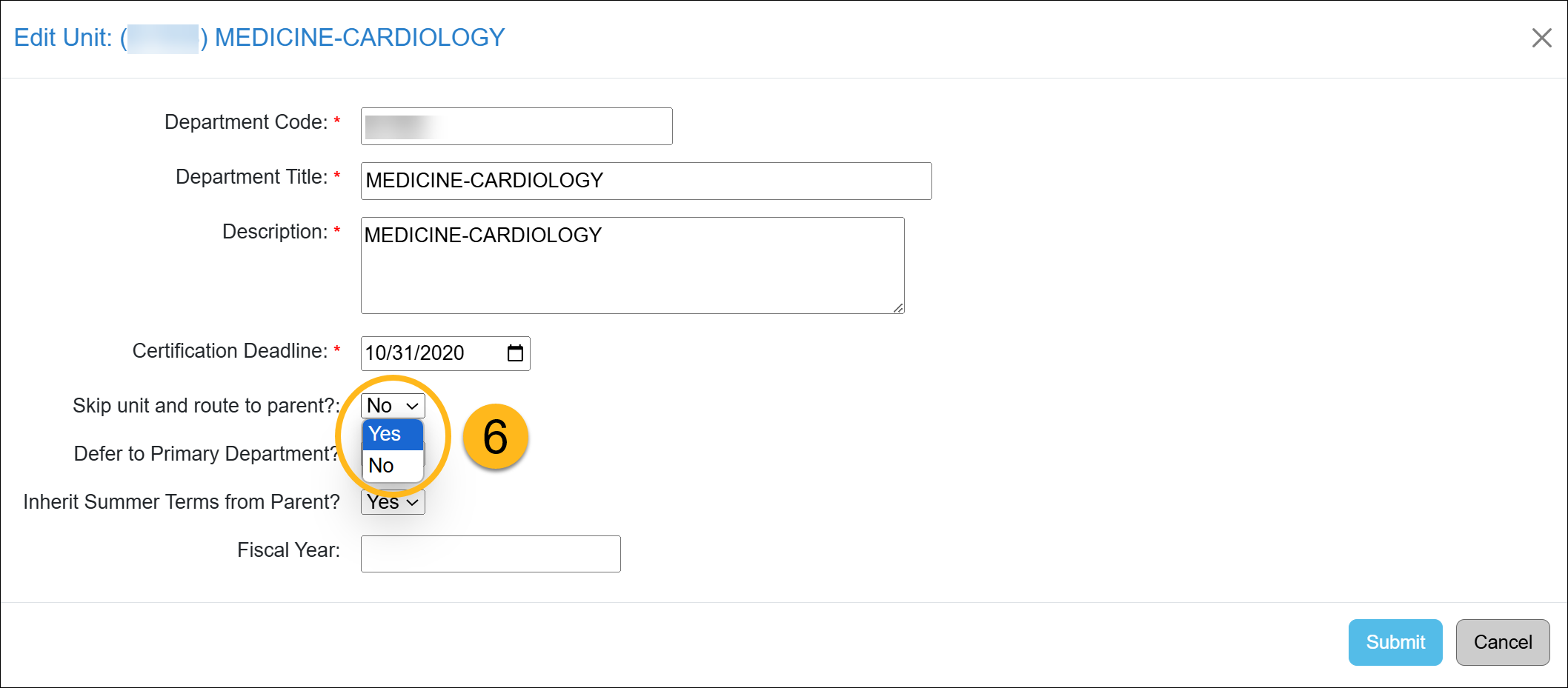
- Locate the Skip unit and route to parent? option and select Yes.
- Click Submit to save your changes.
Related Articles
Application Administrator
Add/Manage Departments
Set Custom Thresholds
Set Summer Term
Requests in Queue/System Messages
Route Forms to Parent Unit
Last Modified:2026-03-30 11:42:18.817773-07