Home > Training > Application Administrator > Data Import Overview
Data Import Overview
The Data Import feature allows Application Administrators to upload faculty and staff data files into UC OATS. These imports are used to maintain user records, manage faculty appointments, assign staff roles, and update separation status for faculty members. Most campuses get their updated data from UCPath or their local HR or personnel systems, prepare the data, and then upload it to UC OATS to keep faculty and staff records synchronized.
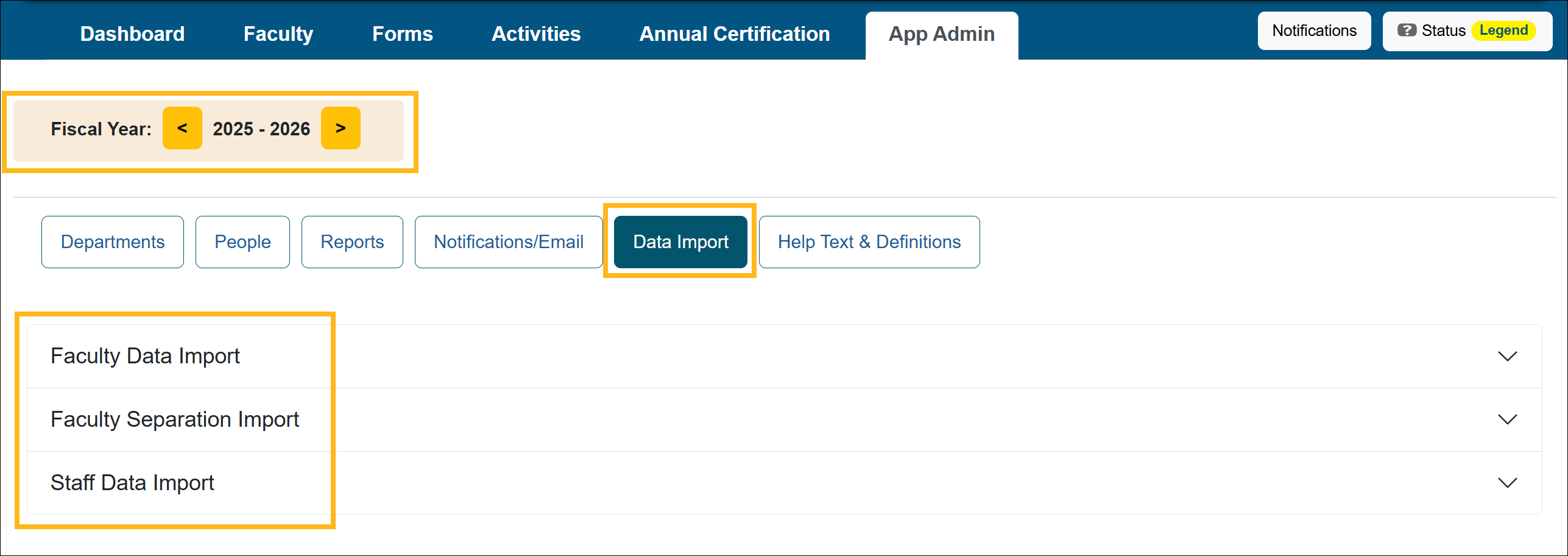
The Data Import tab contains three types of imports:
- Faculty Data Import – Creates and updates faculty records and appointments
- Faculty Separation Import – Marks faculty members as separated from the university
- Staff Data Import – Creates and updates staff users and system roles
Each import type serves a different purpose but follows the same general upload process.
Data Import Tab
The Data Import tab displays all uploaded data files and their processing status. From this page, App Admins can upload new data files and review previously processed files by fiscal year.
Related Articles
Application Administrator
Data Import Overview
Faculty Data Import
Faculty Separation Data Import
Staff Data Import
Last Modified:2026-03-16 14:50:12.90213-07