Home > Training > Acknowledged/Approved Report
Acknowledged/Approved Report
The Acknowledged/Approved Report provides insight into how Approvers in UC OATS are using the Approved and Acknowledged actions for each type of prior approval form.
Note: If the Analytics tab is not visible in your workspace, you have not been assigned the Analytics role. Please contact your campus UC OATS administrator for assistance.
To access the Acknowledged/Approved Report:
- Select the Analytics tab.
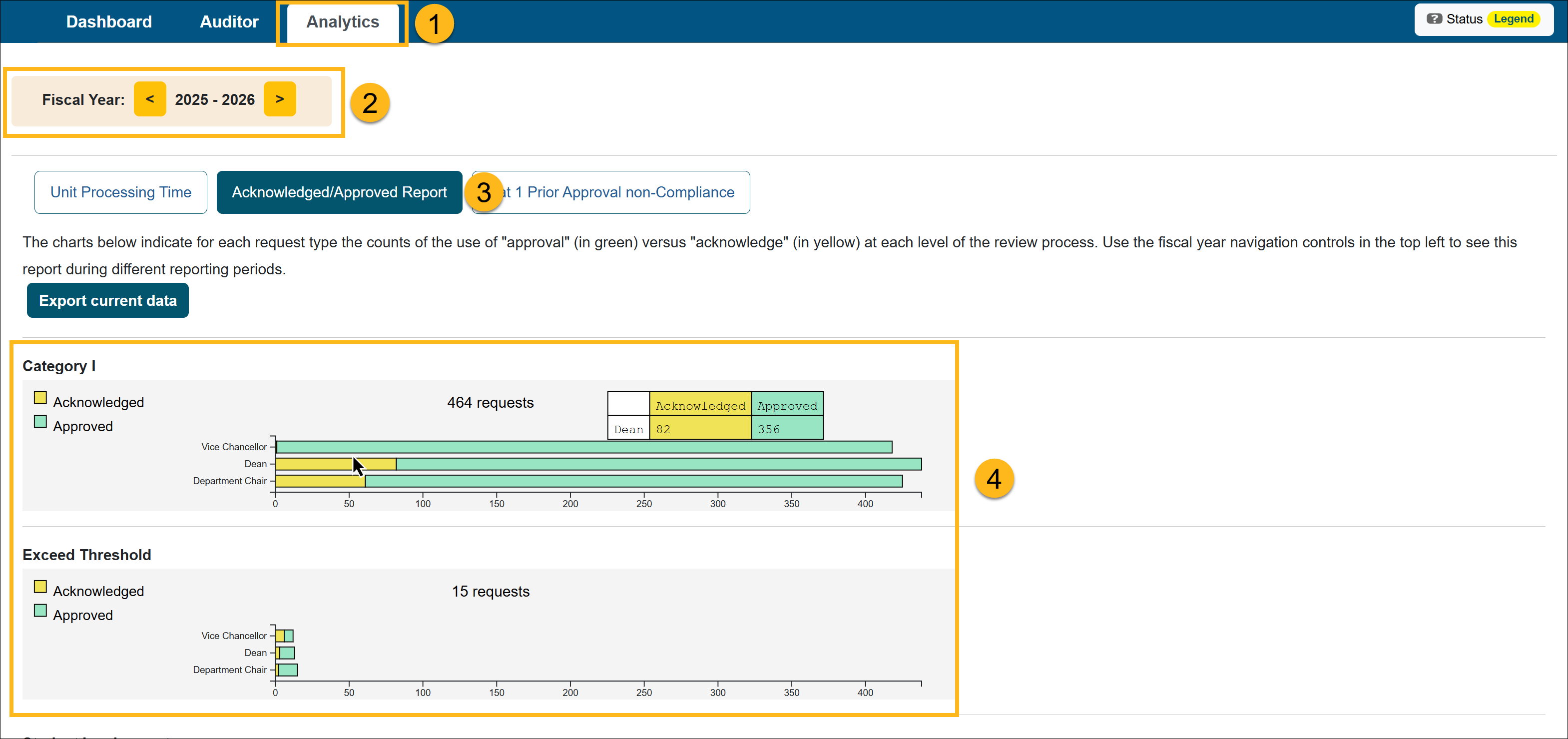
- Select the fiscal year for the report.
- Select the Acknowledged/Approved Report button.
- Locate the form you want to view and hover over each level to view the statistics.
Related Articles
Analytics Role Overview
Unit Processing Time Report
Acknowledged/Approved Report
Cat I Non-Compliance Report
Potential Foreign Influence Report
Last Modified:2026-04-13 14:07:48.33474-07