Home > Training > Approver > Review Annual Certification
Review Annual Certification
Approvers are responsible for reviewing and confirming that faculty have accurately reported their outside professional activities in compliance with APM policy. This includes verifying that all required activities have been disclosed and that the information provided is complete and accurate.
Annual Certification reports can only be approved/accepted once all associated prior approval forms have reached final approval. Annual Certifications with forms that have not reached final approval will be placed in the Annual Certifications with Outstanding Forms queue. Once all forms are finalized, the Annual Certification will be moved to Annual Certifications in my Queue.
Tutorial Video
Watch the video to learn how to review faculty's Annual Certification.
Review Annual Certification
To review Annual Certification:
- Navigate to the Dashboard and locate the Annual Certifications in My Queue section to view Annual Certifications (AC) ready for your review. Use the filters as needed.
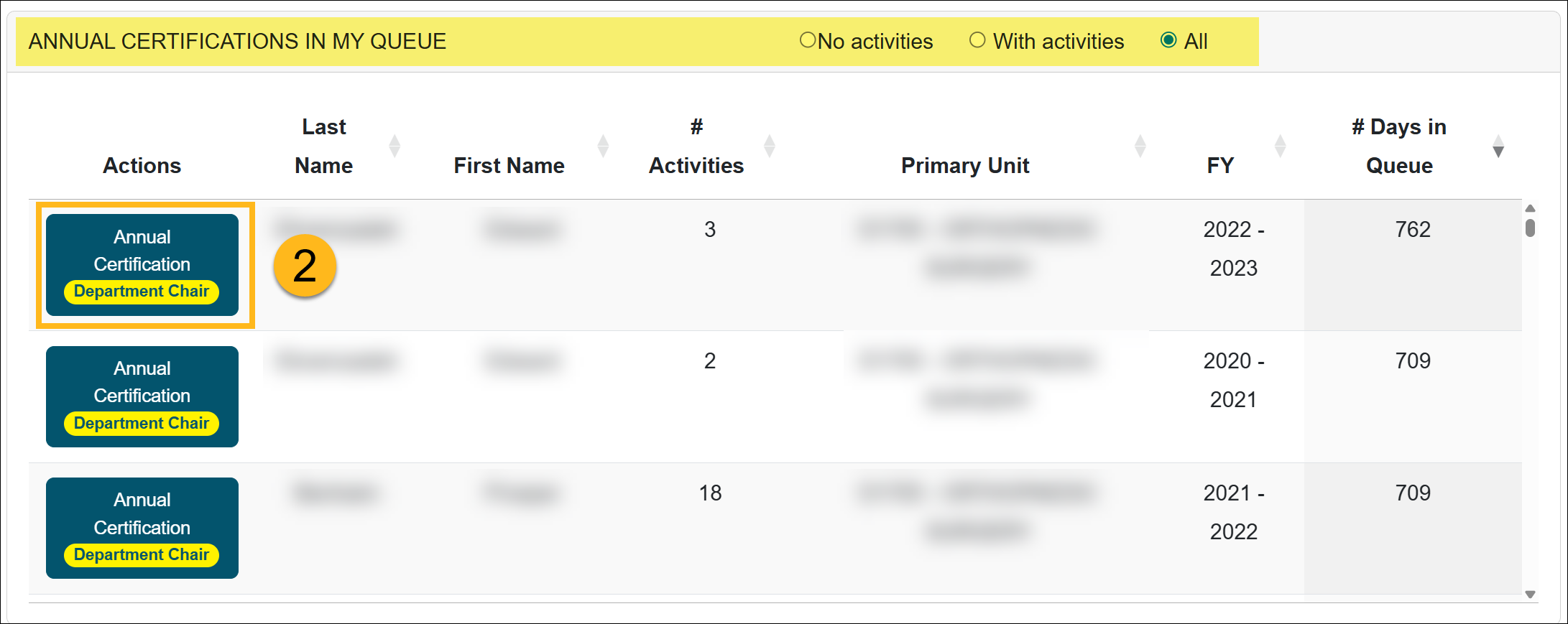
- Click on an Annual Certification form.
- Note: You can also bulk review Annual Certifications with no activities.
- Review the form details, then scroll to the bottom of the form for available actions.
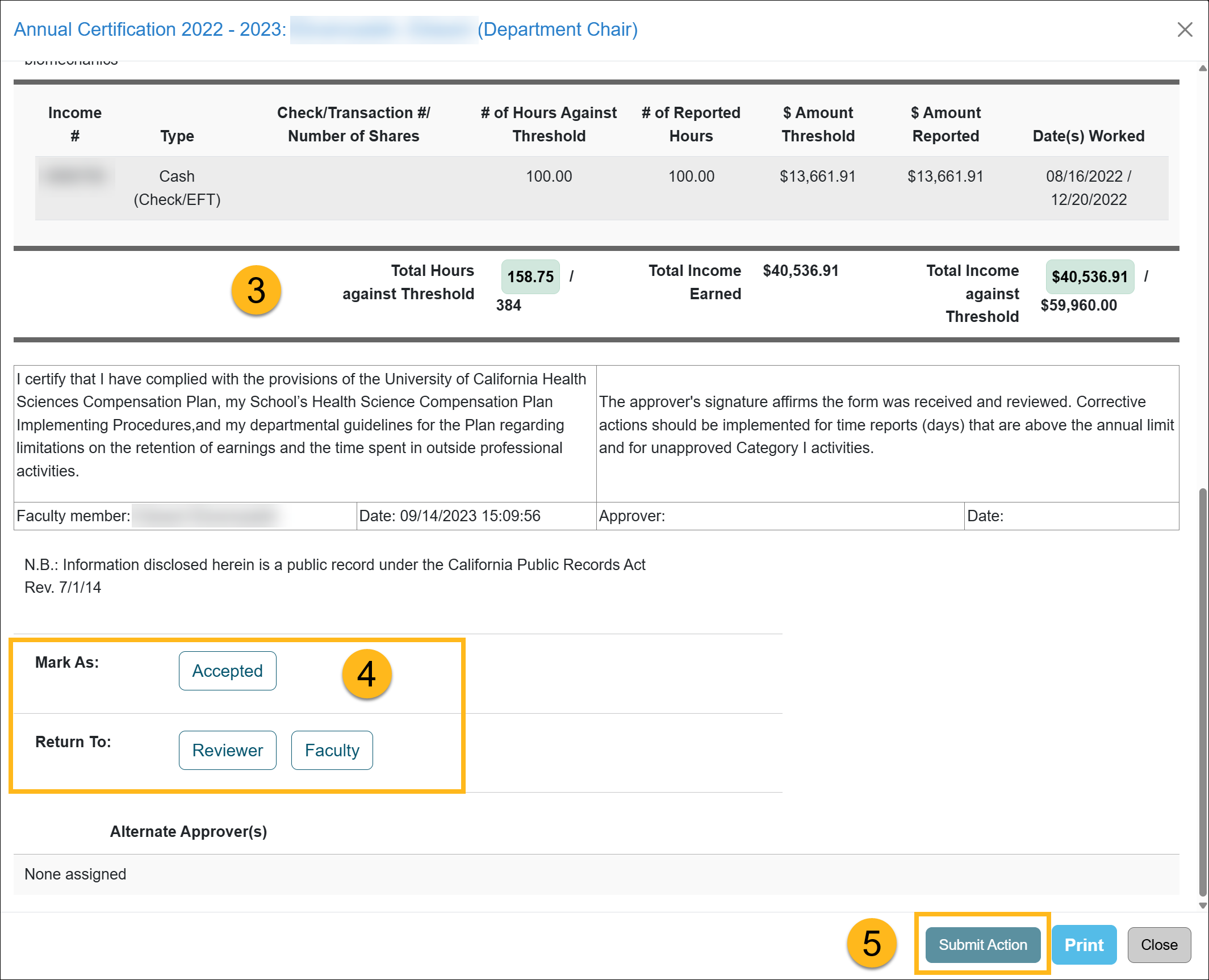 Actions:
- Accepted - Select this option when the Annual Certification report is complete, accurate, and no further action is required.
- Send Back to Faculty - Select this option if additional information or corrections are needed before a decision can be made. A Note field will appear—use it to provide a clear and detailed explanation of why the report is being returned and specify the required updates. Once the faculty member makes corrections and resubmits the report, it will re-enter the approval workflow.
- Send Back to Reviewer - Select this option to return the report to the reviewer within your department or unit. Include detailed notes explaining the reason for the return and the actions the reviewer needs to take.
- Click the Submit Action button.
Related Articles
All ApproverReview Annual Certification
Bulk Review Annual Certification
Annual Certification Reports
AC with Outstanding Forms
AC Not Submitted Watchlist
Last Modified:2026-02-26 16:16:23.80816-08