Home > Training > Application Administrator > Update and Schedule Email Notification Template
Update and Schedule Email Notifications
This article explains how to update email templates and schedule email notifications in UC OATS. Templates can be customized to meet your campus needs.
Update Email Notification
This section will show you how to update an email template.
Update Email Templates
To update your campus email templates:
- Navigate to App Admin> Notifications/Email>Notifications.
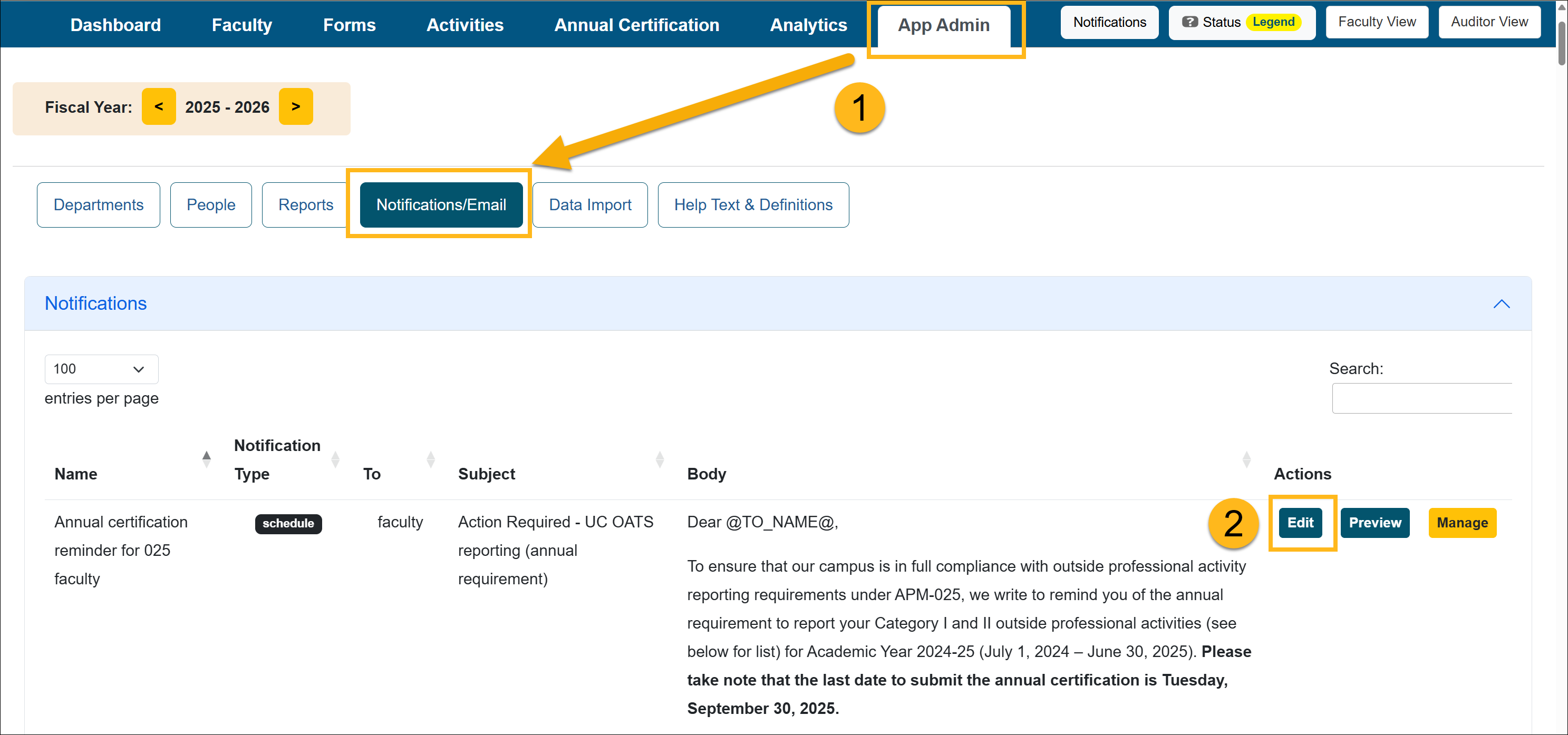
- Go to the Actions section and select Edit.
- Select the Fiscal Year this update should affect.
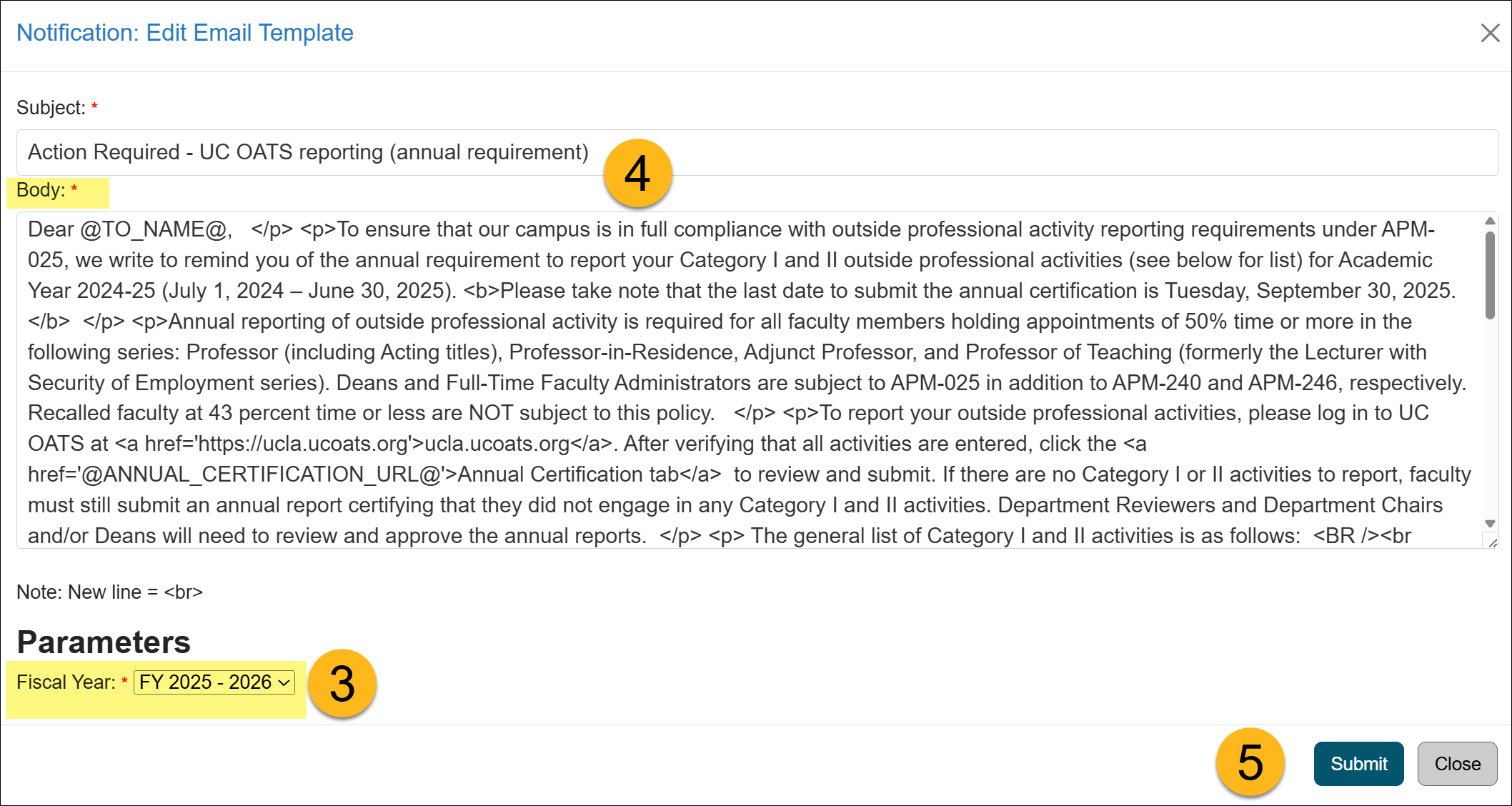
- Update the body of the text using HTML markup. The template lists all available variables for that email template. If you want to add an email variable that is not listed, contact the UC OATS Technical partner.
- Click Submit to save the changes.
Preview Email
To preview the changes to the email:
- Select the Preview button to the right of the email template.
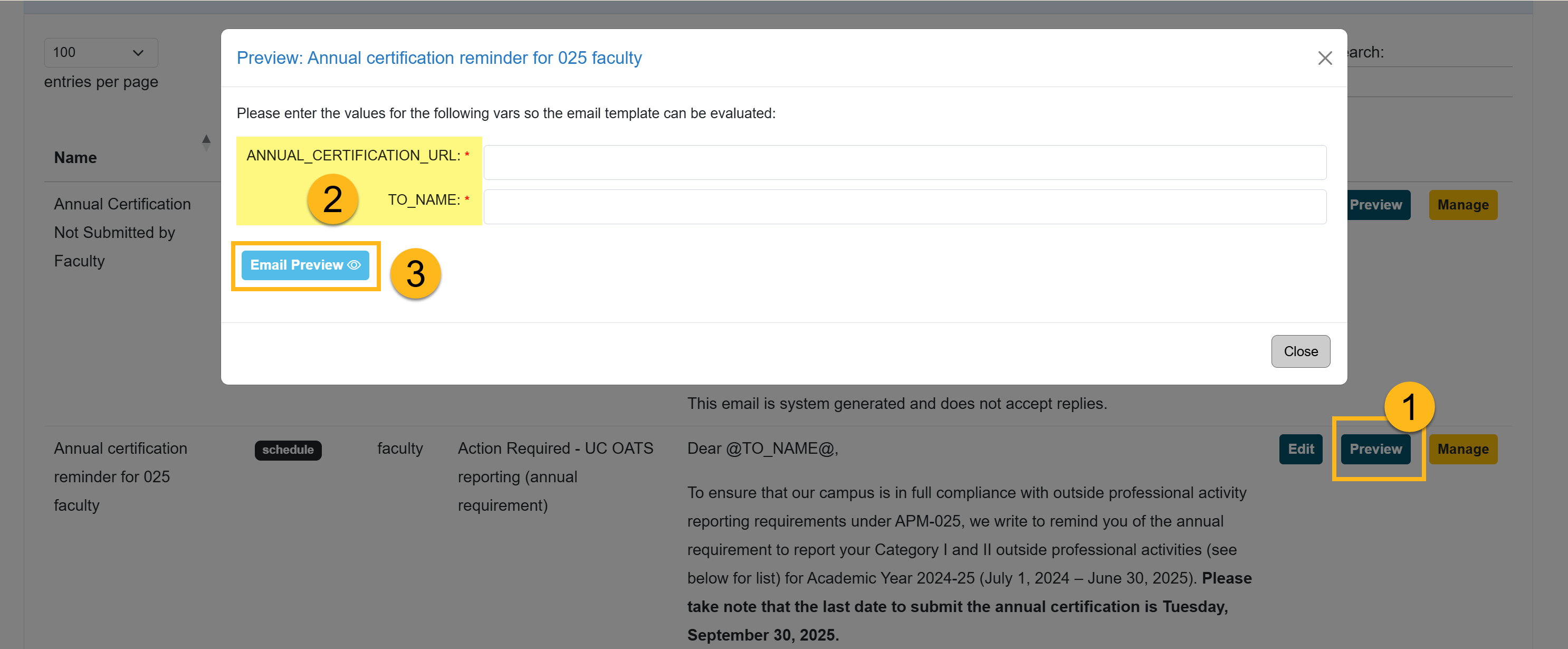
- Fill out the required fields to generate the preview. The field requirements will vary by email.
- Select Email Preview. The preview will appear below.
Add AC URL Tag to Email Template
This section explains how to add a URL tag to the Annual Certification email template, providing faculty with a direct link to their Annual Certification.
- This URL tag is only supported in Annual Certification email templates.
- URL tags and variables must be enabled before they can be used in email templates.
- Do not add URL tags or variables without confirmation that they are enabled, as they will not function properly.
To add the AC URL tag to the email template:
- Select the App Admin tab.
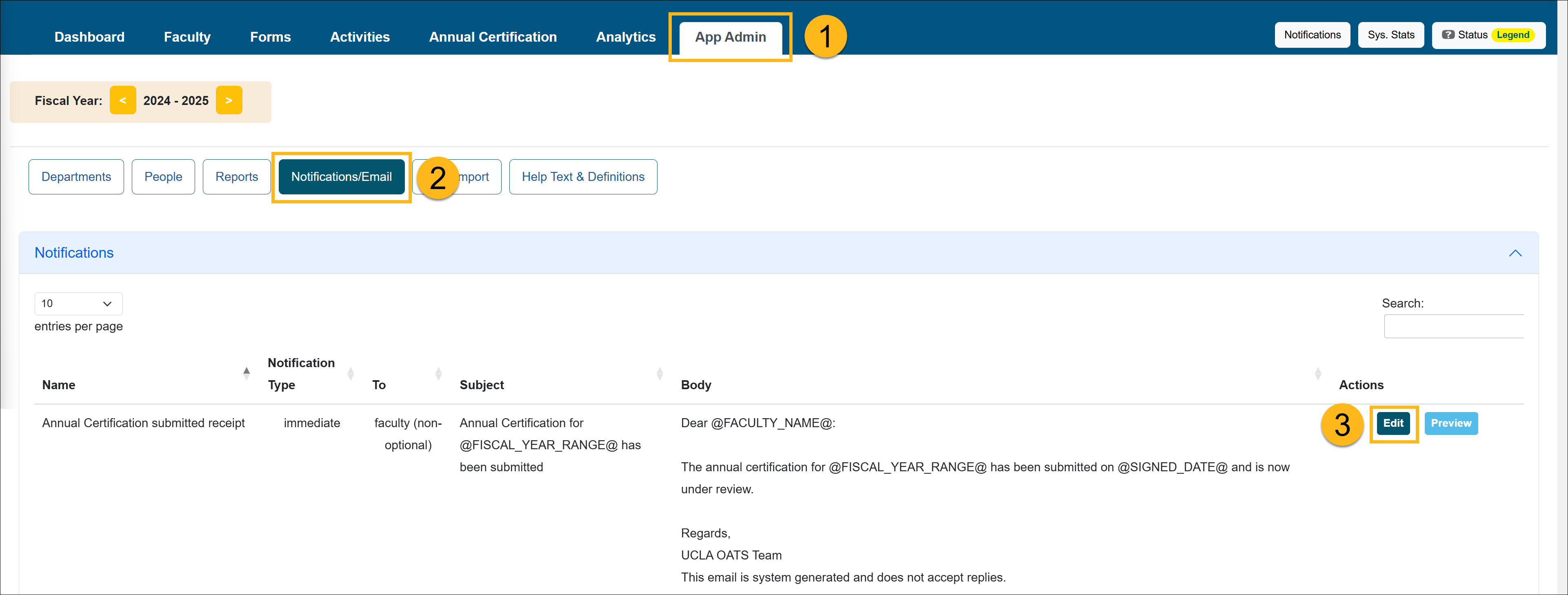
- Click Notifications/Email.
- Locate the email template you want to update. Click Edit.
- In the template, place your cursor where you want the link to appear. Add the the following: <a href='@ANNUAL_CERTIFICATION_URL@'>Annual Certification </a>
This will add a hyperlink to the words Annual Certification. That hyperlink will open the faculty member's Annual Certification form.

- Click Submit to save the email template. Complete this process for all Annual Certification email templates.
e.g. Email Example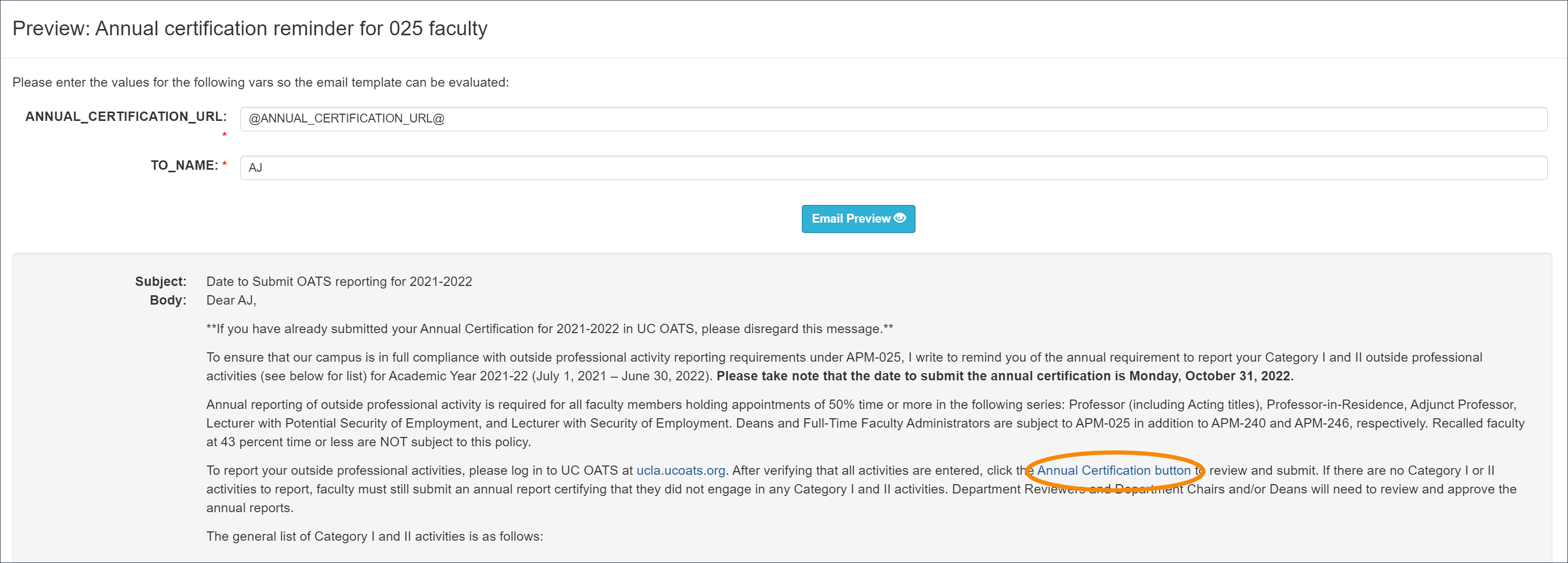
Schedule Email Notification
Emails with a Schedule Notification Type must be scheduled by the App Admin to be sent out. These types of emails can be scheduled in advance and will send emails to users who meet the criteria at the time of scheduling.
Schedule Email Notifications
To schedule an email:
- Navigate to App Admin> Notifications/Email>Notifications.
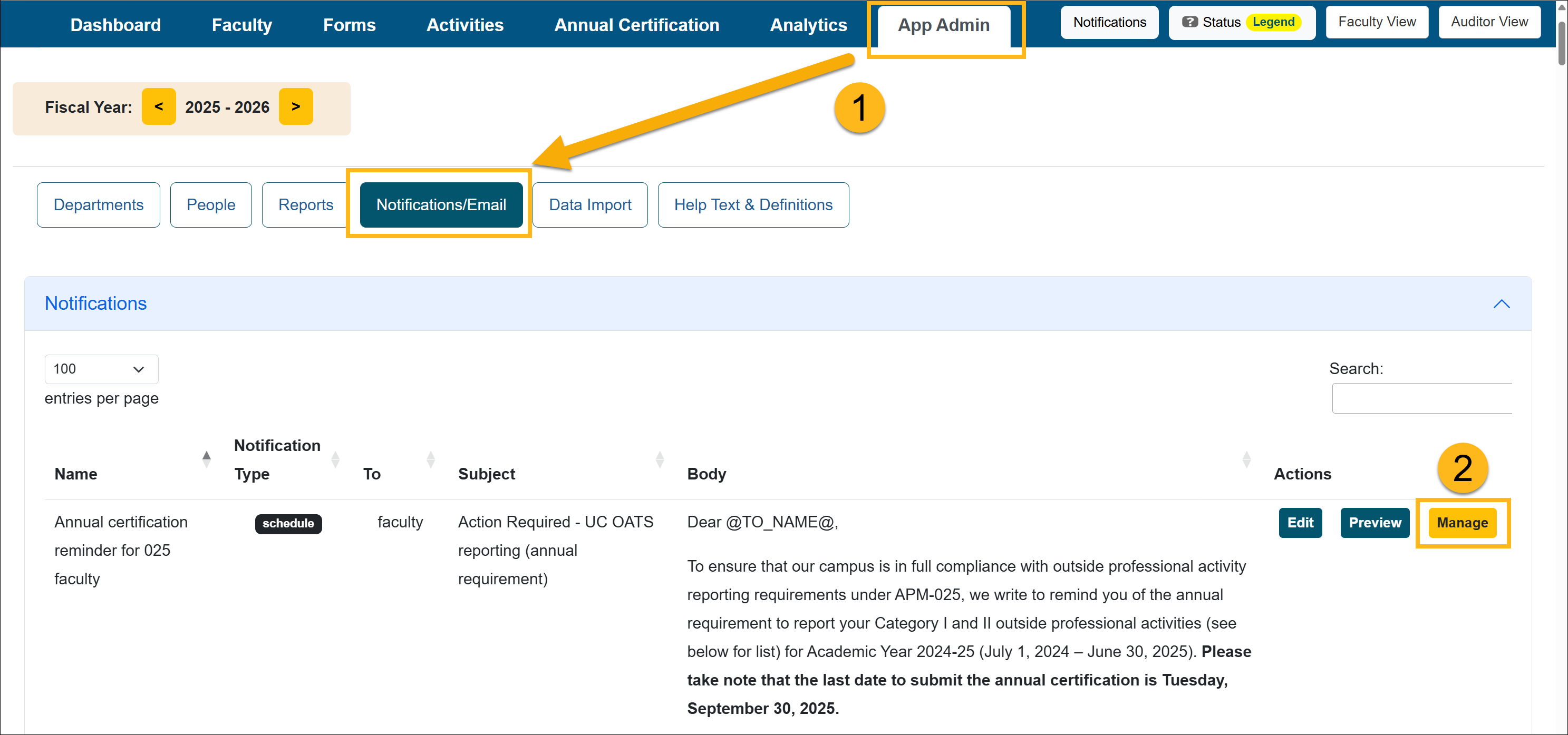
- Go to the Actions section and select Manage.
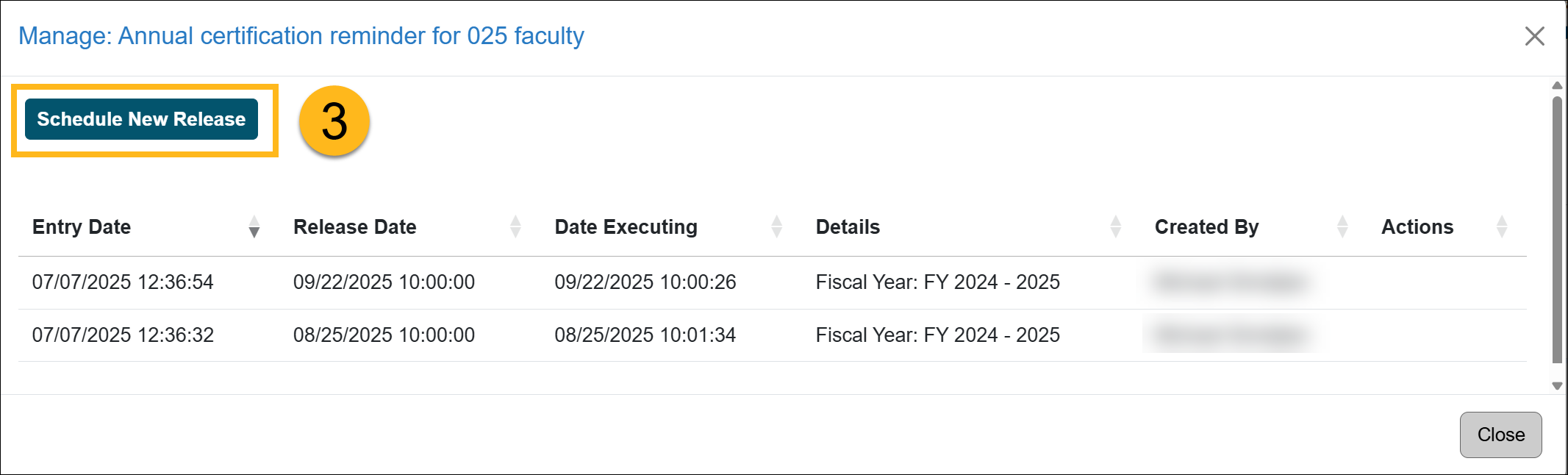
- Select Schedule New Release.
- Schedule the release. Select a Release Date and Fiscal Year.
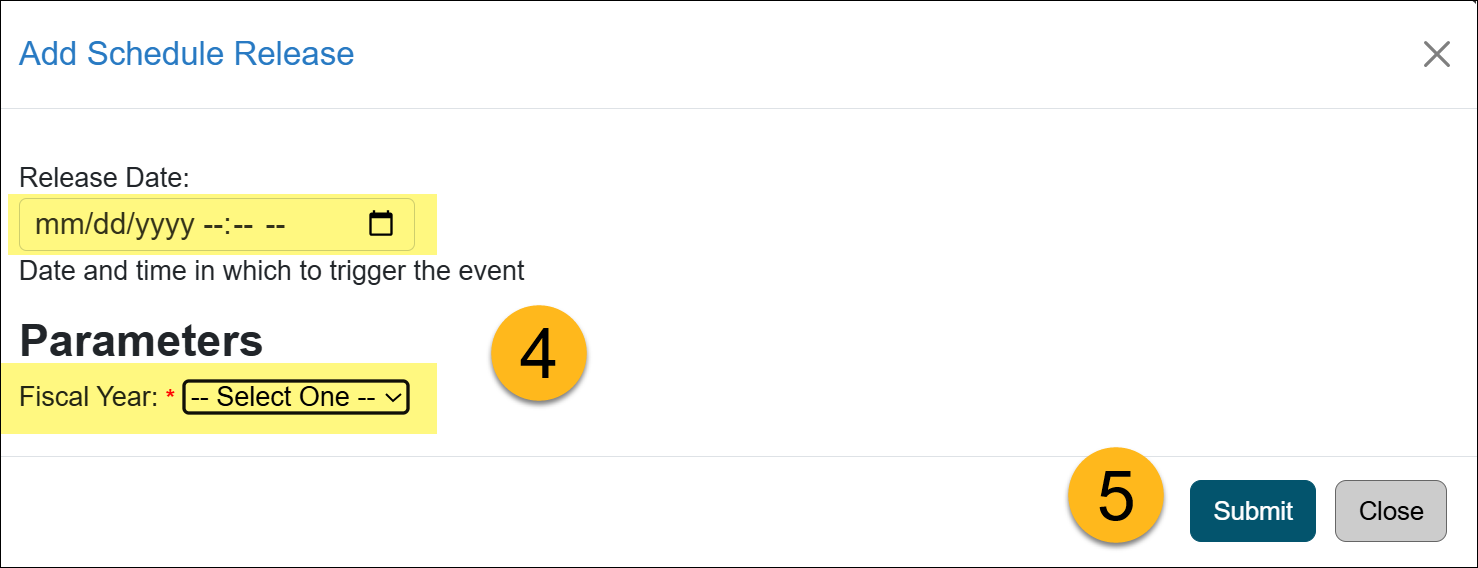
- Click Submit.
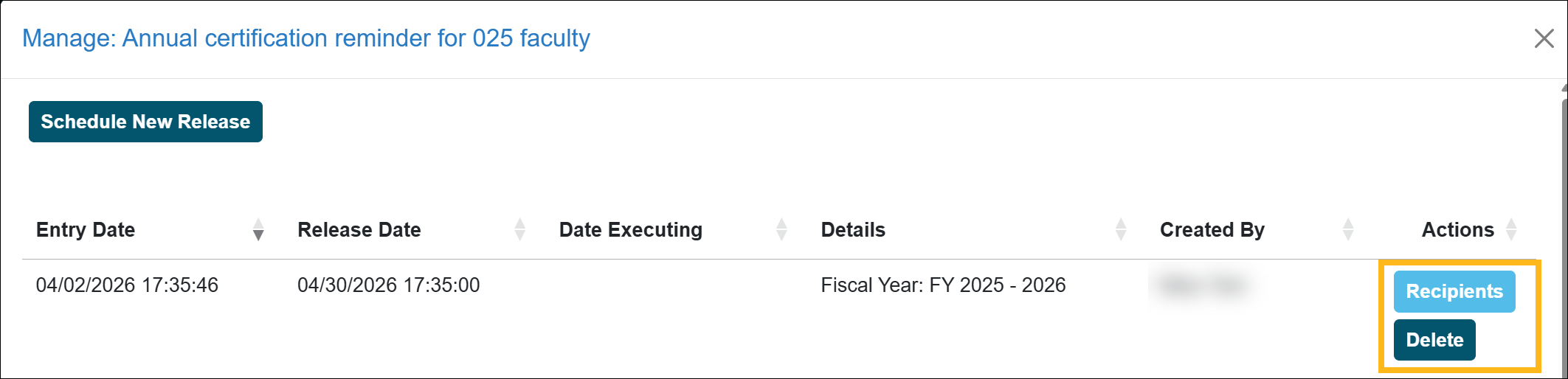
- The email has been scheduled. You can view the Recipients list and Delete the scheduled email.
Note: Scheduled email reminders include a system check on the day the reminder is deployed. Before the email is sent, the system verifies that the faculty member is active and has not yet submitted their Annual Certification. Reminder emails are only sent to active faculty who still need to complete their Annual Certification.
Related Articles
Application Administrator
Email Notification Templates
Update and Schedule Email Notifications
Email Count Summary and Logs
Campus-Specific Help Text
Last Modified:2026-04-02 15:44:57.100805-07