Home > Training > Application Administrator > Email Count Summary and Logs
Email Count Summary and Logs
This guide explains how to view the number of emails sent by type and access the specific emails that were sent.
Email Count Summary
This Email Count Summary will show you how many of each type of email were sent out during the selected time period. This can be helpful if you think there may be an issue with an email template not going out.
To view the email count:
- Navigate to App Admin> Notification/Email> Email Count Summary.
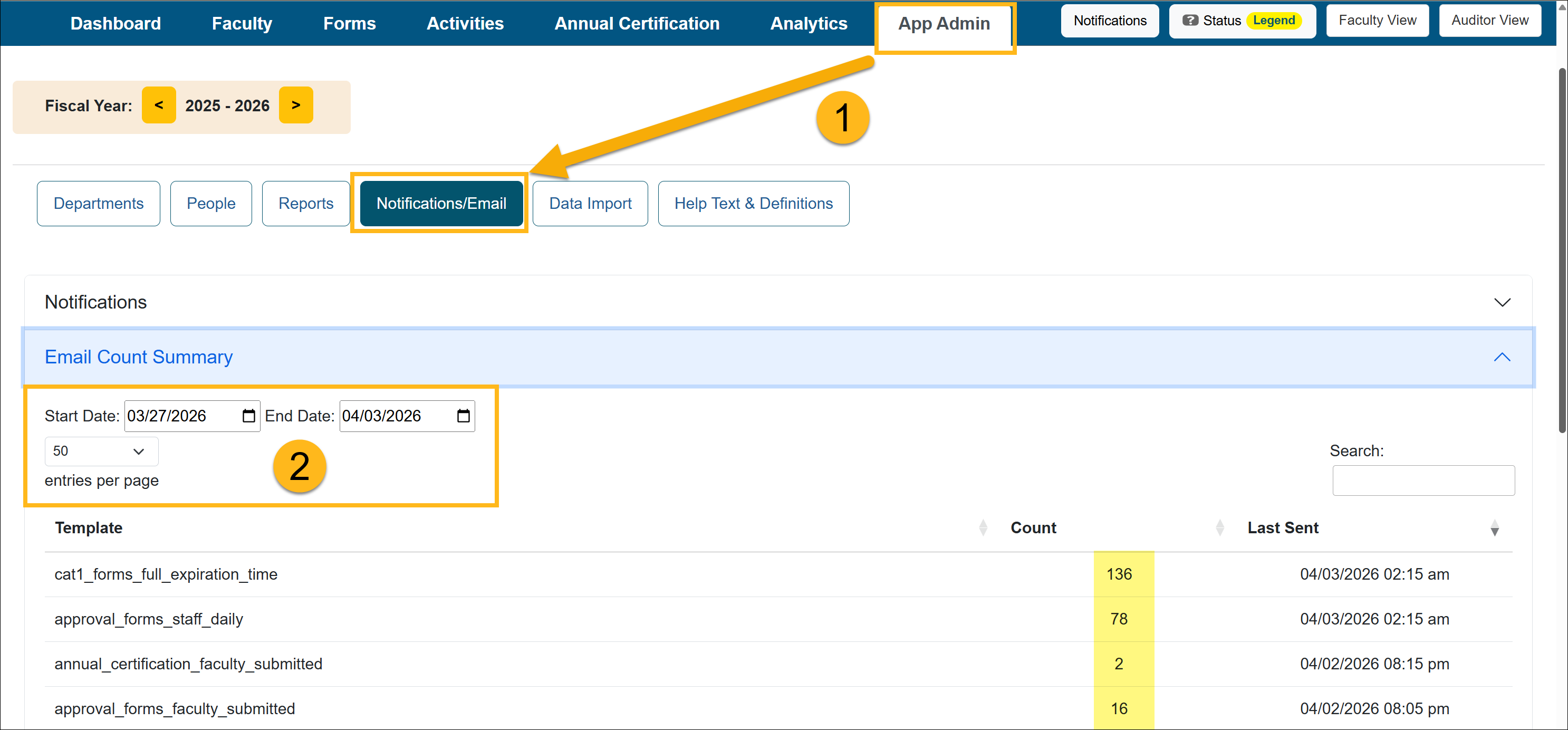
- Select the Start and End Date to view the email count for that time period.
Email Logs
The Email Logs will show you all the emails that have been sent out.
To view the email logs:
- Navigate to App Admin> Notification/Email> Email Count Summary.
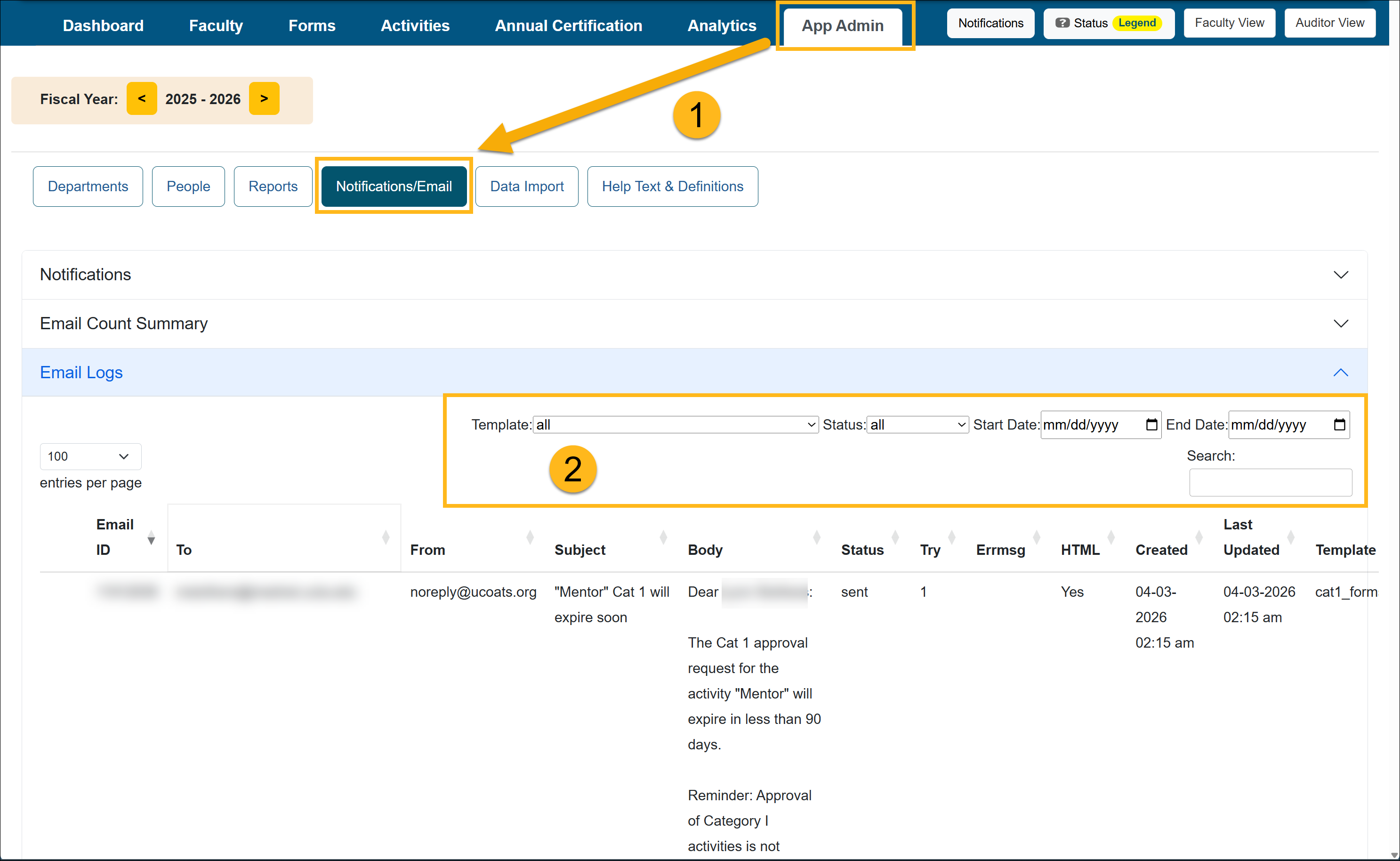
- Use the filters to search for specific emails.
Related Articles
Application Administrator
Email Notification Templates
Update and Schedule Email Notifications
Email Count Summary and Logs
Campus-Specific Help Text
Last Modified:2026-04-03 08:38:44.702623-07