Home > Training > Faculty > Faculty Workspace Overview
Faculty Workspace Overview
Welcome to your UC OATS Faculty Workspace. This guide provides an overview of the key tools and features available to help you manage your outside professional activities. Use the sections below to learn how to navigate your workspace.
Tutorial videos
Watch the Workspace Overview tutorial video to learn how to navigate your workspace.
Academic-year Faculty
Fiscal-year Faculty
Health Science Faculty
Faculty Workspace Sections
The faculty workspace has multiple sections: My Activities and Forms, My Annual Certifications, and Summer Months Information (Academic-year faculty). The following will provide information on each section.
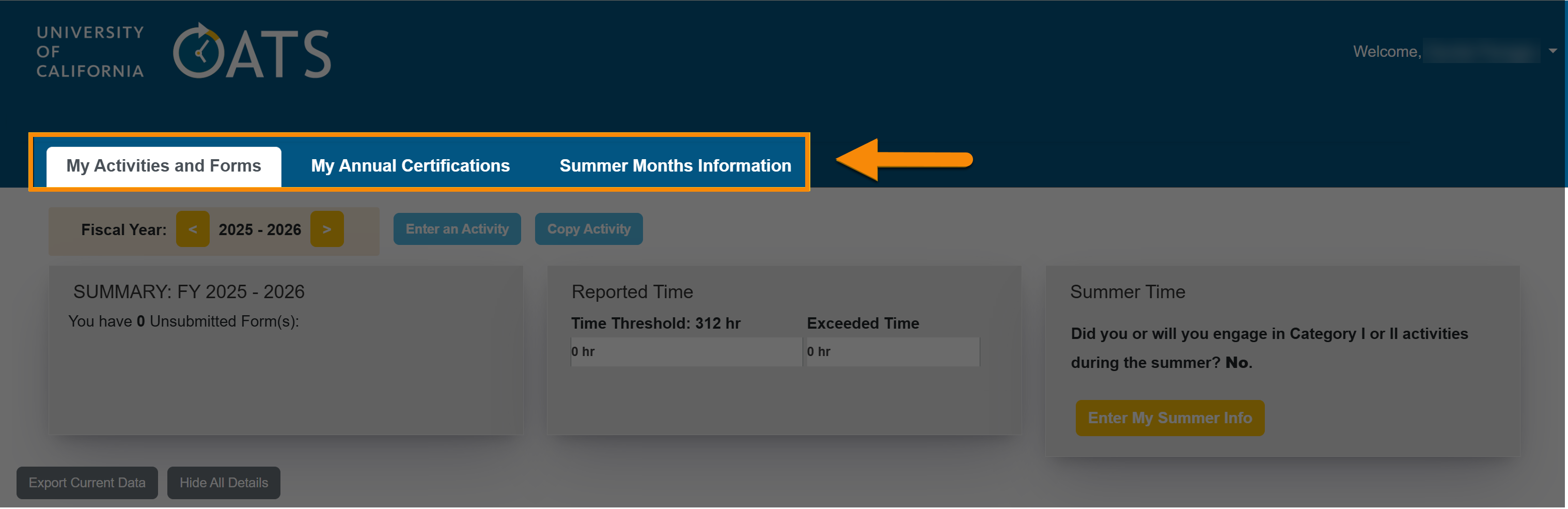
My Activities and Forms
The My Activities and Forms tab is your central place to record and manage outside professional activities. Here, you can report effort spent on activities, update activity details, and submit prior approval requests.
My Activities and Forms details
Manage your Activities by Fiscal Year
At the top of the workspace, you’ll find controls that allow you to manage activities within a specific fiscal year.

From here, you can:
- Fiscal Year: View or switch between fiscal years.
- Enter an Activity: Add a new activity to the fiscal year.
- Copy Activity: Copy an activity from a prior fiscal year into the selected fiscal year.
Workspace Dashboard
The dashboard provides an overview of required actions, your thresholds, and summer information (Academic-year faculty).
Academic faculty dashboard 
Health Science faculty dashboard
Dean/Faculty Administrator dashboard

- Summary: Notifications about required actions, such as unsubmitted forms or unsubmitted Annual Certification.
- Reported Time: Shows your time threshold, which is the number of hours you are allowed to engage in outside professional activities. The first bar shows how many hours you've reported against your time threshold. The second bar shows the number of hours that have exceeded your threshold.
- Report Earnings (If applicable): Shows your earnings threshold, which is how much you can earn before you owe the plan. The first bar shows how much earnings you've reported against your threshold. The second bar shows the amount of earnings that have exceeded your threshold and will need to be paid to the plan.
- Summer Months Information (If applicable): This is where academic year faculty indicate whether they will receive additional University compensation during the summer.
- Deans/Faculty Administrators: Their dashboard shows time with and without compensation. It also shows how many External For-Profit Boards they've signed up for.
Activity List: Viewing your Reported Activities
The activity list shows all activities you have entered for the selected fiscal year.

For each activity, you can:
- Show Details: Expand or collapse effort details.
- Forms: View prior approval forms (Category I, Student Involvement, Exceed Threshold, etc.).
- Edit: You have the option to edit your activity details, add student involvement, or move the activity to the next fiscal year.
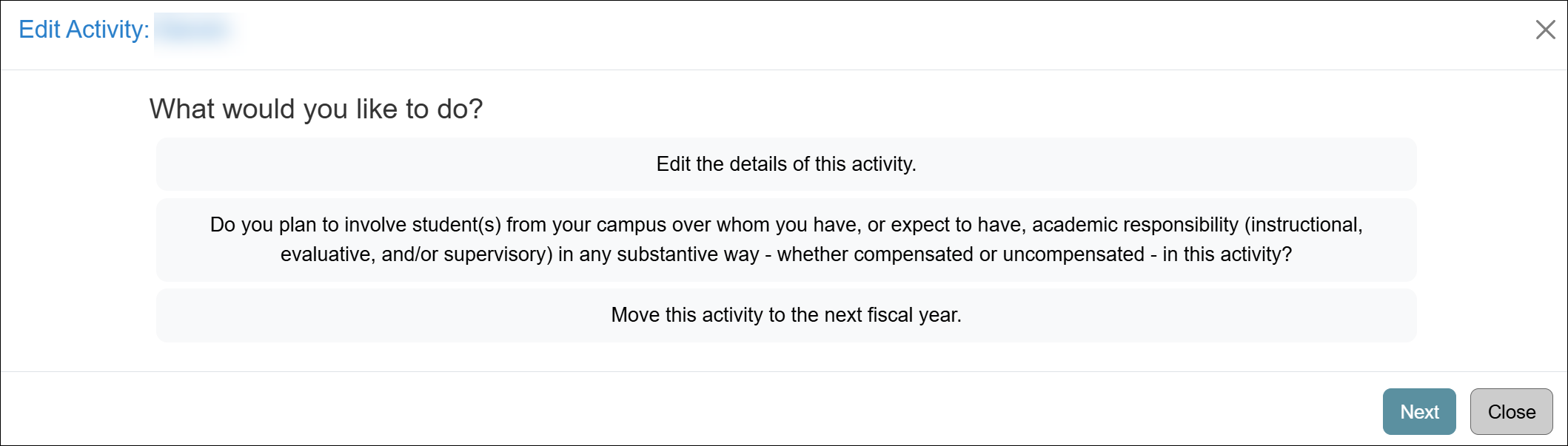
- Delete: You can delete an activity only if there are no approved forms and no submitted Annual Certification associated with it.
- Enter Earnings/Effort: Select to add earnings and/or effort to the activity. Document all the time you spend on the activity and earnings (as applicable).
- Notes: Select to add notes or documentation to the activity. Entries can be viewed by staff with access to your activities.
- Edit Earnings/Effort: Your reported earnings/effort is shown below the activity. If you do not see it, select the Show Details button. You can modify the details.

- Delete: You can delete the earnings/effort as needed.
My Annual Certifications
The My Annual Certifications section is where you can submit and view the status of your Annual Certification. Annual Certification is required, even if you did not engage in outside professional activities.
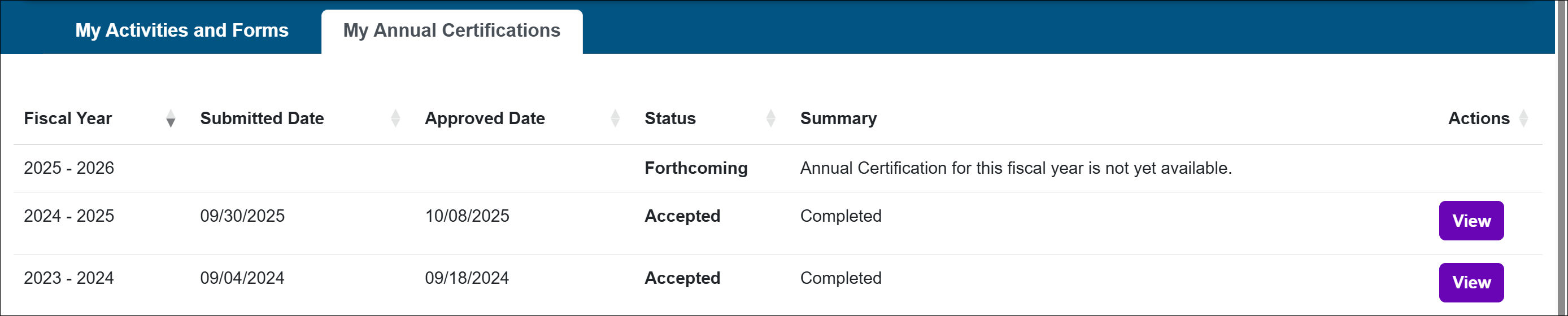
Summer Months Information
Academic-year faculty will see a Summer Months Information tab. This tab is where they can view and manage their summer month details.
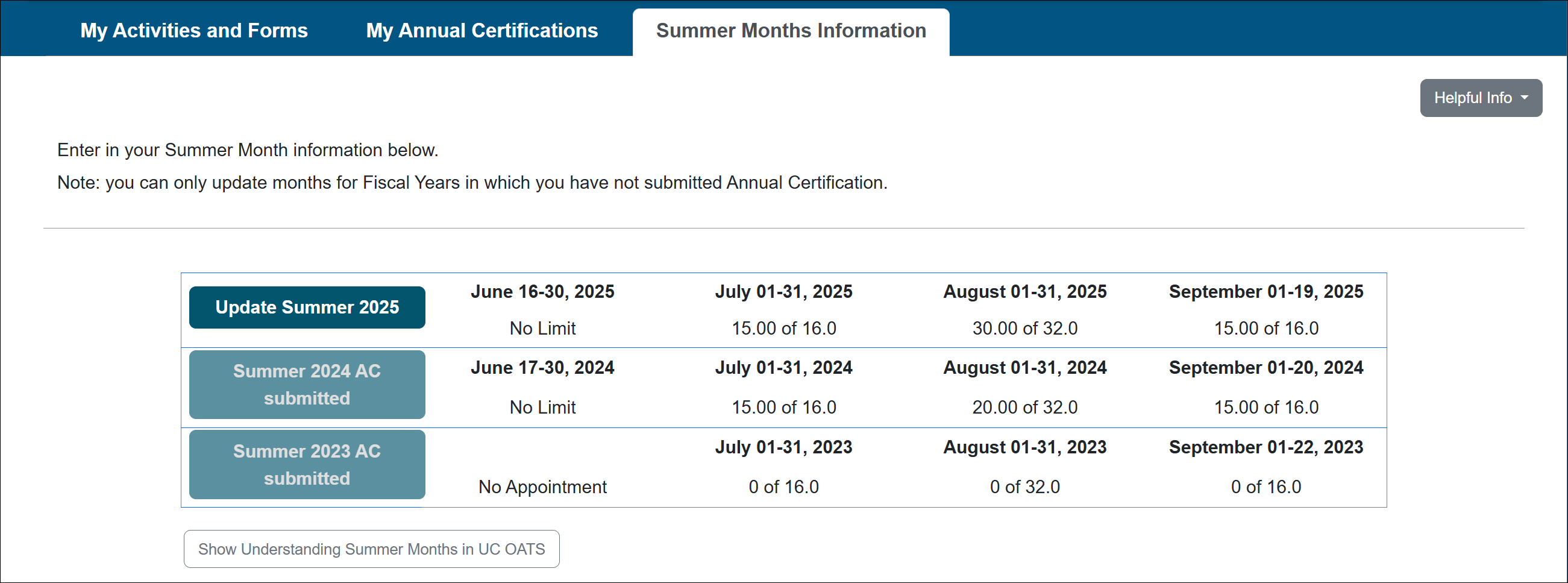
Related Articles
All FacultyWhat is UC OATS?
Log in to UC OATS
Workspace overview
Faculty thresholds
Outside activity category types
Tip of the Day
Last Modified:2026-01-05 12:03:47.544432-08
