Home > Training > Faculty > Report Effort and Earnings
Report Effort and Earnings
This article provides instructions on how to report time spent and earnings for an activity. UC OATS tracks time in hours rather than days.
Hours: Faculty should report up to a maximum of 8 hours per day for any day they engage in a Category I or Category II activity. For traditional or hybrid in-person instructional formats (such as lectures or discussions), every 6 contact (“podium”) hours equals 1 day.
- 1 Day = 8 Hours
- 1 Day = 6 Podium Hours (traditional or hybrid in-person instructional formats, such as lectures or discussions)
Earnings: Health Science faculty will have the option to report earnings.
General campus faculty
General campus faculty are only required to report effort/time. [APM 025-8]
Reporting Effort/Time
To report effort:
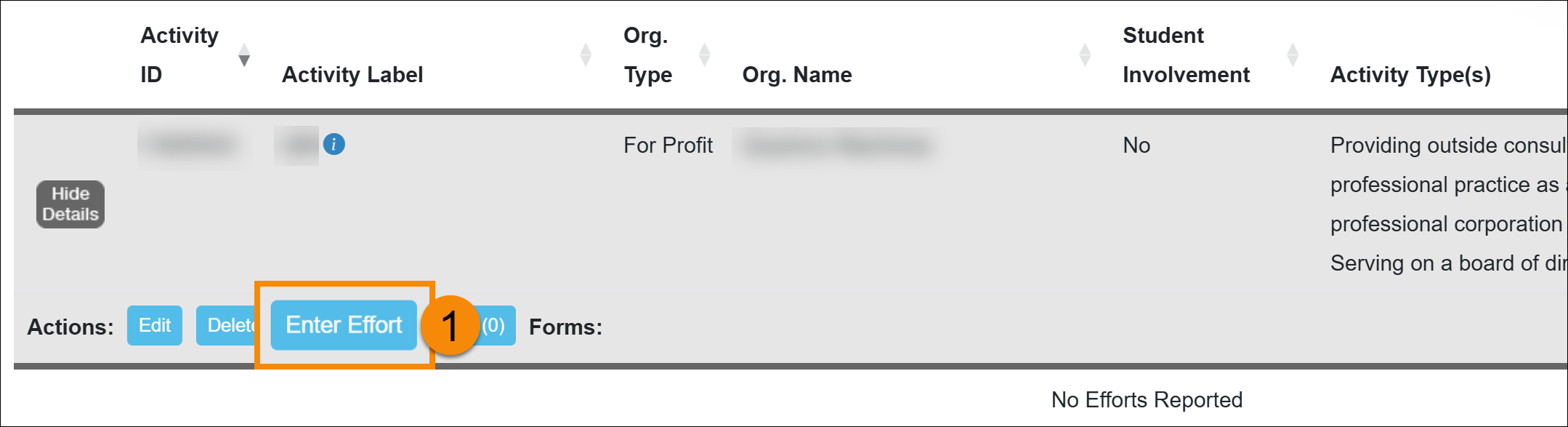
- Locate the activity in your workspace, then click the Enter Effort button.
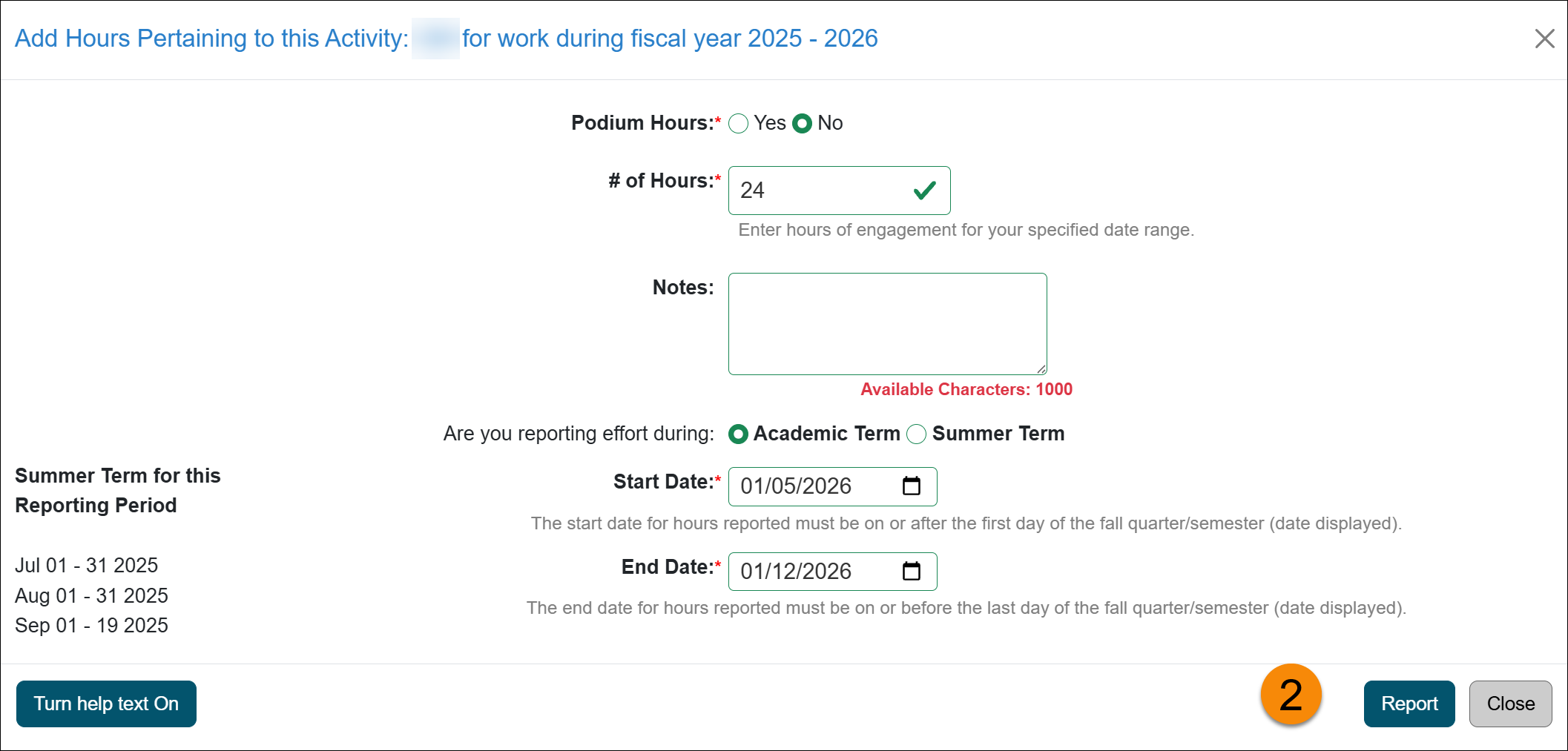
- Complete the form.
-
Academic & Summer Terms: Select the term in which the effort occurred. You cannot report effort across both the Academic and Summer terms in a single entry; each term must be reported separately.
-
Notes (Optional): Notes entered here are visible only within this effort entry. Use this field for your personal reference.
-
-
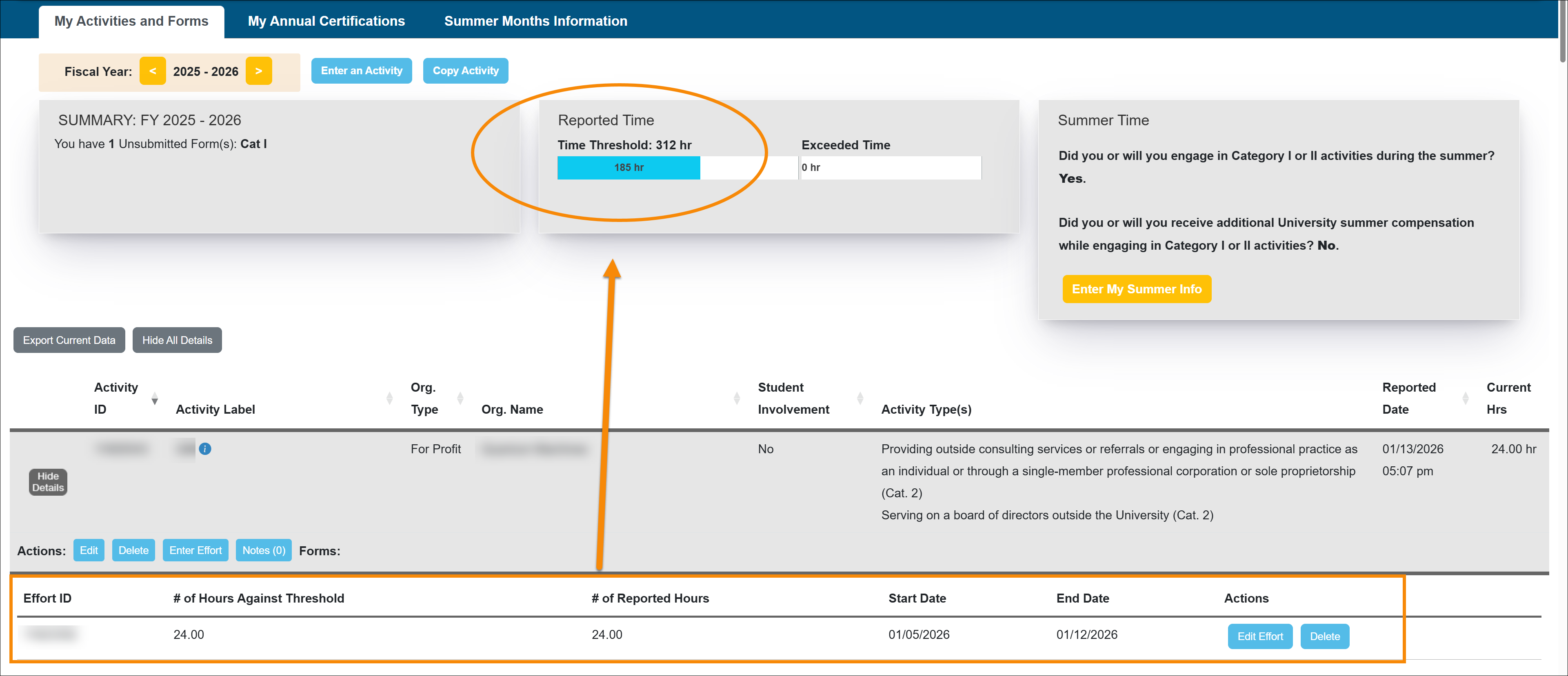
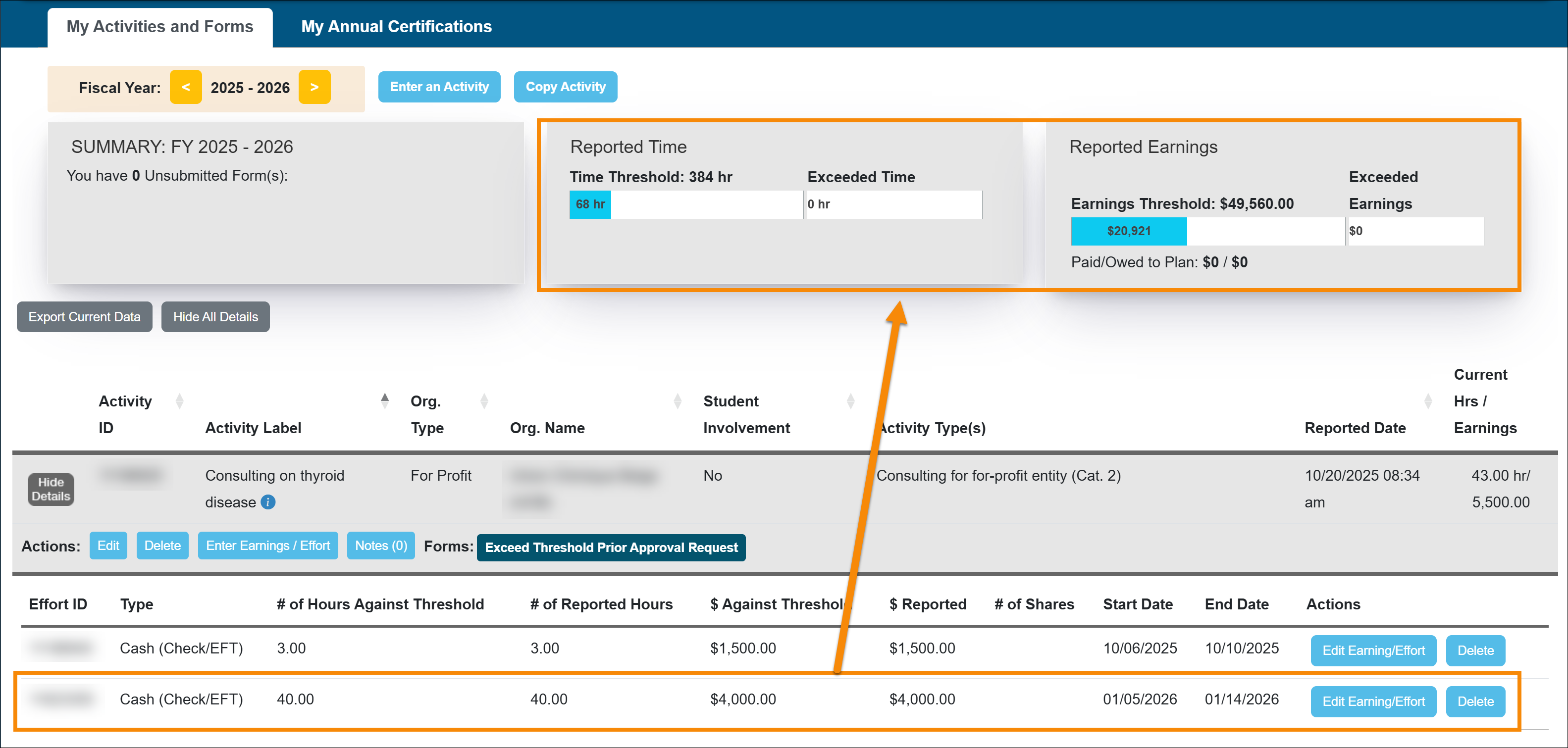
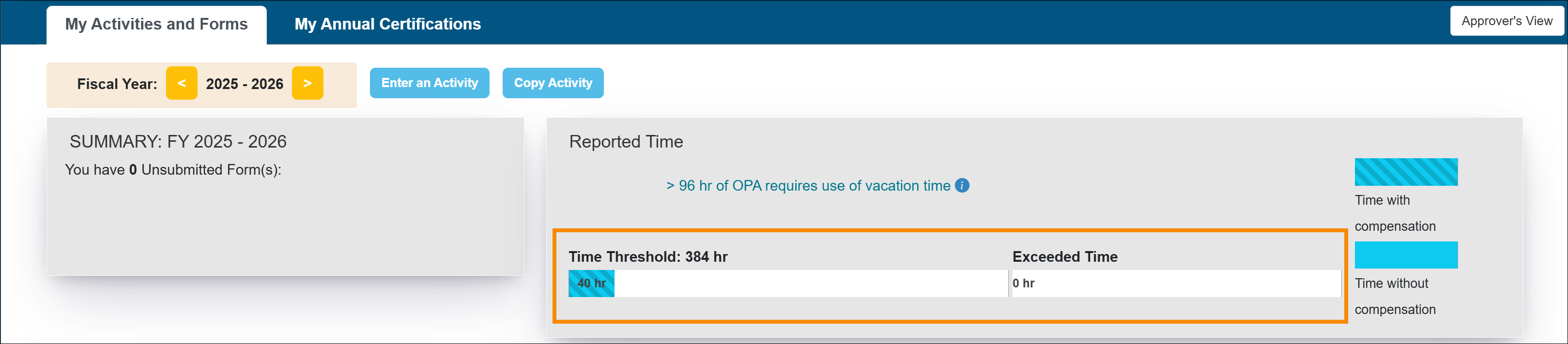
Your reported time will be displayed in the threshold bar. Select Show/Hide to view or manage your reported time.
Health Science faculty
Health Sciences (HSCP) faculty are required to report both time and earnings, including non-cash compensation such as stock. Earnings include all forms of compensation related to the activity, such as cash, honoraria, stock, stock options, or other non-cash remuneration. Reimbursements for reasonable travel or meals are not considered earnings. [APM-671-4]
Reporting Earnings & Effort
To report earnings and effort/time:
- Locate the activity in your workspace, then click the Enter Earnings/Effort button.
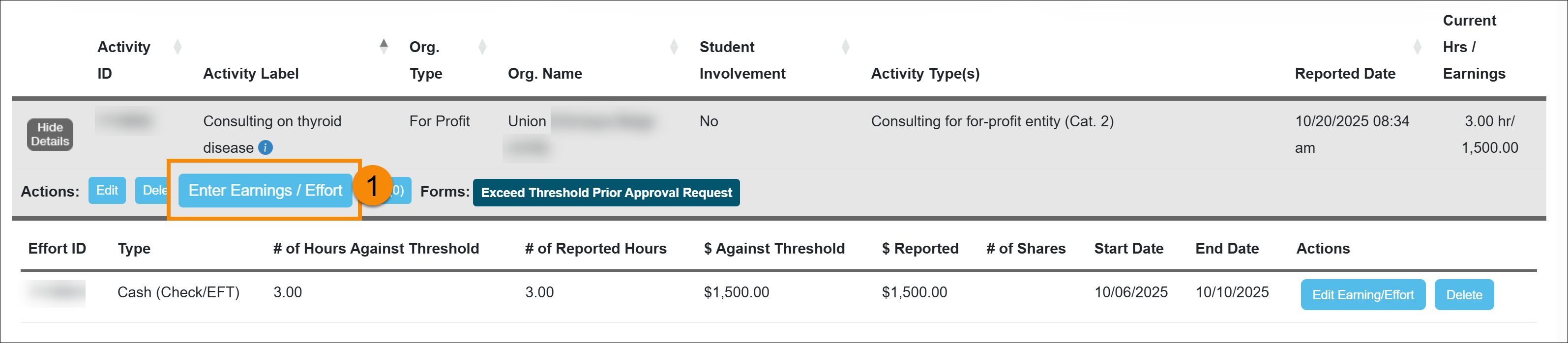
- Complete the form. If you select Stock as the remuneration type, additional information is required [Learn more].
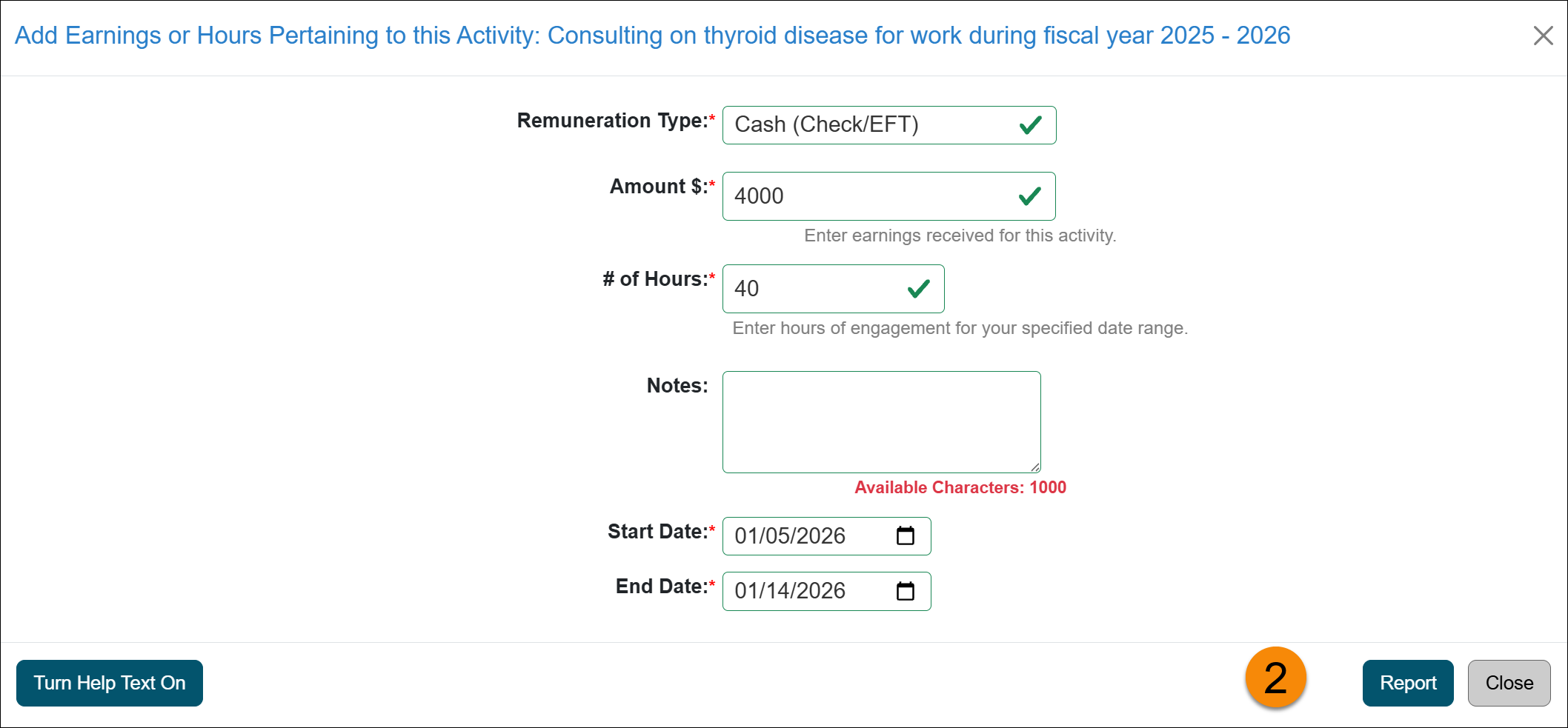
- Your reported time and earnings are displayed in the threshold bars. Select Show/Hide to view or manage your reported time.
Deans & Faculty Administrators
A Dean may engage in compensated outside professional activity for up to twelve University workdays (96 hours) per fiscal year without deducting from vacation leave balances. In excess of twelve work days (96 hours), a Dean shall use accrued vacation leave for performing compensated outside professional activities. [APM-240-20]
Reporting Earnings & Effort
To report earnings and effort:
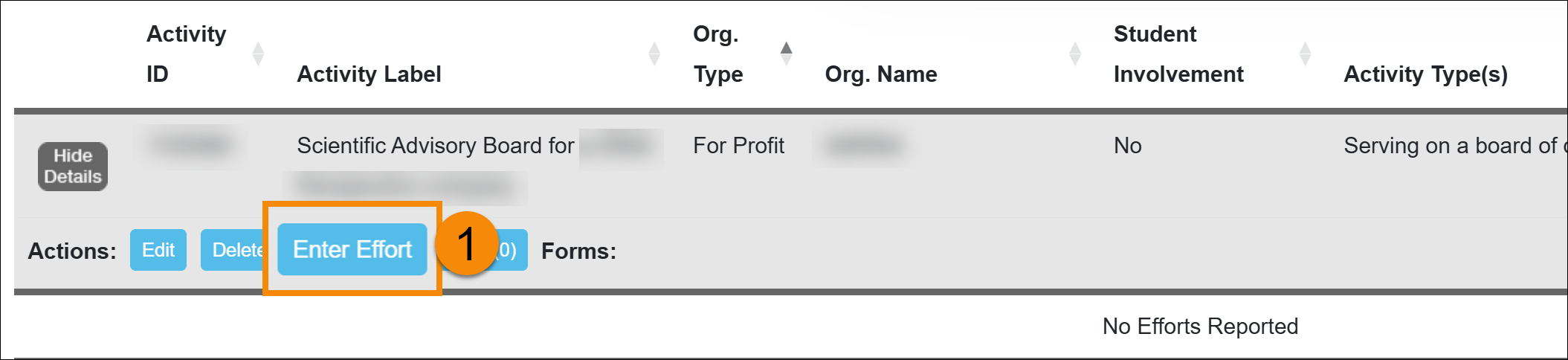
- Locate the activity in your workspace, then click the Enter Effort button.
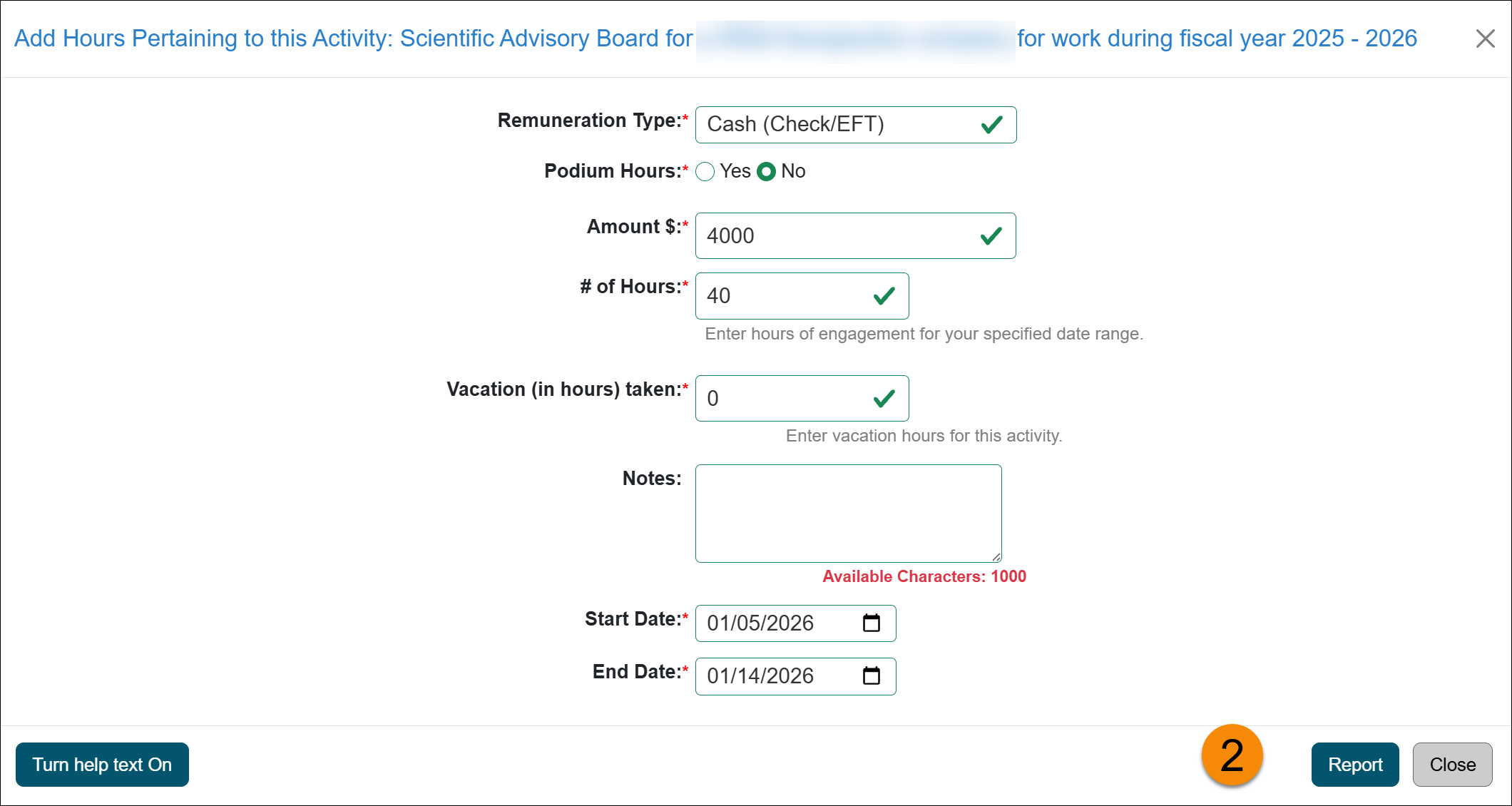
- Complete the form. If you select Stock as the remuneration type, additional information is required [Learn more].
- Your reported time will be displayed in the threshold bars. Select Show/Hide to view or manage your reported time.
Related Articles
All Faculty
Report Effort and Earnings
Report Stock/Stock Options
Modify or Delete Earnings/Effort
Add Activity Notes
Last Modified:2026-01-14 09:01:05.454503-08