Home > Training > Developers > UC OATS API Token Overview
UC OATS API Token Request
This guide outlines how to obtain, use, and renew authentication tokens for the UC OATS REST APIs.
Need API Access? Review the App Admin Directory in our FAQ's to locate your campus contact.
Prerequisites & Roles
- Role Requirement: Campus technical personnel must be assigned the WS Admin (Web Services Admin) role within UC OATS to manage API access.
- Initial Provisioning: Your initial API token is generated by the UC OATS technical team and delivered securely via email to the designated campus tech lead.
Token Lifecycle & Expiration
- Validity Period: All API tokens are strictly valid for one year (365 days) from the date of generation.
- Expiration Alerts: Automated email notifications are dispatched 10 days prior to token expiration to the designated campus technical user and any associated distribution lists.
Token Renewal
To avoid API service interruptions, you must generate a new token and update your integration environment before the old token expires.
To renew an API token:
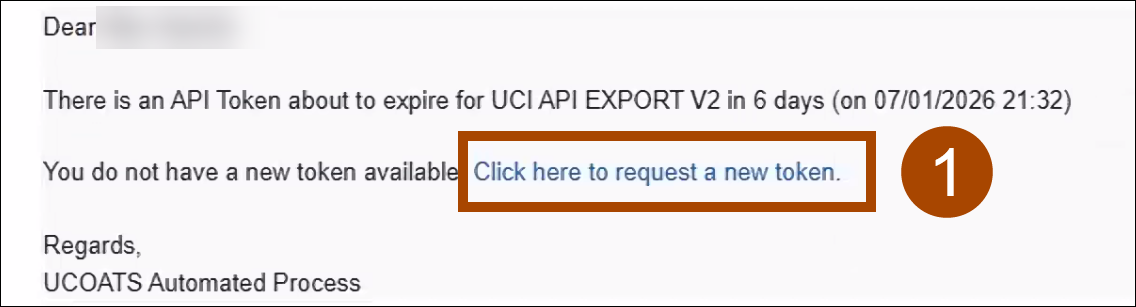
- Open the token renewal email and select the Click here to request a new token link.
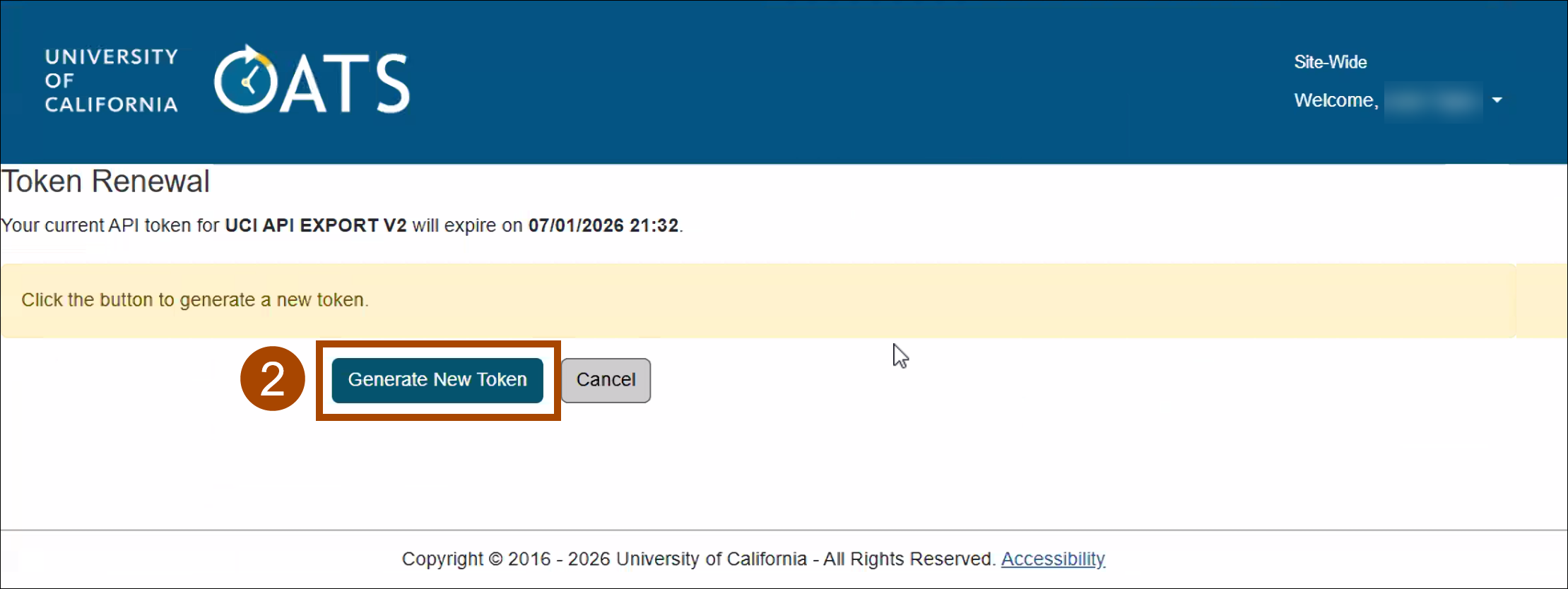
- On the UC OATS Token Renewal page, click the Generate New Token button. Note: Only users with the WS Admin role in UC OATS can log in and request a token.
- Copy the newly exposed token string immediately. Update your application's environment variables or Secrets Manager with the new token.
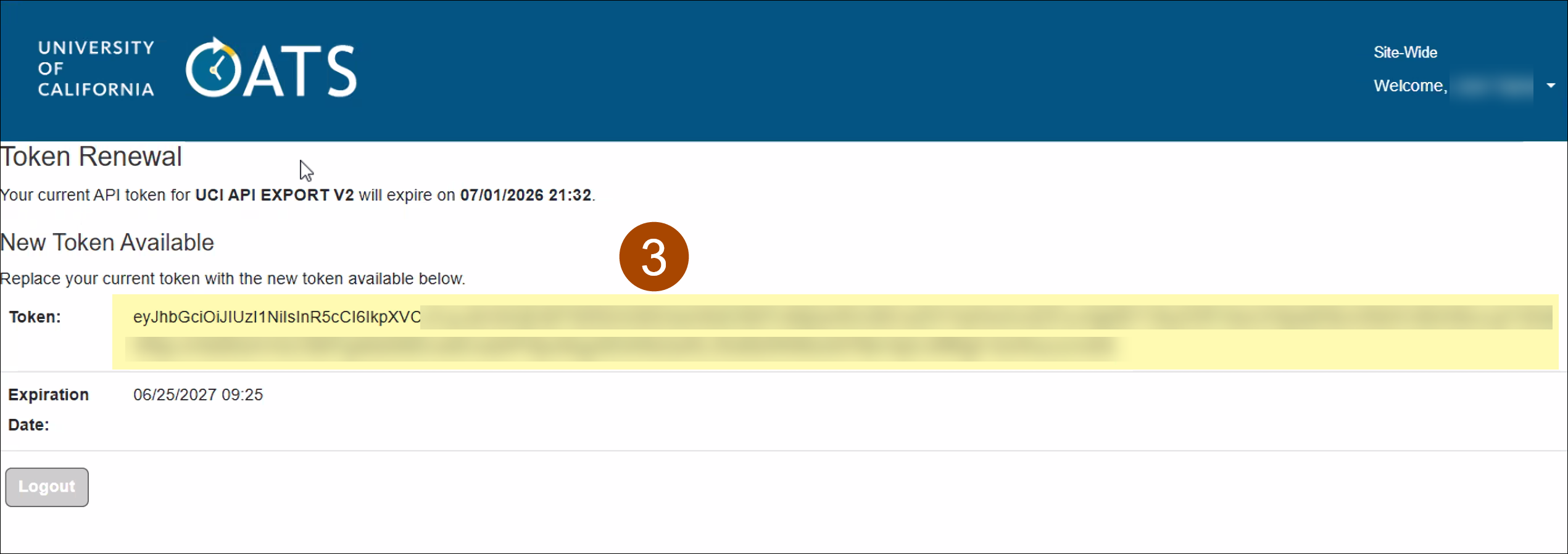
Important Security Note: Always treat these tokens as production secrets (do not commit them to Git).
Related Articles
Developers
UC OATS API Token Request
Last Modified:2026-06-22 10:17:40.574274-07