Home > Training > Auditors > Potential COI Activities Report
Potential COI Activities Report
This guide explains when an email notification is sent to your campus Conflict of Interest (COI) office and provides an overview of the Potential COI Activities Report. When specific criteria are met, the system automatically generates an email notification to the designated COI contact upon submission of the faculty member’s activity.
- Some campuses may have COI email notifications disabled.
Access the Report
The Potential COI Activities report provides a list of activities that have met the criteria and triggered an email notification to your COI contact.
To access the report:
- Select the Auditor tab.
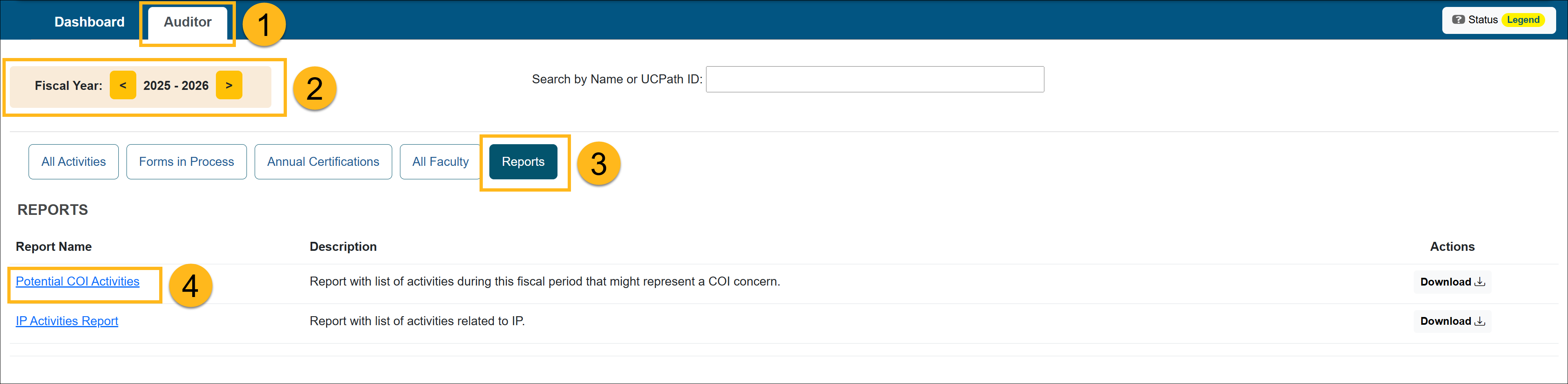
- Choose the fiscal year for the report.
- Select the Reports button.
- Select the Potential COI Activities link.
- The Potential COI Activities report will show all activities that have been sent to your campus's designated COI contact.
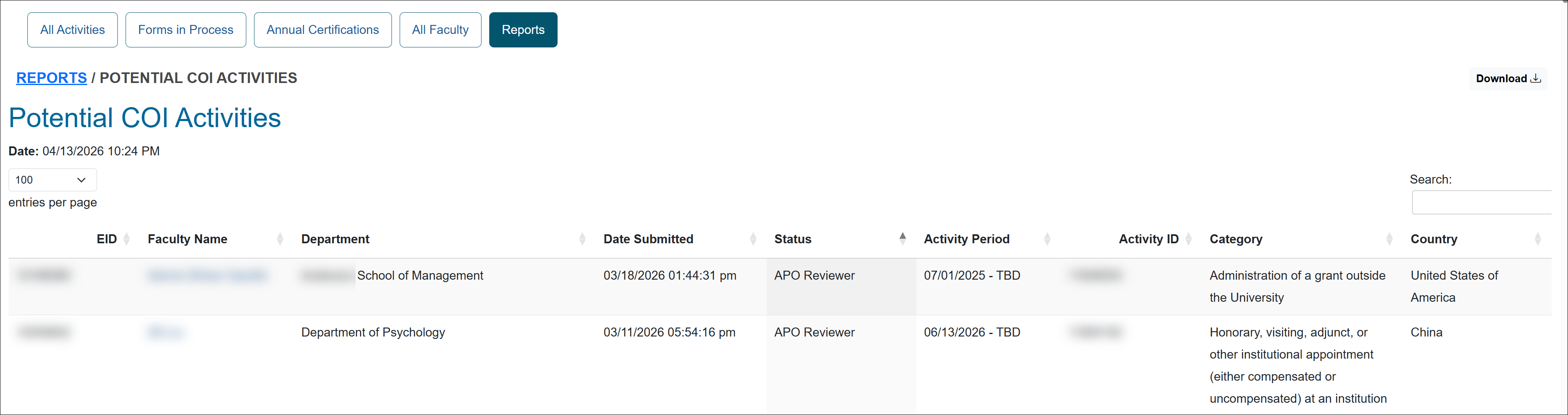
Potential COI Activities
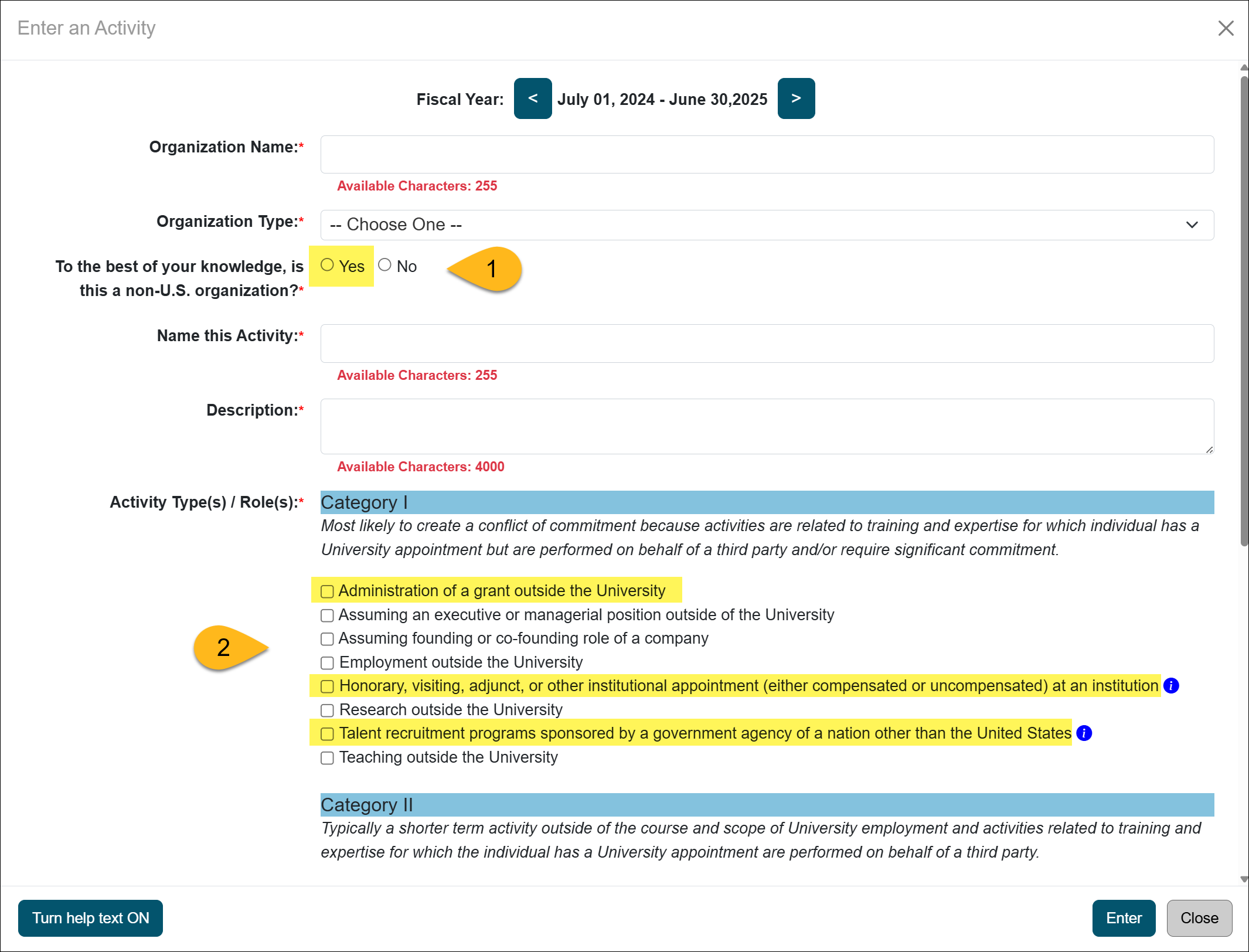
An email will be automatically sent to your campus COI contact when the faculty submits an activity with the following criteria:
- Non-US Organization
The faculty member answers “Yes” to the question: "To the best of your knowledge, is this a non-U.S. organization?"
AND - One of the Following Category I Activity Types Is Selected:
- Administration of a grant outside the University
- Honorary, visiting, adjunct, or other institutional appointment (either compensated or uncompensated) at an institution
- Talent recruitment programs sponsored by a government agency of a nation other than the United States
Related Articles
Auditors
Potential COI Activities Report
IP Activities Reports
Faculty In-Kind Contributions
Last Modified:2026-04-13 15:04:01.291689-07